



The Lawmatics Blog
Insights on legal marketing, automating the law practice, and legal tech in general
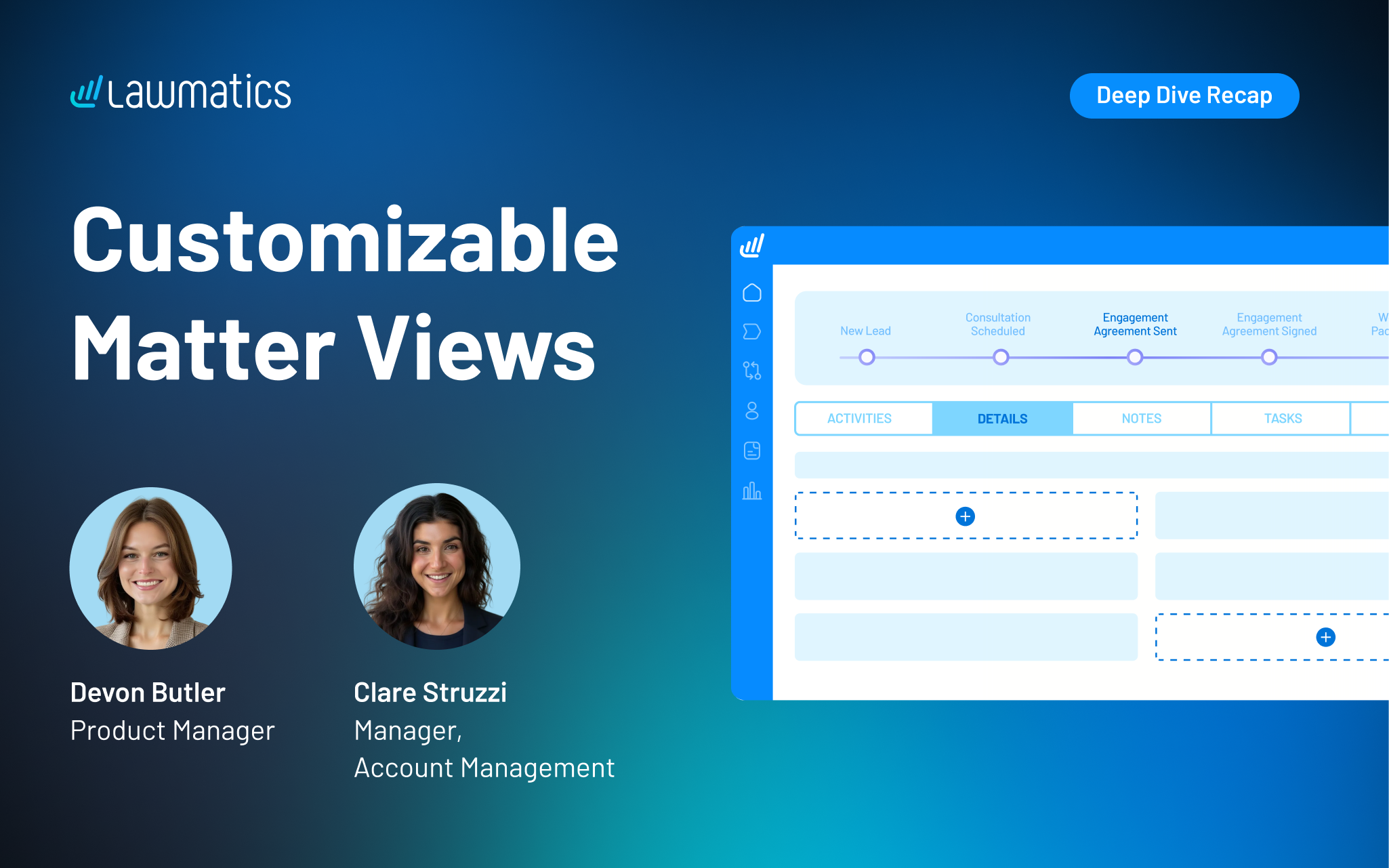


Matter profile pages can quickly fill with details, especially for firms managing multiple practice areas or using a lot of custom fields. Our recent platform update gave users the power to customize the layout of their Matter pages, making it easier to surface the right information, reuse fields without duplication, and create a more organized experience for every user at their firm.
In this Deep Dive webinar, Devon Butler, product manager at Lawmatics, and Clare Struzzi, who leads the account management team, walk through how these new customizable matter views work and how firms can tailor them to better match their workflows.
Time stamps of key takeaways
8:00 – A tour of the updated Matter page design
Devon kicked off the session with a walkthrough of the redesigned Matter page. Some of the key updates she highlights include a customizable side bar, reorganized sections within Matter details, and the ability to control the placement of fields on the page.
18:42 – How to tailor your Matter Details tab
The new Matter Details page gives you the flexibility to choose which fields appear on this page and how they’re organized. In this section, Clare and Devon showed how this flexibility allows teams to structure information in a way that aligns with their workflows, making day-to-day tasks easier to navigate.
27:15 – Setting up role- or practice-specific configurations
Devon demonstrated how firms can configure different matter views based on user role or practice area, ensuring each team member sees only what’s relevant to their work. This helps reduce noise, improve usability, and keeps confidential information on a need-to-know basis.
35:50 – Managing and maintaining your configurations
The team covered how to update, refine, and manage these configurations over time, including how changes apply across matters. This ensures firms can continuously optimize their setup as workflows evolve without needing to rebuild from scratch.
42:10 – Creating a more streamlined matter management experience
The webinar wrapped with a look at how these updates work together to create a more focused and efficient matter management experience. By organizing information more intentionally, firms can reduce friction, save time, and keep teams aligned around the details that matter most.
Webinar slide deck
Matter profile pages can quickly fill with details, especially for firms managing multiple practice areas or using a lot of custom fields. Our recent platform update gave users the power to customize the layout of their Matter pages, making it easier to surface the right information, reuse fields without duplication, and create a more organized experience for every user at their firm.
In this Deep Dive webinar, Devon Butler, product manager at Lawmatics, and Clare Struzzi, who leads the account management team, walk through how these new customizable matter views work and how firms can tailor them to better match their workflows.
Time stamps of key takeaways
8:00 – A tour of the updated Matter page design
Devon kicked off the session with a walkthrough of the redesigned Matter page. Some of the key updates she highlights include a customizable side bar, reorganized sections within Matter details, and the ability to control the placement of fields on the page.
18:42 – How to tailor your Matter Details tab
The new Matter Details page gives you the flexibility to choose which fields appear on this page and how they’re organized. In this section, Clare and Devon showed how this flexibility allows teams to structure information in a way that aligns with their workflows, making day-to-day tasks easier to navigate.
27:15 – Setting up role- or practice-specific configurations
Devon demonstrated how firms can configure different matter views based on user role or practice area, ensuring each team member sees only what’s relevant to their work. This helps reduce noise, improve usability, and keeps confidential information on a need-to-know basis.
35:50 – Managing and maintaining your configurations
The team covered how to update, refine, and manage these configurations over time, including how changes apply across matters. This ensures firms can continuously optimize their setup as workflows evolve without needing to rebuild from scratch.
42:10 – Creating a more streamlined matter management experience
The webinar wrapped with a look at how these updates work together to create a more focused and efficient matter management experience. By organizing information more intentionally, firms can reduce friction, save time, and keep teams aligned around the details that matter most.
Webinar slide deck

Lawmatics, the leading CRM and client acquisition platform for law firms, today announced a new integration with SmartAdvocate, a leading case management provider trusted by litigation firms. The integration gives law firms a direct connection between lead intake and case management, removing the manual work that typically slows down the transition from signing a new client to beginning active case work.
Through this integration, firms using both platforms can sync matter details from Lawmatics to SmartAdvocate automatically or with a few clicks. Contacts, notes, documents, and custom fields transfer together, so teams can pick up new cases in SmartAdvocate with the full picture already in place.
For many firms, the gap between lead intake and case management is where small but costly problems take root. Details have to be re-entered manually, documents get uploaded twice, and information that was carefully collected during intake has to be tracked down again.
“When firms are growing and handling more leads, the last thing they need is a bottleneck between signing a client and starting the work. This integration with SmartAdvocate means that as volume increases, the process of getting a new case up and running stays fast and reliable, not slower and more error-prone,” said Matt Spiegel, founder and CEO of Lawmatics.
“This partnership reflects SmartAdvocate’s ongoing commitment to integrating with leading legal technology providers. By connecting Lawmatics’ feature set with SmartAdvocate’s comprehensive case management platform, we’re helping deliver a more complete solution that supports firms at every stage of the client journey,” said Allison Rampolla, senior vice president of sales & marketing at SmartAdvocate.
The integration is available now for customers of both Lawmatics and SmartAdvocate.
This launch continues Lawmatics' investment in building native integrations with the platforms law firms already depend on, so teams can connect their core tools without adding operational complexity. Lawmatics also continues to expand its platform capabilities, including breaking new ground in legal tech with QualifyAI, an AI agent that evaluates the quality of a firm’s lead as soon as it enters the system. From first touch to active case work, Lawmatics is building toward a future where every stage of the client acquisition process is built for efficiency and scale, without adding administrative burden.

Lawmatics, the leading CRM for law firms, today announced it has been named to G2’s 2026 Best Software Awards, placing #11 on the Best Legal Software list. G2, the world’s largest and most trusted software marketplace, reaches over 100 million buyers annually. Its annual Best Software Awards celebrate the world’s best software companies and products based on verified user reviews and market presence.
This ranking reflects a year of Lawmatics accelerating the shift to automated, AI-driven law firm operations, most recently with the full launch of QualifyAI, an AI agent that instantly identifies a firm’s best-fit leads based on firm-defined criteria and historical analysis. Lawmatics has also expanded its ecosystem with deeper practice management connections, including a new partnership with Filevine and a recently released integration with LEAP. Together, connections like these form a full suite of integrations that support firms within the systems they already rely on, from reception to practice management, helping reduce manual handoffs and streamline workflows.
“Law firms are being asked to move faster and deliver a better client experience with lean teams,” said Matt Spiegel, co-founder and CEO of Lawmatics. “Our mission is to unleash law firms’ full potential by putting trustworthy AI agents to work across intake and marketing. That means the right inquiries are identified early, the next step happens automatically, and teams spend less time on manual follow-up and more time doing high-value work. Implementing automation and AI as core infrastructure removes so much of the chaos and inconsistency that holds law firms back. Being recognized by G2 reinforces that our customers are gaining a competitive advantage from our approach.”
“As buyers increasingly shift to AI-driven research to discover software solutions, being recommended in the ‘answer moment’ must be earned with credible proof,” said Godard Abel, co-founder and CEO at G2. “Our Best Software Awards are grounded in trusted data from authentic customer reviews. They not only give buyers an objective, reliable guide to the products that help teams do their best work, but they’re also the proof AI search platforms rely on when sourcing answers. Congratulations to this year’s winners, including Lawmatics. Earning a spot on these lists signals real customer impact.”
Lawmatics was also recently awarded a Bronze Stevie© Award for Customer Service Department of the Year in the Computer Software - Up to 100 Employees category.

New lead intake breaks down when staff spend too much time on manual review. Some of those leads were never a fit for the firm in the first place, and in the time it takes to identify strong opportunities through manual review, those prospects might have already contacted another firm. When speed to lead is everything, firms can’t afford slow, inconsistent processes for qualifying and routing inquiries.
In this Deep Dive webinar, Devon Butler, product manager at Lawmatics, and Clare Struzzi, manager of the account management team, walk through how QualifyAI solves these problems in intake. They show how firms can design AI-driven qualification systems that surface the right leads earlier, automate next steps, and create a faster, more focused path from inquiry to conversion.
Time stamps of key takeaways
8:31 – Tailoring QualifyAI agents to your practice area
Devon shared how QualifyAI allows firms to design intake systems that reflect how they actually evaluate opportunities. Instead of treating every lead the same, firms can define what a strong case looks like in each practice area. QualifyAI compares leads to these criteria, as well as historical analysis of the firm’s cases, so the right matters rise to the top, weak fits are filtered out earlier, and intake teams spend their time where it counts.
34:52 – Using CoPilot to implement best practices
CoPilot is a chat interface that helps firms get started quickly with QualifyAI. Just type a prompt in CoPilot, and AI will automatically generate best-practice qualification criteria to match your practice area and jurisdiction. From there, you can refine the logic as needed, ensuring that your criteria are always up to date and consistent.
38:06 – How to trigger QualifyAI lead evaluations
Devon walked through how firms can automatically evaluate leads the moment key information is captured, typically through intake forms or matter creation. By connecting QualifyAI to workflows, intake teams can spring into action while a good lead is still fresh and ready to convert.
45:10 – Your lead has been qualified…now what?
Once a lead is categorized, firms can automatically take the right next step: prioritizing high-value opportunities, requesting consultations or agreements, referring out cases that aren’t a fit, or closing the loop on rejected inquiries. The result is a more focused intake process that follows up faster on strong leads and reduces time spent on the rest.
Webinar slide deck
Managing a small law firm requires a focus on systems instead of daily partner involvement. A predictable intake process, enforced time-tracking, and clear role accountability are central to creating a firm that runs smoothly and efficiently. Technology that automates routine and manual tasks and surfaces data is essential. With reliable data, you can implement regular KPI reviews, develop SOPs, and ensure your firm is delivering consistent, high-quality work across the team.
If you’re trying to learn how to manage a small law firm, you first need to shift your focus away from managing everything yourself. Instead, look at building systems that do the management for you.
Managing partners who prioritize a systems-first model create consistency across intake, operations, people management, and finances. This minimizes overreliance on you or a few other individuals.
Productivity and profitability become the natural outcomes of standardized workflows, enforced time tracking, and regular key performance indicator (KPI) reviews. Reinforced by an integrated tech stack, you’ll have a more efficient law firm that is scalable, predictable, and drives revenue growth.
Below, we’ll look at how to manage a small law firm that prioritizes systems. This way, you can stress less and trust that your firm will continue to perform even when you’re out of the office.
How Do You Manage a Small Law Firm?
Managing a small law firm comes down to building systems that can run without you.
Managing partners too often find themselves bogged down in daily operations, such as answering every intake call and approving every client email. Instead of focusing on high-value work, they get stuck putting out fires.
Effective small law firm management leads to:
- Predictable intake and consult scheduling
- Consistent client communication
- Accurate time tracking and billing
- Clear accountability across roles
- Visibility into performance through reporting
When you learn how to manage a small law firm properly, these systems operate smoothly. They ensure the firm functions effectively, even when you’re not around.
Set the Foundation: Roles, Rules, and a Weekly Operating Cadence
Define ownership by role
Every person in your firm should have a clearly defined role, including the specific outcomes they’re responsible for:
- Managing partner: Your role is to set the direction of the firm and ensure it hits its targets by overseeing strategy, KPIs, and finances.
- Office manager: They are responsible for the daily operations of the firm and own intake, operations, and enforcement of firm administration standards.
- Associate attorneys: They oversee execution, time entry, and client communication within their matters.
When role ownership is clearly defined, each member of your team is held accountable, and responsibility can’t be passed on.
Establish firm-wide non-negotiables
Effective law office management rests on having rules and expectations that all team members understand and follow. Begin by creating lead response-time service-level agreements (SLAs) that ensure you’re not losing prospects because of slow follow-ups.
Similarly, enforce same-day time entry requirements. This will ensure billable revenue isn’t lost because your firm overrelies on people’s memories. Setting up a consistent billing review cadence will help keep cash flow predictable.
To ensure everyone is using the same processes, create documented standard operating procedures (SOPs) for repeatable tasks. Without SOPs, you risk each team member developing their own processes for common tasks, leading to organizational chaos.
Implement a simple weekly cadence
Setting up a review system during the week is another important element of law firm management. Use Mondays to review your intake and pipeline to identify which leads require attention and when consults have been scheduled.
During the middle of the week, review your firm’s progress to assess if issues have arisen or if there are approaching deadlines. A Friday review should cover time and billing to ensure time entries are complete and invoices have been sent out.
This rhythm helps catch small problems before they become major ones and protects your firm’s cash flow for daily operations.
Law Firm Intake and Marketing Operations That Do Not Leak Leads
Map the client intake funnel end-to-end
Mapping out the client intake funnel is key to reducing lost prospects. Potential clients are usually lost between the first contact and the signed engagement.
Identify the stages of your funnel from the moment a lead first reaches out to the scheduled consult and all the way to the signed engagement letter.
When your funnel is mapped out, you can more easily spot bottlenecks and where leads are going cold. Once you have the full picture, you can make improvements that keep prospects moving on to the next stage.
Standardize lead intake and follow-up
A standardized intake process delivers a consistent experience for clients and ensures you’re focusing on only quality leads. Develop a set of intake questions to qualify leads and provide you with the background info you need for an informed consult.
You should also make it easy for prospects to schedule consults online. Doing so eliminates inefficient back-and-forth emails and makes it easier to keep track of scheduled and missed consults.
If leads are unresponsive or no-shows, have clear follow-up rules, so people know when to reach out again. Standardizing lead intake and follow-up is much easier with the help of specialized software.
For example, Lawmatics’ QualifyAI helps you easily prioritize the most promising leads through AI-powered lead scoring for law firms. By automating lead scoring this way, your intake becomes more predictable, and individuals can focus their energy on prospects most likely to generate revenue.
Automate what should never be manual
You can minimize the risk of human error with client intake automation. For example, automatic confirmation emails provide prospects with immediate reassurance that their inquiry was received and set expectations for next steps.
Similarly, 24-hour follow-up nudges prevent warm leads from going cold. Automating your reminder and no-show recovery sequences will also help reduce wasted consult slots.
When all of these automated systems are running smoothly, your firm can keep more leads in the funnel while not adding extra work for staff.
Measure intake performance
Measurement is the only way to know if your law firm management changes are having an effect on intake. Focus on the following metrics:
- Speed to lead: Shows how quickly your team is getting back to new lead inquiries.
- Consult set rate: The percentage of qualified leads that are actually scheduling consults.
- Consult show rate: How many leads are showing up to consults, and whether reminder sequences are effective.
- Signed matter conversion: Shows if your consultants are doing a good job of converting leads into clients.
Time Tracking and Billing Discipline That Protects Profit
Why time tracking breaks down at small law firms
For too many small law firms, time tracking is treated as optional. Attorneys develop a habit of only entering their time if they remember to do so, often long after the work has been completed.
This delayed capture is vulnerable to errors, as attorneys are more likely to forget how many hours they actually worked on a task.
These problematic habits are reinforced when there is no consistent review process. Without a review process, the problem is often only noticed when it results in lower realization rates and a drop in cash flow.
Set enforceable time tracking standards
Time tracking standards should be clear and enforced. Attorneys should be expected to make time entries at the end of each day to ensure accuracy. You should also enforce narrative quality requirements, so clients understand the work that is being done for them.
Set up a weekly review cadence by role and matter. Doing so gives you the opportunity to make sure attorneys are held accountable for billable work before invoices are sent out.
Build predictable billing workflows
Before you send out any invoice, make sure it goes through a prebill review. This is a process where someone with authority at your firm looks over each bill for accuracy and clarity.
Any issues should be written down to make it easier to identify patterns. For example, if an attorney is repeatedly overbilling for research, they may require extra training.
Holding your attorneys accountable for billing schedules is also important. It ensures bills are sent out on time, and it improves the client experience through more predictable invoicing. If invoices are sent out late or at random intervals, it makes your firm appear disorganized and unprofessional.
Use reporting to protect margins
Good reporting habits are a powerful tool to help you identify issues early and fix them before they become major problems. Weekly reports should include time capture by attorney, write-downs by reason, and realization rates by matter type.
Use the data from these weekly reports to help your attorneys improve. When they can see where they’re losing billable work, they’re more likely to feel empowered to modify their behaviors.
Matter Workflows and Quality Control
Create default workflows by matter type
Creating default workflows by matter type will help your team maintain consistent quality. Your workflow should start with intake completion, where you’ll make sure all relevant information has been gathered.
The next step is engagement signed to ensure work doesn’t begin without a signed agreement. A kickoff checklist is useful whenever a matter is opened, while milestone tracking keeps everyone accountable and aware of upcoming deadlines.
Finally, document your close-out steps so that clients receive final deliverables and all case files are archived.
Reduce rework and miscommunication
You can easily improve your law firm management efficiency by using templates to reduce the amount of time attorneys spend writing emails. Similarly, having checklists for common tasks eliminates wasted time and makes it easier for your firm to maintain consistent standards.
Aim to standardize handoffs between roles to ensure communication doesn’t break down, and that crucial steps aren’t missed. Without standardized processes, there is a risk of work getting lost in translation when paralegals transfer work to an associate.
Control the client experience
You can dramatically improve the client experience while maintaining a more efficient workflow by setting response-time expectations upfront.
A legal marketing automation platform can also make a huge difference to the client experience. For example, it can trigger automatic status updates whenever a matter hits a milestone.
To avoid putting out fires, have escalation rules in place. These rules establish which situations warrant a partner getting involved immediately, so small issues are contained and clients feel their concerns are taken seriously.
People Management: Hiring, Training, and Accountability
Hire for operational gaps, not titles
Managing a law firm isn’t about simply filling titles. Instead, identify operational gaps where your firm needs support, and hire for them.
For example, if your firm is struggling to keep up with incoming calls and scheduling consults, you should hire for intake support. If time entry and invoicing are falling behind, hire for operations and billing.
Similarly, if your attorneys are at capacity and need support from more paralegals, identify the specific skills each attorney is looking for. Increasing headcount in a way that pays attention to existing gaps will deliver immediate results and minimize onboarding delays and training costs.
Train using systems, not shadowing
While shadowing senior team members can be valuable, it shouldn’t be the main way you train junior members of your team. An SOP-based onboarding process delivers consistent training, reduces wasted time, and ensures new hires know exactly how your firm is expected to operate.
In addition to SOPs, you should lay out 30/60/90-day plans for new employees, so they have clear milestones and expectations for their first three months.
This systematic approach to onboarding and training will help new hires contribute to your firm faster and use processes that are shared by the entire team.
Enforce accountability consistently
Small law firm administration requires holding every team member accountable. Use weekly scorecards with metric-based feedback, so attorneys and staff understand that any issues with their work aren’t based on personal criticism, but on data and numbers.
Short, operational meetings are also a good way to keep the entire team aligned on goals and performance. So long as accountability is consistent and data-driven, you’ll see performance improve thanks to every team member understanding how their work contributes to the firm’s growth.
Financial Management and KPIs for Managing Partners
Weekly numbers every managing partner should review
Use legal analytics and reporting tools to track weekly KPIs that give visibility into your pipeline health:
- Lead volume signifies whether your marketing efforts are working.
- KPIs around consults give you insights into the effectiveness of your sales and lead qualifications.
- Time capture and utilization can uncover if any of your attorneys aren’t billing enough hours.
- Billing status and accounts receivable (AR) aging weekly reviews can uncover potential cash flow issues early.
Monthly performance indicators
Your monthly performance indicators give you an opportunity to keep track of medium-term trends:
- Realization and write-down rates can reveal if your firm’s time is translating into increased revenue.
- Cash flow and collections indicators will similarly show if your firm has enough liquidity to cover its obligations.
- Capacity by role can help identify individuals who are either overworked or underutilized.
If you can catch these issues on a monthly basis, you can fix them before they have a major impact on quarterly results.
What to fix when numbers slip
If you see some of your numbers slipping, the best way to respond will depend on which area of your firm’s operations is affected. For example:
- If your consult rates are dropping, consider implementing faster response times, improved follow-up sequences, or better qualification criteria.
- If your realization rate drops, the issue may be stricter prebill reviews, better time entry practices, or addressing scoping problems.
- If cash flow is lagging, you’ll probably need better AR enforcement, such as earlier reminders, more frequent collection calls, and payment plans for clients who have fallen behind.
Tech Stack and Integrations Without Tool Sprawl
Principles for a healthy tech stack
The best tech stacks for law firm management have one system of record for intake, communication, and marketing operations. This approach keeps leads and data unified and trackable across multiple platforms.
As a managing partner, you’ll want maximum visibility into time tracking and billing to give you quick insights into productivity and profitability.
Your tech stack should also make automation a central pillar of your law office management, such as automatic handoffs between intake, follow-up, and billing. Finally, it should be easy to generate reports that connect activities to measurable outcomes, like revenue generated, matters signed, and consults booked.
How to choose software that works with your existing systems
The best software for law firm management should complement your existing tech stack rather than replacing it.
For example, Lawmatics boasts deep integrations with platforms like Clio, MyCase, and PracticePanther. This means your team doesn’t need to relearn a new system from scratch.
The result of Lawmatics integrations is that your firm can maintain its current case management workflow, but still benefit from improved client relationship management (CRM), automation, and reporting. This approach reduces friction and ensures that your team is more willing to adopt new software.
Run a quarterly stack audit
A quarterly stack audit helps you make sure your software is continuing to deliver value. During your audit, identify what each tool does and where data should live, which will help avoid duplication.
Document workflows between intake, CRM, practice management, and billing tools. You may find that two or more tools are responsible for the same tasks, which could allow you to remove one.
Remember that your tech stack should save you time. If any are resulting in increased manual work, consider cutting them or replacing them with software that is more automated.
Finally, integrations need to actually be used in order to provide value. Check that data is flowing between systems, so you’re getting a complete and accurate view of your firm’s metrics.
Common Mistakes in Managing a Small Law Firm
Operational mistakes
One of the most common operational mistakes in managing a law firm is not having SOPs. The result is that the same task gets done differently depending on the individual handling it, which creates inconsistencies both for your team and clients.
Inconsistent intake follow-up is another common mistake that results in leads going cold. This issue can often be fixed by having documented timeline expectations and follow-up ownership.
Also, reactive billing happens when invoices are only sent out when cash is running low. This creates unpredictable cash flow and a frustrating experience for clients.
Management mistakes
A weekly review cadence is one of the best steps you can take if you want to learn how to manage a small law firm effectively. Without a weekly cadence in place, problems arise too late to be addressed easily.
Another management problem with small law firms is weak accountability. This is often the result of no tracking metrics in place or no one having direct conversations about performance.
Technology mistakes
It’s easy to let your tech stack become unmanageable thanks to adding new software over time. The result is tool sprawl, which leads to overlapping systems and a lack of integration.
Also, in many firms, there is no clear ownership over who should be pulling data in order to make informed decisions around strategy and performance. Without clear reporting of ownership, you’re wasting money on software and trying to manage your firm without the information you need.
How to Manage a Small Law Firm With Systems, Not Stress
Managing a small law firm isn’t about trying to do more work or being constantly available. Instead, it’s about having systems in place that ensure your firm runs seamlessly even when you’re away from the office.
When intake, time tracking, billing, and matter workflows are standardized, firm operations become predictable and efficient.
By thinking of law firm management in terms of systems, managing partners spend more time on high-value items. They can refocus on strategy, processes, and growth because they know the daily operations of the firm will continue to run smoothly.
Lawmatics is pivotal to building a systems-first model. With Lawmatics, you can connect your legal CRM software, client intake, automation, reporting, and integrations into one workflow.
Instead of struggling with multiple platforms and manual tasks, you benefit from a unified system that automates follow-up, tracks key metrics, and integrates with your current case management software. The result is less overhead, more conversions, and a proactive management culture.
Ready to reduce stress and better manage your firm? Request a demo, and see how Lawmatics can transform the way your law firm operates.
FAQ
How do you manage a small law firm without burning out?
Focus on building systems instead of trying to do everything yourself. By standardizing workflows, intake, and time tracking, the firm will run independently of any individual’s performance. Be sure to also delegate tasks and create a weekly cadence to review metrics.
What is the most important part of small law firm management?
Time tracking and billing consistency are two of the most important components of small law firm management. With accurate time capture and predictable billing, you’ll protect your firm’s margins, ensure a steady cash flow, and deliver an improved client experience.
What KPIs should a Managing Partner review every week?
The most important KPIs to review weekly are leads, consults, and signed matters, all of which give you a good glimpse into pipeline health.
Your time capture and utilization rates are also essential to ensure accurate billing. And, billing status and AR aging will give you insights into any cash flow issues.
How do you improve intake and follow-up at a small firm?
First, you need to map out your intake funnel to see at what stage leads are dropping off. Poor lead qualification standards or manual consult scheduling are two common causes of lost leads.
Implement online scheduling and automate confirmation emails and follow-up nudges to improve your intake and follow-up performance.
How do you make sure attorneys track time consistently?
Same-day time entry should be the standard across your firm, and it should be enforced through weekly reviews.
Make sure attorneys are held accountable for time tracking, such as by using reporting that shows where they're losing billable hours. This will help encourage greater compliance.
What software helps manage a small law firm best?
Small firms benefit the most from software that integrates intake, CRM, automation, and reporting without replacing your existing case management software.
Because Lawmatics features deep integrations with tools like Clio and MyCase, it’s well-suited to small law firms that want to create improved workflows and surface actionable data without replacing current systems.

Legal software is meant to reduce administrative work, not create more of it. But for many firms, disconnected systems still lead to duplicate data entry, manual handoffs, and wasted time between intake and case management. In this webinar, we walked through the new Lawmatics + LEAP integration and how it connects client intake, CRM, and marketing automation in Lawmatics with case management, documents, and billing in LEAP — so matters move forward without friction once a client is hired.
The session was led by Devon Butler, product manager at Lawmatics, and David Morgan, head of product for LEAP US.Together, they shared how the integration works, how firms can use it to create a more connected workflow from first contact through active case management.
Time stamps of key takeaways
4:13 – Defining CRM and practice management
Devon and David opened the session with a quick summary of the differences between a CRM like Lawmatics and practice management software like LEAP. Lawmatics handles intake, CRM, and marketing automation up front, while LEAP takes over once a client is engaged to manage cases, documents, billing, and accounting through the life of the matter.
9:25 – Live demo of the Lawmatics side
Devon walked through connecting LEAP inside Lawmatics, enabling the conversion sync, and configuring practice area and field mappings. She then demoed a full intake flow using a custom form, showed how matters are created in Lawmatics, and explained the different ways a matter can be converted or synced to LEAP.
22:37 – Live demo of the LEAP side
David opened the synced matter in LEAP to show how client details, matter type, related contacts, notes, and documents transfer from Lawmatics. He highlighted how attorneys can immediately begin work in LEAP using document automation, AI tools, workflows, accounting, and billing once the matter arrives.
26:50 – Q&A
The Q&A covered pricing and subscription structure, syncing existing matters, one-way sync behavior, multi-state limitations, and how custom forms and third-party tools like DecisionVault fit into the workflow.
Webinar slide deck
Subscribe to get our best content in your inbox
Law firms love Lawmatics
Our customers give their clients the client-focused experience they deserve. Learn how they do it all with Lawmatics.
.avif)
.avif)

.avif)

Ready to grow your law firm with Lawmatics?
Schedule a demo of legal’s most trusted growth platform.
