



News & Updates


Will AI replace lawyers? Artificial intelligence (AI) will not replace lawyers, but it is fundamentally changing how they get legal work done. As AI becomes more embedded in research, document review, and client intake, firms are increasingly automating many traditional legal tasks. This article examines whether AI can truly replace lawyers, which legal functions are most affected, how law firms are using AI today, and what these trends mean for associate attorneys navigating an AI-driven legal industry.
AI is already reshaping how your firm gets work done. It’s changing how you handle research, drafting, intake, billing pressure, and the future of associate work.
For many firms, the real question is how to use AI without disrupting the way they already work. Firms are figuring out where AI adds value and where attorneys still need to stay hands-on, while navigating how these tools change the work without changing who’s ultimately responsible.
In this guide, we’ll examine where AI affects legal tasks, why associate attorneys feel the most pressure, how firms are using AI today, and what the next 12-24 months are likely to bring.
Will AI Replace Lawyers or Just Change the Job?
The short answer is no: AI will not replace lawyers. What it can do is automate or accelerate certain tasks lawyers have traditionally handled manually, and that distinction matters.
When people ask, "Will lawyers be replaced by AI?" or "Can AI replace lawyers?" they are usually reacting to how quickly these tools have improved at summarizing information, reviewing documents, and generating draft language.
But those capabilities are not the same as practicing law. Lawyers are still responsible for legal judgment, ethical obligations, advocacy, and client outcomes. And courts, clients, and regulators continue to hold licensed attorneys accountable.
A better question is: “Which parts of your work is AI already automating, and what does that mean for you?”
Why Associate Attorneys Feel Most at Risk
If any group in the profession feels exposed by AI, it is associate attorneys. Associates often spend a large share of their time on high-volume, repeatable work:
- Document review
- Contract comparison
- Drafting from templates
- Follow-up tied to matters in progress
Those are also the kinds of tasks AI is taking on.
It’s no surprise that many associates feel pressure as these tasks shift. Many associates are already under pressure to be faster, more accurate, and easier to justify to cost-conscious clients.
But "most exposed" does not mean associates are the most likely to be replaced. It means the tasks that make up their role are among the first to be reshaped by AI, while expectations for more substantive work rise earlier.
Legal Tasks AI Can Replace or Automate
AI is most effective at handling structured, repetitive, text-heavy, and rules-based work that slows your team down.
Legal research and case summarization
AI is already changing the first layer of legal research. Attorneys can use it for a faster first pass to:
- Scan cases, statutes, and regulations quickly
- Summarize large volumes of text
- Highlight recurring themes
- Spot potential issues faster
That means less time gathering information and more time testing whether the output is accurate, relevant, and persuasive. These are the kinds of outputs that actually move cases forward.
Contract review and document analysis
Contract review is another area where AI can help. AI can be useful in due diligence, compliance review, procurement workflows, and any matter involving large volumes of contracts or standard language, including:
- Identifying clauses
- Comparing language across document sets
- Flagging deviations from standard terms
- Surfacing inconsistencies that manual review might otherwise miss
Many firms are also exploring legal document automation software to streamline repetitive drafting and review tasks while keeping attorneys in control of the final output.
Intake, qualification, and administrative work
Some of the fastest wins come from automating intake and follow-up with predefined criteria, so no potential client gets lost. These are areas where automation and AI can reduce a major administrative burden:
- Client intake
- Lead qualification and routing
- Follow-up
- Automated scheduling and reminders
Legal Tasks AI Cannot Replace
For all the attention on automation, there are still core parts of legal practice that AI cannot replace.
AI cannot replace certain legal tasks
Legal work often involves high-stakes decisions where the details matter, and the right call isn’t always obvious. Many matters require attorneys to navigate uncertainty, emotional dynamics, and practical risk in ways that go beyond pattern recognition.
Lawyers do more than surface information. They interpret ambiguity, weigh tradeoffs, and make recommendations when the answer is not obvious. AI can help organize information and support analysis, but legal judgment still depends on attorneys.
Advocacy and negotiation
Legal advocacy is deeply human. Whether in court, at a mediation table, or in a negotiation, persuasion depends on judgment, timing, credibility, listening, and adaptation.
Strong advocates read tone, pressure, resistance, leverage, and opportunity. AI can assist with preparation, but it cannot respond to the human dynamics that shape negotiation and advocacy in the moment.
Ethical responsibility and accountability
The biggest boundary in legal practice around AI use is accountability. Lawyers have ethical duties to clients, courts, and the profession, including competence, confidentiality, candor, supervision, and professional judgment.
Those duties still rest with attorneys. They must verify the work, protect client information, exercise judgment, and stand behind the advice they give.
How Law Firms Are Using AI Today
Law firms are using AI in several practical ways today. It supports legal work by improving intake and connecting workflows inside a legal client relationship management (CRM) system.
AI as an assistant, not a replacement
In many firms, AI is being used to accelerate research, support drafting, improve consistency, and reduce time spent on routine tasks. It helps attorneys work more efficiently, but they still have to review outputs, make decisions, and stand behind the final work product.
AI in client intake, lead qualification, and routing
One of the clearest applications of AI for law firms is in client intake. AI can help firms improve the quality of information they collect, apply qualification criteria more consistently, and move leads through the right next steps with less manual effort.
For example, AI can:
- Evaluate urgency: Identify inquiries that may need faster attention based on timing, case type, or stated circumstances.
- Screen for practice fit: Help determine whether a matter aligns with the firm’s services before teams spend time reviewing it.
- Assess lead quality: Apply defined qualification standards consistently to help teams focus on stronger opportunities. Tools like QualifyAI support this process by helping firms automate intake screening and matter qualification without crossing into the realm of legal advice.
- Collect intake information: Use custom forms and structured workflows to gather client details and create more complete records from the start.
- Route inquiries intelligently: Sort leads by priority, stage, or next step and direct them to the right person or process.
- Automate follow-up: Trigger responses, reminders, and outreach to ensure promising leads do not stall due to delayed communication.
- Support scheduling: Move qualified leads into consultations with less back-and-forth and fewer manual touchpoints.
- Reduce administrative drag: Improve upstream intake so attorneys spend less time on triage and more time on billable work.
AI paired with legal CRM workflows
AI becomes more useful when it works inside a broader system. That works best when legal CRM software and legal software integrations connect intake, follow-up, and client information into a single centralized system.
When intake data flows directly into a centralized CRM, follow-up can happen automatically, and attorneys can work from more complete, organized information.
What Will Actually Change for Associate Attorneys in the Next 12-24 Months
The table below illustrates which legal tasks firms are already automating, which are likely to change in the next 12-24 months, and which still depend on human judgment.
| Legal task category | Examples of tasks | Level of AI impact | Timeline |
|---|---|---|---|
| Intake and administrative work | Intake data collection, lead qualification, follow-up, and scheduling | High | Already happening |
| Legal research and summarization | First-pass case law research, statute summaries, issue spotting | High | Already happening |
| Contract review and analysis | Clause identification, risk flagging, document comparison | High | Already happening |
| Drafting standard legal documents | Routine motions, template-based agreements with attorney review | Medium | 12-24 months |
| Litigation prep and discovery support | Document organization, evidence tagging, timeline creation | Medium | 12-24 months |
| Intake decision support | Applying firm-defined qualification rules without legal advice | Medium | Already happening |
| Legal judgment and strategy | Case strategy, risk assessment, application of law to facts | Low | Unlikely to be replaced |
| Client counseling and advocacy | Client advice, negotiation, courtroom advocacy | Low | Unlikely to be replaced |
| Ethical and professional accountability | Malpractice liability, ethical judgment, licensing responsibility | None | Not replaceable |
Fewer low-value tasks, higher expectations
Associates will likely spend less time on intake administration, document work, and other repetitive tasks that can be standardized. As a result, firms may expect associates to handle more substantive work earlier.
As routine work takes up less of the role, firms may place greater value on analytical skills, precision, and the ability to take on client-facing responsibility.
Faster feedback loops
AI-assisted systems can make performance more visible. When workflows are digitized and standardized, firms can see turnaround times, follow-up completion, response rates, matter progression, and other indicators sooner.
Faster feedback loops help strong associates stand out while also making expectations around consistency and execution clearer across the board.
Increased leverage for AI-literate associates
The associates who benefit most from AI will be the ones who adopt it quickly and use it responsibly. That starts with understanding how to prompt, review, verify, and refine outputs. It also involves knowing where automation adds value and where it introduces risk.
The real advantage comes from turning saved time into stronger work, not just faster work.
The real risks of AI in legal practice
AI can create leverage, but only if you understand the risks that come with it. Key concerns include:
- Hallucinations and inaccurate outputs: AI can produce confident-sounding errors, including fabricated citations, misread authority, or oversimplified legal distinctions. In legal work, every output requires attorney verification.
- Confidentiality and data privacy: Firms must handle client information carefully, and not every AI tool is appropriate for legal workflows. Tools can create risk when firms do not understand how data is processed, stored, or reused. That is why firms need clear policies, controlled workflows, and tools built for legal use cases.
- Unauthorized practice of law: AI cannot independently provide legal advice. Firms can use AI to support intake, qualification, and internal workflows, but if implementation crosses into unsupervised legal advice, the risk becomes regulatory exposure.
- Over-reliance and skill atrophy: Attorneys still need to build judgment, pattern recognition, and analytical strength. If AI is responsible for too much thinking, it can result in weaker legal reasoning over time.
How Associate Attorneys Can Future-Proof Their Careers
The strongest position is knowing where AI supports your legal work and where your judgment still matters most.
Focus on high-judgment legal work
The more your value depends on strategy, counseling, nuanced analysis, negotiation, and client communication, the harder you are to replace. Look for opportunities to build skills in asking better questions, improving communication, and taking ownership of recommendations.
Become AI-literate, not AI-dependent
Lawyers do not need to become AI experts. They need to understand how AI fits into their day-to-day workflows.
Learning how to evaluate outputs, identify weak reasoning, spot missing context, and supervise automated processes will better equip you to leverage AI without becoming dependent on it.
Use AI to protect billable work
AI should protect time for more meaningful work. When firms automate low-value administrative steps, intake bottlenecks, or repetitive drafting processes, you can focus your time where it adds the most value: analysis, advocacy, and client service.
The Future of Law in an AI-Driven Legal Profession
AI isn’t changing who’s responsible for legal work. It’s changing how efficiently you can get that work done.
For attorneys, AI is most useful when it automates administrative tasks and streamlines intake, follow-up, and qualification, allowing them to spend more time on substantive legal work.
As a legal CRM, Lawmatics helps firms automate intake, follow-up, and qualification through custom automations. You receive better information and fewer administrative bottlenecks, so you can spend more time practicing law.
To see how AI-supported intake fits into a modern Legal CRM, request a demo.
FAQ
Will AI replace lawyers entirely?
No. AI can automate parts of legal work, but it cannot replace legal judgment, ethical accountability, or advocacy. Lawyers are still responsible for advising clients, applying the law to specific facts, and standing behind the decisions and filings.
Are associate attorneys more vulnerable to AI?
Associate attorneys are more affected by AI-driven task automation because early-career roles often include more routine, document-heavy, and process-driven work. With AI, the structure of their work is changing, with more emphasis on analysis, judgment, and client-facing readiness.
Can AI practice law on its own?
No. AI cannot practice law independently or provide legal advice without attorney oversight. It can support research, intake, and administrative workflows, but licensed attorneys are still responsible for verifying outputs, protecting client information, and exercising professional judgment.
What legal work is safest from AI?
Legal work that depends on strategy, advocacy, negotiation, and client counseling is the least likely to be automated. These responsibilities require judgment, persuasion, relationship management, and the ability to respond to nuanced facts and human dynamics.
Should lawyers be worried about AI?
Lawyers should prepare for change, but not assume AI is replacing the profession. Firms and attorneys who learn how to use AI responsibly will be in a stronger position than those who ignore it.

We're excited to shine a spotlight on the latest additions to Lawmatics! In an ever-evolving digital landscape, these new features are here to empower you to stay at the forefront of innovation. Get ready to discover what's fresh and game-changing from the Lawmaticians!
Redefine your Reports and Audiences with Advanced Conditional Logic

Take your data analysis to the next level by combining multiple criteria with Advanced Conditional Logic. Filter your Reports and Audiences by layering both “and” and “or” conditions to uncover hidden insights, track trends, and make data-driven decisions. Whether you're running campaigns or segmenting clients, this feature gives you unparalleled control. Stay tuned to see where Advanced Conditional Logic is incorporated into the platform next!Learn more here
Clean up your CRM by Merging Matters
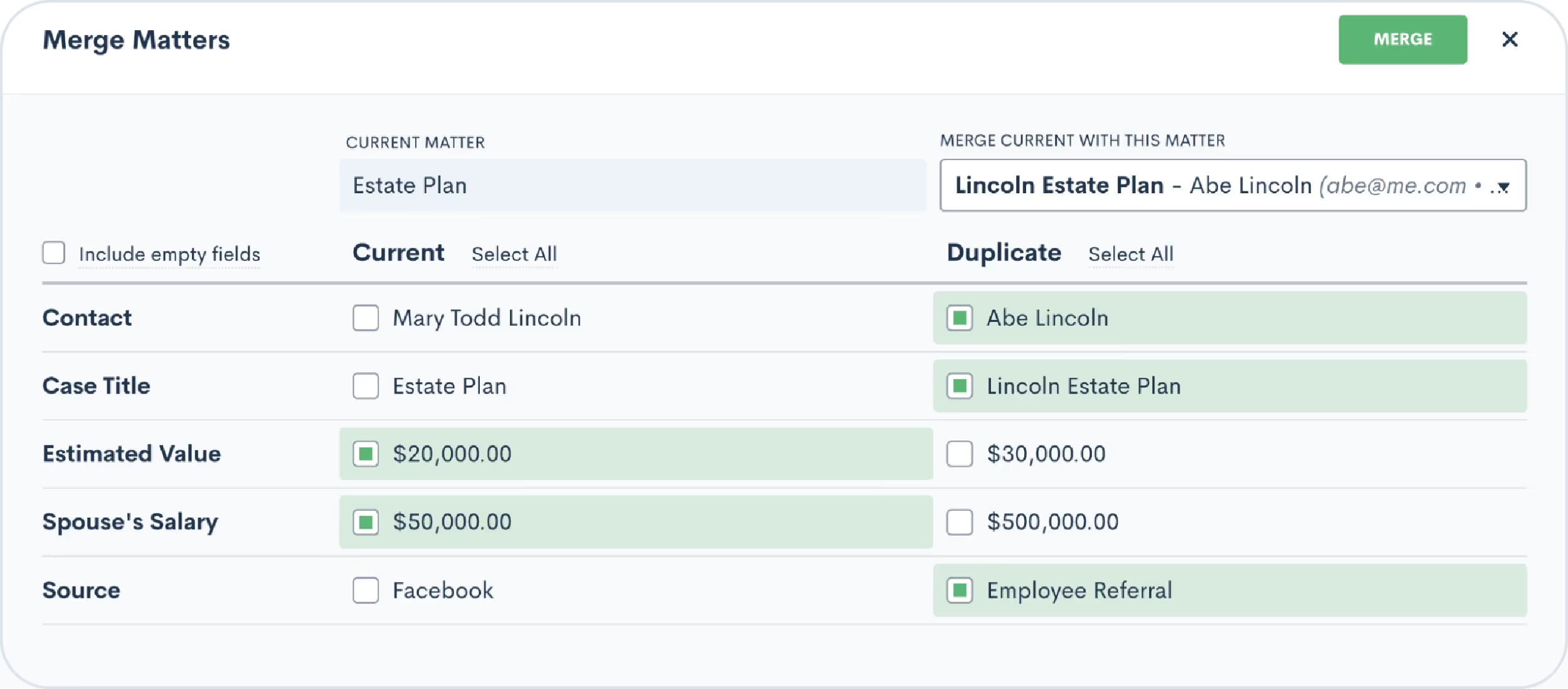
On the heels of our recent Contact Merging feature, you can now easily merge two Matters. If you end up with a duplicate Matter, you can simply click the Merge button on the duplicate Matter to combine the duplicate and original Matter. If there are any conflicting fields, you’ll be able to select which Matter’s data should persist.Driven by user requests, this new feature keeps your pipeline accurate and tidy.Learn more here
Tailor your texts with multiple SMS numbers
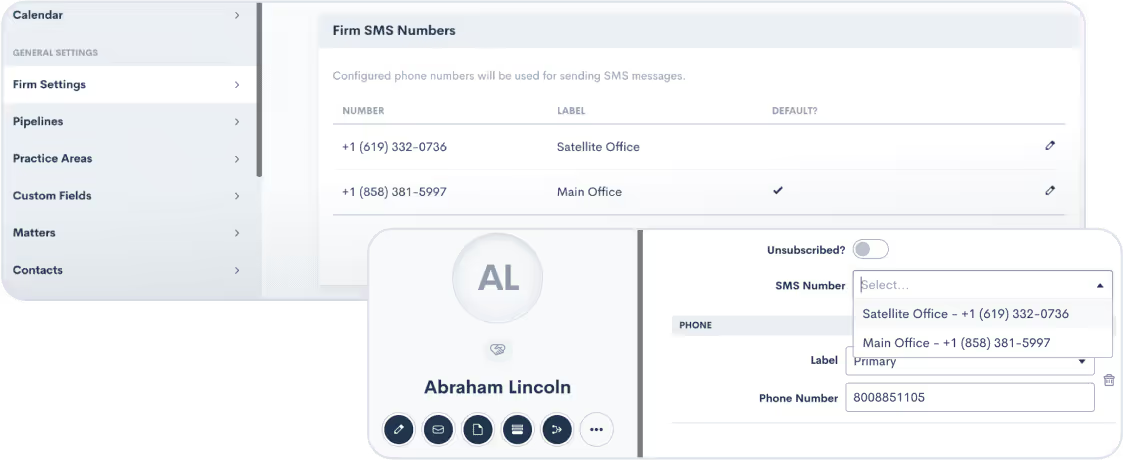
Your firm can now send text messages using multiple phone numbers via Lawmatics. If your firm has a presence in multiple geographical areas, this feature ensures you can reach out to clients with an area code that feels local, trustworthy, and familiar. To activate this feature, simply email us at support@lawmatics.com and let us know what area code(s) you would like to add.* Once enabled, you can start connecting with each client a bit closer to home.*Note: Additional fees apply.Learn more here
And more!
- Leave notes on Contact and Company profiles with the new Notes tab
- Customize your built-in appointment confirmation and reminder emails even further by selecting a user for the emails to send from
- See which user deleted a Matter in your Recovery Bin with new “Deleted By” column
- Rearrange the options in a custom picklist field by dragging and dropping in your Custom Fields settings
Thanks for taking the time to explore our latest feature release! We admire your commitment to staying at the forefront of legal innovation. Rest assured, there's much more in store – and we can't wait to share it with you.
Effective communication lies at the heart of every successful law practice. From providing timely updates to ensuring seamless collaboration, staying connected with clients is a must. While email can be a necessity, text and Portal messages can take direct and customized communication to the next level.That's why we're excited to delve into the realms of texting and Portal messaging, and unveil our brand new Message Center that's set to transform how you engage with clients.
SMS text messaging
Text messages are delivered (and usually read) almost instantly, making them a fantastic tool for communicating with your prospects and clients. Most people have their cell phones with them 24/7, and often view texts with much more frequency and urgency than emails.Lawmatics empowers your firm to send and receive text messages right from your CRM. When following SMS best practices, texting can result in an excellent client experience and increased conversion rate while also making things easier for your team.
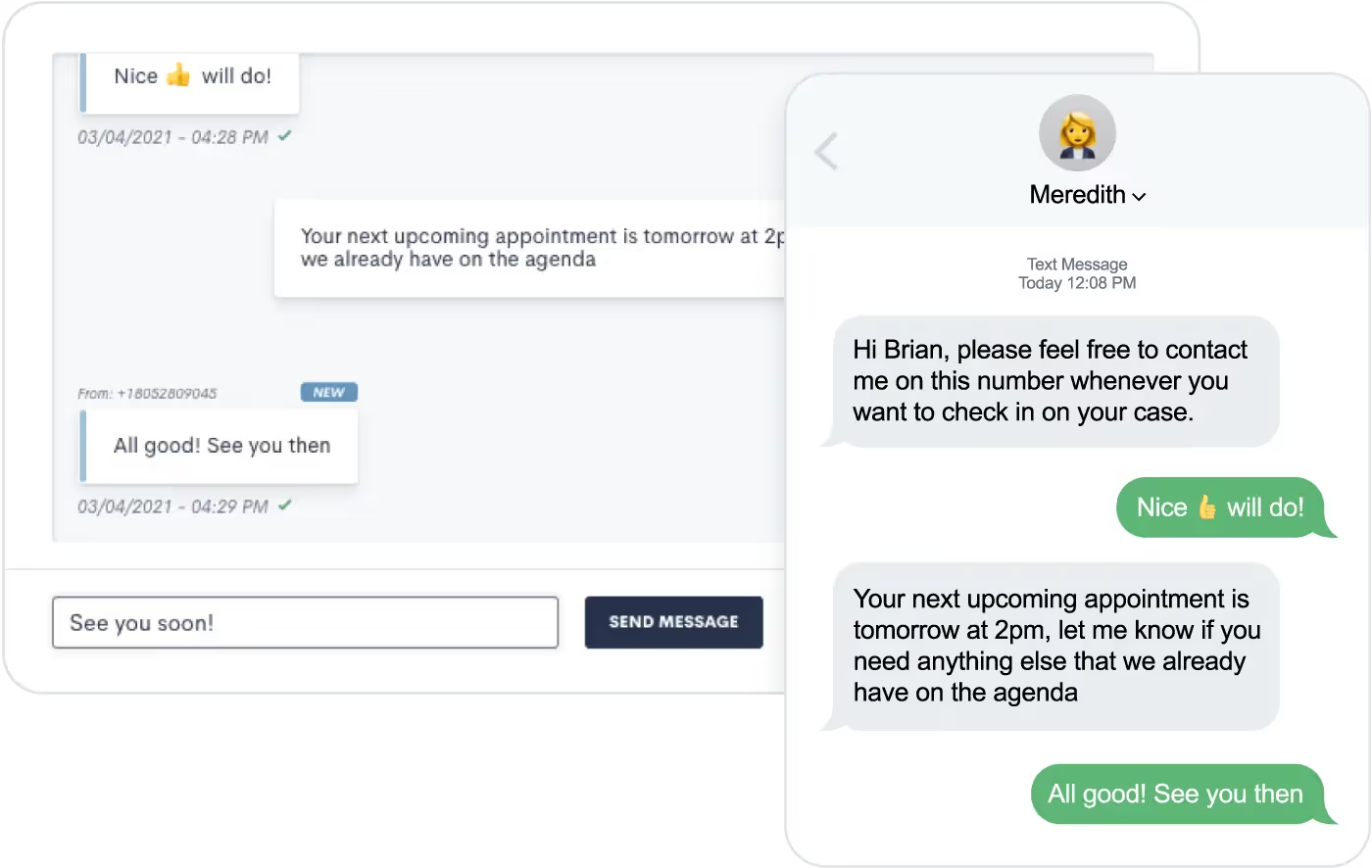
Text messages sent via Lawmatics will not come from your firm’s phone number. Instead, they’ll send from a randomly generated phone number with the area code of your choosing. This number will remain the same so clients will be able to save it as a contact in their phone.At this time Lawmatics offers SMS (short message service) texting, but not MMS (multimedia message service) texting. SMS allows you to send text-only messages, which can include hyperlinks. This means that you cannot share images or other media via text message.If you aren’t using Lawmatics for texting yet, feel free to email us at support@lawmatics.com to get started with this feature. Simply share your firm’s zip code and our team will activate a texting phone number for your account with no additional charge. (Note: only U.S. phone numbers available at this time.)
Automating text messages
You might choose to send texts instead of emails for client communication, or you may use a combination of both. Lawmatics makes it easy to send templated text messages directly from your automated workflows.To send an automated text message:
- Navigate to your Automations page
- Create an Automation
- Select the Send SMS action item
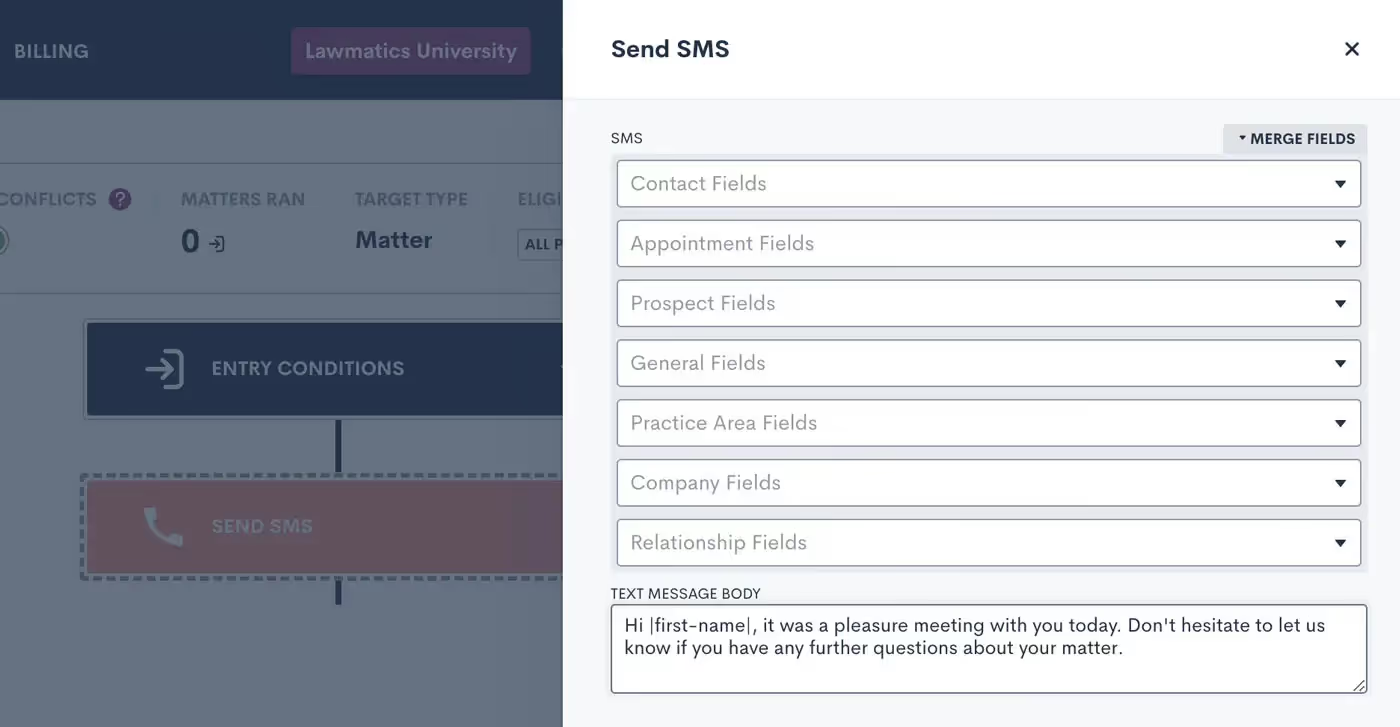
When composing your text message body, as shown above, you’re encouraged to use Merge Fields to address the recipient by name and include any other pertinent information, such as appointment time or other Matter-specific details. This text will function as a template, with each specific target’s information merged in if and when they run through this Automation.When writing your text message template, you also have the option to skip sending the text if the target doesn’t have a valid phone number saved on their Contact in Lawmatics. Enable this selection to avoid causing a failed Automation due to an absent phone number. The workflow will just skip the text and proceed with the rest of your Automation.

Above, you’ll see the Skip toggle as well as the option to set a Delivery Window. Whenever you are using automated text messages, it’s best practice to set a Delivery Window to make sure texts are sent at a time when they are most likely to be seen (and to prevent your texts from sending at inappropriate times).In addition to the Send SMS action item, you also have the option to send many of your assets as a text and/or email. For example, when sending a Form via Automation you’ll see the option to Send as Text or Send as Email.
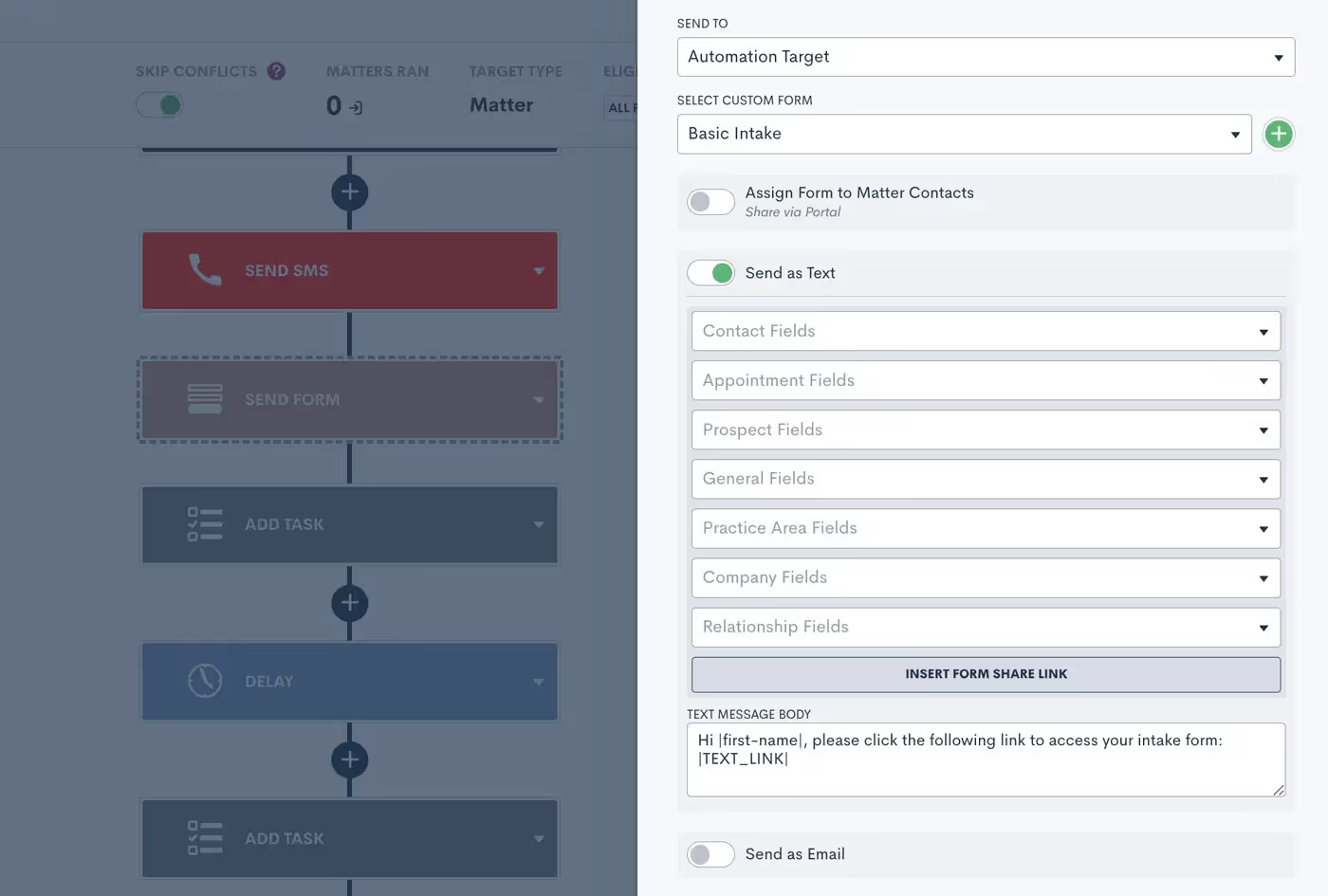
When sending an asset as a text, you’ll still have the option to create your custom text message body template using Merge Fields.In addition to forms, this also works for automated documents, e-signature requests, appointment requests, and more.
Two-way texting
Now that you know how to send automated text templates, let’s dive into our optional two-way texting add-on. This feature allows you to engage in back-and-forth text message exchanges right from Lawmatics. It also gives you the ability to initiate a one-off text to a client rather than relying solely on automated templates.Whether or not you opt for two-way texting, we suggest turning on your email notification for SMS Received in your Settings page.

Without the two-way texting add-on, this notification will let you know that someone has responded to an automated text. You can then call, email, or manually text them from outside of Lawmatics.With two-way texting — in addition to receiving this notification — you’ll be able to engage with the conversation directly from the appropriate Matter (and the new Message Center) in Lawmatics.
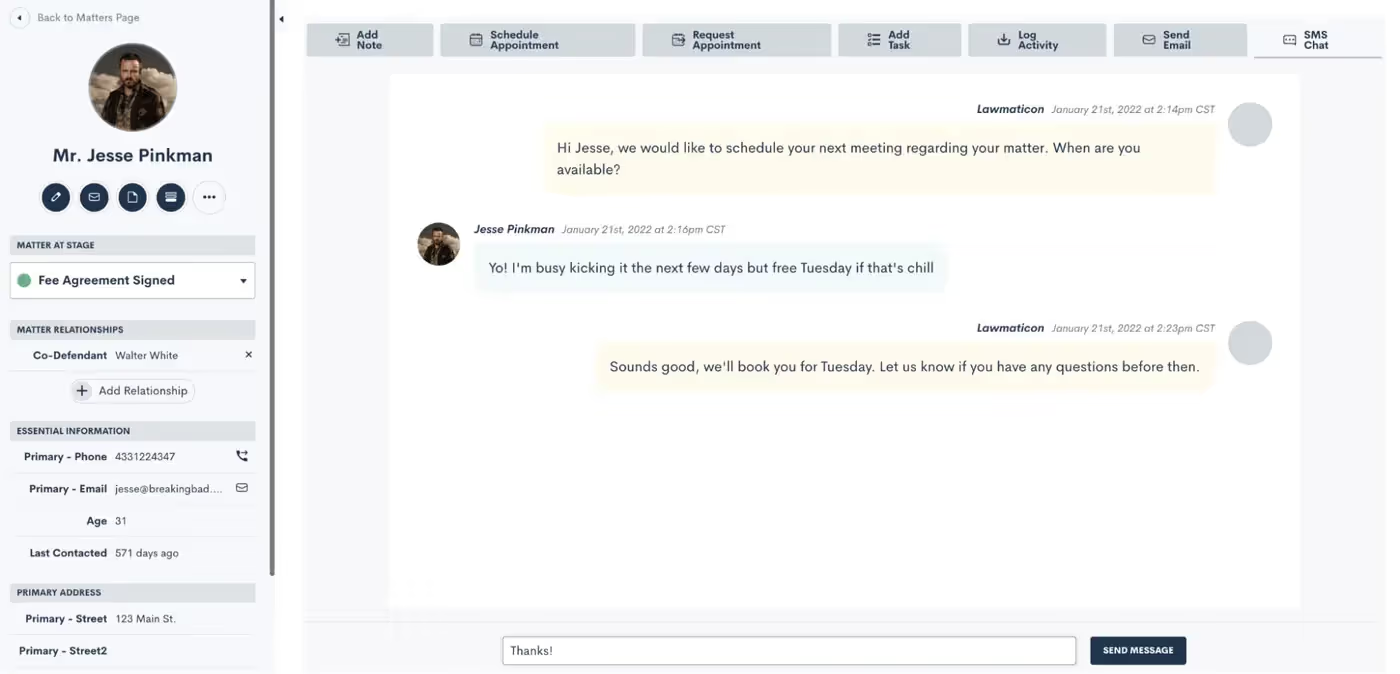
For firms with two-way texting, all text message threads are saved on the SMS Chat tab found on the Matter’s profile.
Client Portal Messaging
In addition to text messaging, Lawmatics also has a messaging function within our Client Portal. (If you’re not yet familiar with the Client Portal, review our past Deep Dive session to learn all the ins and outs of using the Portal.)The Portal is a powerful tool that lets your clients login to view their Matter details such as Forms, Appointments, Documents, and, of course, messages.Remember that you can invite Contacts to the Portal either via Automation…
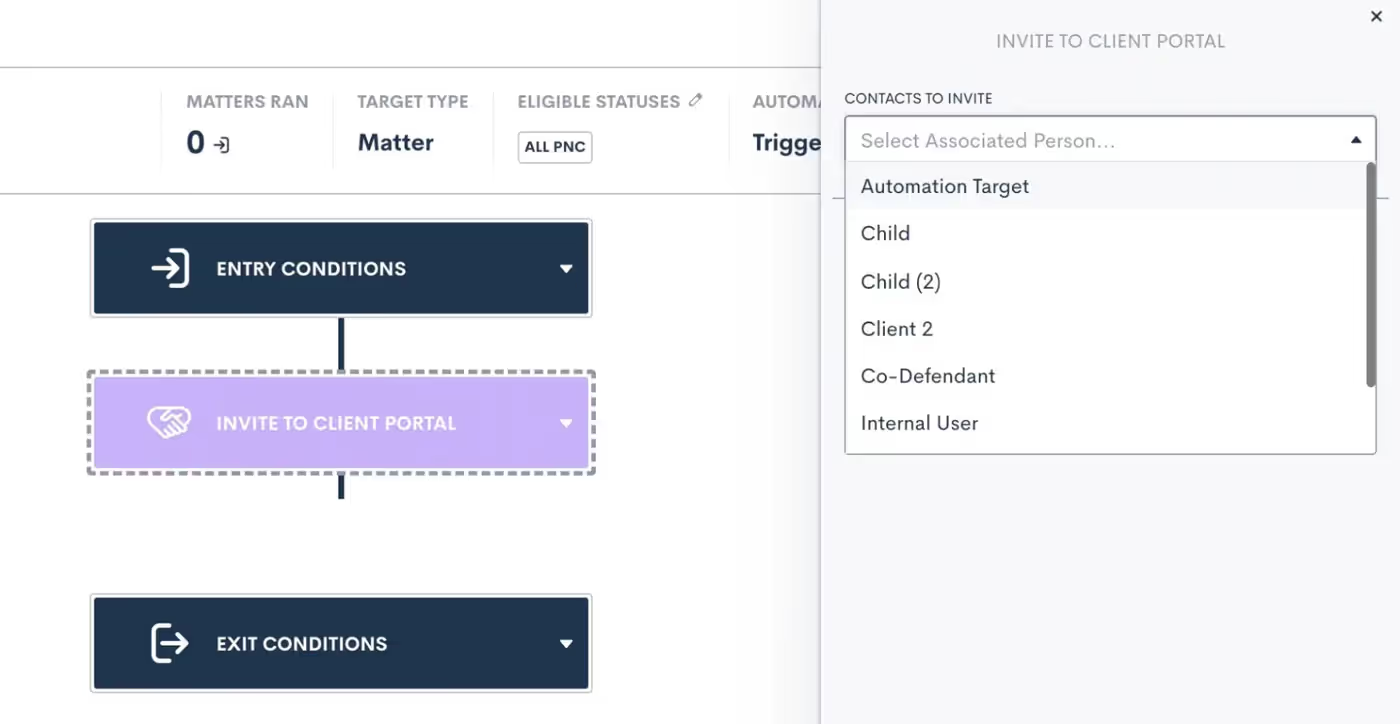
…or by manually clicking the Portal button on their Matter profile:
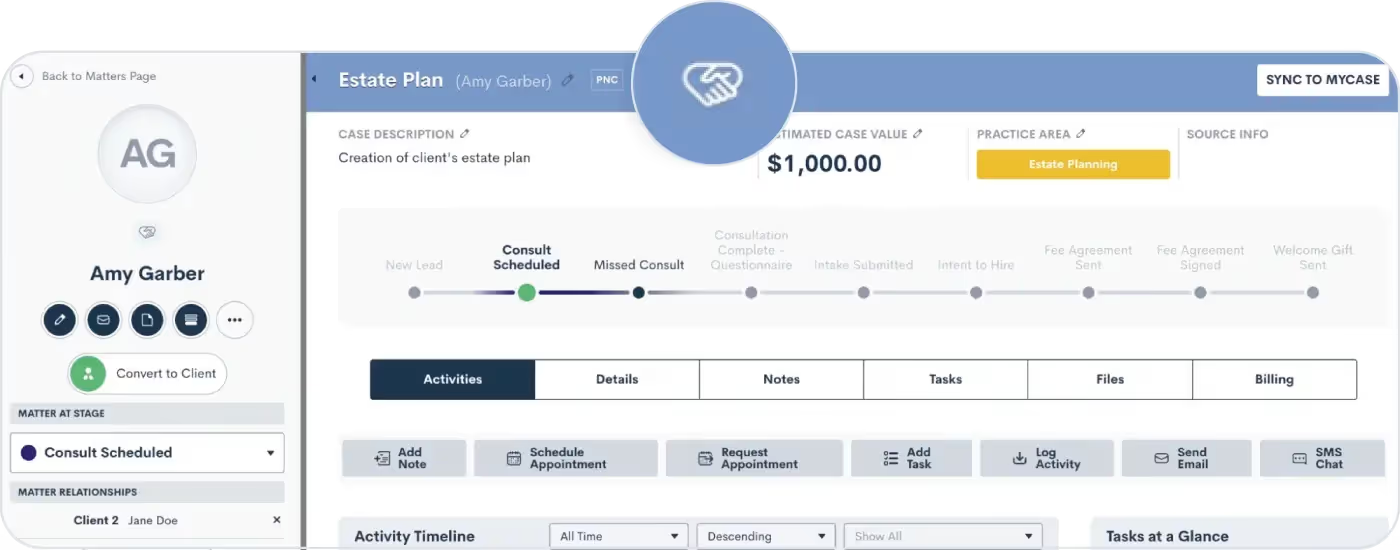
Once a Contact has been invited to the Portal, you can then share any important items with them via Portal, including messages.
Portal Messaging 101
Use our Portal messaging feature to send a message directly into a client's Portal. They can easily view it within their Portal and reply if needed.Unlike our SMS Texting feature, Portal messages do not send to the recipient’s phone as a text message. Rather they can only be viewed within the client’s Portal, as shown below.
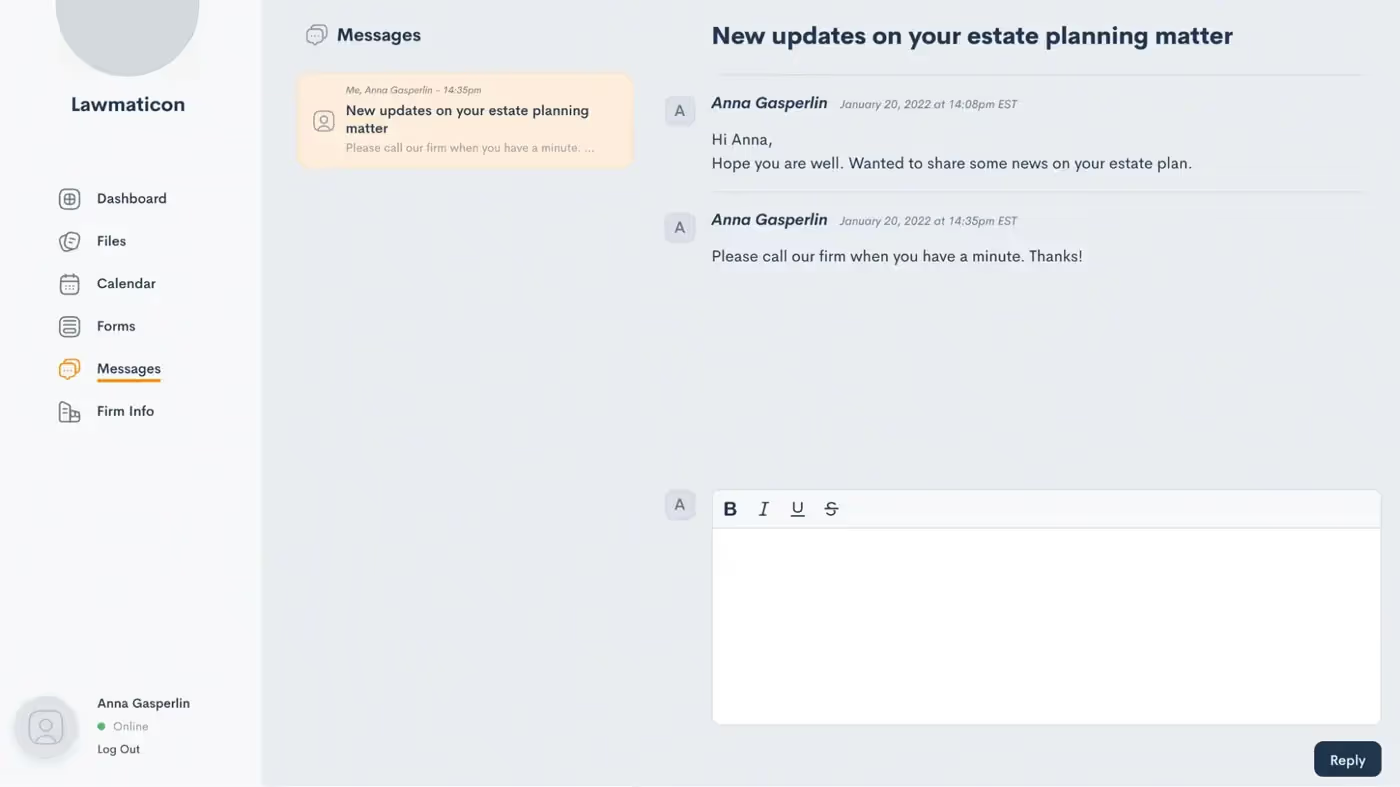
This can be a great option for clients who don’t use texting, opt out of text messages, or just prefer to be more hands off when it comes to their Matter.Previously, Portal messages could be viewed on their own designated page under the CRM tab in Lawmatics. They can now be found in our brand new Message Center.
Introducing the Message Center
The Message Center is your new hub for viewing both SMS text messages and Portal messages across your whole firm. With this powerful feature, staying connected with your clients has never been more seamless.Let’s set off on a guided tour of the Lawmatics Message Center, demonstrating how it centralizes all client communications into a single organized space.To access the Message Center:
- Hover your mouse on the CRM tab near the top left of your screen
- Click Message Center
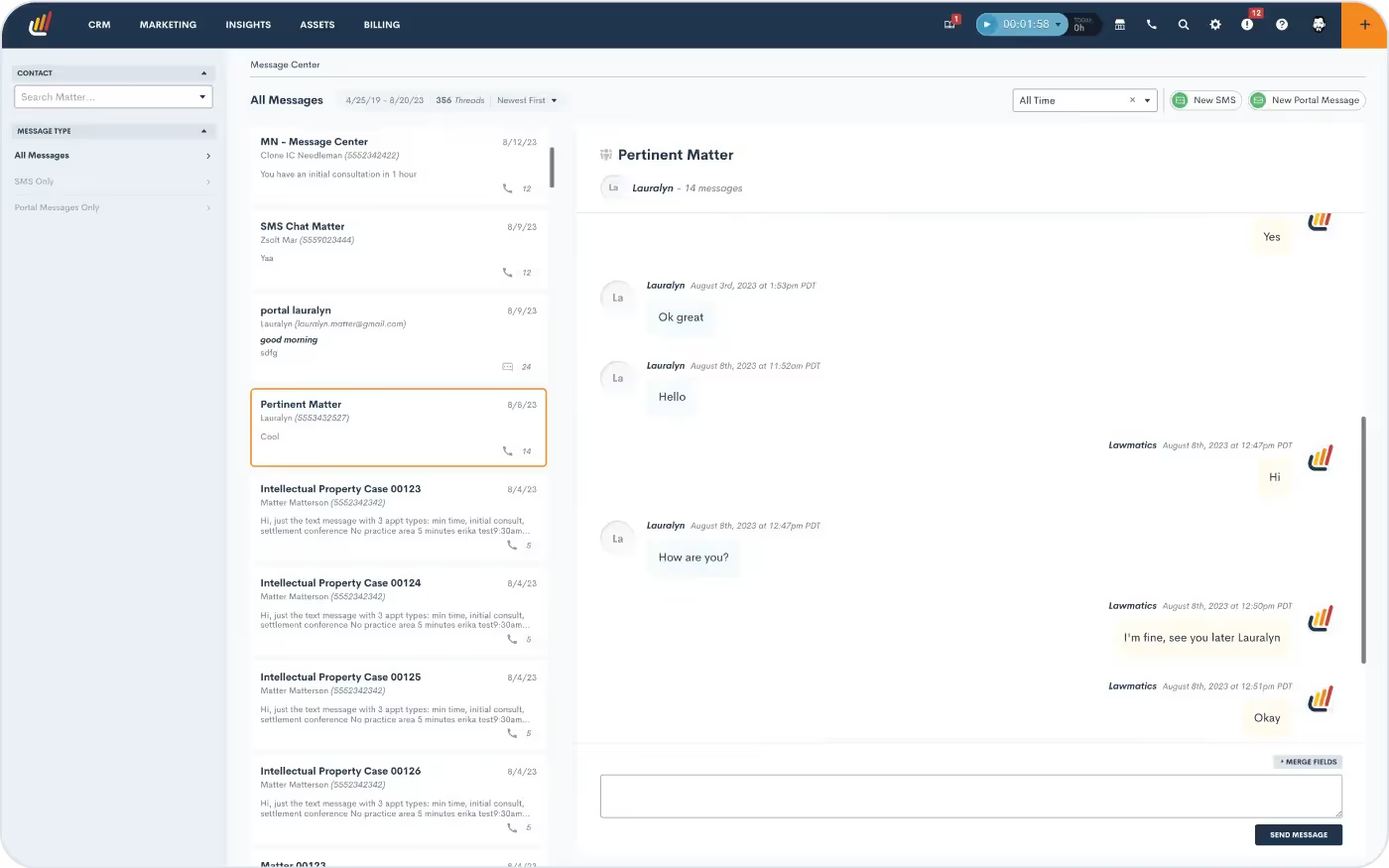
Here you will see a dashboard of all of your firm's messages with clients, tailored to your user's specific access level (read more below about setting users’ access levels).If your firm is using the Client Portal, you’ll be able to view all messages sent and received via the Portal. Note that you can use the button at the top right to create a new Portal message.You can also manage SMS text messages via the Message Center. All text messages sent via Lawmatics will be visible here. If your firm utilizes two-way texting, then you’ll also see message threads exchanged between your firm and the client.
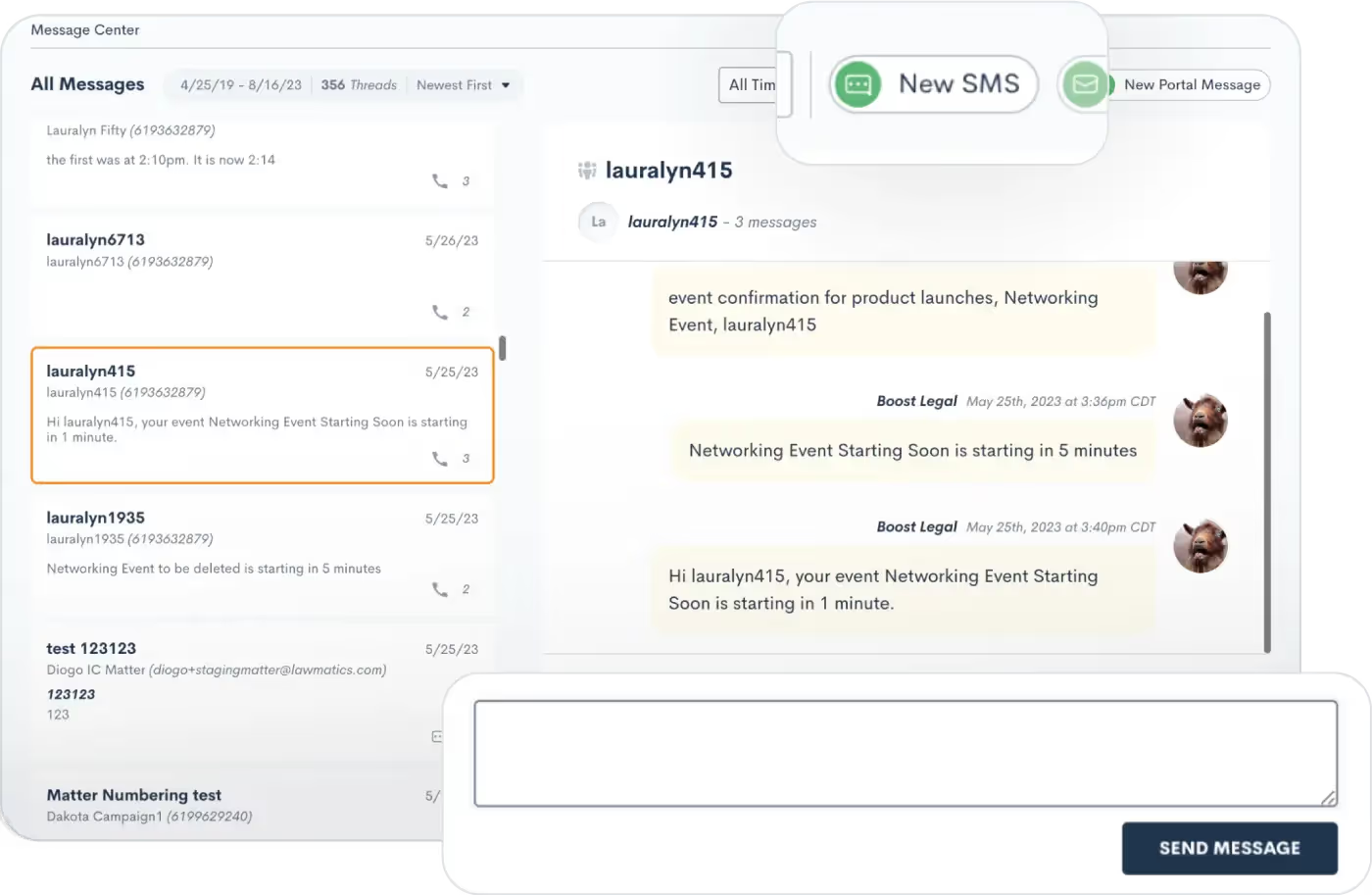
With two-way texting you’ll also have the ability to send out new text messages and reply to threads from the Message Center.
User viewing permissions
As mentioned briefly above, your firm's various users will only be able to view messages in the Message Center for Matters that they have access to. Each firm’s admin will define user roles on the User Management page in Settings.
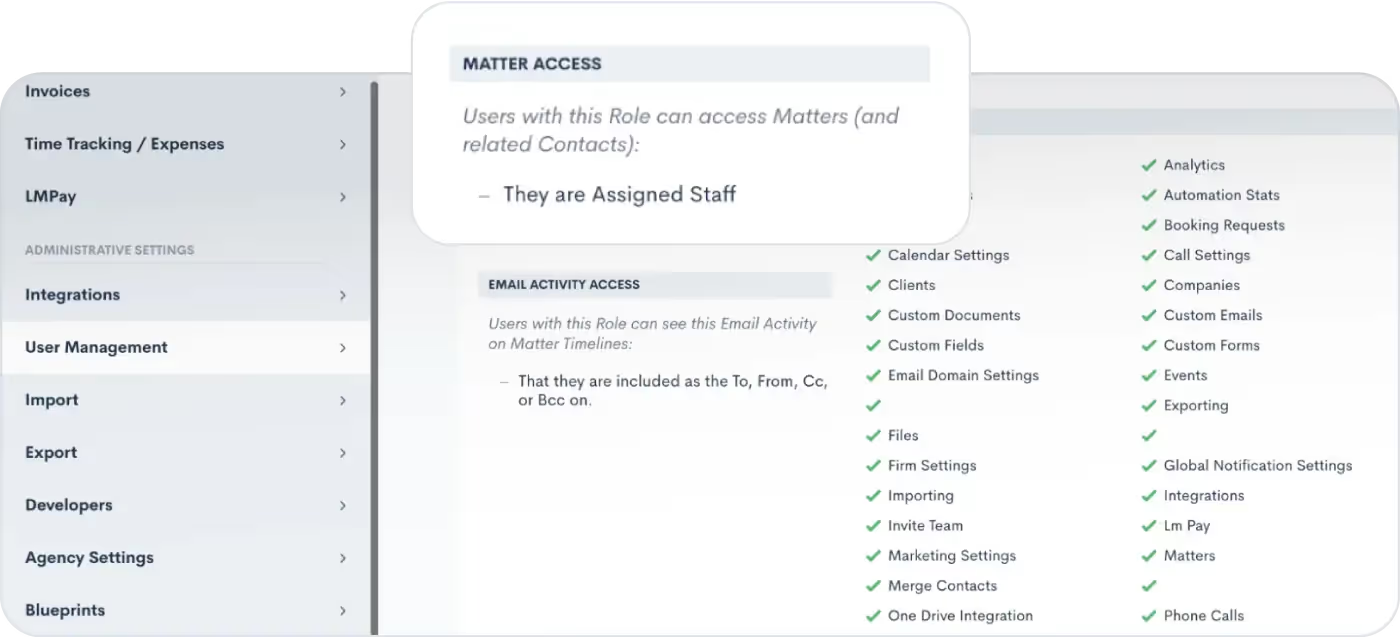
When editing your roles, you can choose the Matter Access level for each role, highlighted above.Whether you have chosen to give certain users access to only Matters that they own, created, etc, or if you wish to give them access to all Matters, this selection will also be reflected in their viewing capabilities for the Message Center. Any user roles that have been granted access to all Matters will be able to view messages exchanged with all Matters in the Message Center.
Filtering and sorting messages
By default, each user will see all messages for Matters that they have access to. However, the left sidebar of the Message Center provides options for filtering messages. You can use this menu to view only:
- SMS messages
- Portal messages
- Messages for one particular Contact
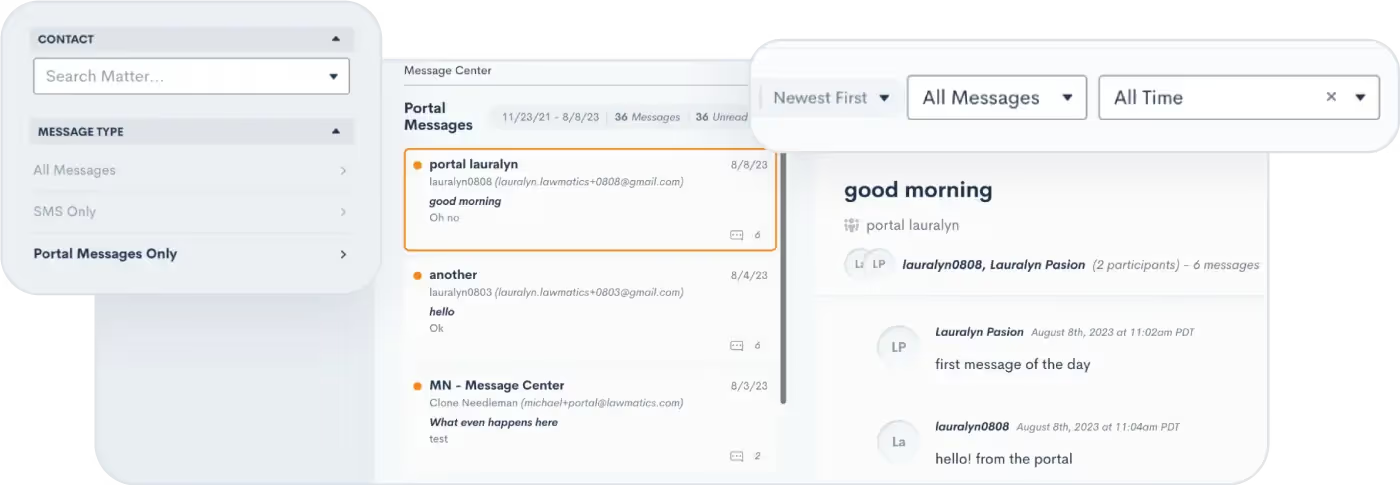
The options on the top right will filter messages by date or message status (i.e. unread vs. read), as well as sort your messages by either newest or oldest first.
Conclusion
As you navigate the landscape of client messaging and communications, know that you are not alone. Lawmatics is here to help you maximize benefits of text messaging and Portal interactions, including the innovative capabilities of our new Message Center feature.As you adopt this new feature, brace yourselves for streamlined communication strategies that can take your law firm's client relations to unprecedented heights.Get started with the Message Center today to dive in and discover the latest tools from Lawmatics that are reshaping the future of client communication in the legal world.

We are thrilled to bring you the latest bountiful harvest of fresh features and enhancements from the Lawmaticians! This latest release is ready to be plucked off the vine and enjoyed, so get ready to feast your eyes on a variety of enhancements that will cultivate efficiency, nurture collaboration, and help your law firm flourish.
Simplify client communication with the Message Center
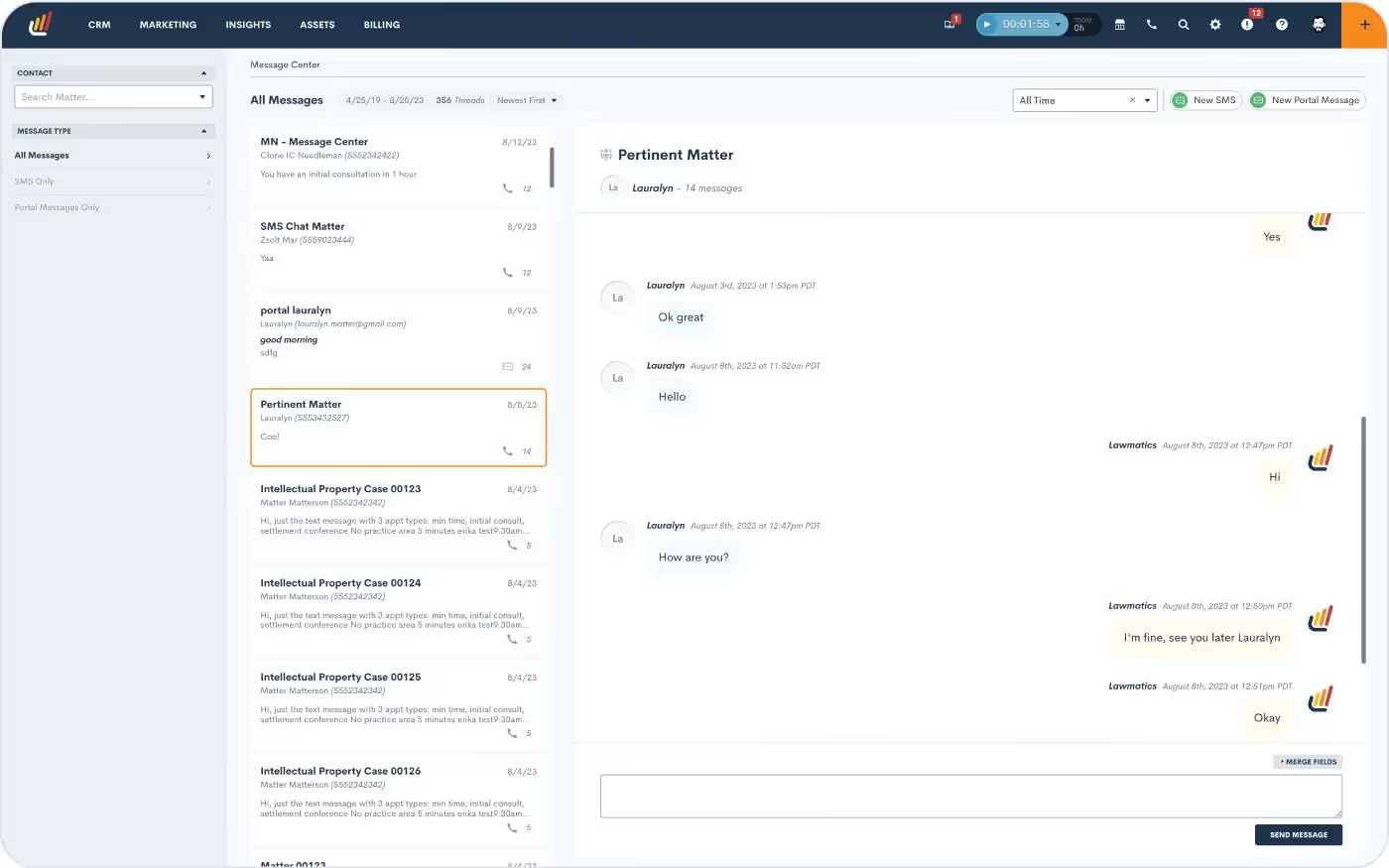
Say hello to the Lawmatics Message Center, your all-in-one dashboard for tracking and managing client communication. Stay on top of your inbox with centralized client messages — spanning texts and Client Portal interactions — in a single organized hub. You’ll be able to filter and sort messages, and even set permission levels for which messages your staff can view. With this powerful feature, staying connected to your clients is hassle-free.Learn how to get started with the Message Center.
Unlock internal visibility with User Activity Timelines
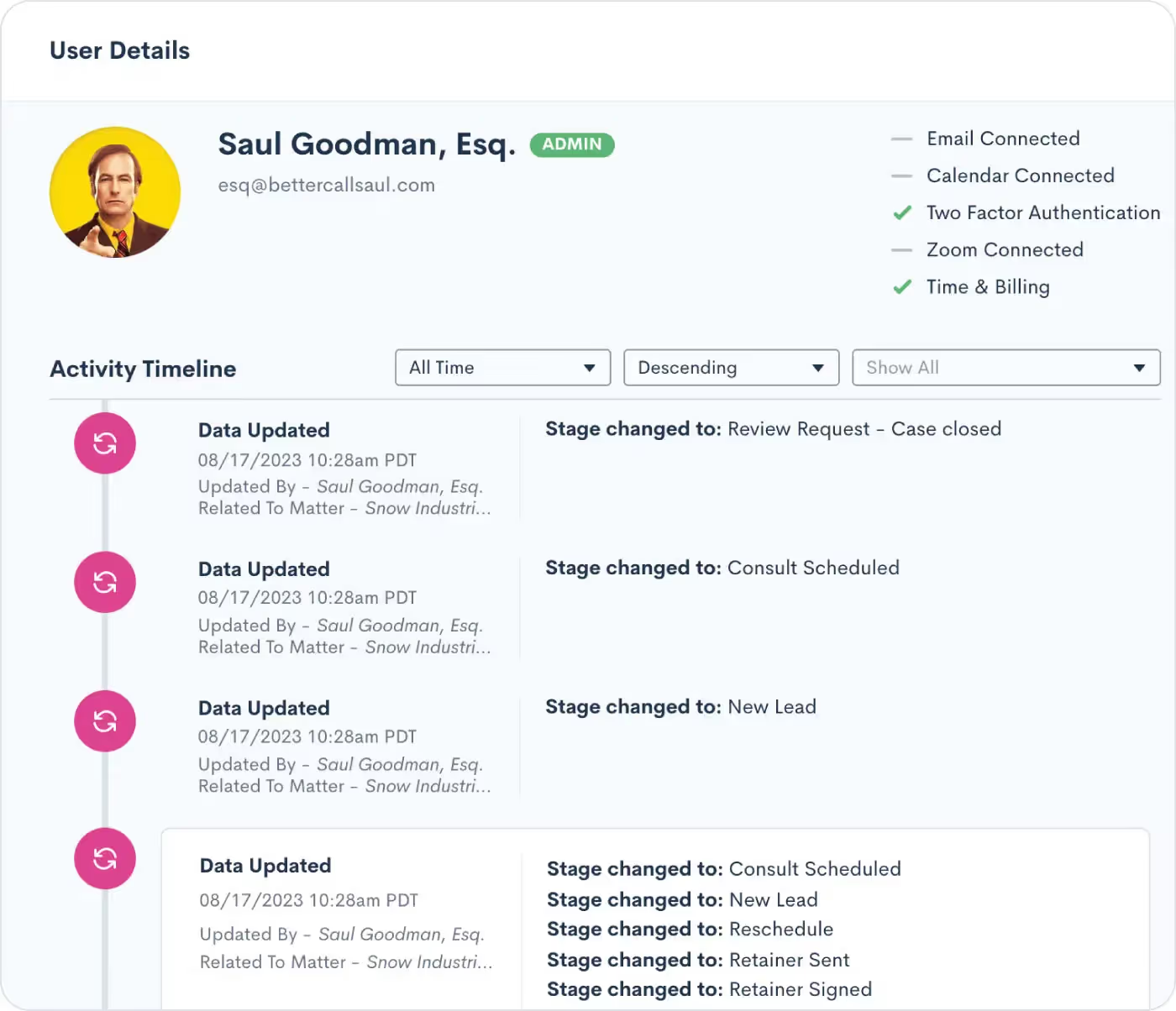
Meet the User Activity Timeline, a dynamic tool that brings enhanced oversight and collaboration to your law firm. With this exciting addition, administrators can now access a comprehensive view of each user’s activities, presented in a timeline format. From Matter updates to Task completions, client interactions to internal collaborations, this feature empowers administrators to stay informed and ensure optimal productivity across the board.Learn how to use the User Activity Timeline.
Fine-tune your sales cycle by tracking Time in Stage
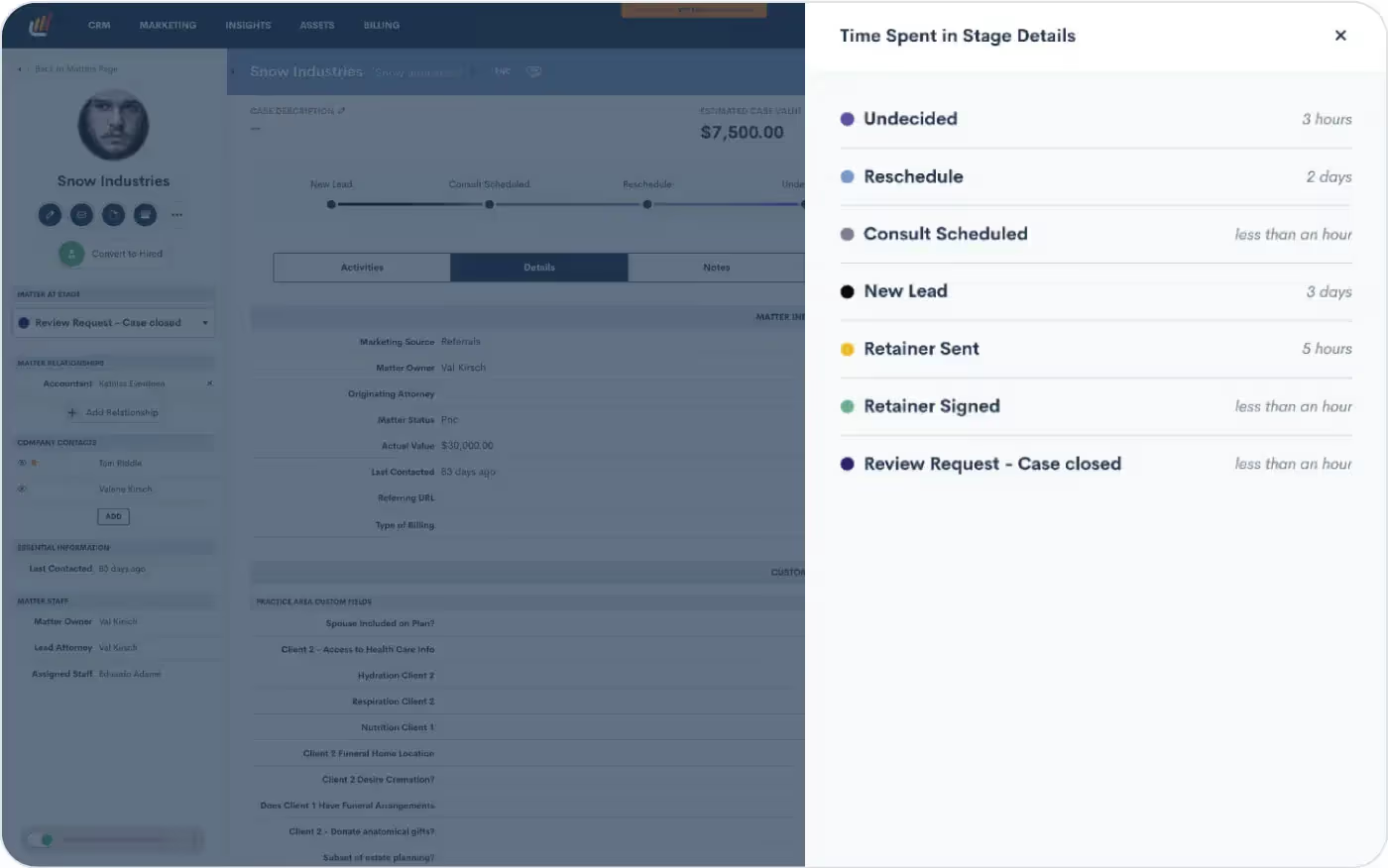
Tracking time isn’t just for billing — it’s instrumental in unlocking the power of data-driven decision making. Our new Track Time in Stage feature allows you to automatically log the duration of time each of your leads spends in each stage of your firm’s Pipeline(s). With this new capability, you can now easily identify bottlenecks or delays in your sales cycle. Armed with these insights, you’ll be able to fine-tune your processes and make informed changes that simplify your client journey, ultimately accelerating conversions.Learn how to start tracking time in a stage here.
Streamline Conflict Checking even further
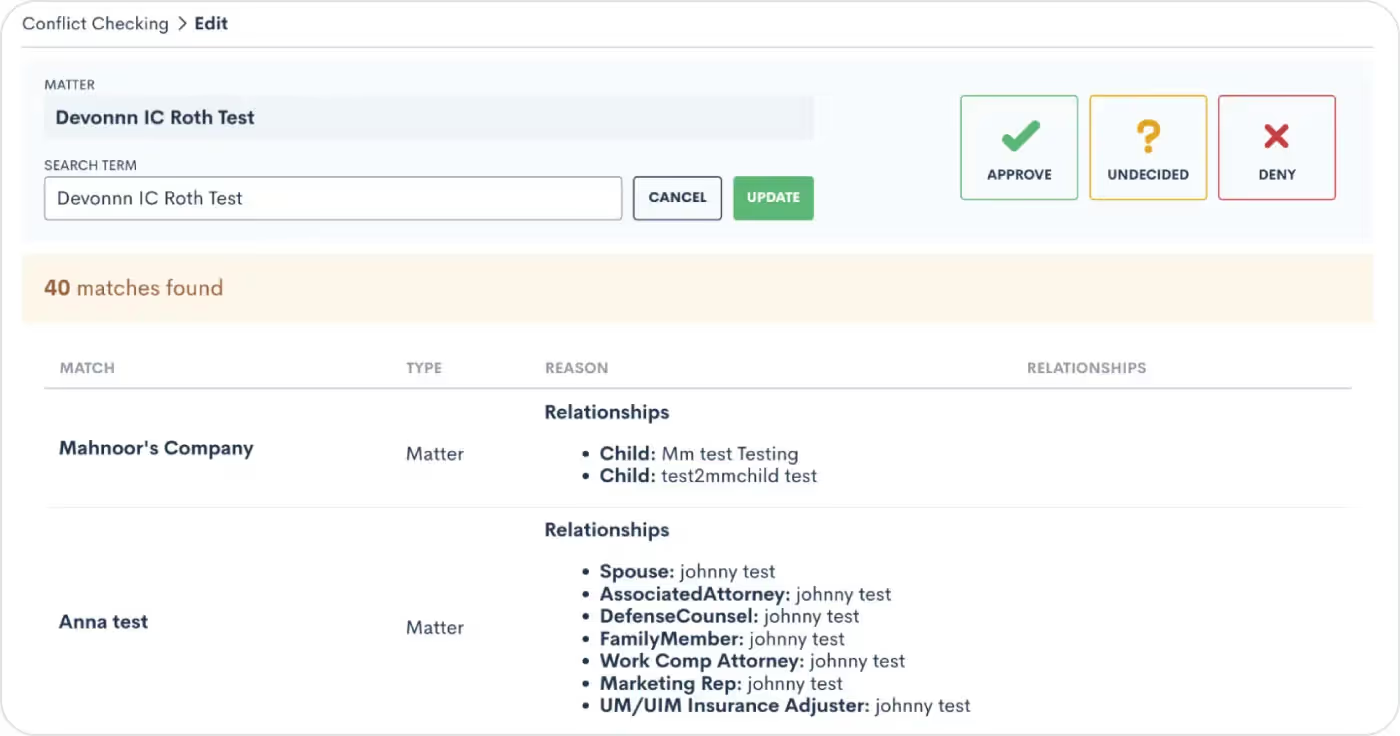
We understand that exact matches are just the tip of the iceberg when it comes to conflict identification. That's why our enhanced system now closely examines flexible search term matches as well as Contact relationships on Matters, ensuring that you have a holistic view of potential conflicts. Seamlessly navigate the complexities of your clients' networks, uncover connections, and make informed decisions that safeguard your firm's reputation and ethics. Say goodbye to missed connections and hello to a more comprehensive approach to identify potential conflicts that may have been overlooked previously.Learn how to conduct more thorough conflict checks here.
Delegate your to-do list with Email Assigning Inbox update

Our newly released Email Assigning Inbox feature is now even more robust, as you can now select another user(s) or role(s) to assign your incoming emails for you. Remember that most emails will automatically attach to the appropriate Matter. For Contacts with more than one Matter, the Email Assigning Inbox allows you (or your delegate) to manually assign emails to the proper Matter. When your delegate goes to their Email Assigning Inbox, they will see your emails in addition to their own. This flexibility allows you and your staff to prioritize and focus on the matters at hand.Not using the Email Assigning Inbox yet? Learn how to get started here.
And more!
- If you’ve opted to show the ‘No Stage’ column on your Pipeline, it will remain visible when you return to the Pipeline page after leaving
- Custom Sub-Statuses can be edited and/or removed in the Matters Settings page
- When using appointment-based Automations, choose to send an automated email from the Appointment host (and likewise for Events)
- Access email marketing campaign stats in your own custom integrations with the latest addition to our Open API
From elevated client interactions to improved behind-the-scenes firm functions, we've cultivated a collection of updates that will make your legal practice thrive even more. We hope you indulge in the richness of this month’s release!

Register for upcoming Monthly Deep Dives here.Step into the paperless revolution with Lawmatics, where document drafting and e-signature requests are made easy and efficient. Say goodbye to the tedious tasks of physical document handling, printing, scanning, and mailing, and embrace a seamless and modern approach to legal processes. With Lawmatics, your firm's lawyers and clients can sign documents electronically from anywhere, at any time, making the whole experience hassle-free and convenient.Document templates allow for increased consistency and accuracy with your document drafting. Let Lawmatics handle the intricacies of merge fields, conditional logic, and fillable text fields, saving you time and hassle. Our document templates are versatile and highly customizable, ensuring that you’ll be able to set up your documents exactly how you need them.
PDF Document Templates
The first of our three types of document templates is PDF Upload. With this type of template, you will begin by uploading a base PDF file, and then you’ll drag and drop any merge fields or signature fields over the base file. For that reason, this is a great option for:
- Court documents
- Authorizations
- Forms from external organizations
- And more
This will help you create documents that are identical to the original base version provided.
How to create a PDF Document Template
- Navigate to the Documents page under the Assets tab
- Click the button to create a new document
- Select Upload PDF
- Give your document a name,
- Select Matter as the type (for anything client/case related)
- Select a practice area if desired (or leave blank)
- Drop a PDF file in the box to upload
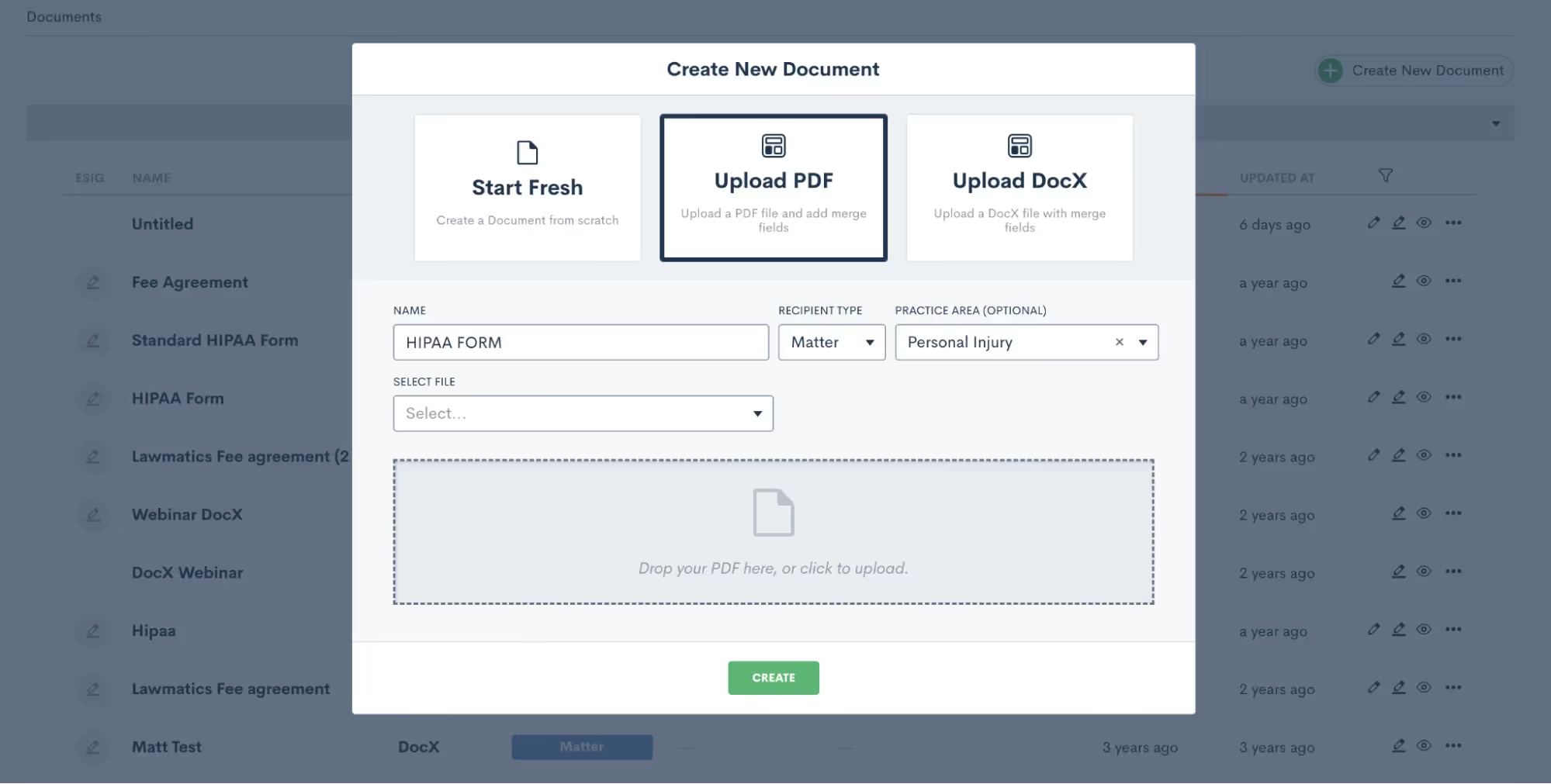
Again, it’s important to note that the PDF file will remain as-is when it is uploaded. So be sure to leave the appropriate amount of space for blanks, fields, etc.
How to merge data from the matter into your Document Templates
Once the document is uploaded, you will see field elements on the left sidebar that can be dragged and dropped into the document. These fields can be used to merge data from the matter, or as open text fields for the client to type in.Start by merging in the client’s name. Your first step is to drag a Text field onto the document wherever you would like it, then click on it to set the properties as shown below.

To merge data, such as the client’s name, simply select Merged from Matter in the dropdown for Field Set By, and then select which Field should be merged there.If this document requires e-signature, scroll down on the left sidebar to the section labeled ESignature Settings. Here you can feel free to add as many signers as you need, whether on the client or the firm side.

Once you have added your signer roles, you can now add e-signature fields into the document. You’ll see options for signature and initials as well as text. Text fields prompt the signer to simply type in information, such as social security number or date of birth. Select what you need and drag it onto the document. Then, in the section labeled Field Set By, select the signer role who needs to fill in that field, “Client” in the example below.
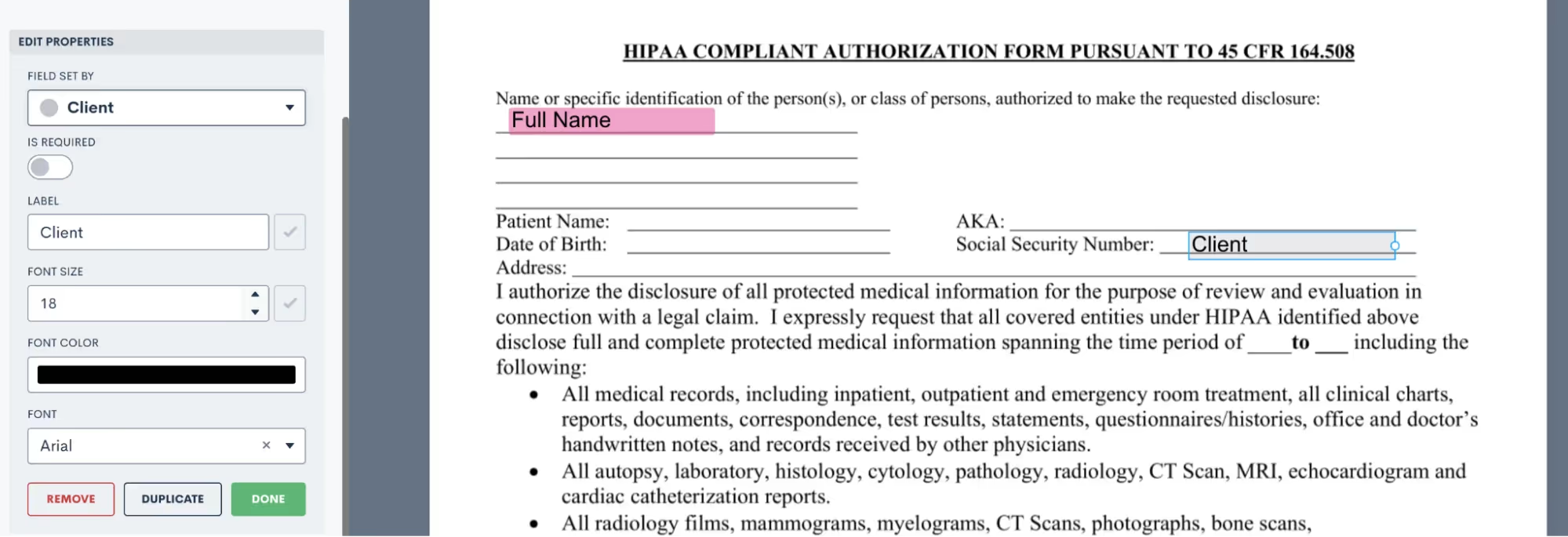
Now when this document is sent, it will prompt the Client signer to fill in that field accordingly.Take your time dragging and dropping all of your fields onto the document, then preview the document to see what it looks like with a particular matter’s information merged in.
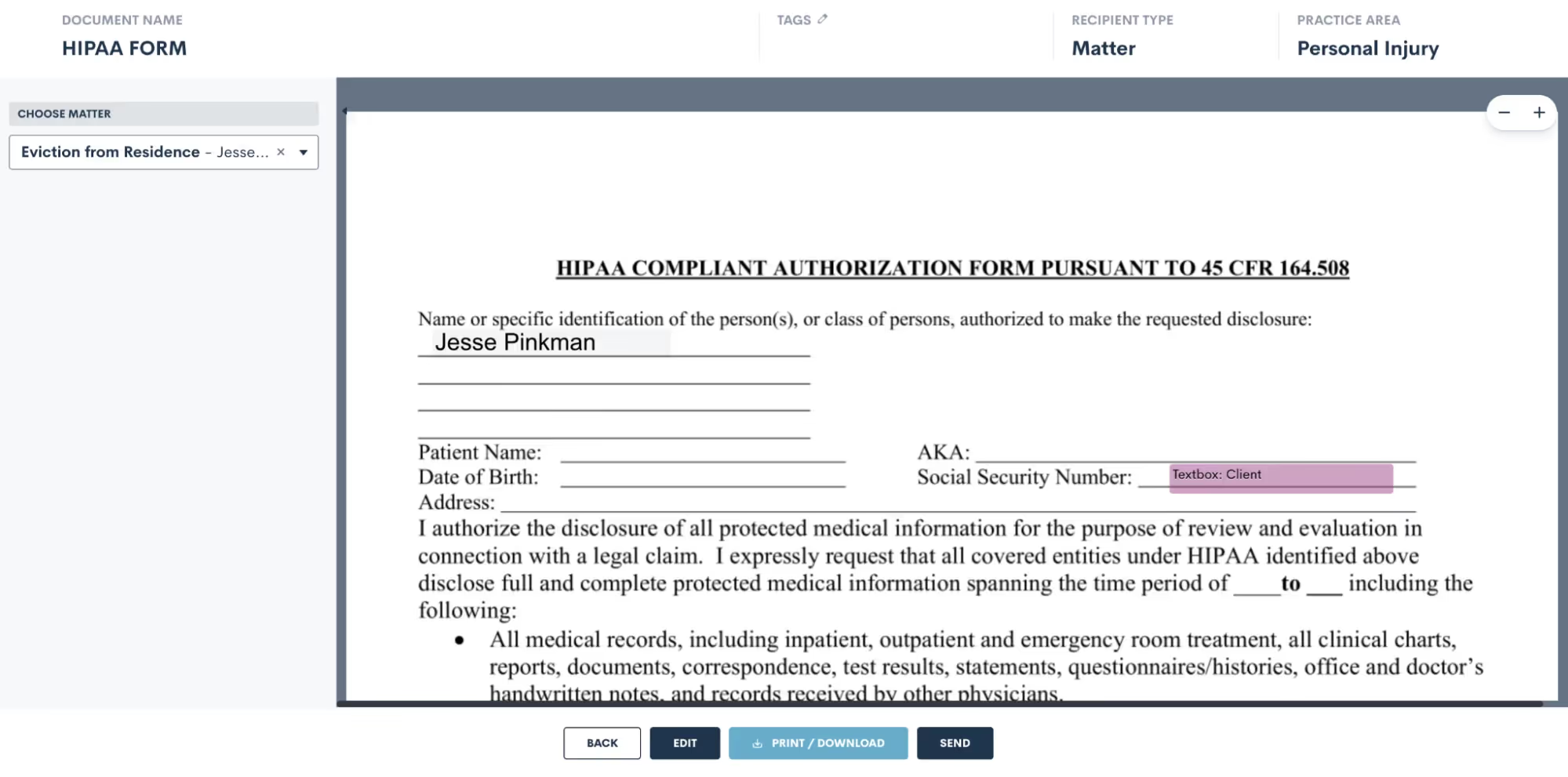
Use the selection drop down on the left to choose a matter, and then that matter’s fields will be filled into the document template for previewing. Easily send or download from there.
DOCX Document Templates
Create and edit DOCX documents seamlessly outside of Lawmatics using your preferred word processor. Just like our other document templates, you can easily merge fields and utilize conditional logic with these templates.While crafting DOCX templates might require a bit more effort, they offer unique advantages not found in our other options. These versatile documents can serve various purposes such as:
- Fee agreements
- Internal firm documents
- External court documents
- And authorizations
How to create a DOCX Document Template
To get started with this type of document, we recommend opening the DOCX Field Reference guide. You can access this guide by simply hovering over the question mark icon near the top right of your Lawmatics window.
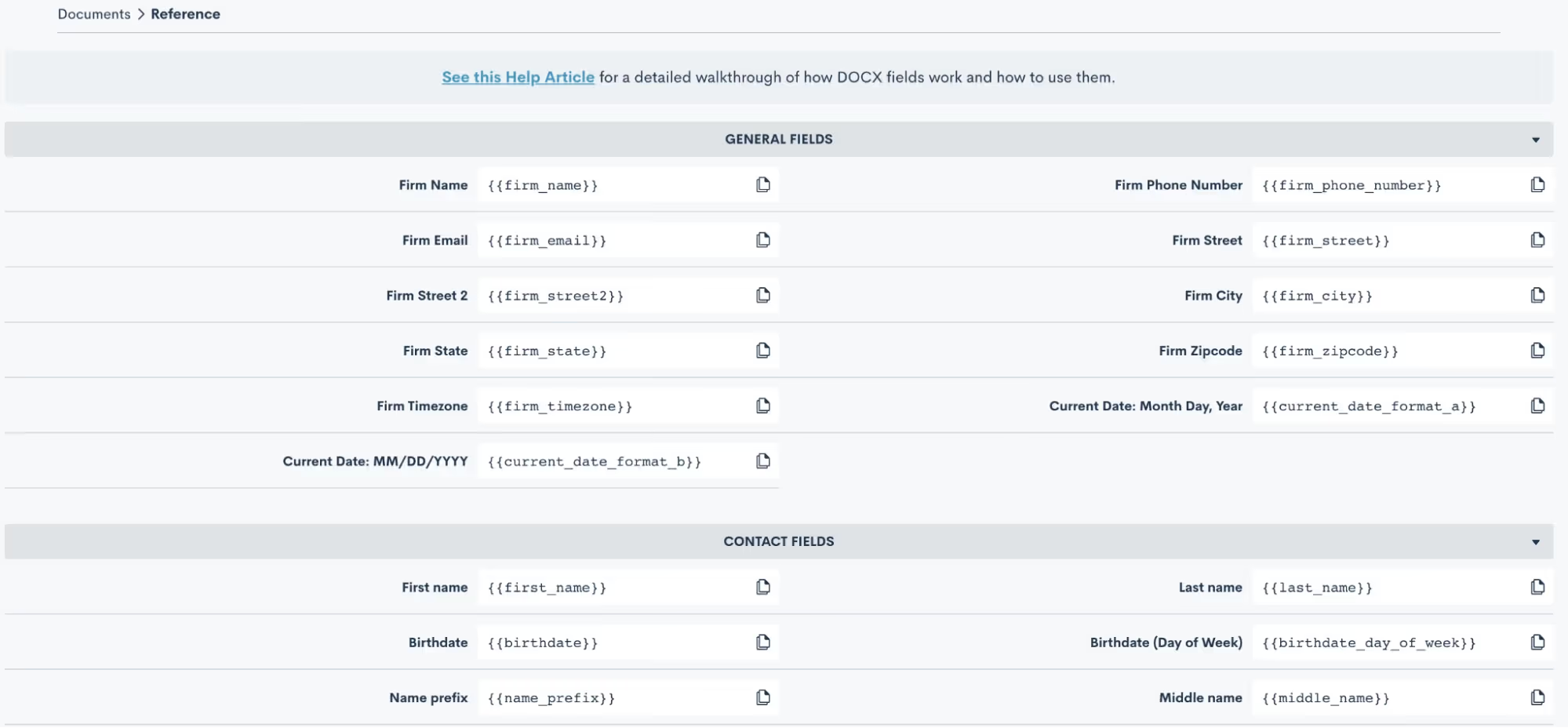
Here you will find the codes for all of your fields, including custom fields. Copy and paste these codes into your word document, and when the document is uploaded back into Lawmatics the field will merge in accordingly.
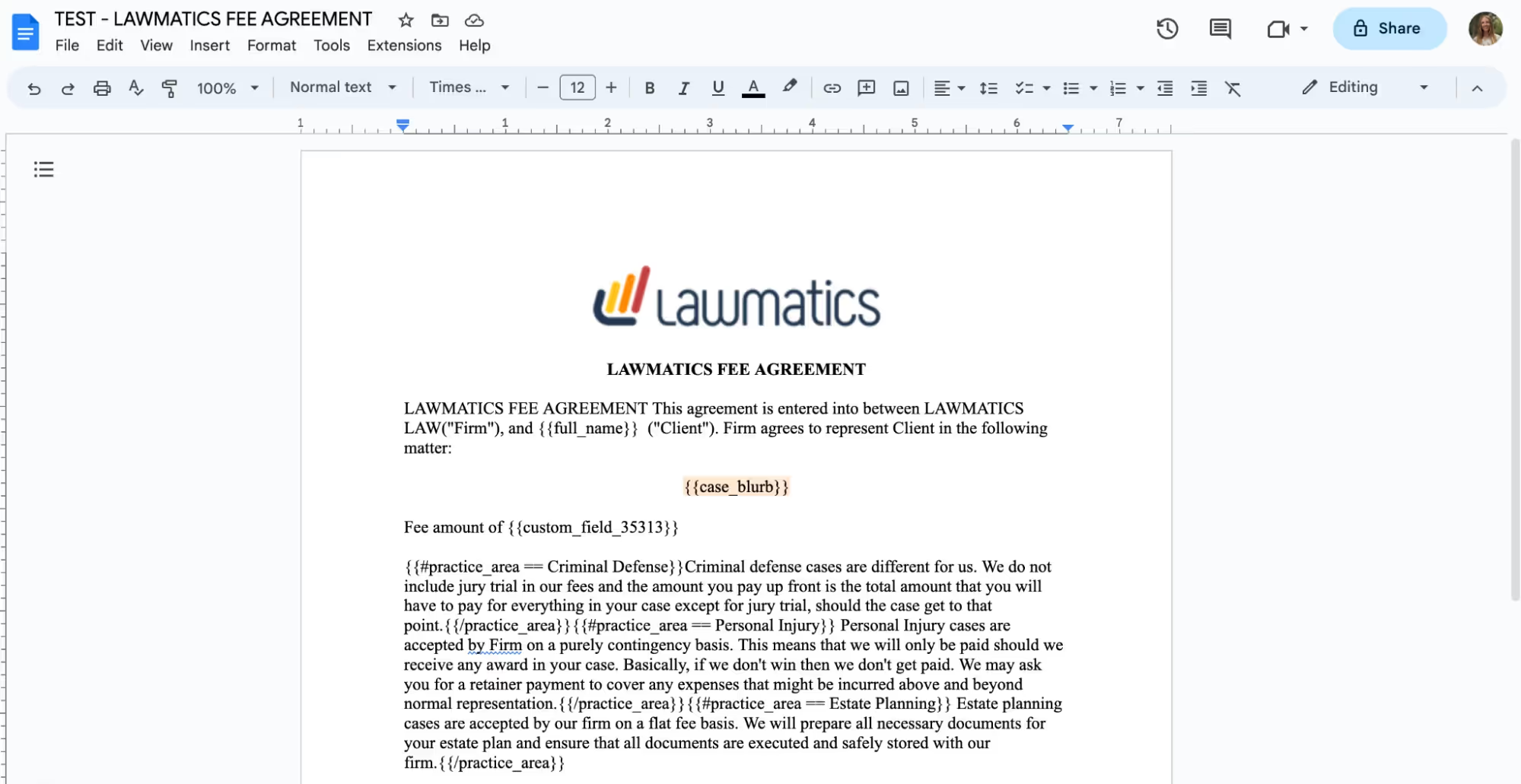
You can also add e-signature to these documents. When you go to the DOCX Field Reference page, mentioned above, scroll all the way down to the bottom and you will find a guide for using signature fields. Simply follow the guide provided to copy and paste signature fields into your document just like you would do with merge fields.

Once you have made all of your edits in your word processor, it is time to save the document as a .docx file and upload it into Lawmatics. At this point, do make sure you have made all necessary edits to the document base including grammar, merge fields, page numbers, header/footer, etc, because you cannot edit the content once it is uploaded into Lawmatics.After you have uploaded the file, it will appear in Lawmatics exactly as it did in your word processor. You’ll now have the option to preview the document by matter by simply selecting a matter from the drop down menu in the top right, shown below, and you will then see your fields merged.

From here you can always send the document manually, or preview and download it back as a .docx file with the fields merged in.
Start fresh custom Document Templates
Last but not least, our third option for creating document templates is the Start Fresh option, also referred to as Custom Documents. With this template, you will be using the Lawmatics built-in word processor to build your document right in Lawmatics.To get started you can either type your text right in, copy and paste text in, or use the Word import button to import the text right from a word document. You’ll then see something like this:
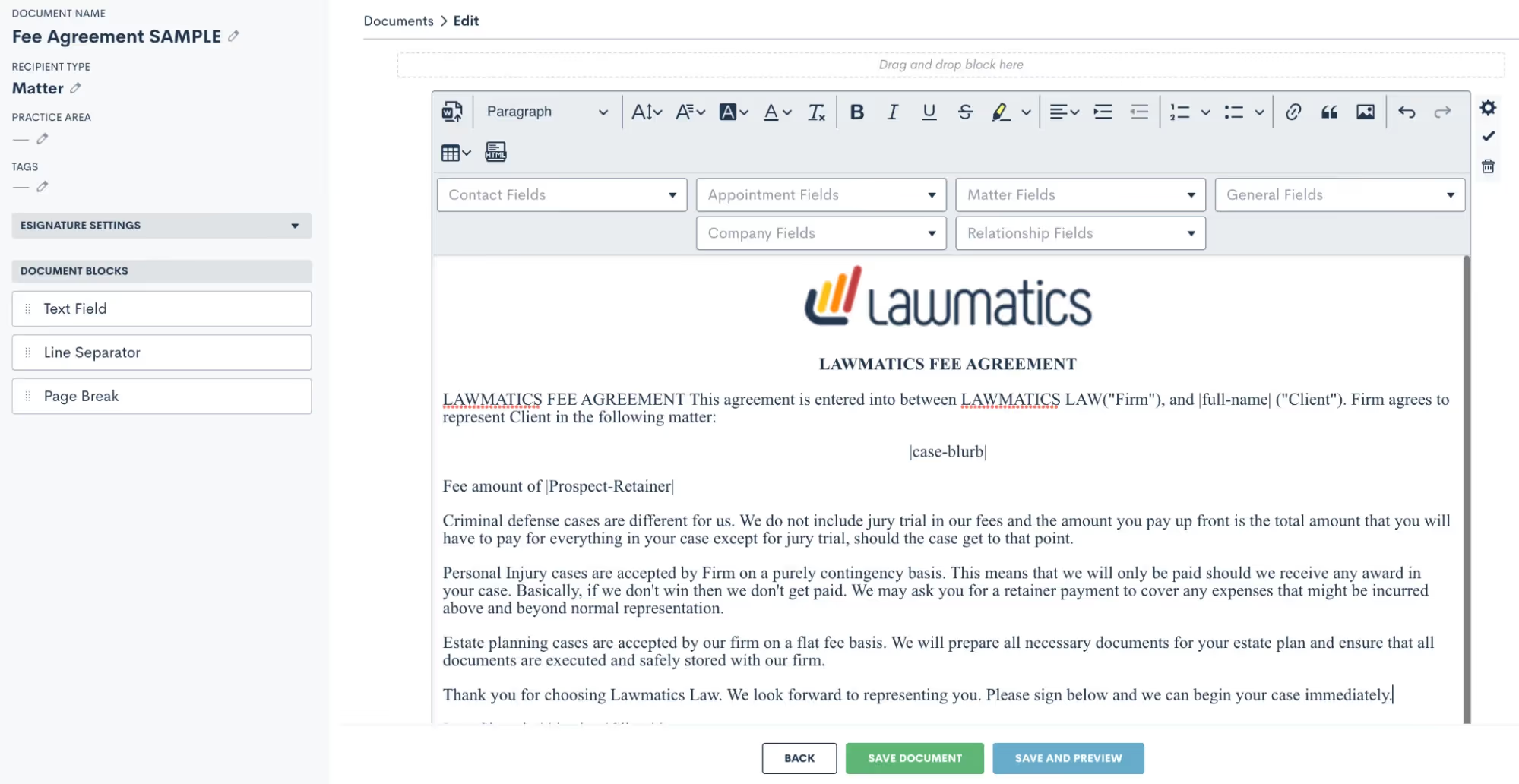
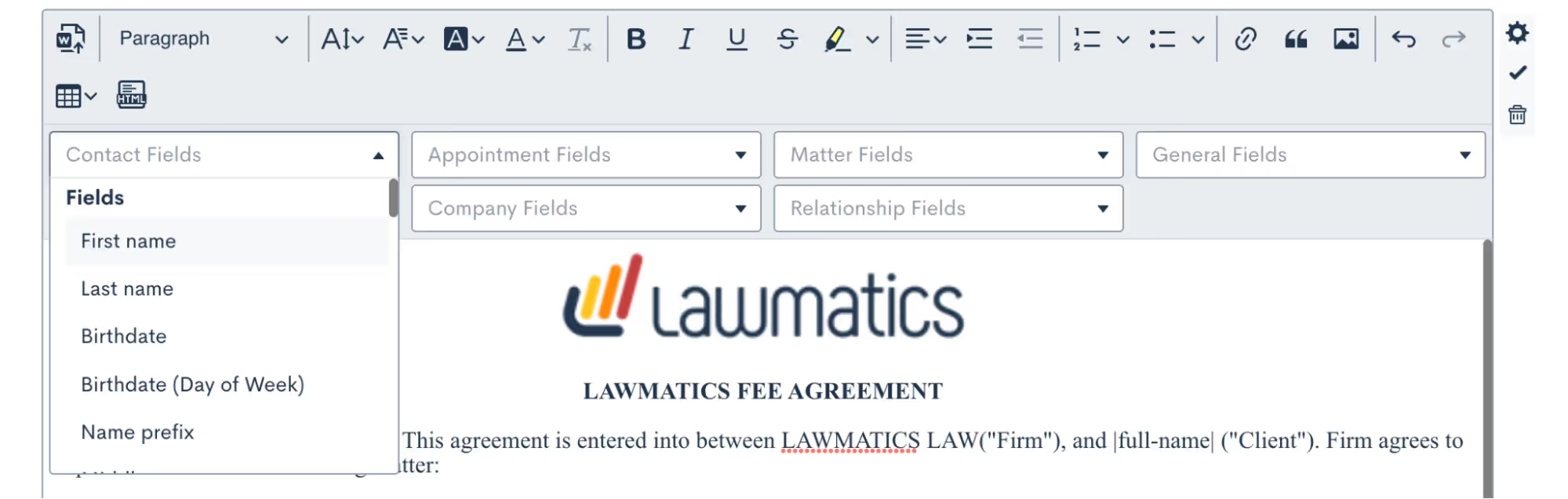
Above you’ll see some fields merged into the document. This template option makes merging fields very easy, because you’ll simply select them from the drop down boxes shown above and the fields will be merged right into the template.
Conditional logic is also a key part of this template type. You may have certain paragraphs or sections of your document that should only apply conditionally, to make this happen you’ll drag over additional text fields (from the left sidebar menu), put the conditional text inside, and then set the conditional logic using the gear icon on the far right. You’ll set your logic like so:
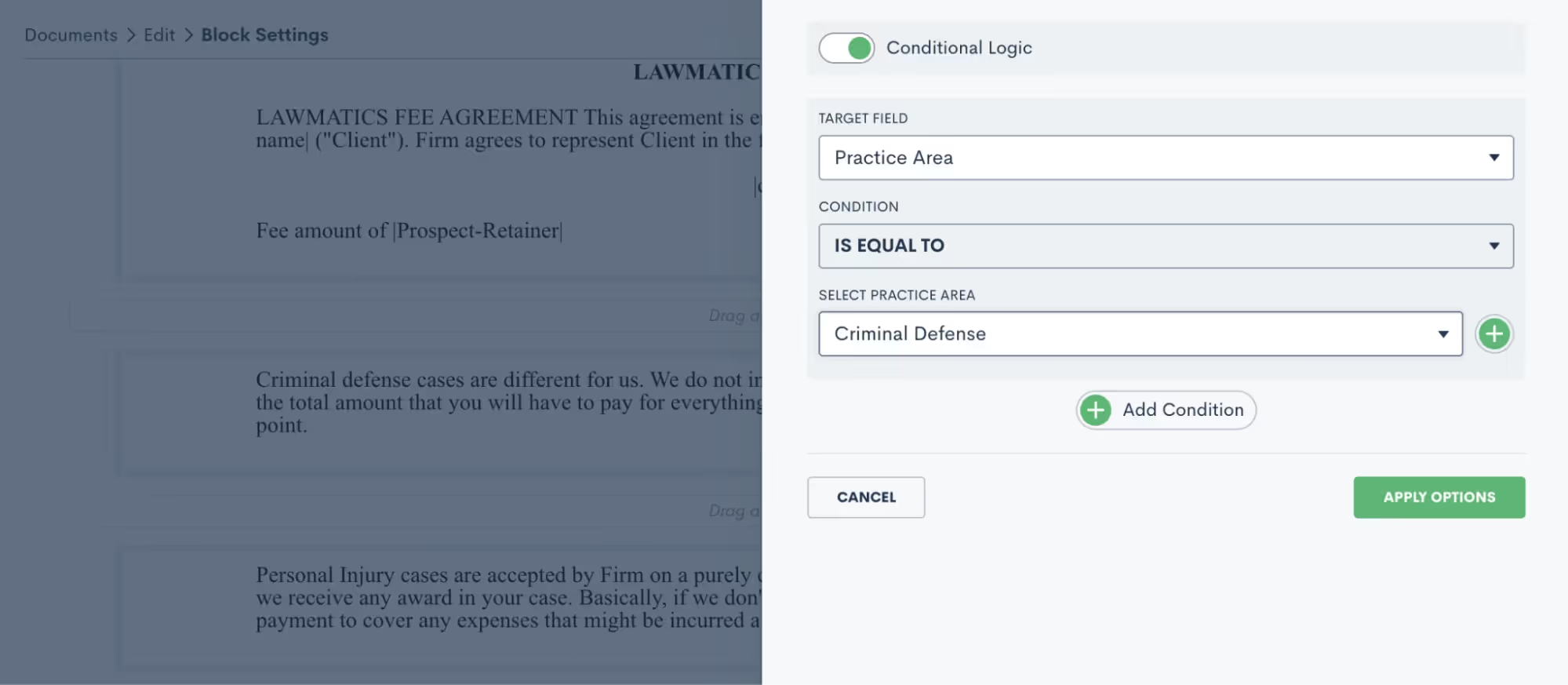
Practice area is a common field for setting conditional logic, but feel free to use any field in your CRM including custom fields.You’ll often want to add e-signature to this document. To do so, click to expand the e-signature settings section on the left sidebar and add as many signers as you need. Remember, your signers could be from the firm or on the client side. You’ll then use the signature fields drop down to add in any signature fields such as initials, date, signature, etc.

Be sure to save your document, and then it’s ready to go!Review a more in-depth comparison of the three Lawmatics document template types here.
Using document templates in Automations
Each of the above three templates can always be previewed for a particular matter and sent out manually when desired. More often than not, you will opt to build your documents into Automations so that they can be sent and signed automatically.Before we move onto Automations, let’s also take a look at your options for Custom Email Templates for documents as well as e-sign reminders. Go to your Documents page under the Assets tab, and then click the … icon on the far right for any document. You will see the options shown below.
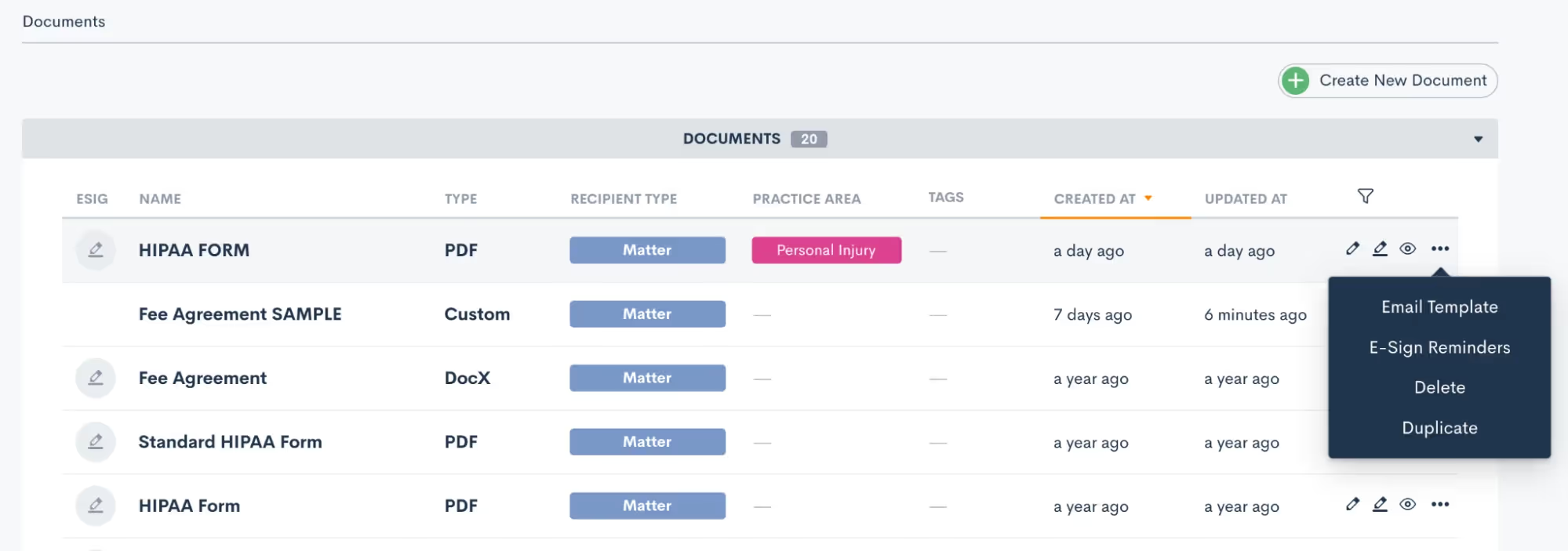
The email template gives you the ability to create your custom email that can be easily accessed any time this particular document is sent. E-sign reminders allow you to create custom built-in reminders for signature at any timing of your choice. Both of these options are great ways to not only add customization, but also to keep your templates highly functional. Both of the options above can be utilized when the document is sent manually or via automation. Now let’s take a look at sending documents automatically.Navigate to the Automations page found under the Marketing tab. When adding action items to an Automation you’ll see the options for both Send Document as well as Request Signature:
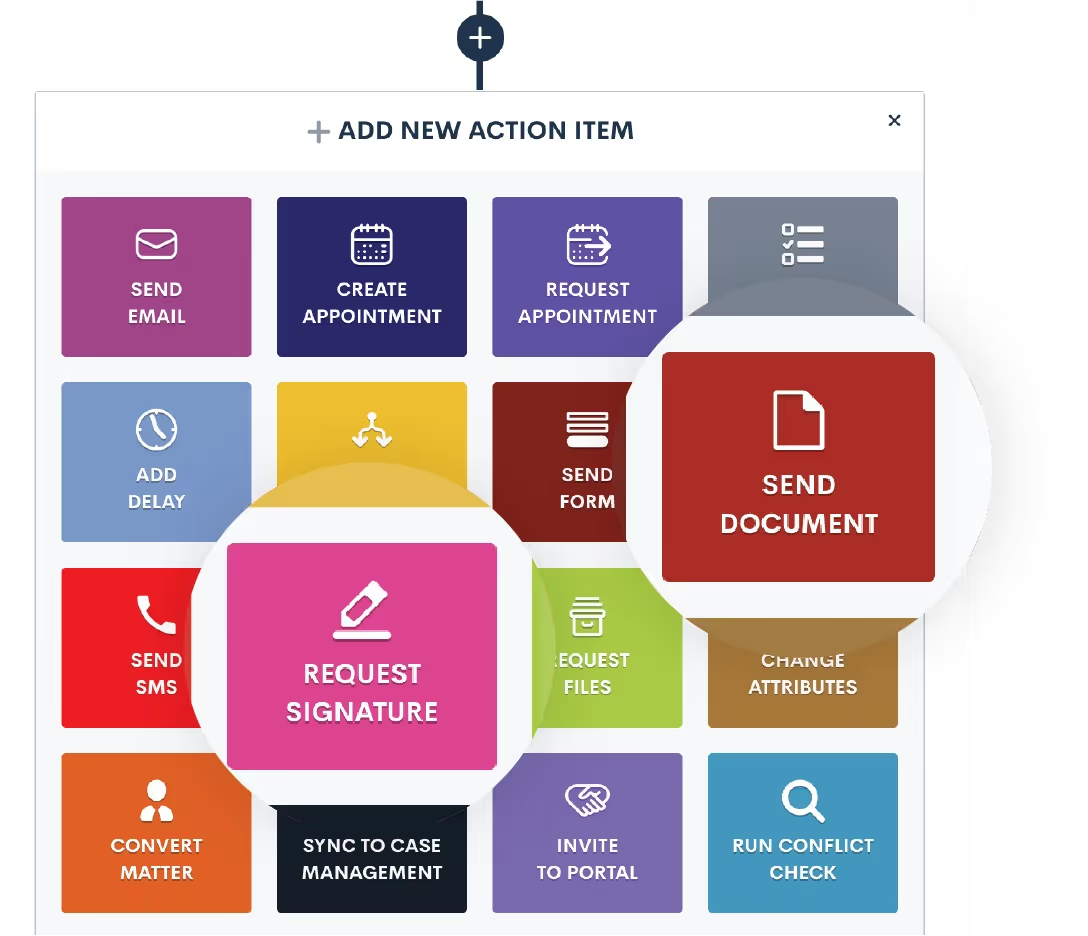
When you use the Send Document action, this will email the document (with fields merged in appropriately) as an email attachment. It does not include e-signature.Any time you want to send a document out for e-signature you will use the Request Signature action item. Once you select Request Signature in your automation you will then make selections for all the options shown below:
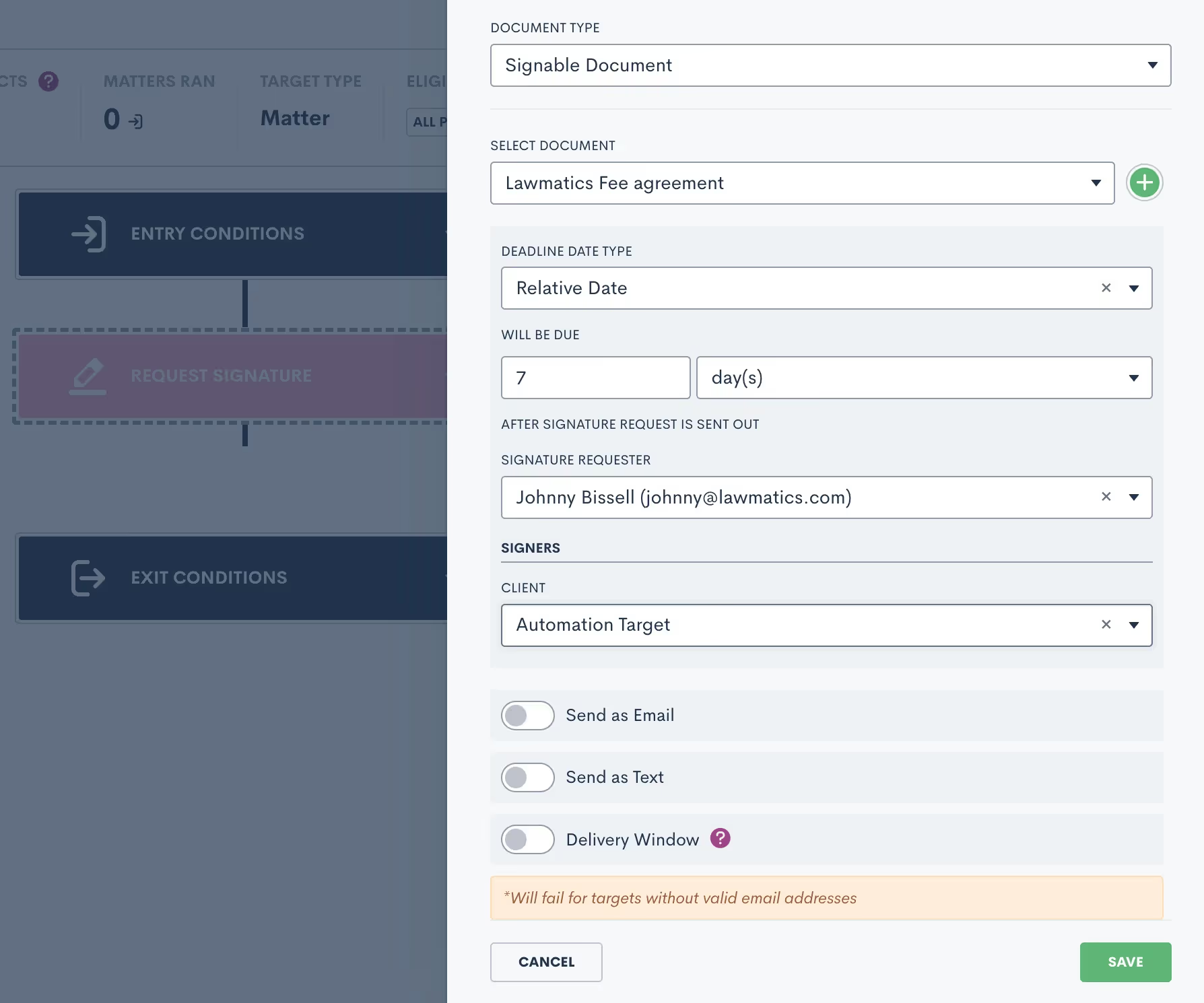
Select a due date if you would like, knowing that the signature request will automatically expire if it is not signed before the due date. You’ll also have options to send this document as an email, text message or both. When sending as an email you’ll have the opportunity to select your custom template for this document.You’ll also notice the option for Delivery Window shown above. We strongly recommend using this feature to make sure that important document are only sent during the hours of your choosing, in case you’re working on cases after hours.In addition to sending documents via Automation, you can also trigger an Automation when a document is signed. Add this as an entry condition by clicking the Signed a Document option, and then select your specific document.
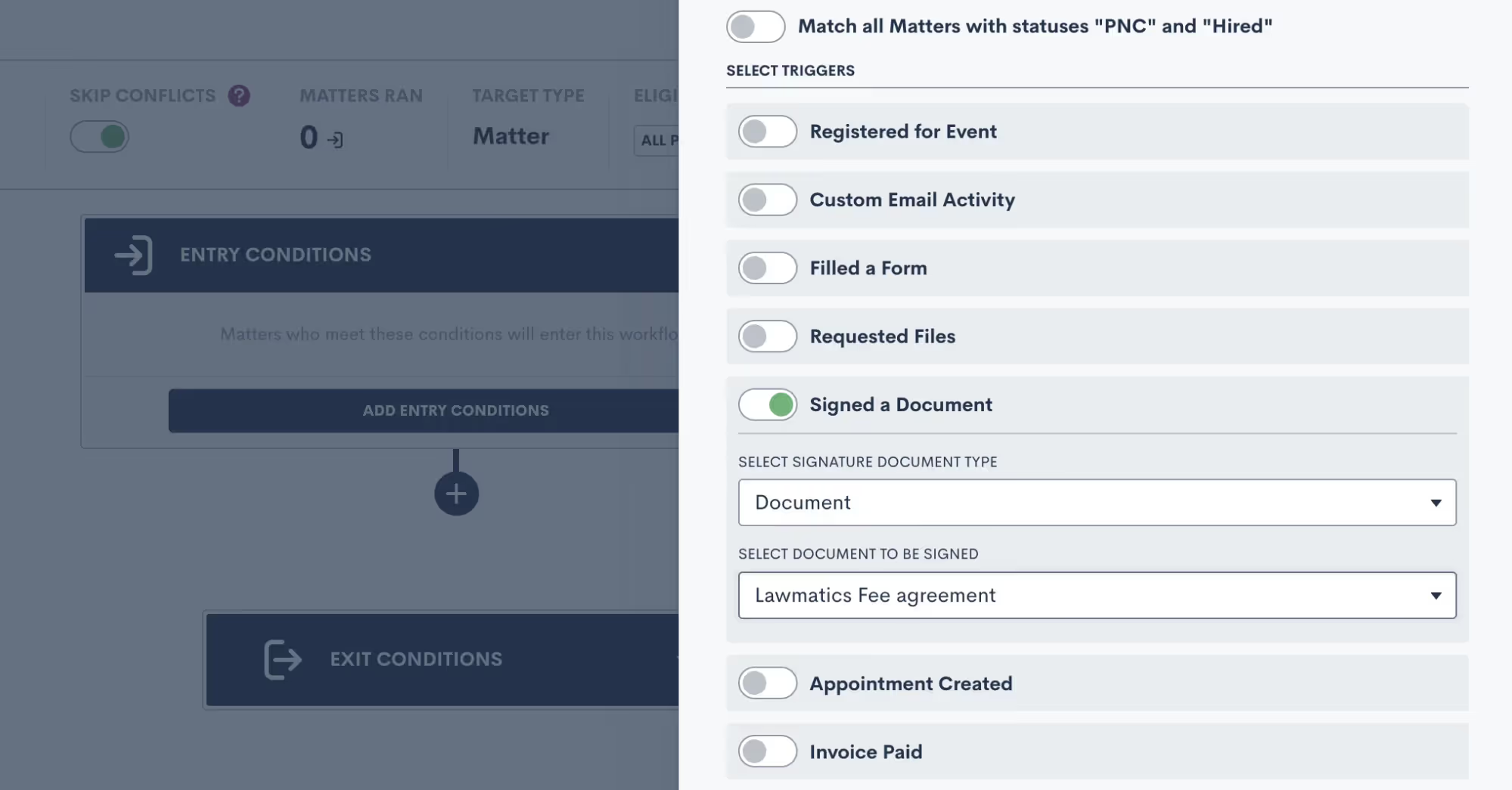
Managing e-signature requests
Once you have all of your document templates built out in Lawmatics, and have maybe even set up Automations to send them out for signature, you’ll want to be familiar with some of the ins and outs of managing your e-signature requests.Begin by navigating to the Documents page, and scroll down to the section labeled Documents Sent for Signature. Here you will see a summary of all signature requests that have been sent, including the current status, the document name, the primary matter, a list of all document signers, and more.
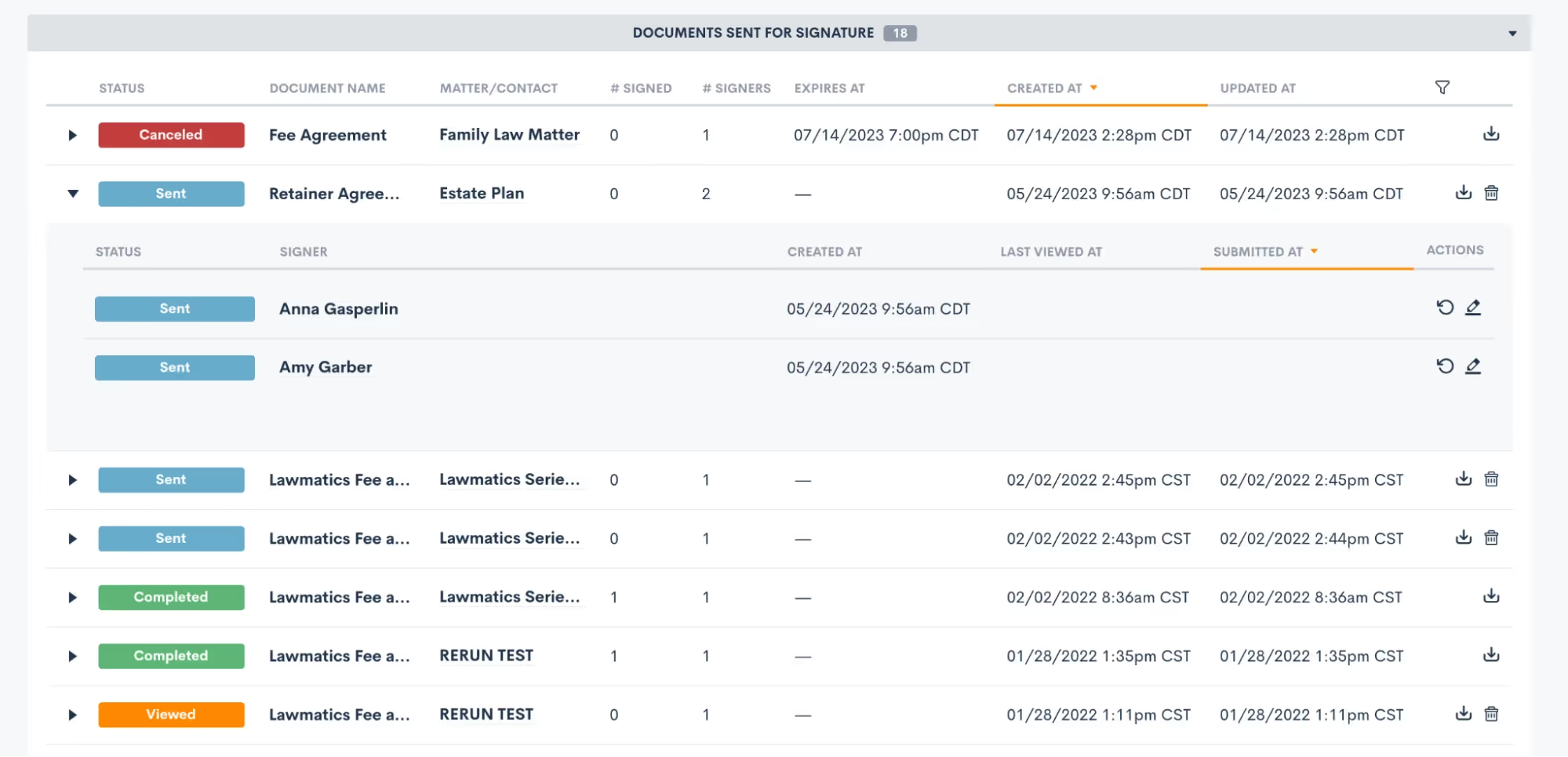
Expand a signature request, as shown above, to view the specific signer details. You can also manually resend a signature request to a specific signer when needed by clicking the circular arrow icon (shown above on the right) for the signer who needs it resent.You’ll also notice that for any documents with an expiration date you will see that clearly stated on this page too. Signers can no longer access and sign a document after its expiration date has passed, but you can manually reactivate and resend it here on this page if needed.Remember that if a document has multiple signers, the status for each signer may be different.
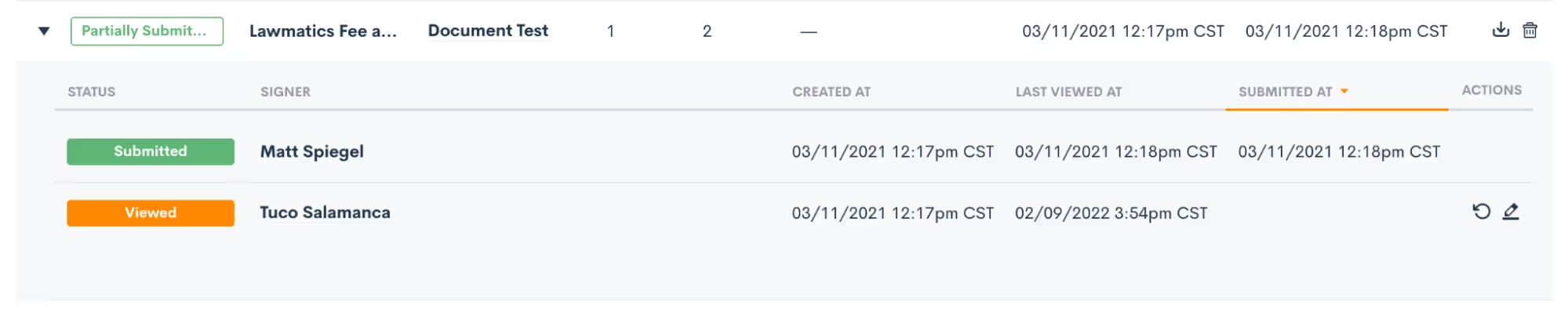
Here in this section you can also download and view a document or cancel one as needed.Any time you send out a signature request, whether manually or via Automation, you’ll be prompted to select one of your users as the signature requester. This person will automatically be copied on an audit trail of the document, receiving email notifications when signature requests are viewed and signed by each signer.To help ensure security and accuracy, you have the option to include the signer’s GPS location as well as IP address on this audit trail. These two options can be enabled or disabled as desired in your Firm Settings page.

Conclusion
Harnessing the power of document templates and e-signature solutions can truly revolutionize the way your law firm handles paperwork and interactions with clients. By streamlining document creation, improving accuracy, and enhancing security, Lawmatics helps empower you to focus more on delivering exceptional legal services.Our Document Templates allow you to create documents automatically. Instead of starting from scratch each time, simply use your pre-built template that tailors itself to each matter’s specific legal needs. E-signatures offer unparalleled convenience, speed, and compliance, making the signing process seamless for clients and attorneys alike.Embracing these technologies not only boosts efficiency but also showcases a commitment to innovation and client-centricity. As the legal landscape continues to evolve, adopting document templates and e-signature solutions is undoubtedly a forward-thinking step towards becoming a smart firm. So, embrace the future of legal document management and elevate your firm to new heights with these indispensable tools.
The dog days of summer are here, as are the latest new features from Lawmatics! Soak in some rays and revel in a host of powerful new tools and capabilities designed to help your law firm soar to new heights. Read on as we unveil the lineup of this month’s brand new features and enhancements.
Enhance data analytics with Invoice and Time Custom Reporting
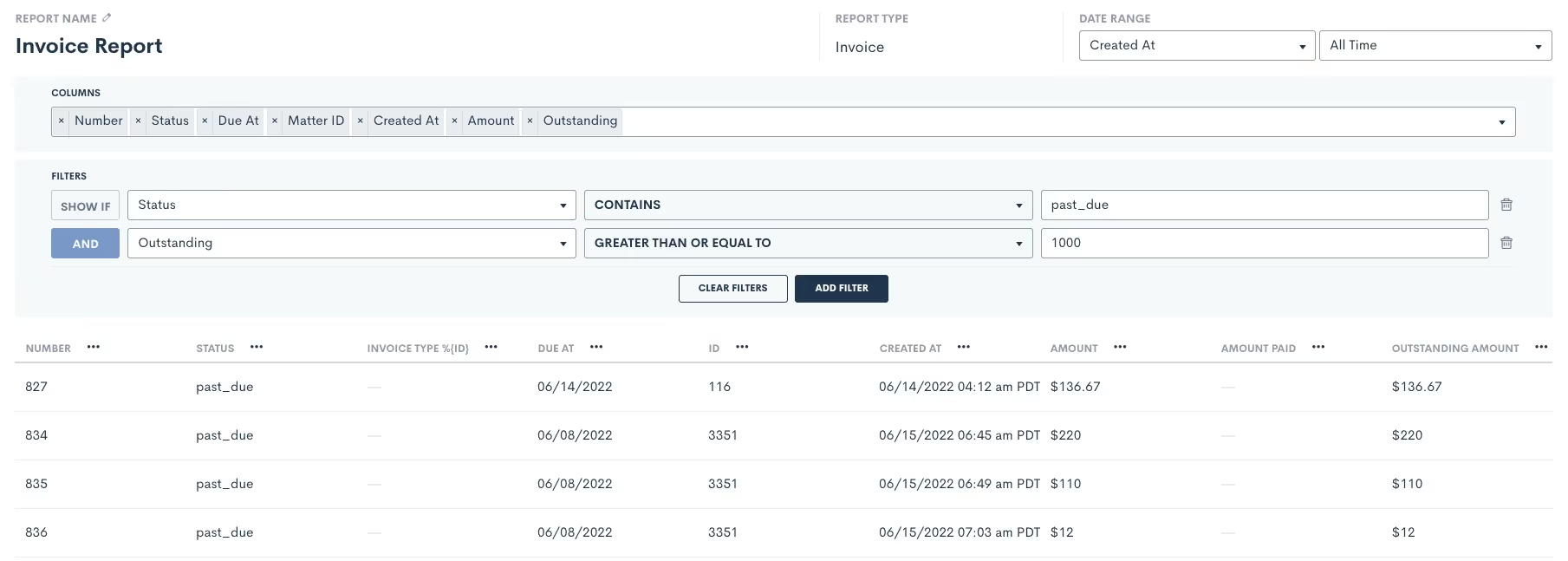
On top of our existing reporting capabilities, you can now effortlessly create Custom Reports for Invoices and Time Entries. Now when you create a Custom Report, you’ll see new options for Report Type: Time Entries and Invoices. After building your report like normal, you can save it and come back to view it at any time. This new addition will help drive decisions backed by data on where and how your firm’s staff are spending their time. Having said Matter ROI on demand will support the development of your business strategy.Learn more here.
Repeat automated workflows each time a Form is filled
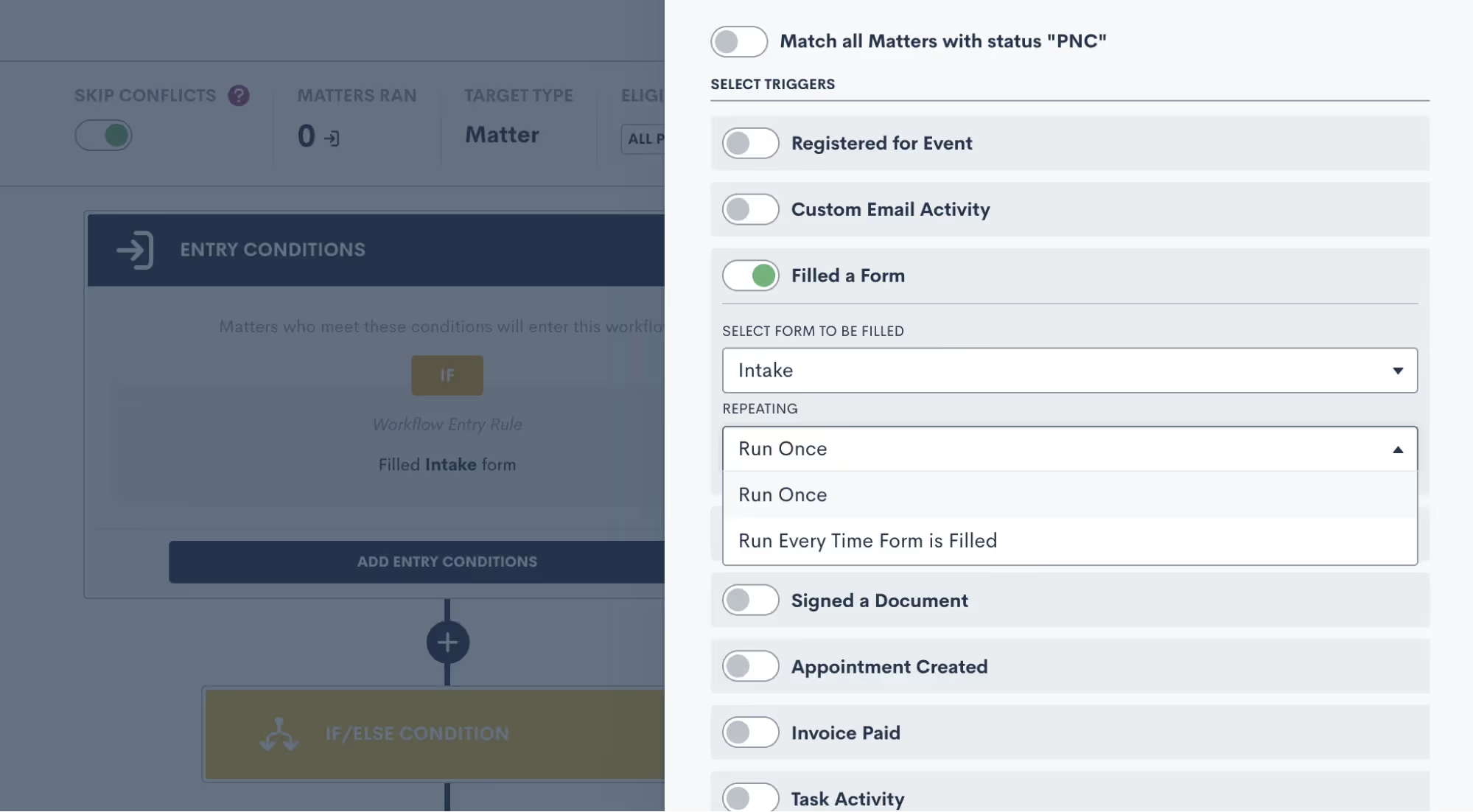
By default, Lawmatics Automations only run once – meaning that if the condition is met multiple times, the Automation will only run the first time the condition is met. You now have the option to allow the Automation to run every time the selected form is submitted. Use this new option for any scenario where you expect a lead or client to fill out a particular form multiple times, and you want the necessary workflow to trigger each and every time.Click here to read more about this feature.
Keep precise records with Email Assigning Inbox
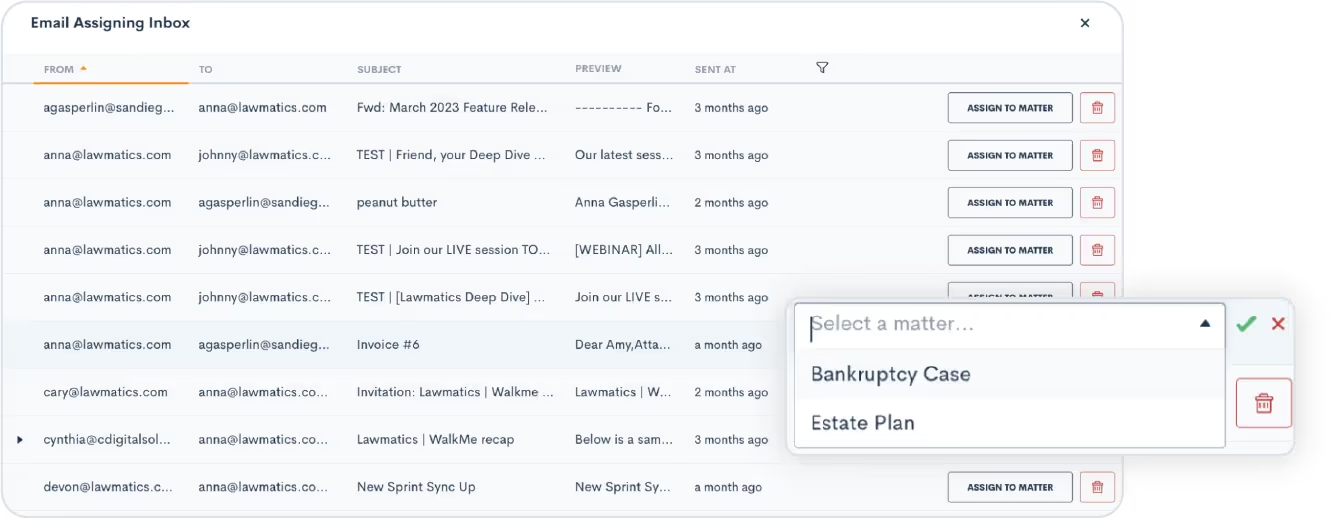
Managing multiple matters for a single contact used to be a challenge, but not anymore! The Email Assigning Inbox is your new go-to tool for effortlessly assigning specific email exchanges to the appropriate matter. Our intelligent system already automatically matches an email communication with its corresponding Matter in Lawmatics, but you can now manually assign emails that might pertain to multiple Matters. Keep your records precise and your workflows seamless.Get started here.
Real-time sales cycle duration metrics
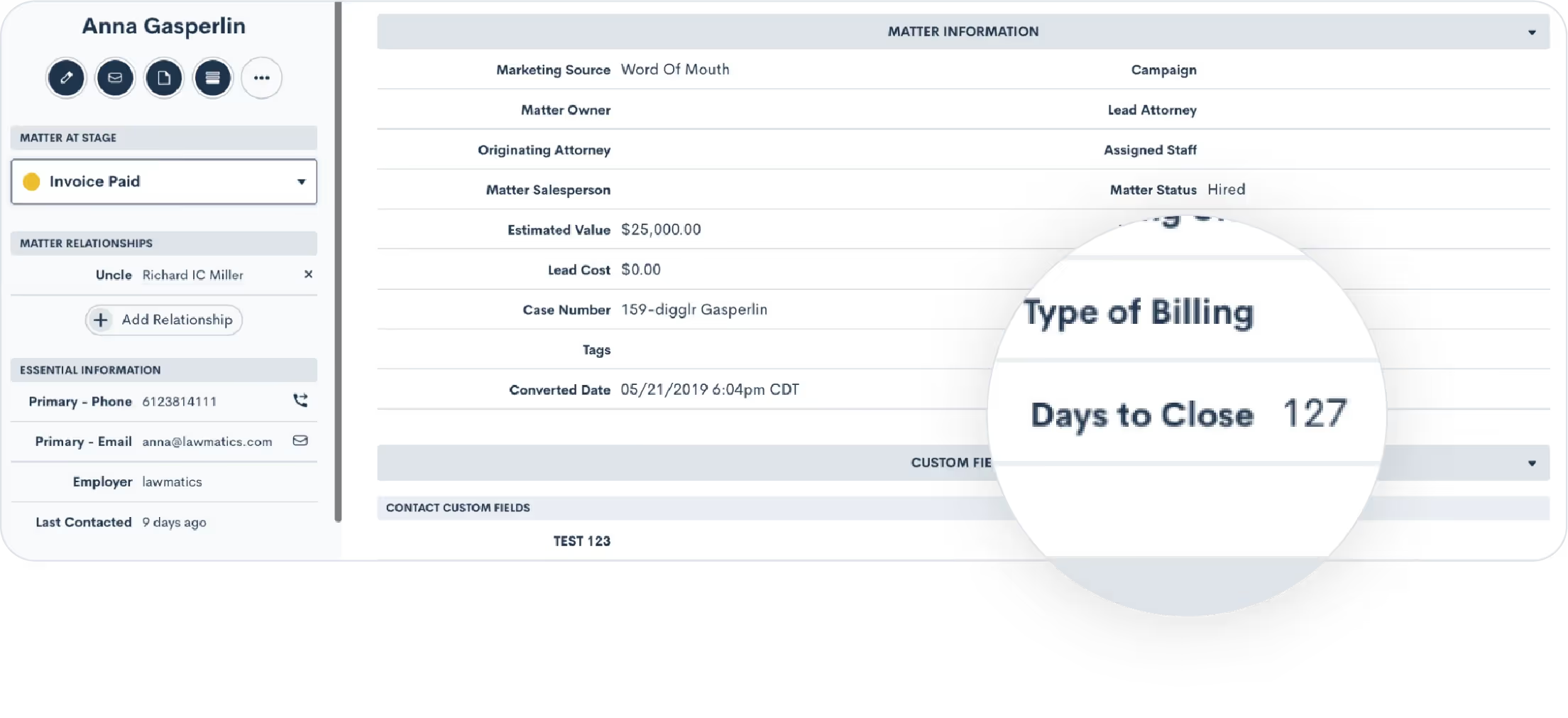
Say hello to Days to Close, a powerful addition that automatically tracks the number of days from when a Matter is created to the day it converts. With this data at your fingertips, your law firm will have greater access to real-time metrics that provide a clear picture of your sales cycle duration. Easily view this field on a Matter’s profile, or use it directly in your custom reports to help make data-driven decisions, optimize your workflows, and enhance the efficiency of your Matter handling.Click here to learn all about Matter conversion.
Eliminate duplicate work by Resubmitting Forms
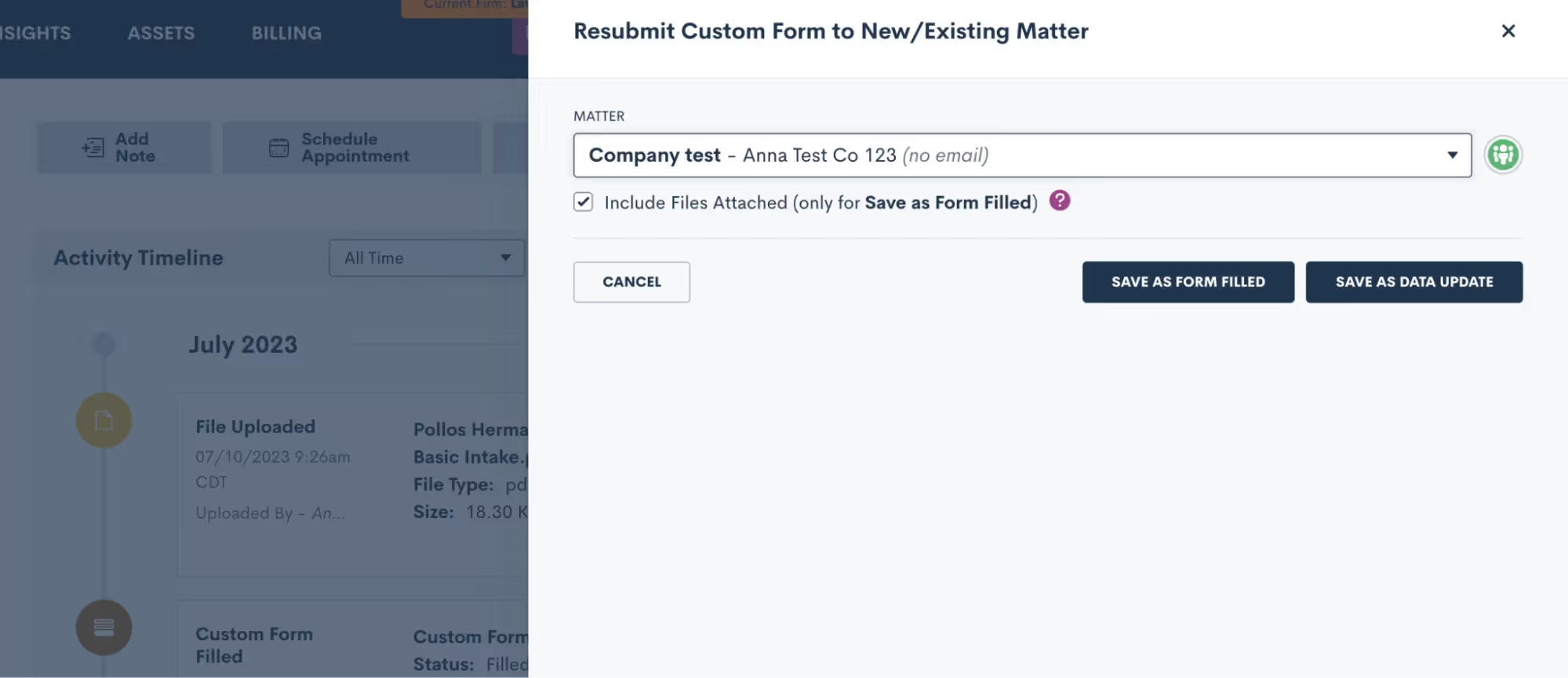
You can now use our new Resubmit feature to effortlessly transfer and repurpose form submissions with just one click. When you click the Resubmit button, you can seamlessly associate that Form data with an existing Matter or use it to create a new Matter. If your clients have multiple Matters, this new feature will eliminate wasteful duplicate work each time.Learn more.
Stay in the loop on Task progress

This new Tasks feature logs a comprehensive record of all activity associated with a particular Task. Navigate to the Task – whether it's from the Tasks dashboard or within the Matter profile – and instantly unlock a detailed timeline of all updates and changes made to said Task. Stay in the know, eliminate guesswork, and gain complete visibility into the Task's evolution.See how to track your Task progress.As always, thanks for checking out this latest update from Lawmatics. Stay tuned for even more exciting features to come as the summer continues to heat up!
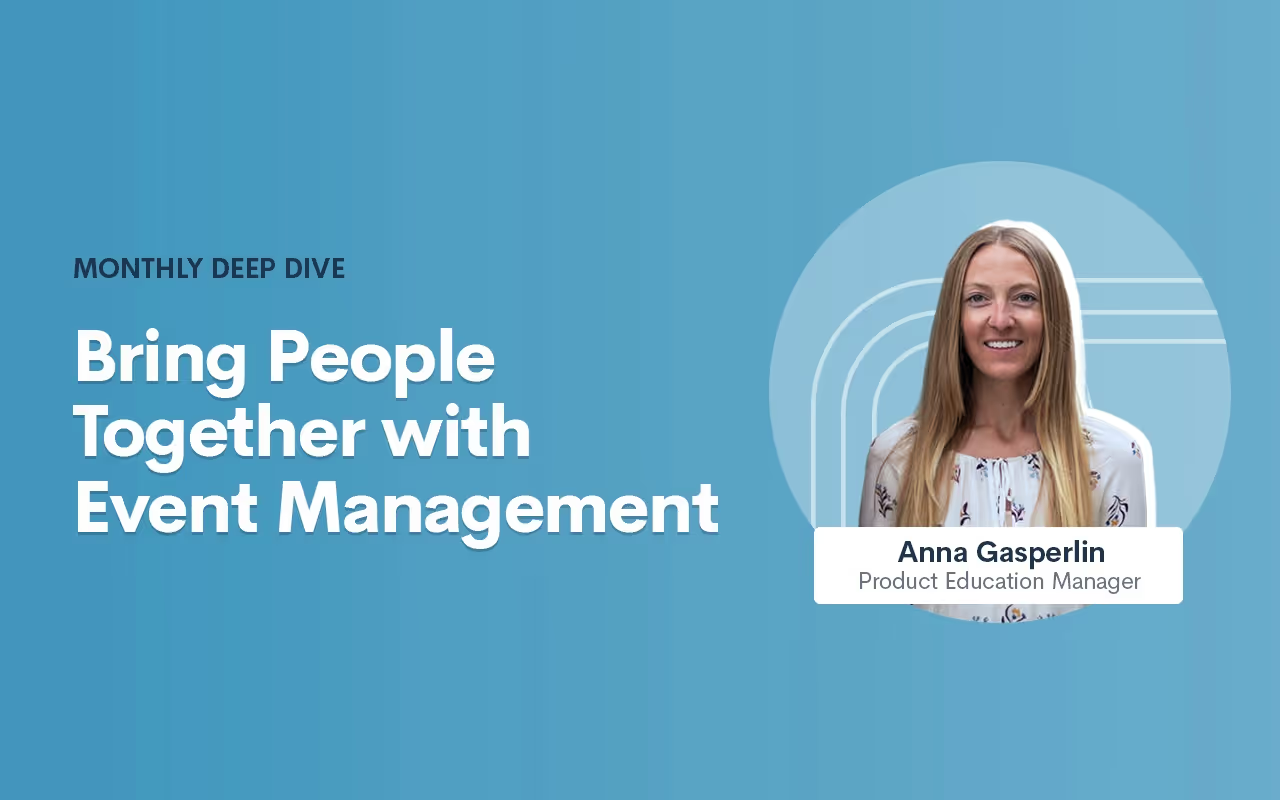
Register for upcoming Monthly Deep Dives
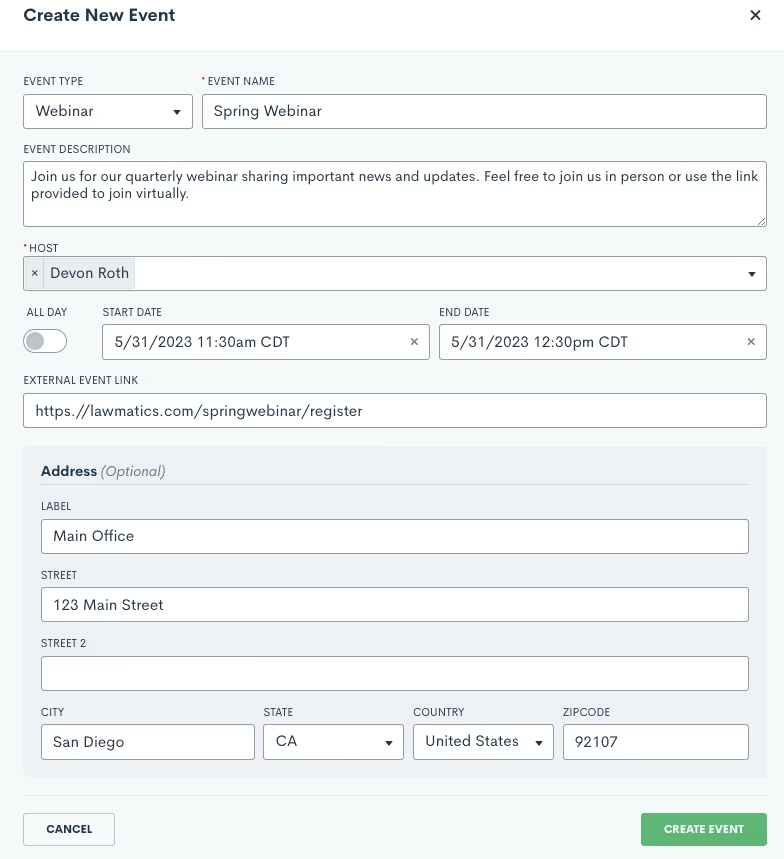
- Select the event type and give your webinar a name and a description. Remember that the event type is more broad, such as Webinar, whereas the event name is specific to this event, such as Summer 2023 Webinar.
- Continue making selections for the host and the date and time.
- You will also need to enter a location for the event, either an external link or a physical address. If this is a virtual event, simply put the external link in the box provided, and this will automatically be added to the description of the calendar invite that is sent to registrants for this event.
- Your virtual event may be held via Zoom, Teams, or some other platform, simply copy and paste the meeting link.
- For in person events, enter in the physical address. This will also be added to the event invite when applicable.
.Engaging events such as webinars, seminars, luncheons, are a great way for attorneys to fortify relationships with new and existing clients. If event management has been a technical roadblock for you up to this point, we’ve got great news: Lawmatics now allows you to effortlessly manage all such events without the hassle of integrating with other tools or relying on Zaps.With our Event Management feature, Lawmatics users can configure various event types (webinars, networking events, etc.), easily create and promote an event, and collect registrants. We’ve also added the following:
- A setting for built-in confirmation and reminder emails.
- A new entry condition for Automations to trigger a custom workflow upon an event registration.
Whether you are already a master event organizer or just looking to start implementing events into your firm, Lawmatics is your one stop shop for event management.
Event settings
Before diving into the world of event management with Lawmatics, let's get those essential event settings sorted out. Simply locate the gear icon in the top right corner of your Lawmatics window, and then navigate to Appointments/Events on the left sidebar.Now, let's take a quick moment to distinguish between appointments and events. In Lawmatics, appointments are reserved for a single matter or contact, like consultations, strategy sessions, or lunch meetings. On the flip side, events can accommodate anywhere from one to thousands of enthusiastic registrants and aren't tailored to individual attendees. Let the distinction sink in and get ready to unleash the power of Lawmatics for your event management needs!When you first arrive on the Appointments/Events page in settings, you will first see your settings for appointments, scroll down on the page until you land on the Events section.
Event types
To ensure seamless automation and precise triggers, you’ll need to first establish distinct event types for your diverse range of gatherings. These event types hold the key to orchestrating specific actions based on registrations. For instance, you might want to kickstart an automated drip campaign when someone signs up for a webinar, while reserving a different response for those joining a networking event. By setting up event types, you unlock the power to customize and optimize your automation game plan. Let Lawmatics do the heavy lifting while you effortlessly navigate the realm of tailored event experiences.
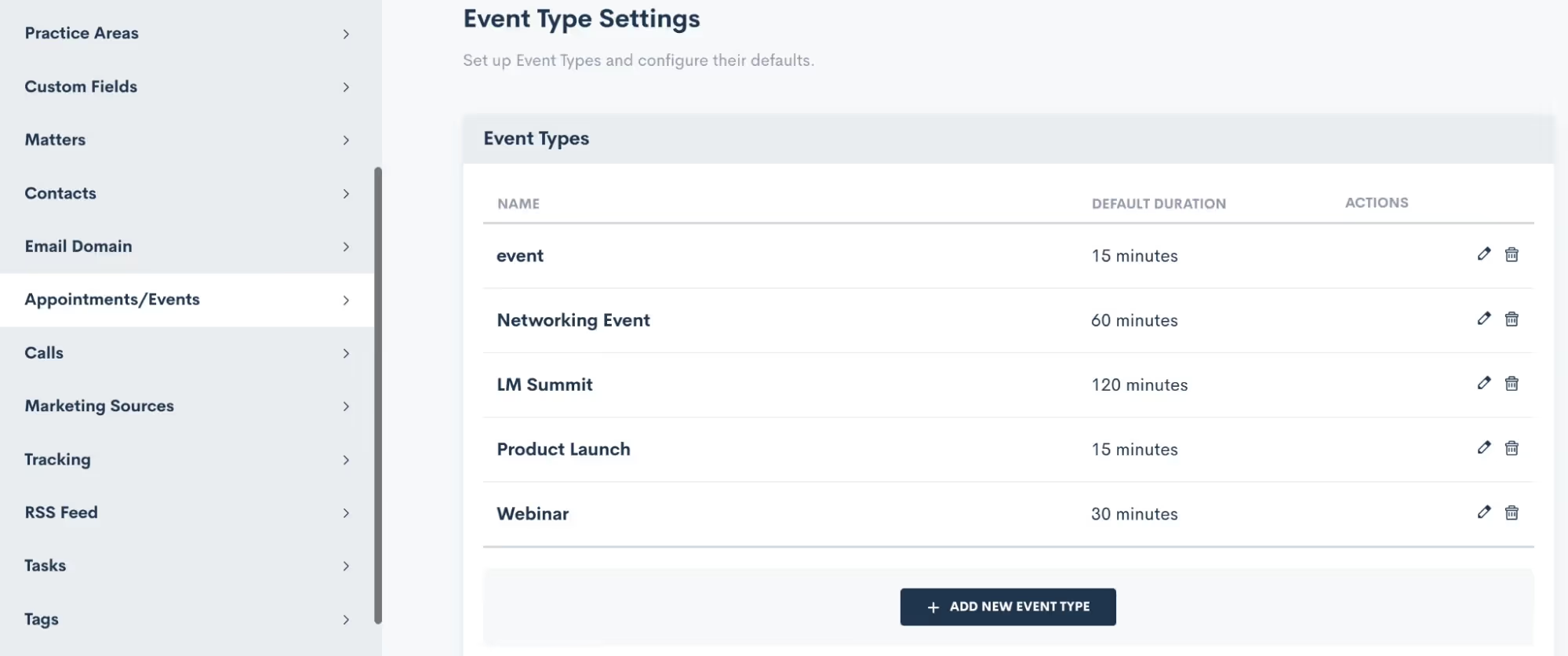
You also have the freedom to craft unique confirmation and reminder sequences for each event type according to your preferences, and we'll delve into that soon. Feel free to create as many event types as you desire, knowing that you can always return to add, modify, or delete existing ones. When crafting your event types, you even have the option to set a default duration, if that suits your needs.
Confirmation
Lawmatics offers built-in confirmation and reminder settings for your events, no need to build a custom email template and automation for each event. This confirmation will be sent to the registrant as soon as they have signed up for the event.Simply click the setting option for Add Confirmation, and you can then build out your own email template and/or text message as shown below.
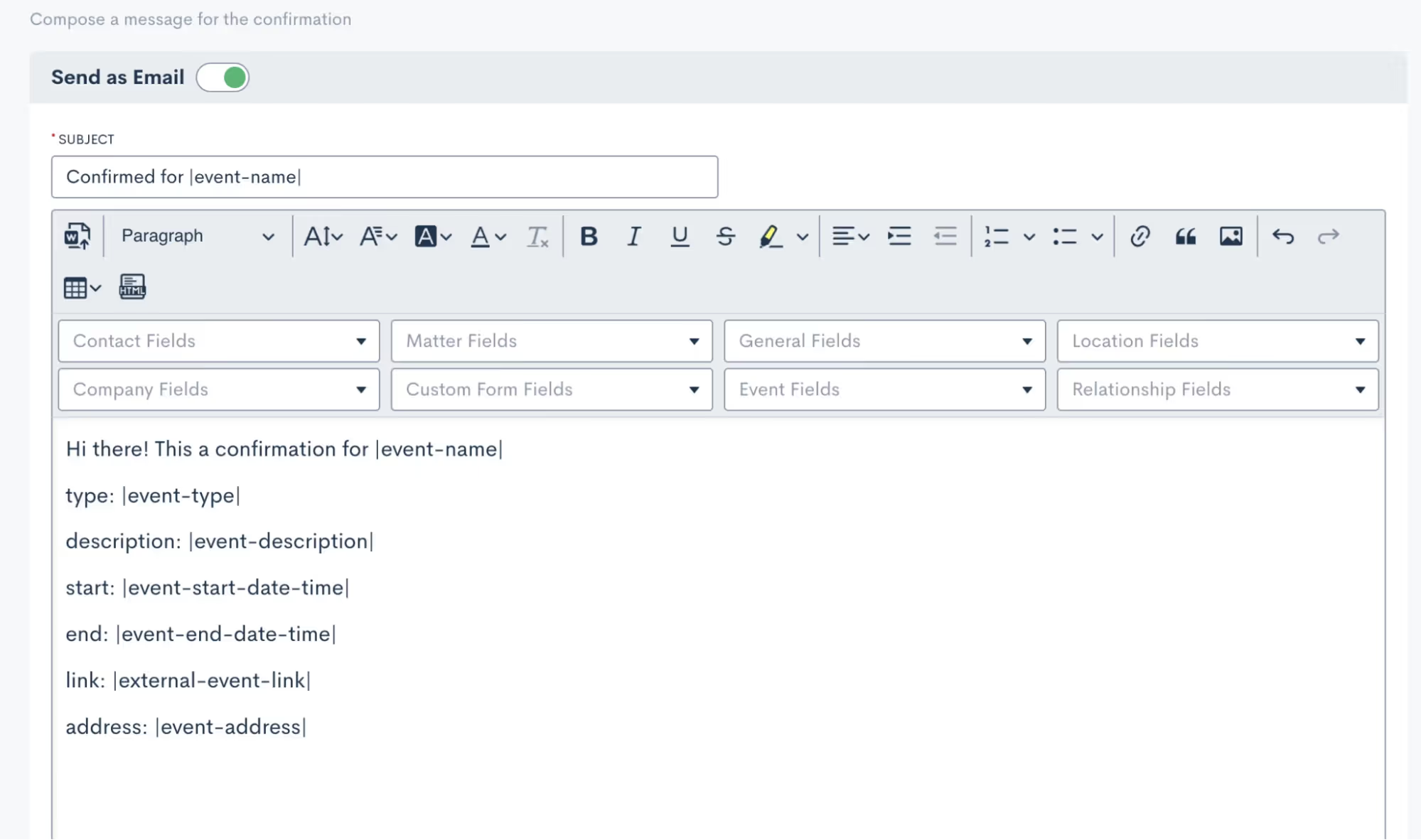
You’ll see that you can merge in fields as needed, including event fields to input the unique event date, description, link, etc for each respective event.It is then important to select which of your event types this confirmation email applies for. Depending on the nature of your events, you may use a generic confirmation for all of your event types or perhaps you’d like to create something more specific for each.
Reminders
As with event confirmations, reminders are built into Lawmatics although they are optional. However, we highly recommend utilizing them to ensure your event registrants stay on top of upcoming gatherings.
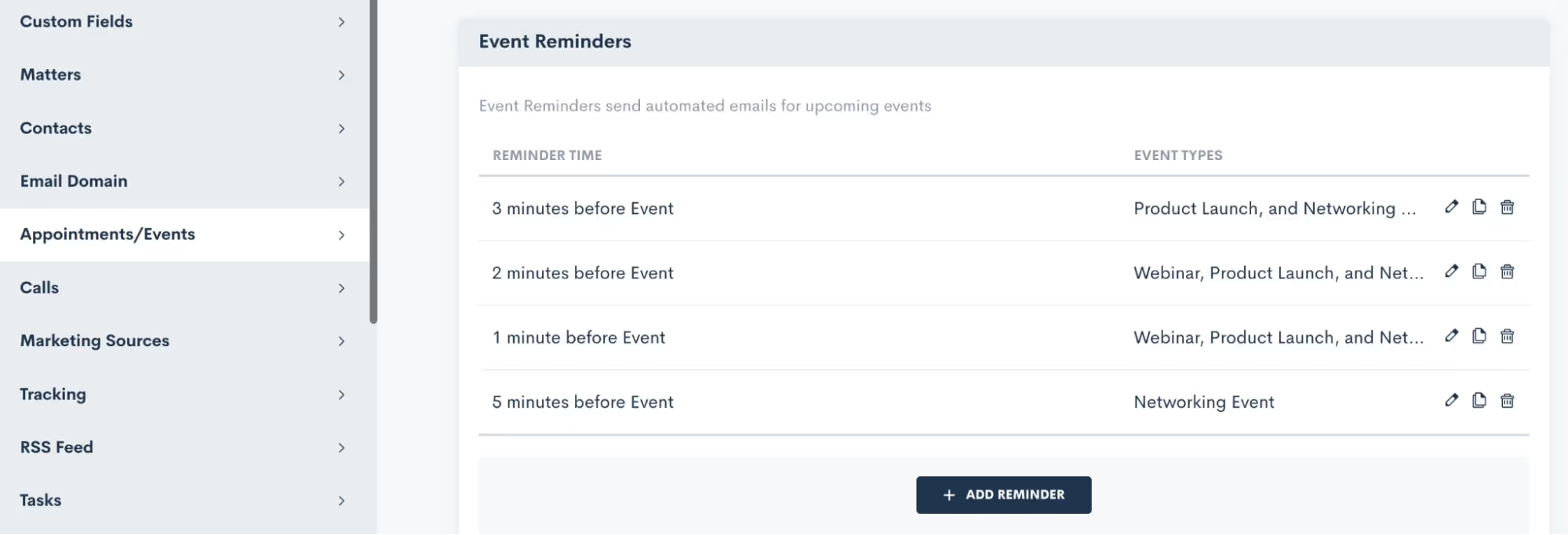
Feel free to create as many reminders as you desire, and once again, you have the power to apply them to any or all of your event types. It's all about keeping your attendees engaged, informed, and excited about the events they've signed up for.
Creating an Event
Now that you have finished setting up this groundwork, you are ready to create an event:
- Hover your mouse on CRM and select Event Management to navigate to the Events page. Here you will see all past and upcoming events with the option to add a new event. When adding an event, you will see various options as shown below:
Event registration
And now for the fun part: collecting registrants for your event! There are several ways you can go about doing this, we’ll break them down here.
Custom Form
In addition to using Custom Forms for collecting leads or contacts, utilizing a form is an excellent method for gathering event registrants. With the introduction of the Event Management feature, we've incorporated an event registration field that seamlessly integrates into your custom forms. You have the freedom to incorporate this field into your existing forms or even create a brand new registration form from scratch.
- When editing your Form, add any fields to the form as you normally would.
- Click the Advanced section on the left sidebar.
- Drag and drop the Event Registration field wherever you would like it on the form.
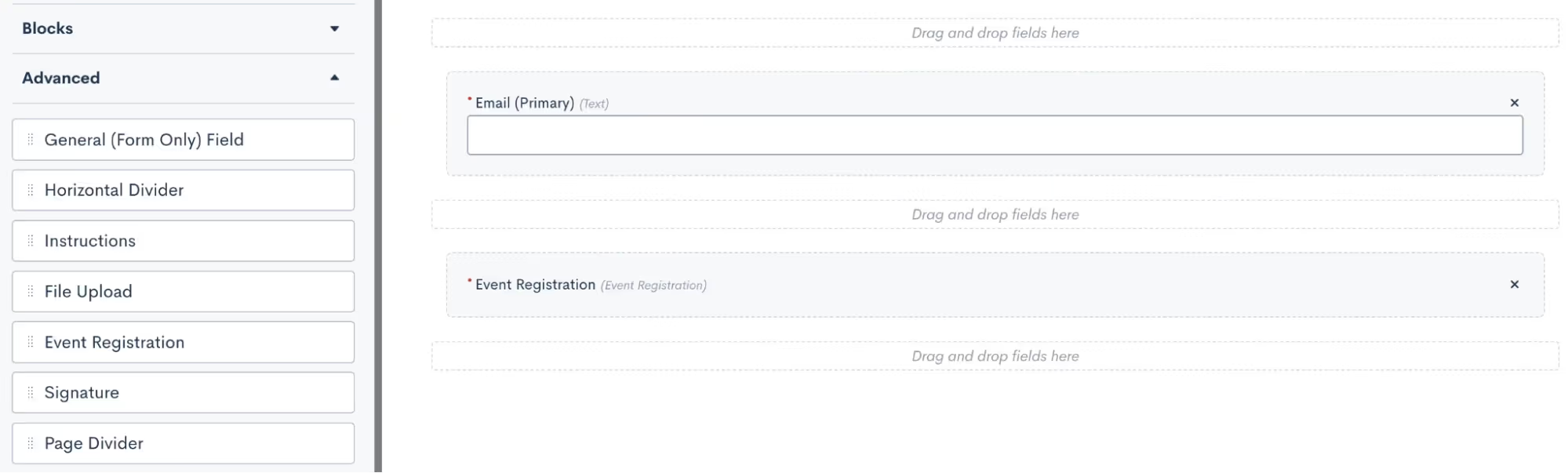
- Once you have this field in the form, click on it to make additional selections. In the options for this field, as shown below, you will select what label you want for the registration option, and then select which of your events can be registered for from this form.
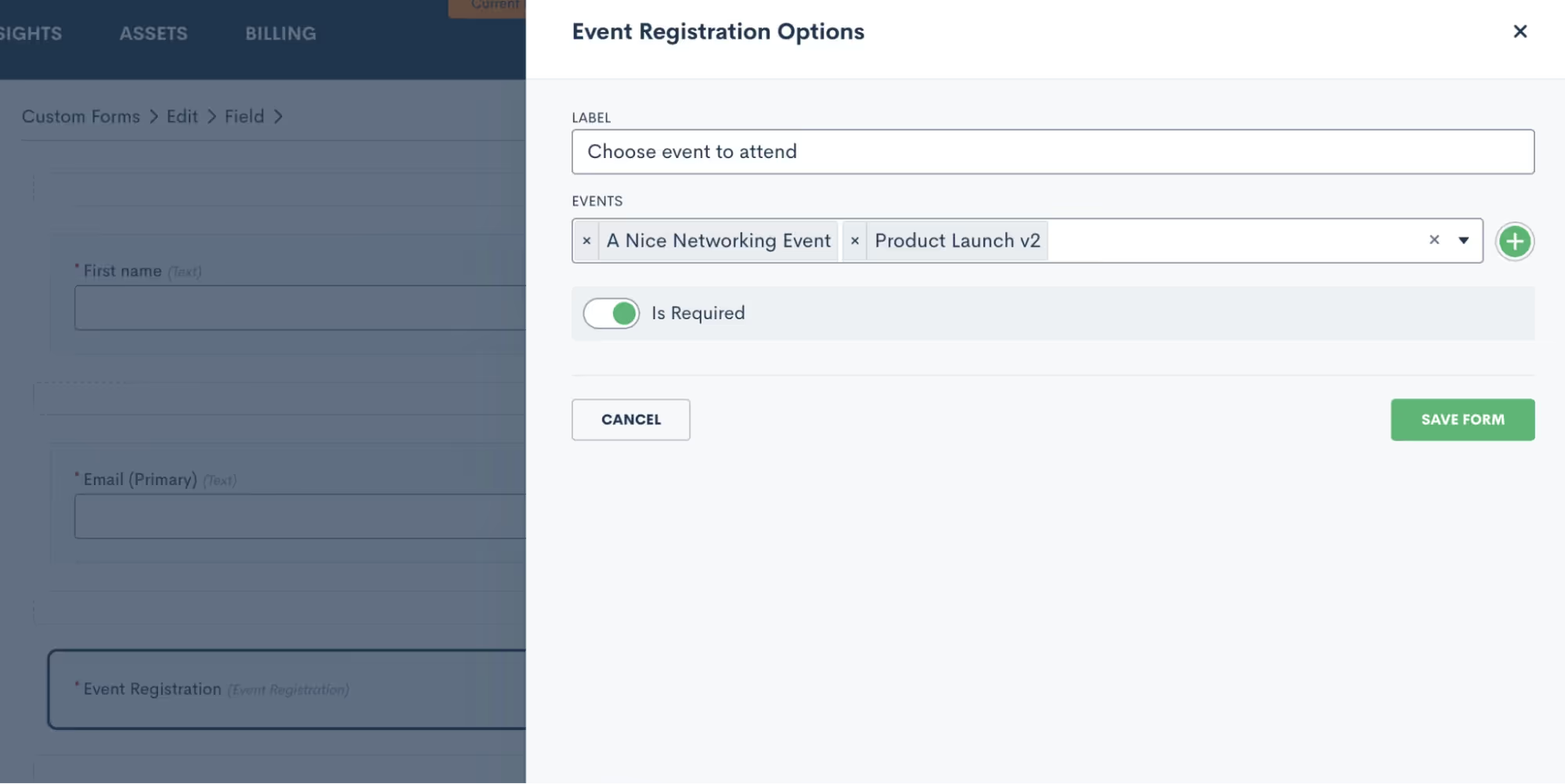
- You may choose to have just one event per form, and market that form specifically as a sign-up for that particular event. Alternatively, you can opt to include multiple events on a form so that potential registrants can register for any or all of them.
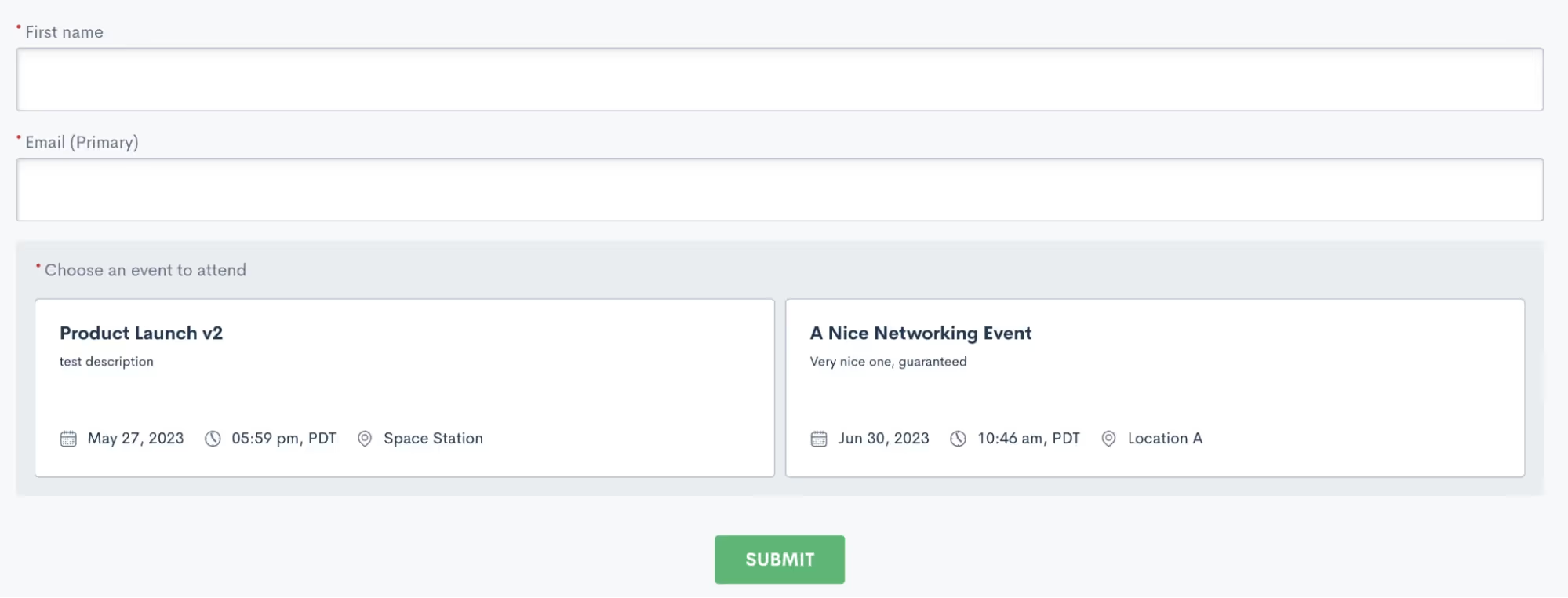
In the sample shown above, a registrant would simply enter their name and email, then click on both or either event to register respectively.Just like any other custom form, this form can be embedded on your site, shared via hyperlink, or even sent via automation.
Manual registration
Your other option for registering event attendees is to do so manually. This method is certainly not as efficient or automatic, so we definitely recommend using this as a contingency method to the Custom Form.To manually register an attendee, go to the Event Management page and click the plus sign icon. You can then search from existing contacts in your CRM or add a new one to be registered for the event.
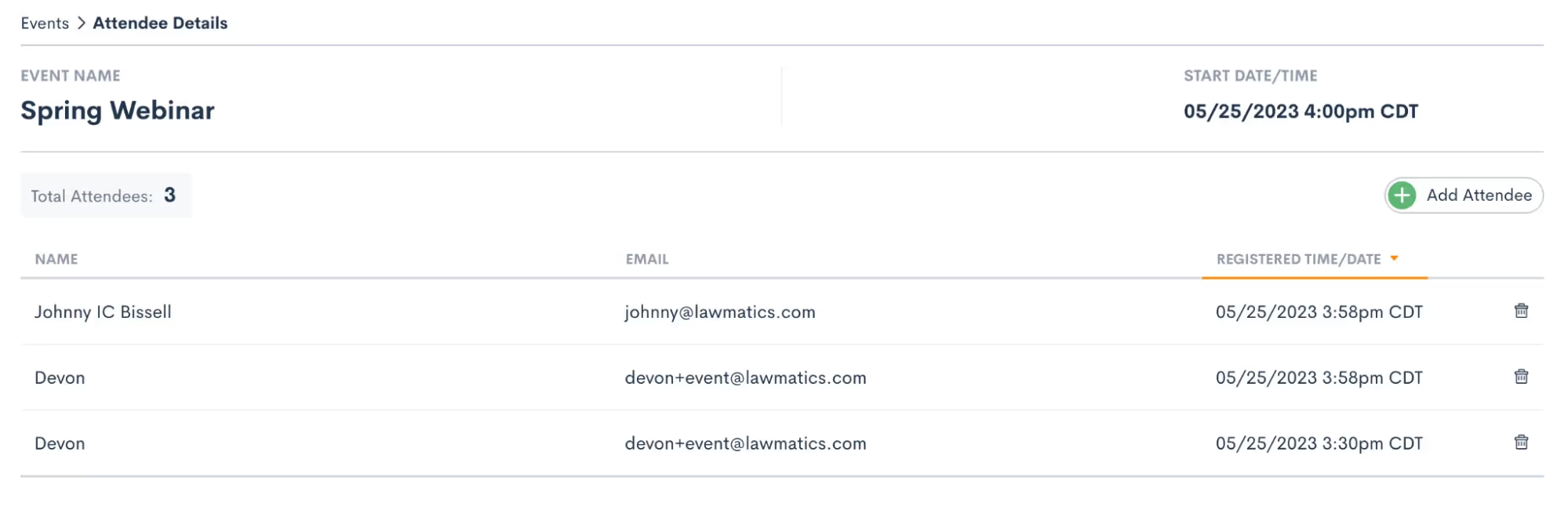
Regardless of the method you opt for to register individuals for your event, they will be seamlessly added to the registrant list. Once added, they will receive the confirmation and reminders you have set up in your settings. To conveniently view all event registrants, head over to the Event Management page and click on the specific event you're interested in. There, you'll find a comprehensive list displaying each attendee's name, email address, as well as the date and time of their registration. It's a hassle-free way to stay informed and organized throughout your event planning journey.
Events & Automation
As with all Lawmatics features, Event Management can also be included in your Automations. With the introduction of this new feature we have added a new Automation Trigger: Registered for Event.
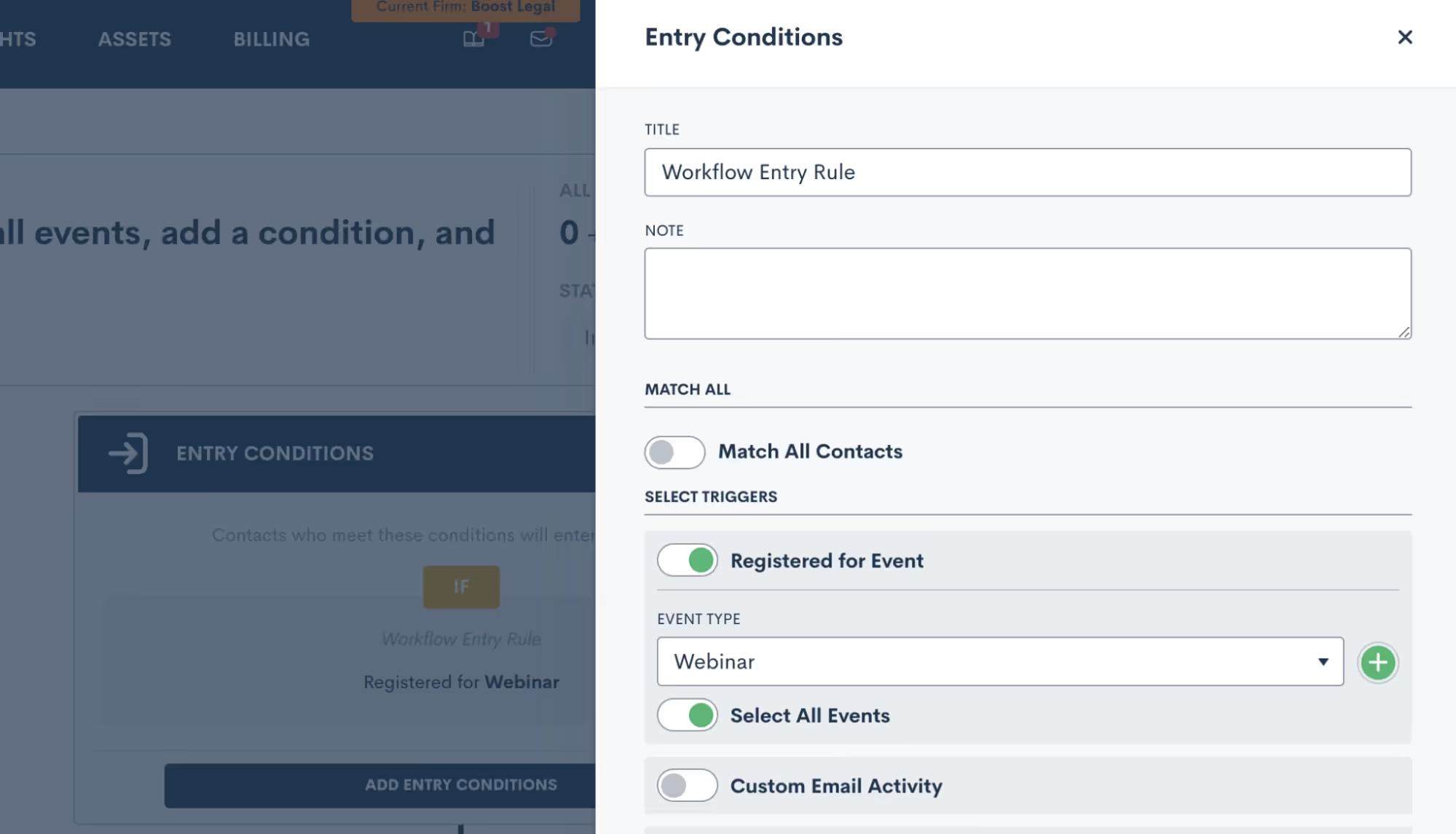
- Simply select the “Registered for Event” trigger, and then select an event type to trigger the automation. This goes all the way back to the first section regarding your Event Settings, it is very important to set up your event types so that you can trigger Automations appropriately for different events.
- Once you have selected an Event Type, you then have the option to let this Automation run for all individual events within that type, or you can select a specific event so that the automation only runs for that event.
- Now add in your various action items and build out your automated workflow. Whether you’re creating a drip campaign, internal tasks, data updates like tagging, or whatever else you wish to automate, simply select the action items to add them into the automation.
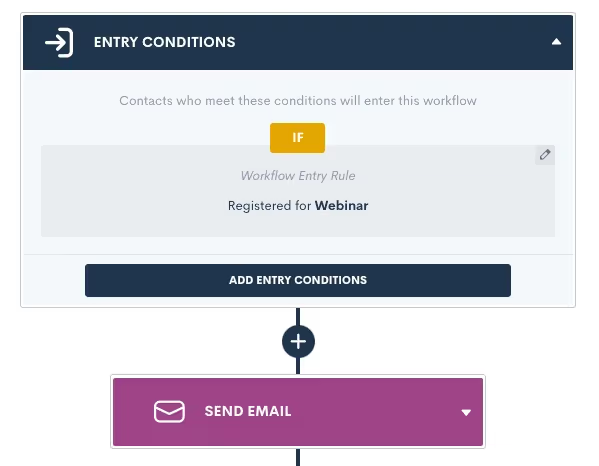
Remember that your event confirmation and reminders are built-in on the Settings page, so no need to create an Automation for those.Creating an Automation for event registrants is a great way to automate long term follow up with a goal of increasing conversion, or just to stay in touch and top of mind with that audience.
Conclusion
We’ve got all the tools you need to manage your major events such as webinars, luncheons, and networking events, all under the roof of Lawmatics.Set up custom event types and confirmation emails in Settings, then easily create an event, start promoting it, and collect registrants. Plus don’t forget that you’ll also find a new entry condition in Automations to trigger a custom workflow when someone registers for your event.Events are a great way to create new lead channels and bring in more business for your firm without having to spend big money on marketing campaigns. Whether you are a seasoned expert at event management or planning out your first event, Lawmatics is just the tool for incorporating events seamlessly into your firm’s marketing efforts.**Event Management is available to users on the Pro Tier and above**

What is your role at Lawmatics, and what does your job entail?
I'm a Software QA Engineer, and I test new features developed by our engineering team to ensure quality standards are met and goals are aligned with our product team. I write test plans and report failed scenarios to the developers so they can quickly reproduce issues. Recently, I've been working more with writing code and test automation to prevent code regressions.
How did you end up working for Lawmatics?
A fellow engineer first joined the engineering team who then recommended me. We were both junior full stack engineers at our previous company, working on different projects. I worked on a small mobile app, and was involved in every part of the development process, from planning to deployment. I found testing and debugging to be pretty tedious, yet the most rewarding parts of the whole process. So in my initial interview with Lawmatics, I asked about testing, and we went from there.
What’s the best part of your job?
I really enjoy supporting my team with identifying bugs in the code and reproducing them. When something strays from the happy path of usability (i.e. an edge case), it's satisfying to squash that bug during the development phase. 100% bug free code can be hard to achieve, so coming to terms with what's acceptable or not and working with our product team is another part of the equation that keeps my job engaging.
Where are you from, and how did you end up in San Diego?
I was born and raised in San Diego while my parents are both from the Philippines. I lived in Tucson, AZ for about 5 years though and it was the hardest decision to leave a small town, surprisingly.
What do you like to do when you aren’t working?
My 4-year-old daughter brings me so much joy in life. We play with Legos and she does most of the building. Sometimes we'll play hide and seek. We take turns and hide in the exact same spot every time. Laughing about it never gets old.

What is a fun fact most people may not know about you?
I have 5 older brothers! Playing video games, helping with house renovations, and in general, just growing up with a bunch of boys made being a woman engineer easier. Wish it was easier on my mom though, it was like she had a 6th son in a way.
Tell us about an unforgettable experience that you’ve had?
When I was 12, my mom and I visited my older brother in Japan. He taught English to junior high school students out in the countryside. It was an amazing experience to see cherry blossoms in the spring. But the memory that sticks with me the most is our tour of the Hiroshima Peace Memorial Museum. It evoked so many emotions to see scenes and displays of the magnitude and devastation of the event.
What is the one thing you can’t live without and why?
Yoga. It's my water in life and it brings me balance.
Do you have a favorite saying, quote, or personal mantra and if so, what is it and why?
You are exactly where you are meant to be. This phrase reminds me to stay present, focus on the progress I've made, and embrace where I am today. Showing compassion for myself is important and helps me to have more compassion for others.
What is your favorite thing about working for Lawmatics?
That's so hard to pick! There's the people! The work! And of course, the kitchen snacks! Avocados, peanut butter, trail mix... yet at the end of the day, I really enjoy being challenged, growing, and working with everyone here... and talking about who ate the last apple.
What’s your go-to hype song?
I love a good pop song. My go to is Lights Follow - Live Your Beautiful Life.
Based on your experience, what words of wisdom or advice do you have for legal professionals looking to help their law firms win more business, impress clients, and be more efficient?
Our Automations are so powerful and they can help automate a workflow by triggering off a Custom Form that was filled, then moving on to send an email or a document to the user or contact. So many or’s and and’s here. I highly recommend double or triple checking entry conditions, the logic used, and getting in touch with us if there's ever any doubt when building out your Automations.
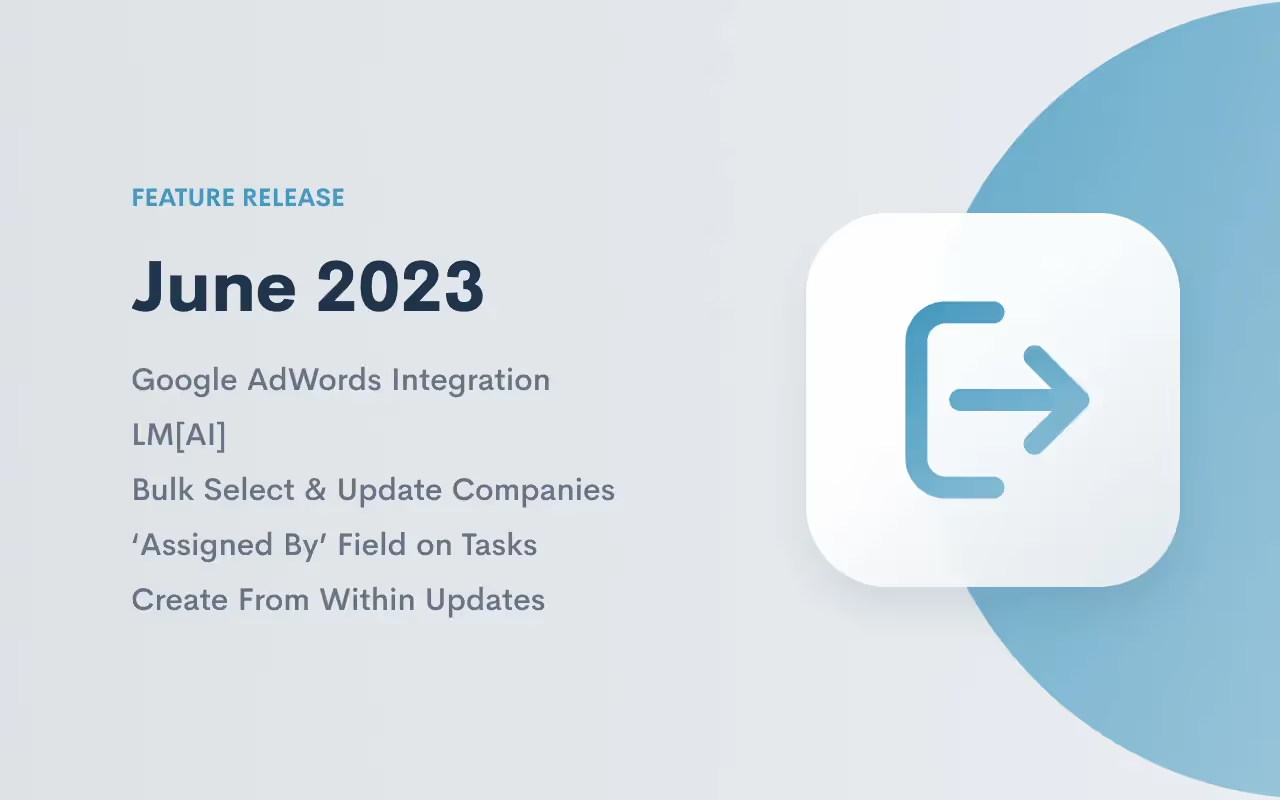
Summer just got a whole lot hotter with our sizzling new feature lineup. So set down your BBQ tongs and beach ball and check out our latest batch of Lawmatics feature releases.
Google AdWords Integration

We're excited to announce the addition of Google AdWords to our integration lineup. Now, syncing your AdWords account with Lawmatics is a breeze. Simply head to the Integrations page in your Lawmatics Admin settings, and Lawmatics will automatically import your marketing spend and campaign data from AdWords, logging these respectively in your Lawmatics marketing sources and campaigns. This integration allows you to make the most of our built-in source reporting and ROI tracking like never before by bringing your AdWords data into the CRM automatically.Learn more about using this exciting new feature here.
LM[AI]
![LM[AI]](https://cdn.prod.website-files.com/688005f0c89682201c6776e9/68d1d9f2787b622cdf0fcdcc_68a8d836ad8fd8078b63d6e8_LMAI_Newsletter_EML.avif)
Earlier this month, we made a groundbreaking announcement: the launch of LM[AI], our very own artificial intelligence text generative tool. With LM[AI], drafting client emails has never been easier — you can do it in seconds. Simply click on the AI button, provide a prompt, and watch as LM[AI] composes a complete email, complete with merge fields. You have full control over the generated text, as you can manually edit it to your liking. Additionally, you can instruct LM[AI] to make edits itself, whether it's adjusting the tone to be friendlier or more formal, or rephrasing the content. From nurturing leads to check-ins and promotions, LM[AI] will ensure your email campaigns are engaging and captivating.Click here to learn more about LM[AI].
Bulk Select & Update Companies
As with our Matters and Contacts pages, we've now added the bulk editing capability to the Companies page. Simply check the box next to the companies you want to include, click the Update Companies button in the top menu, choose the field you want to update, enter the new value, and save. Say goodbye to tedious individual editing, as you can now make updates in bulk with just a few clicks.

Learn more about managing company matters in Lawmatics here.
‘Assigned By’ Field on Tasks
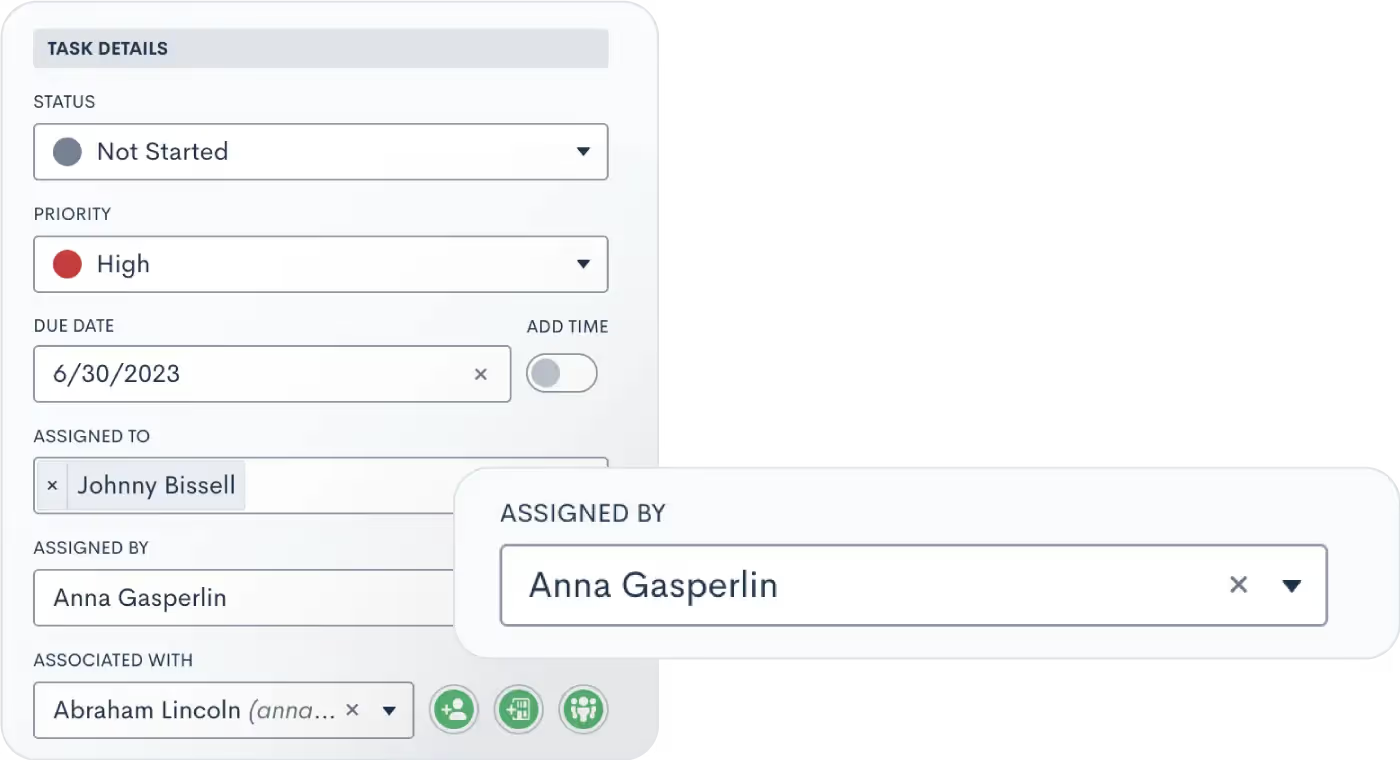
Lawmatics has always been your trusted platform for managing tasks, whether they're assigned to clients or internal staff. To enhance collaboration and clarity, we've introduced a new feature: the "Assigned By" field. Now, when your staff members receive a new Task, they'll immediately know who assigned it. This makes it easier for them to seek clarification or additional information, ensuring smooth task execution. Alongside this addition, we've made several other improvements to our task functionality, such as comments and mentions. Don't forget to explore these enhancements as well!Learn all about Tasks here.
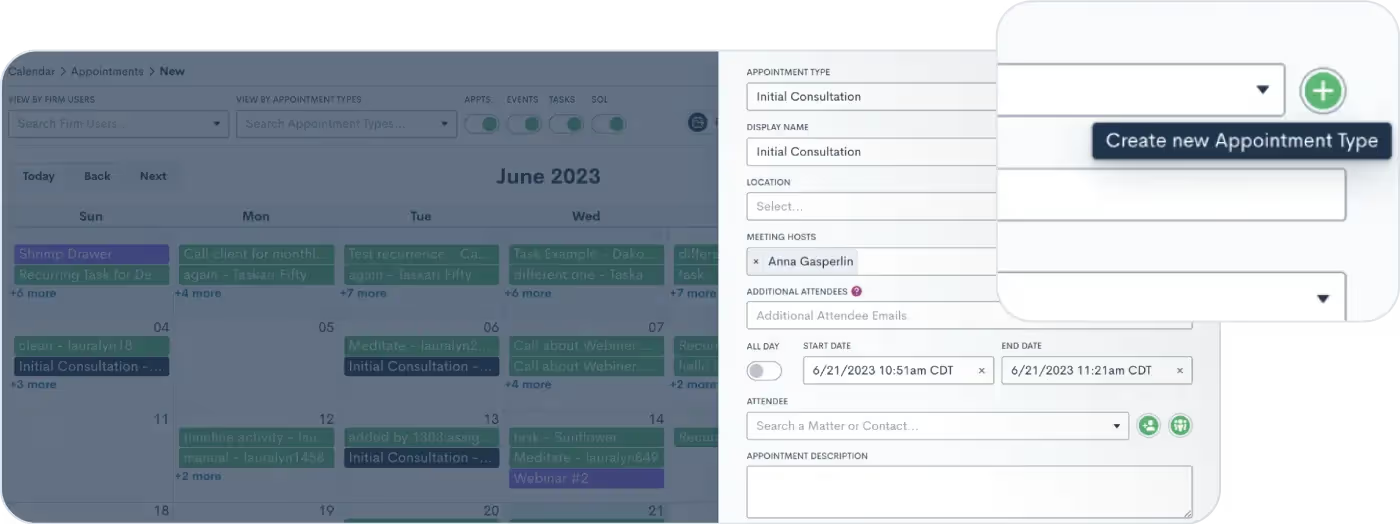
Create From Within Updates
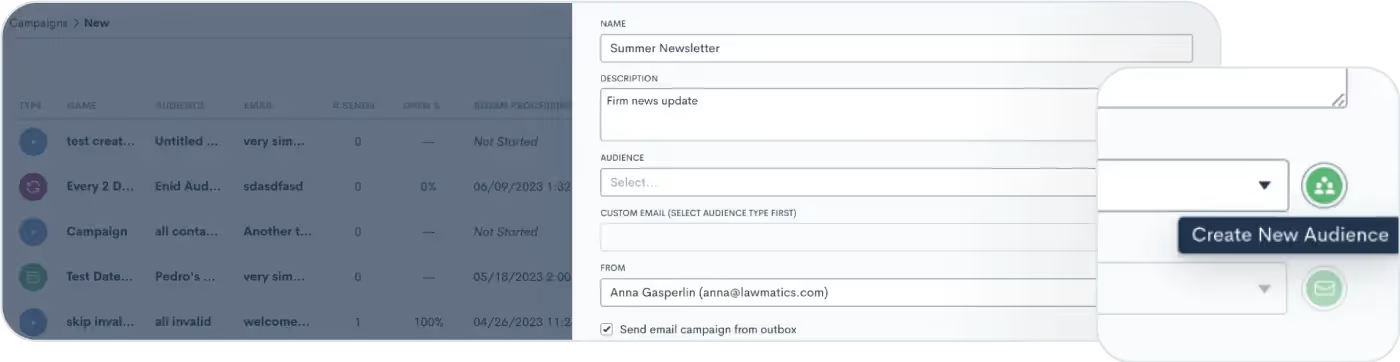
Check out the latest additions to our revolutionary user experience improvements, with even more still to come!
Create a new appointment type from any internal booking module
Create a new marketing audience from within an email campaign
As always, thanks for checking out this latest update from Lawmatics! Stay tuned for even more exciting features to come!

Register for upcoming Monthly Deep Dives here.We are so thrilled to announce LM[AI], the brand new artificial intelligence text generative tool from Lawmatics, making us the first legal CRM to launch its own AI.For anyone who has had the experience of staring at a blank email draft not knowing what to write, this feature is for you.
What is LM[AI]?
Intuitive, easy-to-use, and found directly within the Lawmatics platform, LM[AI] is our brand new text generative artificial intelligence tool. LM[AI] allows you to turn a simple prompt into a fully developed email within a matter of seconds.This feature is available to users on the Pro Tier and above.
Why use LM[AI]?
First and foremost, LM[AI] will save you precious time. You’re a law firm, not a marketing agency, you don’t want to spend your time writing attention grabbing, actionable email content. LM[AI] does all that work for you.In addition to saving time, use this powerful tool to jumpstart your creativity and put your best foot forward in marketing your law firm. Whether you use it for nurturing, checking in, promoting, or anything else, LM[AI] will help keep your email campaigns robust and interesting.
How to use LM[AI]
When drafting a plain text email, you now have the option to let artificial intelligence write the email for you. Simply click on the Help Me Write button, provide a prompt, and LM[AI] will draft a complete email, including merge fields.
![UI showing the popout box for the Help Me Write button in Lawmatics using LM[AI]](https://cdn.prod.website-files.com/688005f0c89682201c6776e9/68d1bde3abf1236abcce48e9_68a8d834c86f5492edc669f6_image1.avif)
You can then manually edit the generated text as needed, or instruct LM[AI] to edit its own content by making it more friendly or formal, or just by rephrasing the text.
![LM[AI] Feature Zoom](https://cdn.prod.website-files.com/688005f0c89682201c6776e9/68d1bde3abf1236abcce48e2_68a8d834c86f5492edc669ef_Product_LMAI-Recap_BLOG.avif)
Conclusion
Breakthroughs in automation and AI are fundamentally transforming the business of law. By making this cutting-edge AI technology accessible and intuitive, this development bolsters Lawmatics’ position as the leader of the smartfirm revolution.Cheers to better emails in the future with LM[AI]!
They say that April showers bring May flowers, and things have certainly been blossoming in the Lawmatics garden this May. From our team to yours, we are delighted to share this month’s crop of new features!
Event Management
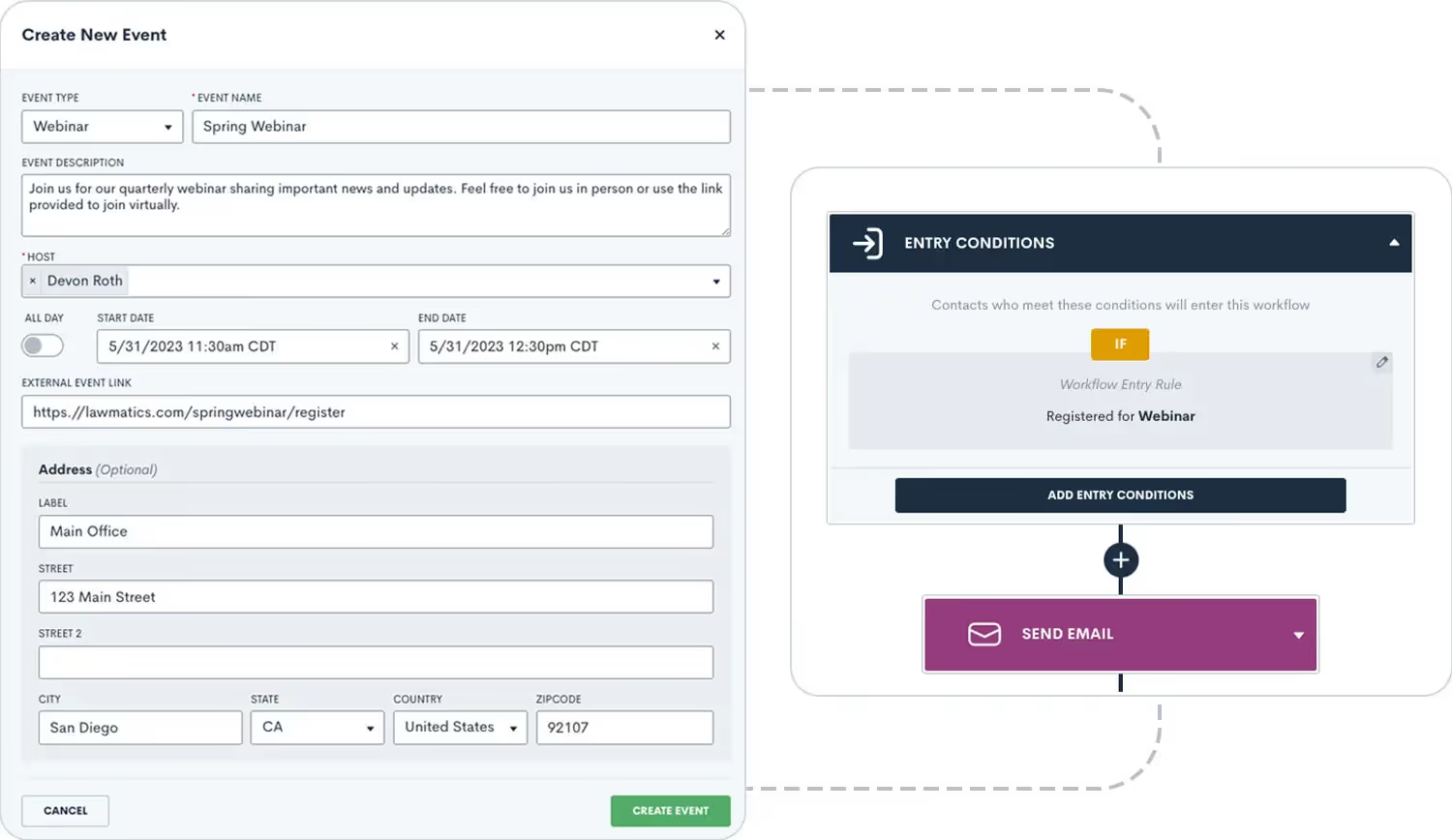
Remember when we changed ‘Events’ to ‘Appointments’ within the platform? That’s because we were making room for this expansive new feature. So many customers told us they attract new business by hosting webinars, seminars, luncheons, and other events to engage potential clients. We heard you loud and clear – that’s why we’re so excited to announce that all of these events can now be managed in Lawmatics!With our brand new Event Management feature, users can set up different event types (webinars, luncheons, etc.), easily create and promote an event, and collect registrants. We’ve added a setting for built-in confirmation and reminder emails, and you’ll find a new entry condition to Automations to trigger a custom workflow when someone registers for your event. No matter how your firm brings people together, you can do it all in Lawmatics.Learn more about using this exciting new feature here.
Recurring Tasks
Stay on top of your to-dos like never before with our new Recurring Task capabilities! Create a task as you normally would – either by itself or within an Automation – then select a custom recurring schedule (monthly, weekly, every 3 days, etc.). When the first iteration of the Task is completed, the next Recurring Task will be created with the same Name, Description, Subtasks, Status, Priority, and Assignee. Just another way you can streamline your processes with Lawmatics.

Click here to read more about Lawmatics Tasks.
Email Validation
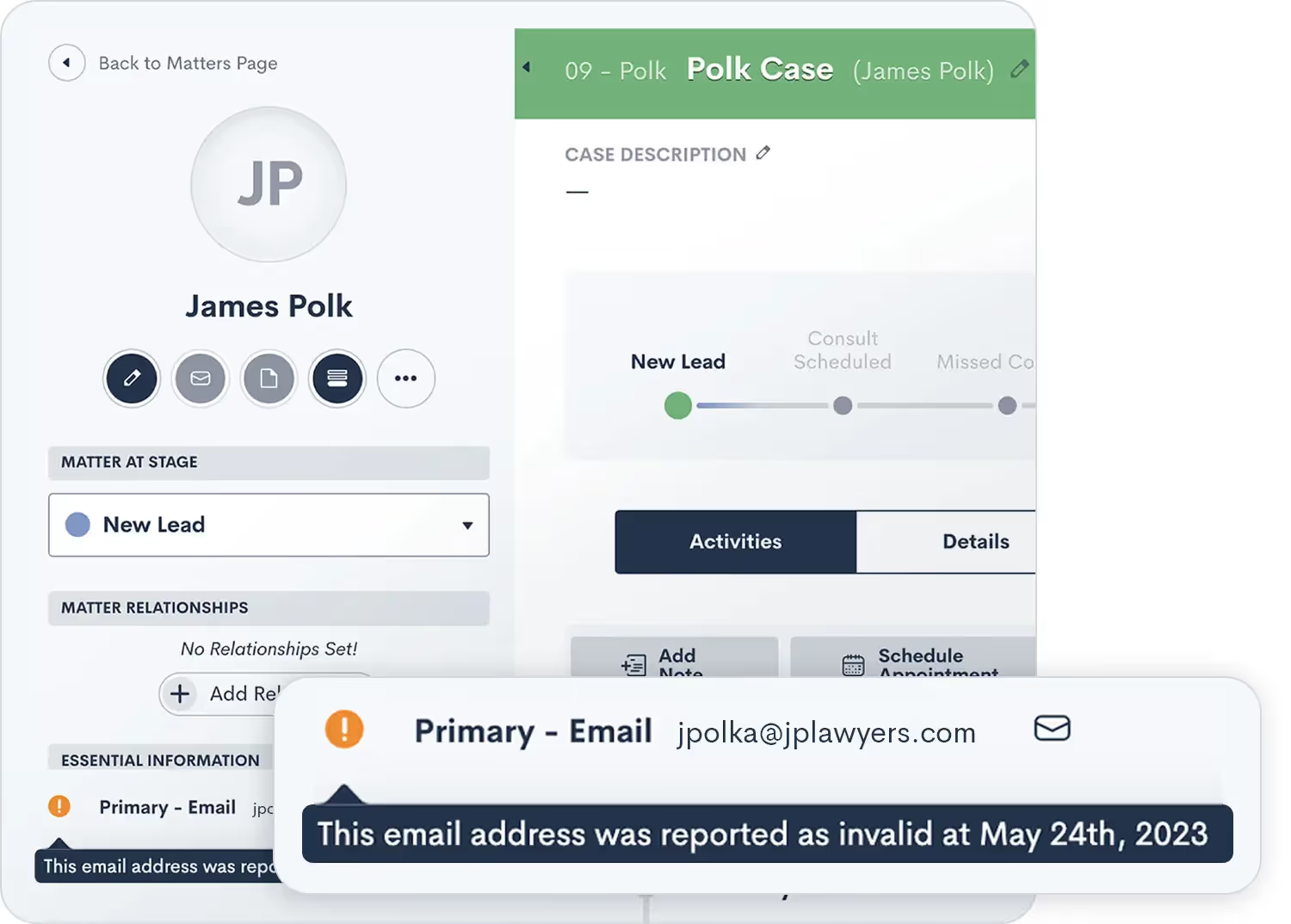
While Lawmatics makes it a breeze to automate your email communication, you can’t send out those emails without first having a valid address for the recipient. With our new email validation feature you will clearly see whether or not a contact’s email is valid before you even try to send them anything. This gives you the opportunity to correct any typos and ensure they don’t miss out on any important emails from your firm. Also included with this new feature: we have added an option for all email automation actions, allowing you to choose whether an invalid email address should fail the Automation or be skipped over. Just choose “Skip if Target has Invalid Email” when building the Automation if you do not wish for an invalid email to fail the Automation.Learn more about sending emails via Lawmatics here.
Custom payment amount option with Payment Gateway
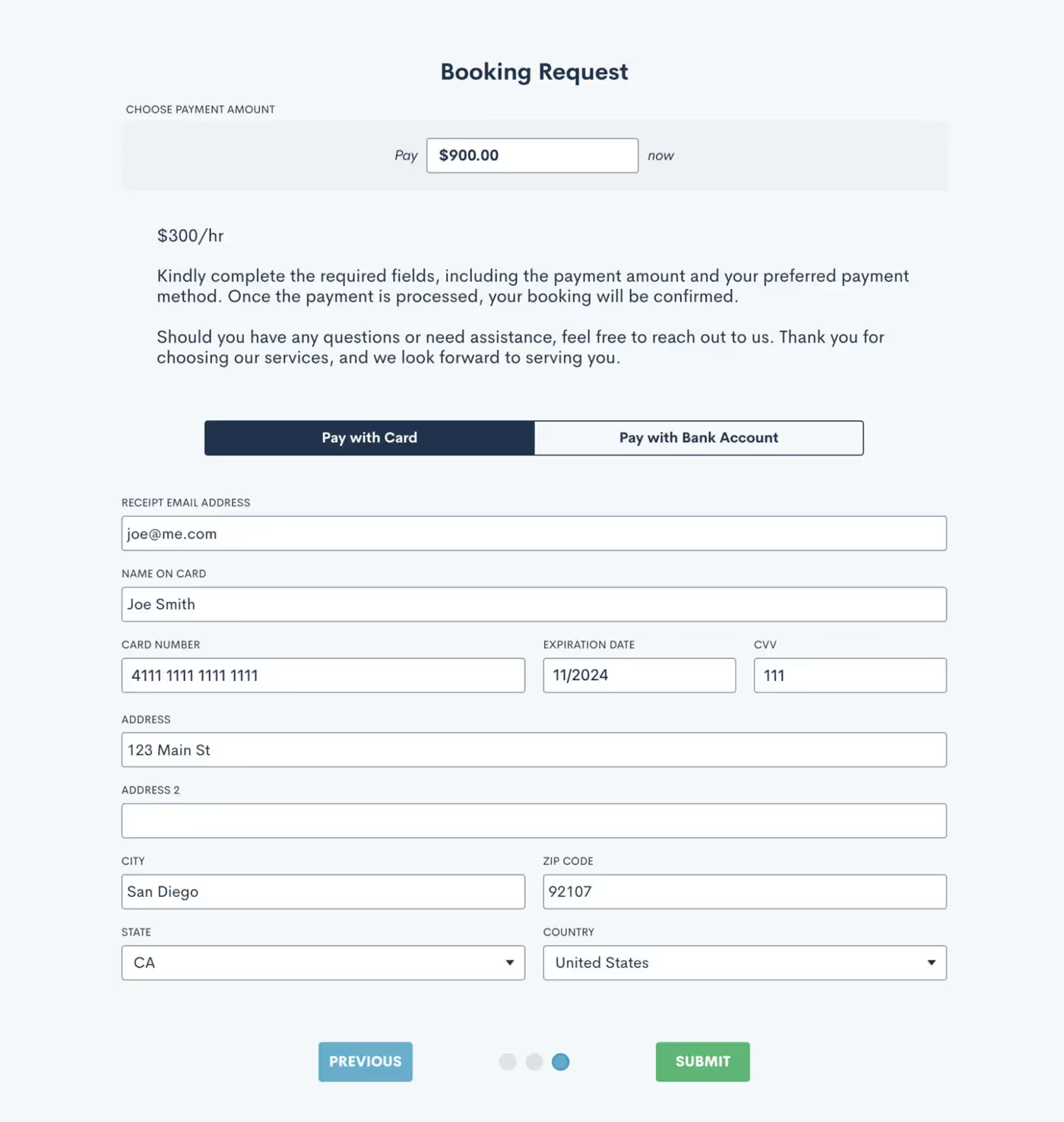
LMPay has quickly become a fan-favorite feature, including the addition of the Payment Gateway that allows you to collect consultation fees directly from a booking form. We’ve added to this feature yet again by giving you the option to allow a client, or more commonly an internal user, to enter a custom payment amount when needed. This is useful for collecting payments that have a custom amount applied, such as a discount or add-on. Additionally, when using the form internally you also now have the option to reference a certain invoice number to apply a payment directly to a particular invoice.Not yet using LMPay? Click here to learn how to get started.
Bulk create time entries
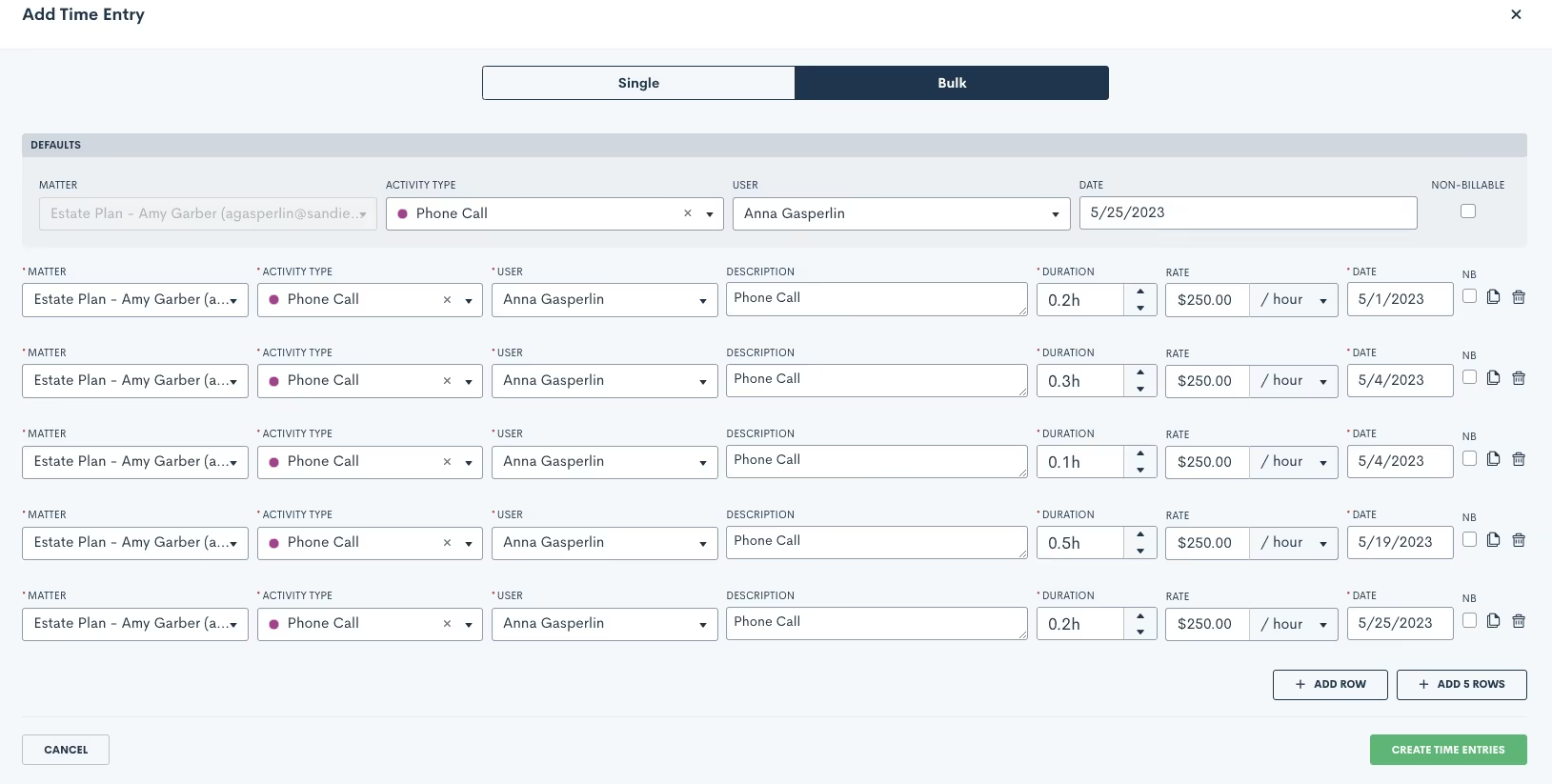
For all of our Time & Billing users, you’ll love this new ability to create time entries in bulk for a particular Matter. Simply select the Matter, Activity Type, User, and Date to generate multiple time entries at once. Easily make different selections for any of those items on each entry, or keep them all uniform. This new feature makes it faster and easier to log multiple time entries.Read more about time tracking in Lawmatics here.
Also in this release:
- Control number of items shown per page
- Multi-select and bulk delete on Contacts page
- Continued user experience improvements and “Create From Within” additions
- Built-in reminder and confirmation emails now log on the Matter Activity Timeline
- Matter files automatically show in the associated Contact’s files as well
- Set a specific time on the Due Date for a Task
- Reports page now has a search bar to quickly find a report
- New notification option for failed LMPay invoice payments
As always, thanks for checking out this latest update from Lawmatics! Stay tuned for even more exciting features to come!

Register for upcoming Monthly Deep Dives here.The Lawmatics Client Portal has everything you need to both ease communication and manage action items for an ongoing case. Everything about the Client Portal is designed for easy activation, easy adoption, and ease of use for both your staff and clients.But why use the Client Portal when you already have Lawmatics automating so much of your client communication? While Lawmatics Automations are great for sending out important information such as Appointment Reminders, Forms, and Documents, the Client Portal allows your clients to access all of these items on their own terms, all in one central place.
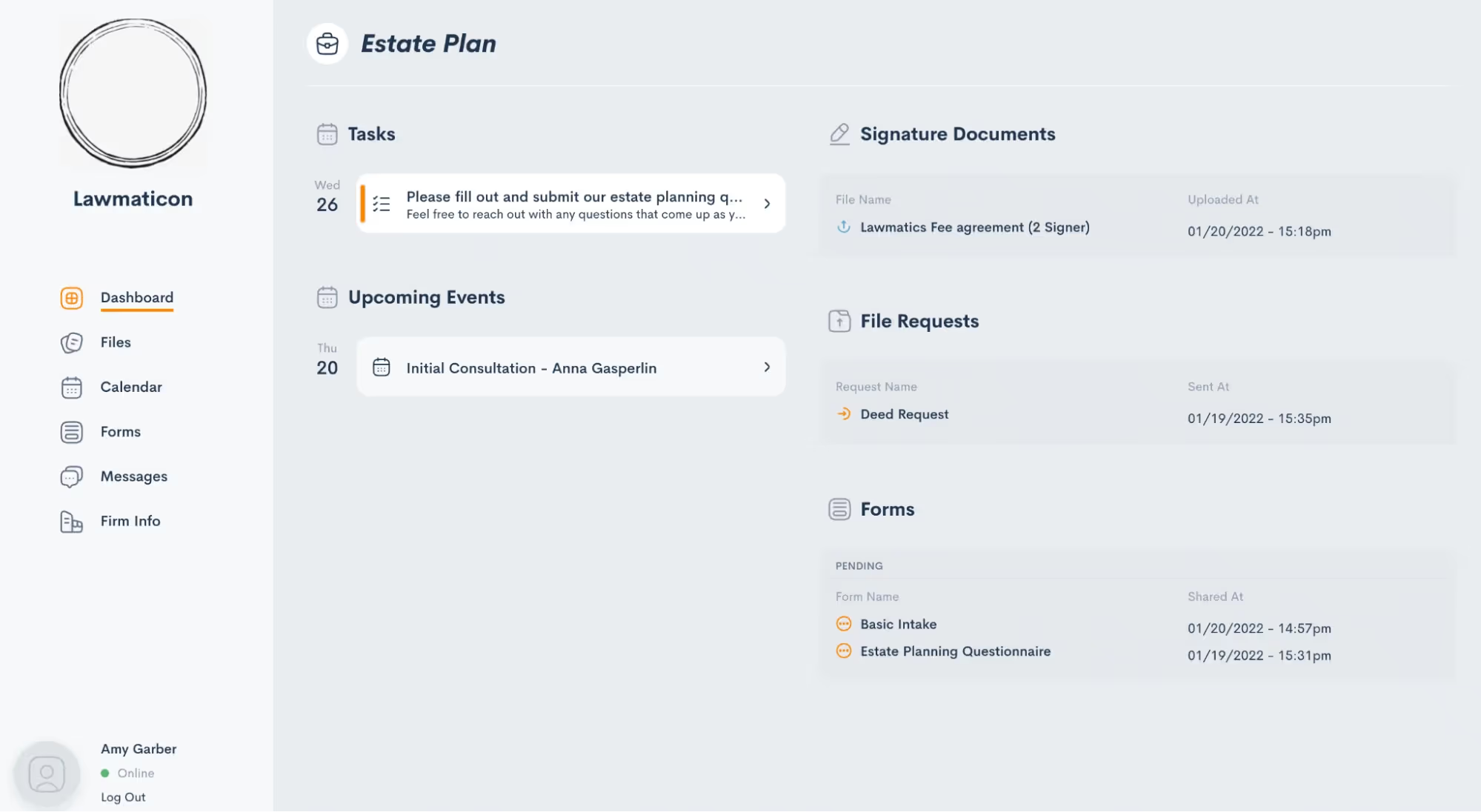
The client’s view of their Client Portal, as shown above, is easy to navigate and contains each and every item relating to their case that you have opted to share with them. While we refer to this as the “Client” Portal, note that it can also be used at any point during your intake process as well.Let’s dive into all the steps of using the Client Portal to create stronger communication with your clients.
How to grant access to the Client Portal
Your contacts and clients have no means of entry to the Client Portal until they are granted access. This is done on a one-off basis so that you have complete control over who can access your shared information. Depending on the nature of your firm, you may see varying interest or necessity to access the Client Portal across your clientele.Like most things in Lawmatics, Client Portal access can be granted either manually or via an Automation. You also have the option to grant access to the primary contact on a matter and/or any other related contacts.
Send a manual invitation
To send a Client Portal invitation manually, begin by navigating to the matter’s profile. Again, remember that this process can be done for PNCs and hired clients alike. Once on the matter profile, click the handshake icon, highlighted in red (below).
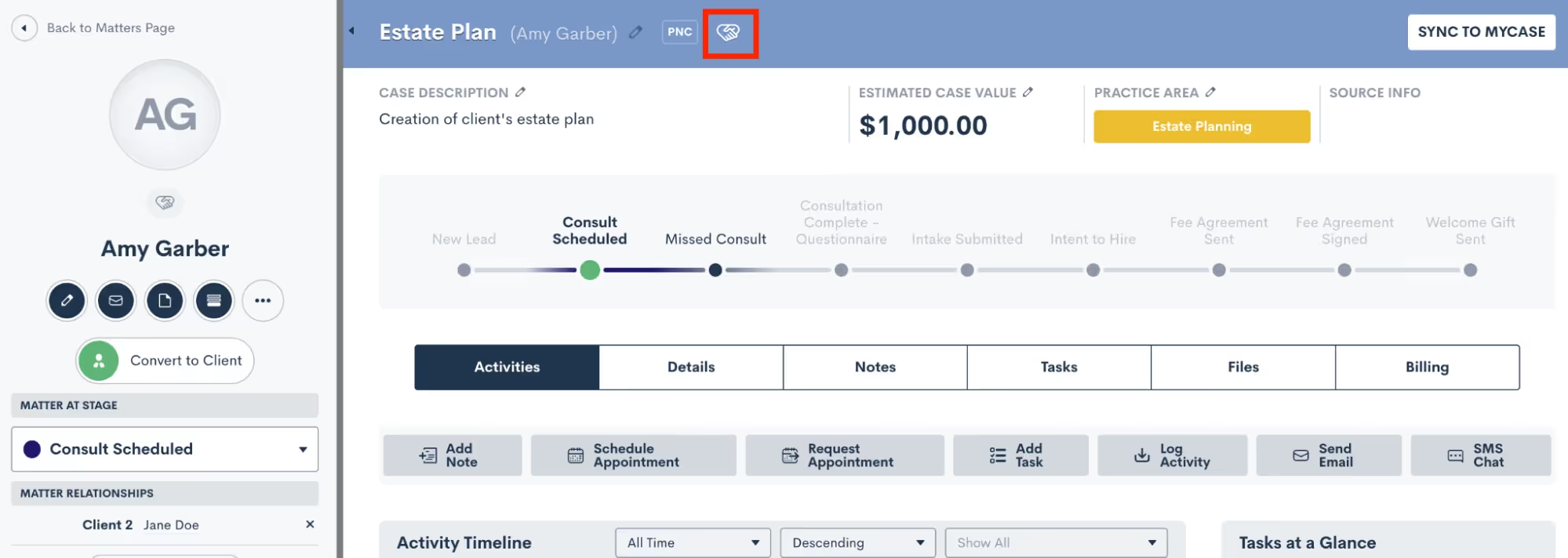
You will then see options to grant access for the main contact on the matter, as well as any other related contacts. Check the box accordingly to grant access as you wish.
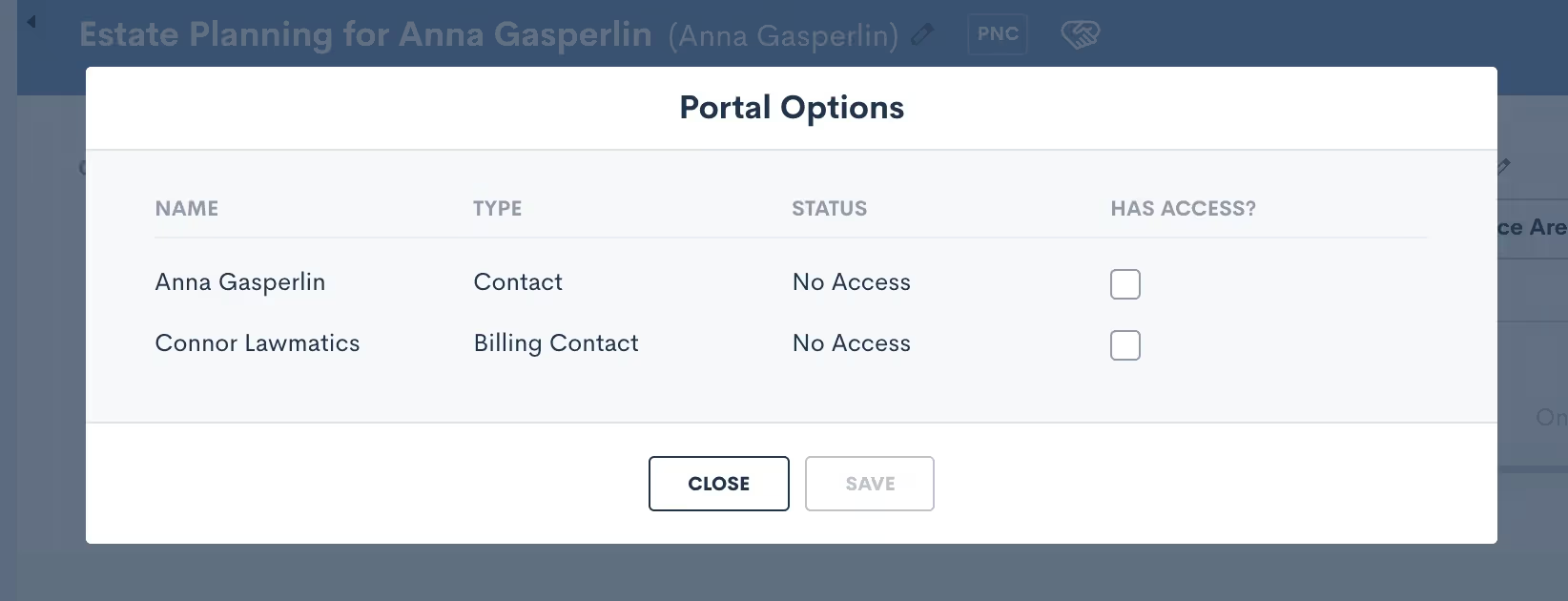
Each contact to whom you grant access will receive an email invitation to create a password and sign into their own unique Client Portal. For matters with more than one main point of contact, you can choose to share certain items with both/either of them as needed.You will only need to invite each contact to the Client Portal once, after which they’ll have ongoing access. The only exception to this are contacts who have more than one ongoing matter. The portal is unique to each matter, so you’ll need to send an invite for each respective matter.
Automate Client Portal access
To automate Client Portal access, simply use the Automation action “Invite to Client Portal”, and then select which contact(s) to invite. If you only wish to invite the main contact on the matter then select the automation target.
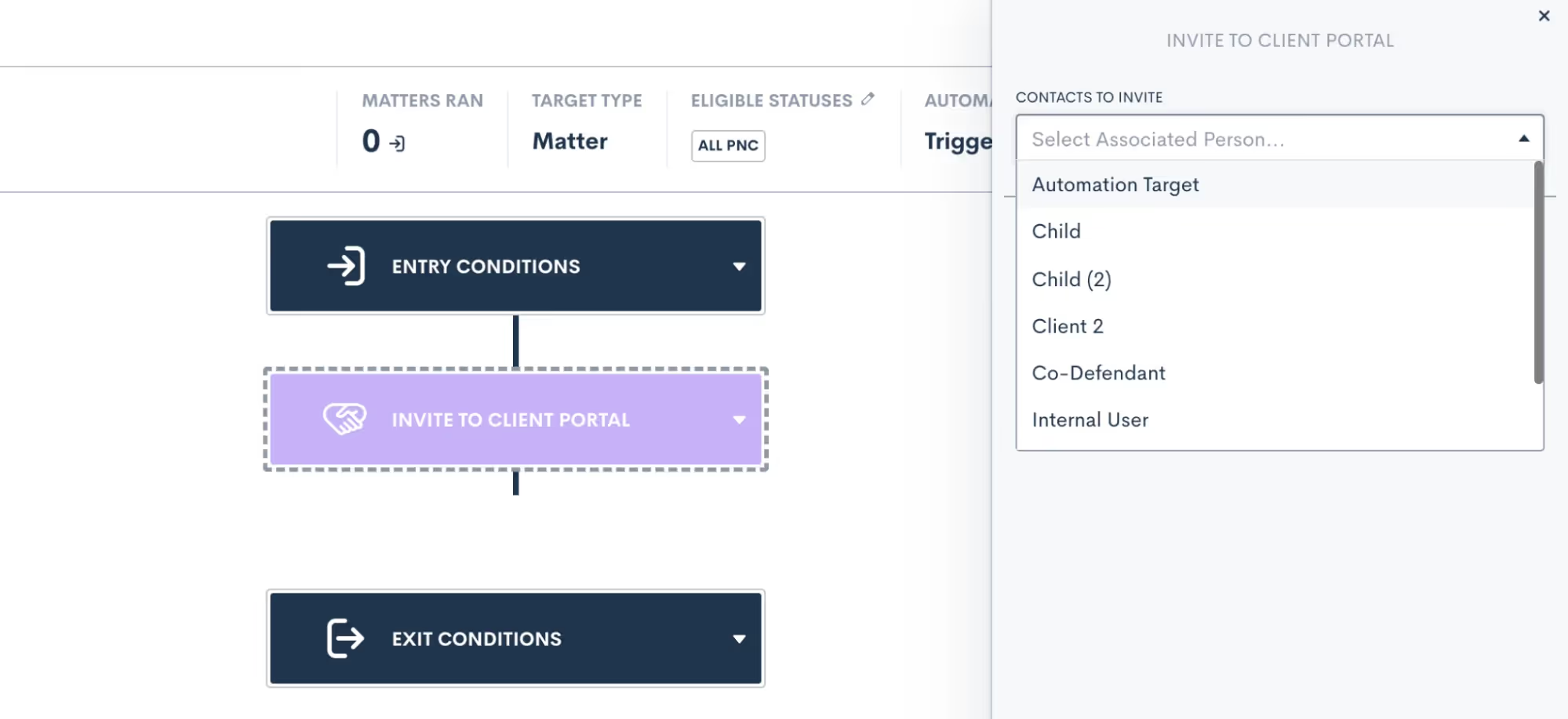
You can also choose as many other relationship types as you wish. For any matters who do not have the relationship selected, no invitation will be sent to those relationships.Sending the Client Portal invitation via Automation achieves the same end goal as granting access manually. The contact receives an email invitation to create a password and get signed in to their unique Client Portal.Once the client has created their password, they can then use that to login to their portal any time they wish – by means of manual or automatic action,
Sharing items via Client Portal
Now that your matter contact(s) have been granted portal access, you can begin sharing items with them. While you may still opt to share information such as forms or documents with a client via email or in-person, the Client Portal offers the added benefit of storing all such items in a central hub for the client to access on their own terms.As with a Client Portal invitation, you can choose to share any items to the Client Portal manually or via Automations. When sharing an item manually, simply follow your usual process for sharing via email, and you will see the option to share via portal as well.We’ll use Forms for our example here but this process is similar for any of your Lawmatics assets. When sharing a Form from a matter’s profile (shown below), you will see that you have the option to copy the share link, send via email, and/or share with portal contacts. Note that only contacts for that matter who have been granted access will appear in the checklist.
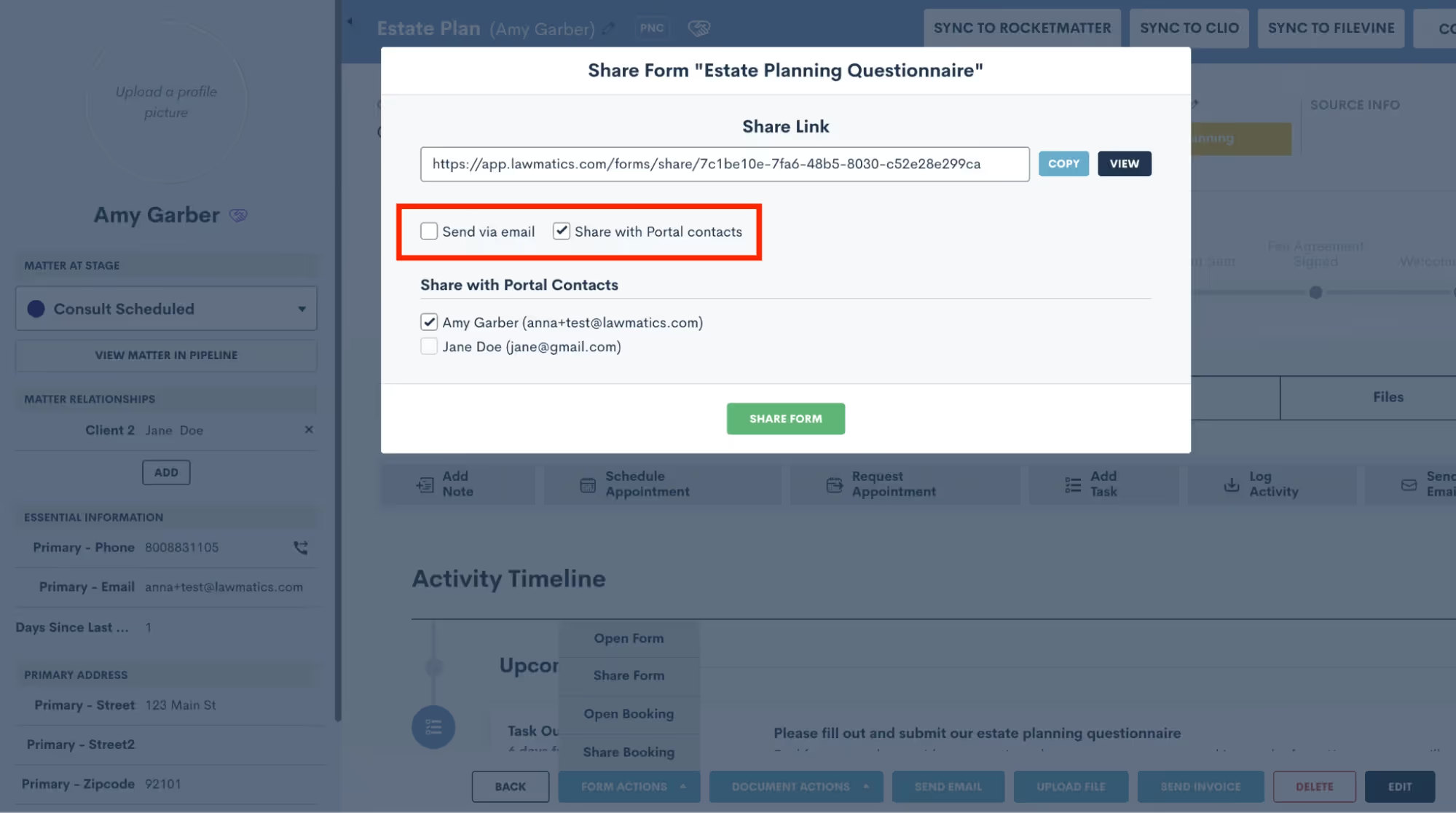
To share the Form to the Client Portal via Automation, simply use the Send Form action item in your Automation, and then make a similar selection to choose whether to share the Form via email, text, and/or to share via Client Portal.
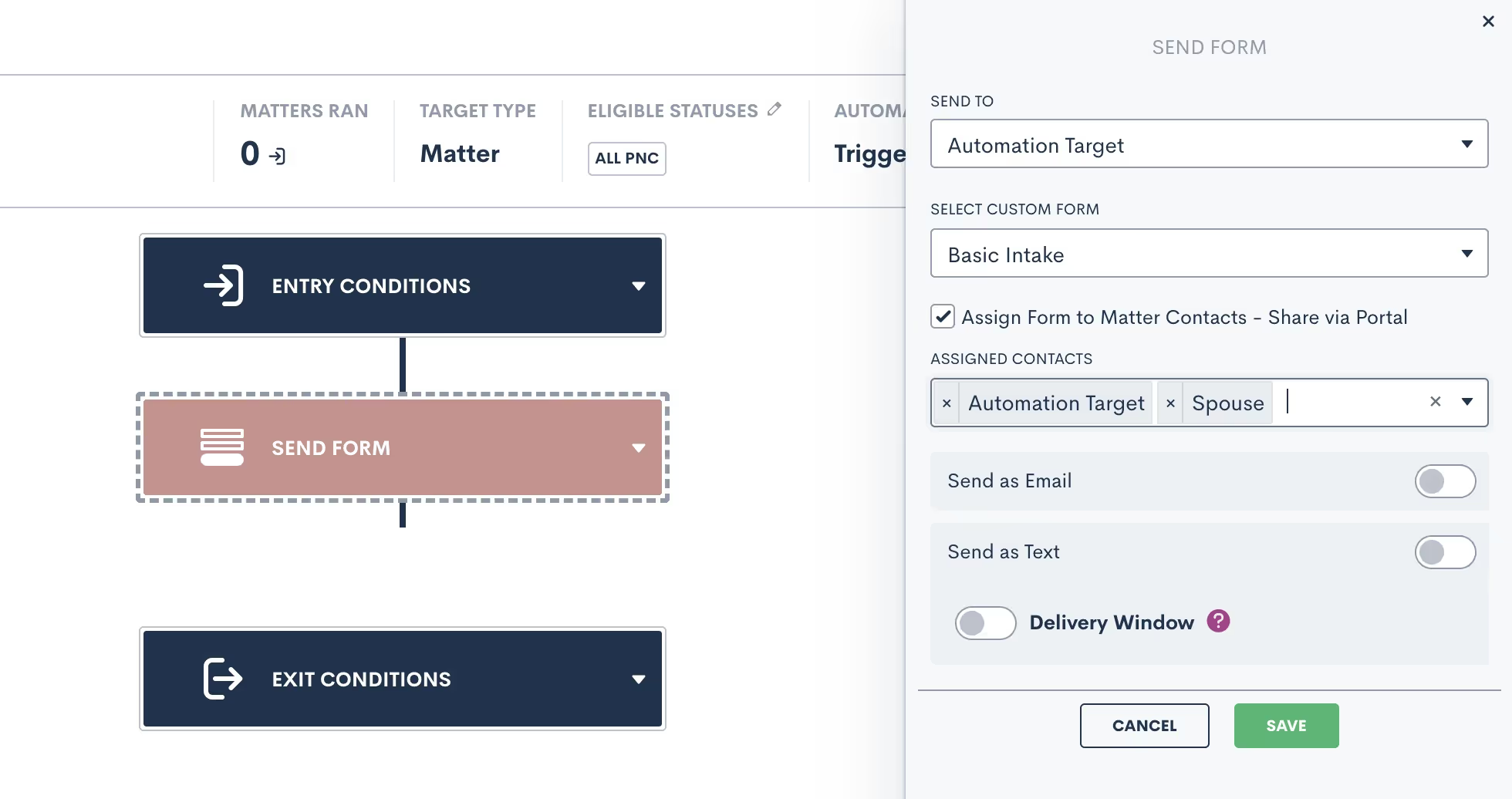
When sharing any items via Automation, note that you will select the assigned contacts as part of the Automation template, as opposed to the one-off selection when sharing manually. Any relationship types selected will receive the shared item to their Client Portal; if a matter triggering through the Automation does not have one of the relationship types assigned, it will simply share the item with the applicable relationships and skip over any that do not apply.Let’s walk through each of the different items that can be shared via client portal.
Files

The first thing your client will see when they log in to their Client Portal is the Dashboard. Here they will find an overview of everything that has been shared to their Client Portal so far. They can then use the navigation on the left sidebar to view each individual item.Starting with Files, on this page your client can view any files that you have saved on their matter and upload files at your request.
Forms
Share Forms to allow your client to view and fill them out right in the Client Portal. You can of course share the Form via email as well, in which case the client can access it from the email or from within the Client Portal, whichever they prefer.
Signature Documents
Here, your clients can view any documents that you have shared with them for signature. Once again, you can send the document via email as well if you would like, and they can feel free to sign it from their email or from the Client Portal.Clients will also be able to view documents that have already been signed.
Appointments
The calendar tab allows your clients to easily keep track of their upcoming appointments. They will also see any Tasks that you have assigned to them, appearing on the date that they are due.
Tasks
You already love using Lawmatics for your internal staff Tasks, but the portal allows you to use this feature to assign tasks directly to a client. Create a Task the same way you would for an internal Task, whether manually or via Automation, and then check the option to assign the task to matter contacts, as shown below.

The Task will be visible in the Client Portal on the Dashboard, shown below, as well as on the calendar, shown on the task due date.

Messages
Last but not least, this feature is unique to the Client Portal and it allows you to message a client directly through their Client Portal. Sending a portal message is similar in concept to sending your client an email, however the benefit of sending via portal is that once again it helps keep all communication in one central hub.To draft a message, select Portal Messages from the CRM tab on your main Lawmatics navigation bar. You will then see a search box to easily search from any matters who you have granted Portal access to. Select the matter you wish to message, then draft the new thread as shown below.
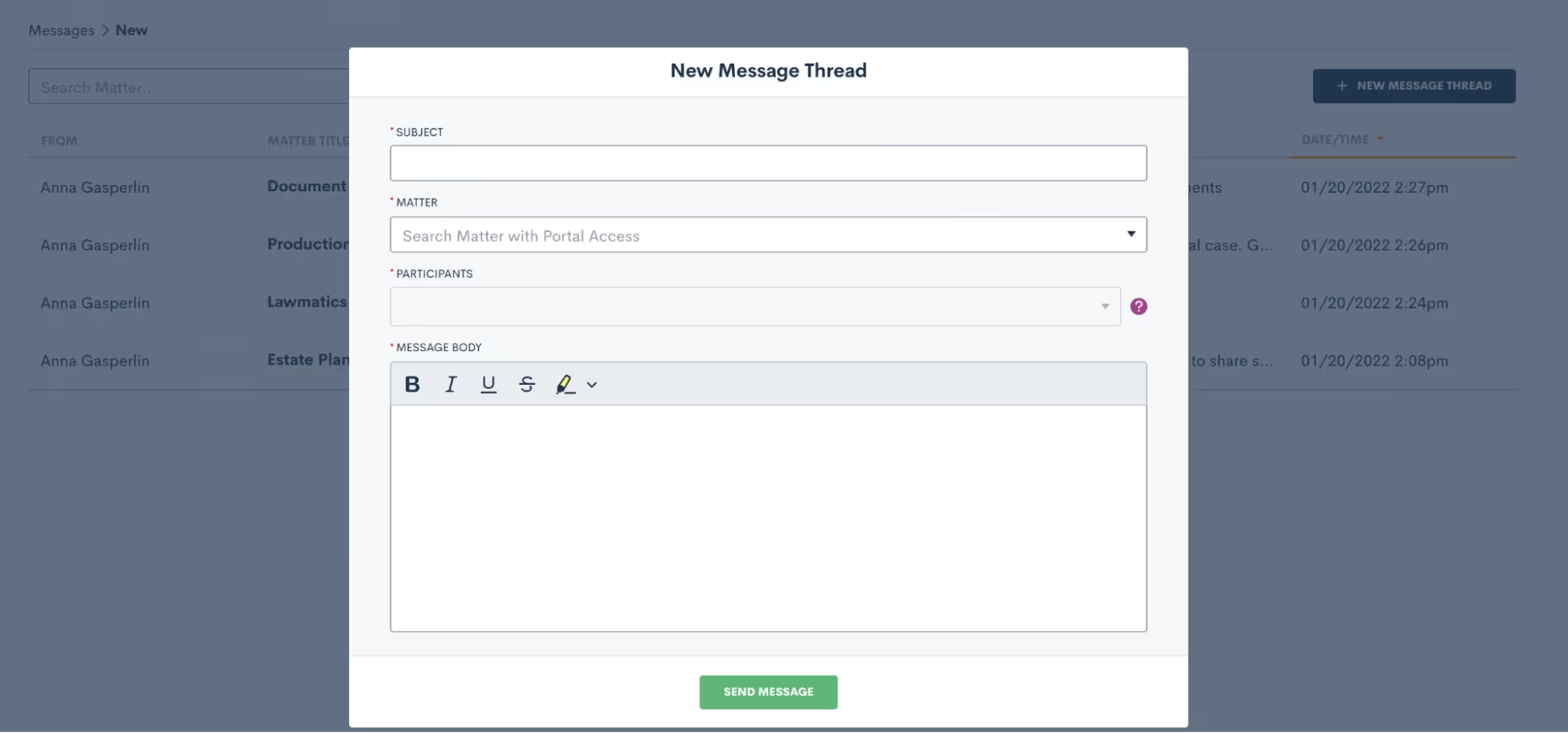
Your client can then click on the messages tab within their Client Portal to view the full message thread as well as any past threads. The system will also alert them that they have an unread message. If a reply is needed, they can simply type their message in the box shown near the bottom of the image below, and reply right back to you.
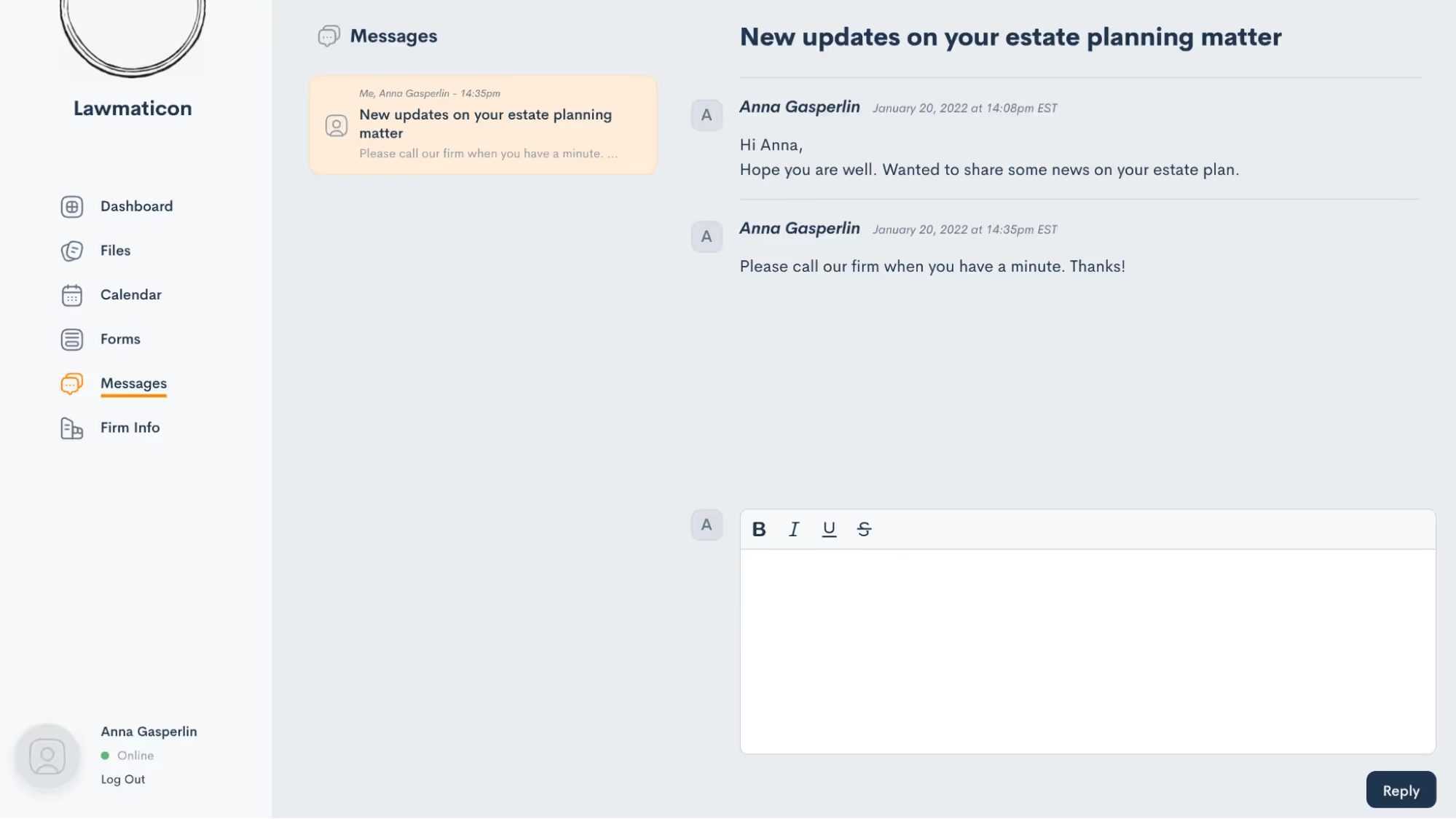
The reply will appear in your portal messages and you also have the option to turn on notifications for portal messages so that you can be sure not to miss anything.
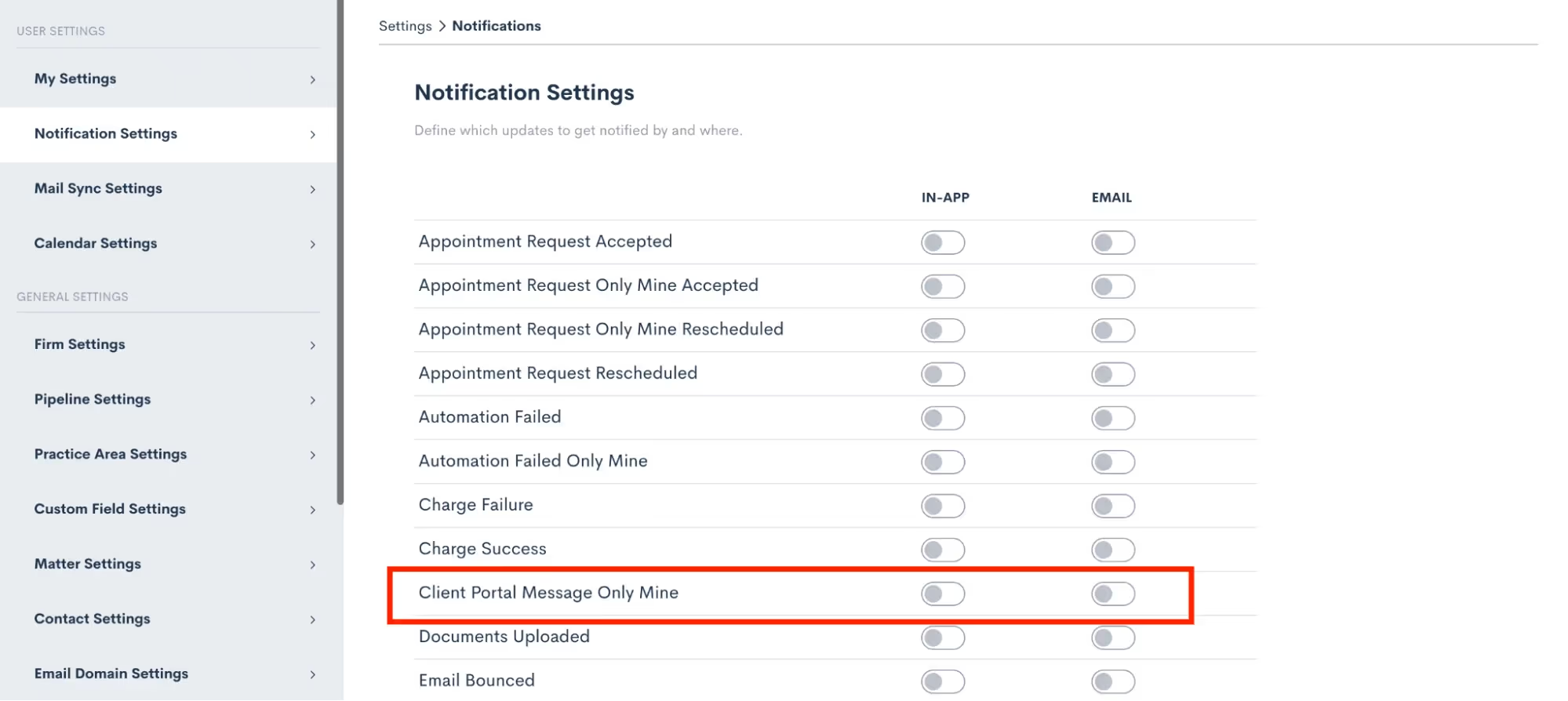
Portal navigation
You now know everything you need to know about using the Portal and sharing items from Lawmatics to your clients. This whole process will function like a well-oiled machine once you have it implemented, requiring little to no intervention or checking in from your end.With that being said, you may still be curious what this all looks like from the client’s perspective. Let’s walk through each step from the client’s view and dive deeper into what they will see for each item.
Invitation
First and foremost, when you grant Client Portal access to someone they will receive an email just like the one shown below. Note that wherever it says “Lawmatics” in this email will be replaced with your firm name. Additionally, the individual matter’s case title will be filled in where you see “Anna’s Criminal Case” below.
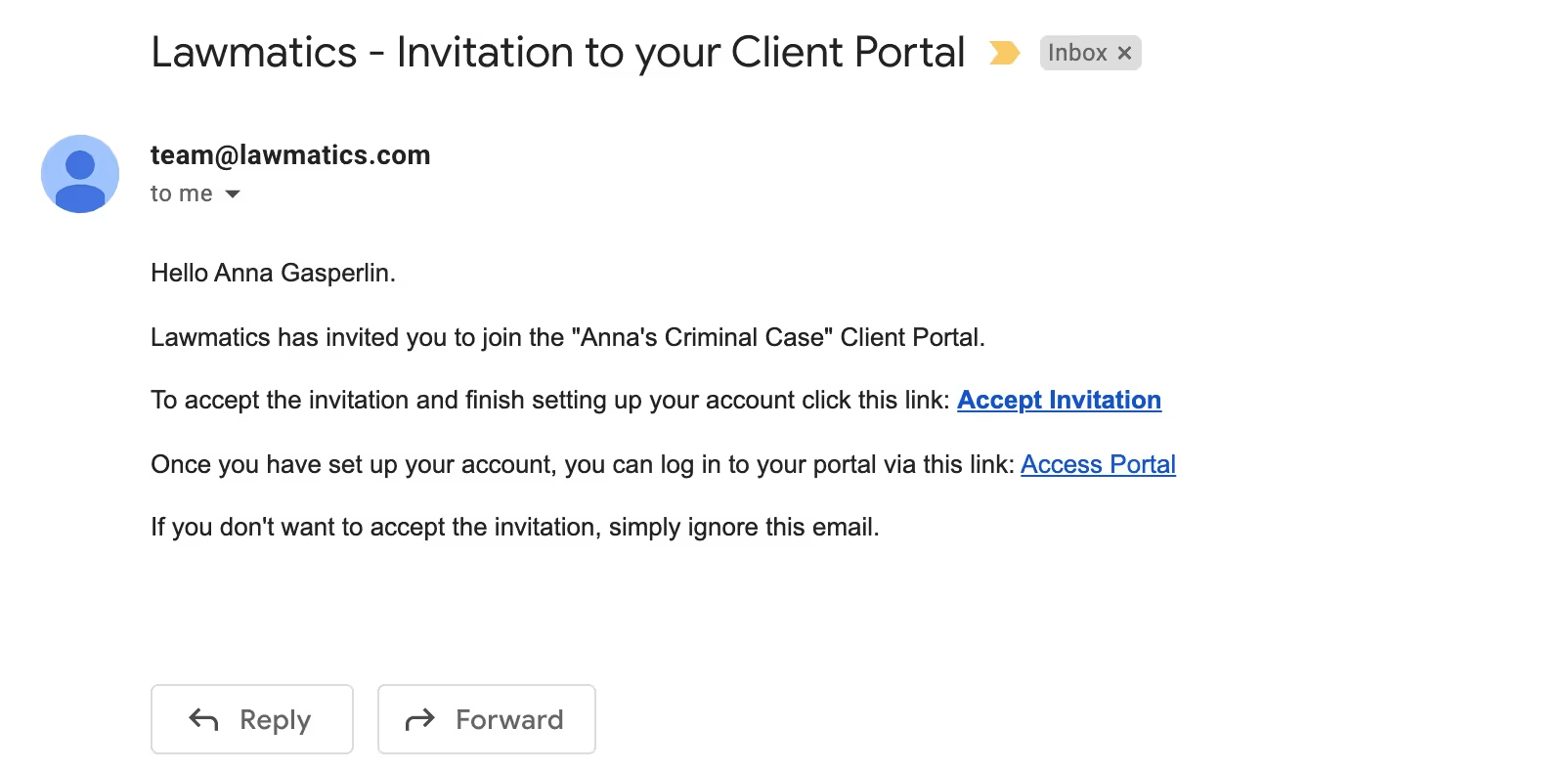
The Access Portal link doesn’t change, so you can suggest they bookmark that link or even save this email so that they can access the portal whenever they wish.
Portal
Whenever clients sign in to the Client Portal they will always first see their dashboard. This shows a summary of current events, messages, etc on their matter. They will then use the left side navigation to click through each different item.
Anytime you share an item with them, they will receive an email notification letting them know that they have something new in the Client Portal needing their attention.
Conclusion
The Lawmatics Client Portal is a simple, secure, and efficient way to keep your clients in the know throughout the whole course of their matter. Whether being used for intake or case management, the Client Portal is the client’s one stop shop to view everything for their case.With the ability to share invitations and items to the portal via automation, all of this can be accomplished without any extra work on your end. Not only is this a better experience for you and your staff, but this also creates a wonderful experience for your clients.Communication is such a key aspect of keeping your clients happy and engaged in their matter, with the help of the Lawmatics Client Portal it is now easier than ever to connect with your clients.

Register for upcoming Monthly Deep Dives here.Marketing can be a tall order for legal professionals to handle in-house, but Lawmatics has everything you need to become a master marketer. Unlike generic CRMs, our platform is specifically designed for legal specific needs, offering customized tools to help promote events, run promotions, and manage any other marketing needs.Lawmatics offers an impressive range of marketing features, and the best part is they are all highly customizable. With Lawmatics, it's easy to use these tools and implement them across your entire firm, and many of them can even be automated. Say goodbye to guessing about your marketing efforts. Lawmatics provides detailed statistics on email campaign performance, including open rates, click rates, and bounce rates. With this information, you can analyze engagement rates and make informed decisions about future marketing strategies.Read on to learn all the tools available to help you become a masterful email marketer.
Email design
To effectively send out a marketing email and track its performance, you need to begin by determining what you're promoting and crafting compelling email content to match. The possibilities for email topics are endless, but some examples include firm announcements, promotional offers, holiday messages, newsletters, and personalized birthday or anniversary greetings.Let’s use a birthday email as our example. For this email (as well as the vast majority of your other marketing-driven emails) you will want to create an HTML template as opposed to a plain text email. HTML emails offer a wide variety of design and content options for creating a beautiful and eye-catching email.
- To get started, navigate to the Emails page under the Assets tab and select Create Template. Here you will see options for a base email to choose from, or create from scratch. Selecting a base is a great way to get started with basic design elements of your email.
- Once in the email builder, you will have the option to add content to the email template of and adjust the structure by dragging and dropping Rows. Below you will see the different Row options on the right side of the screen, and a newly added row at the very bottom.
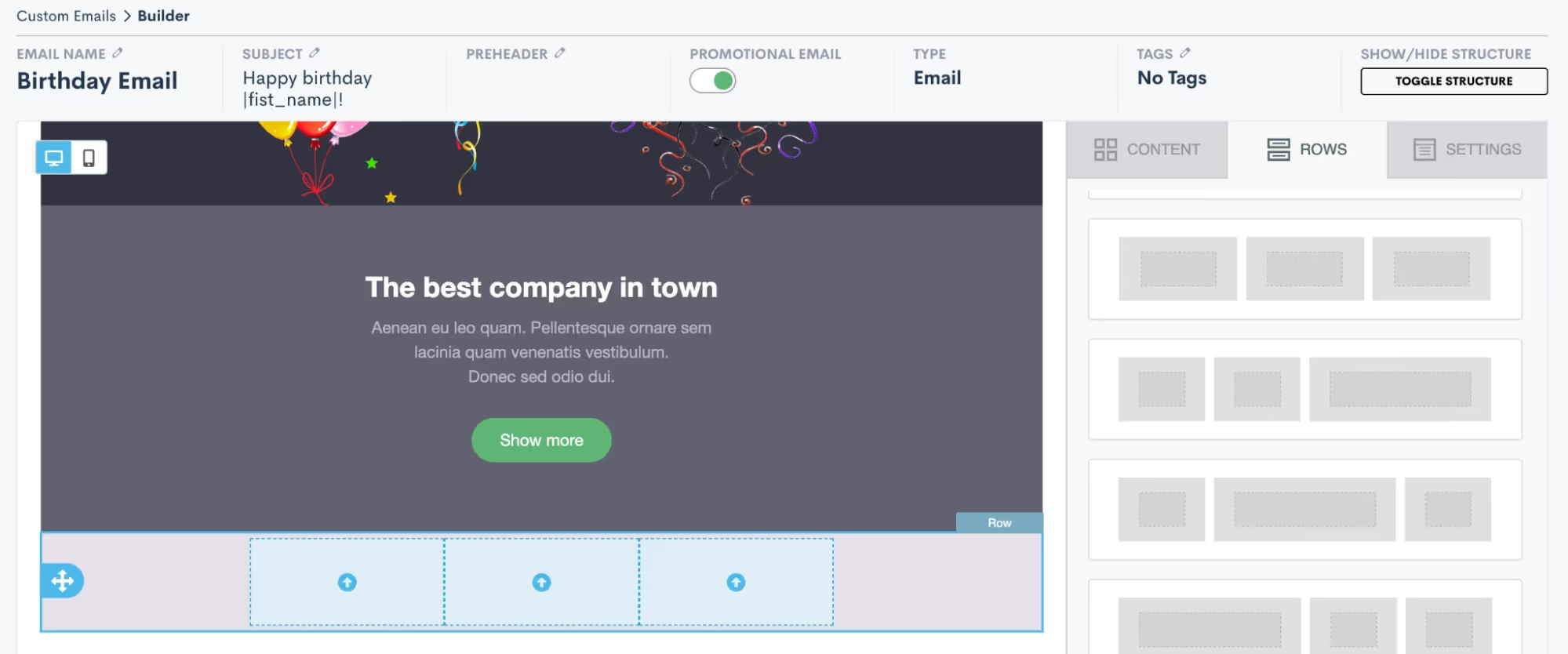
- Once you have added a row – such as the 3-column row added above – your next step is to add content into the row. Content can be anything from images, to videos, to text, to buttons, etc. Click on the Content tab over on the right side of the screen, and then drag and drop any content into your new row.
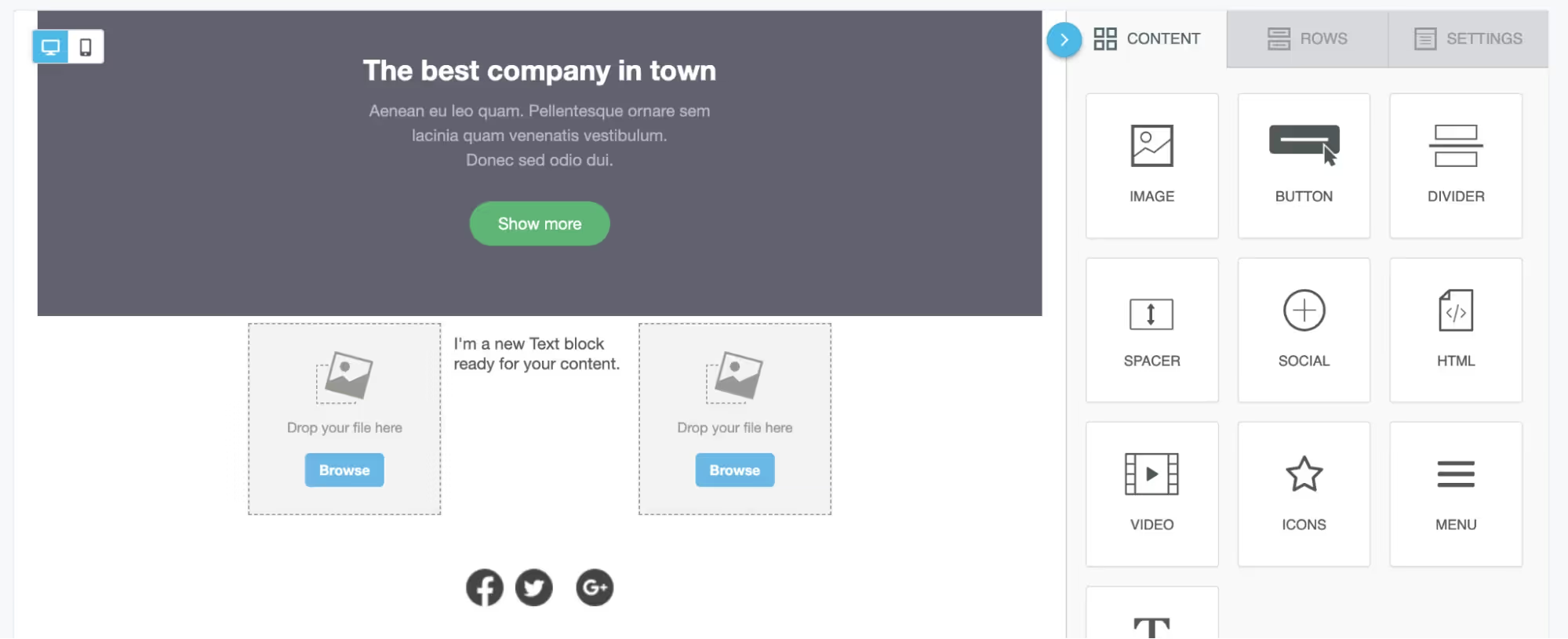
- In the image above, you can see that we have added an image, a text block, and then a second image into our 3-column row. Use the Browse button on the image content to upload your own image file or select from a variety of stock images. Similarly, click into the text box to type or paste in your text content as well as to select formatting options and merge fields as desired.

- Above you see the “first name” field has been added into a text block using the merge tags button, highlighted in red. You will see a full list of all of your fields, including custom fields, when clicking the merge tags button.
- Once you have your rows and content added into the email, you can also make other selections for email settings such as background color, layout width, etc. Click on the Settings tab on the right side of the screen to view these options.
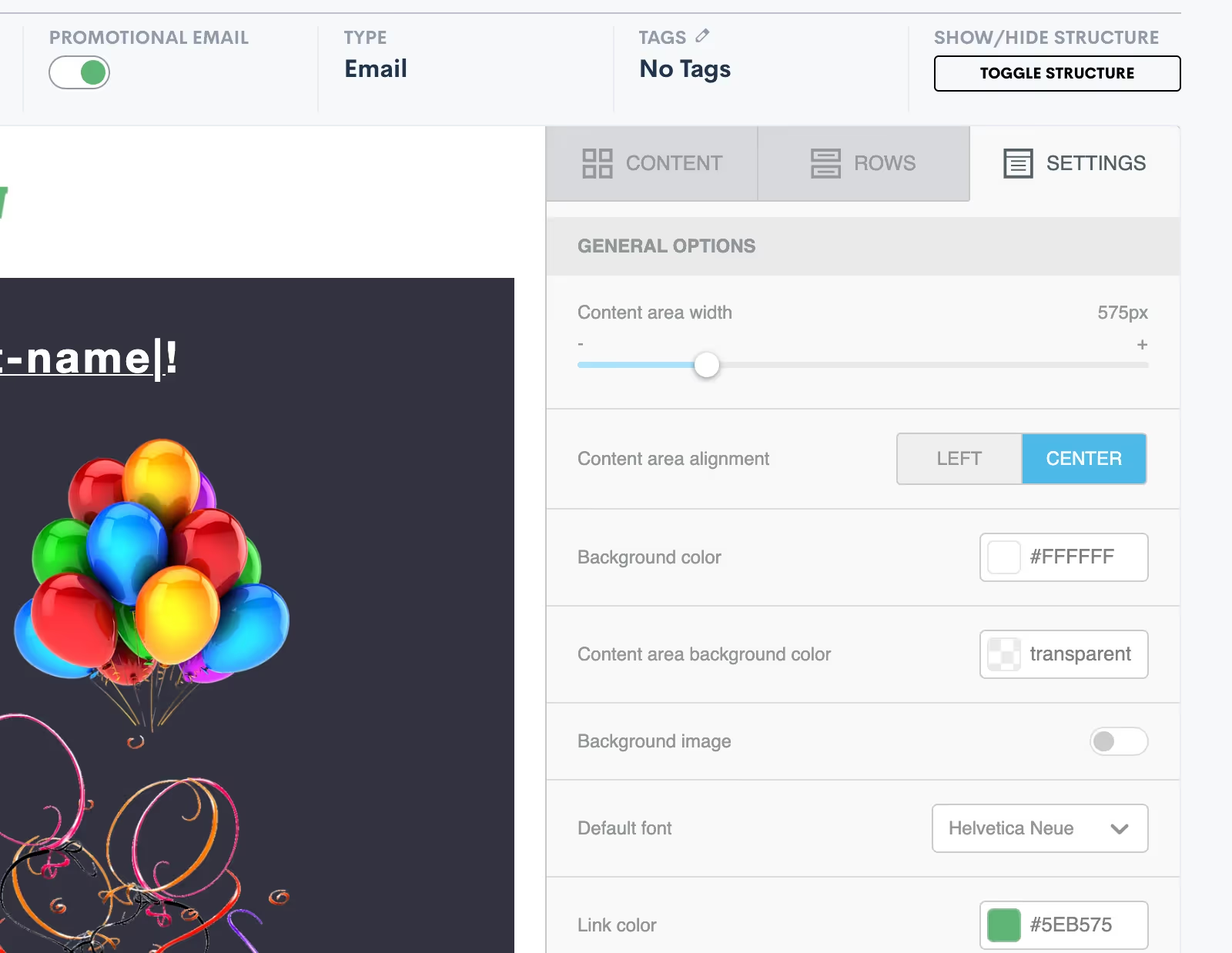
- For any of your marketing/promotional emails it is very important that you select the Promotional Email toggle button shown at the top of the image above. Activating this will add an unsubscribe link at the bottom of your email. This is legally required so that your target audience has the opportunity to opt out of future promotional emails. Anyone who clicks the unsubscribe link will no longer receive bulk (promotional) emails from you, but they still can get your one-off emails sent via Lawmatics.
- Once you are ready to save your email, notice that you have two different options: Save Email or Save As. Click Save As to enter your email title, subject line, and enter a preheader if desired.
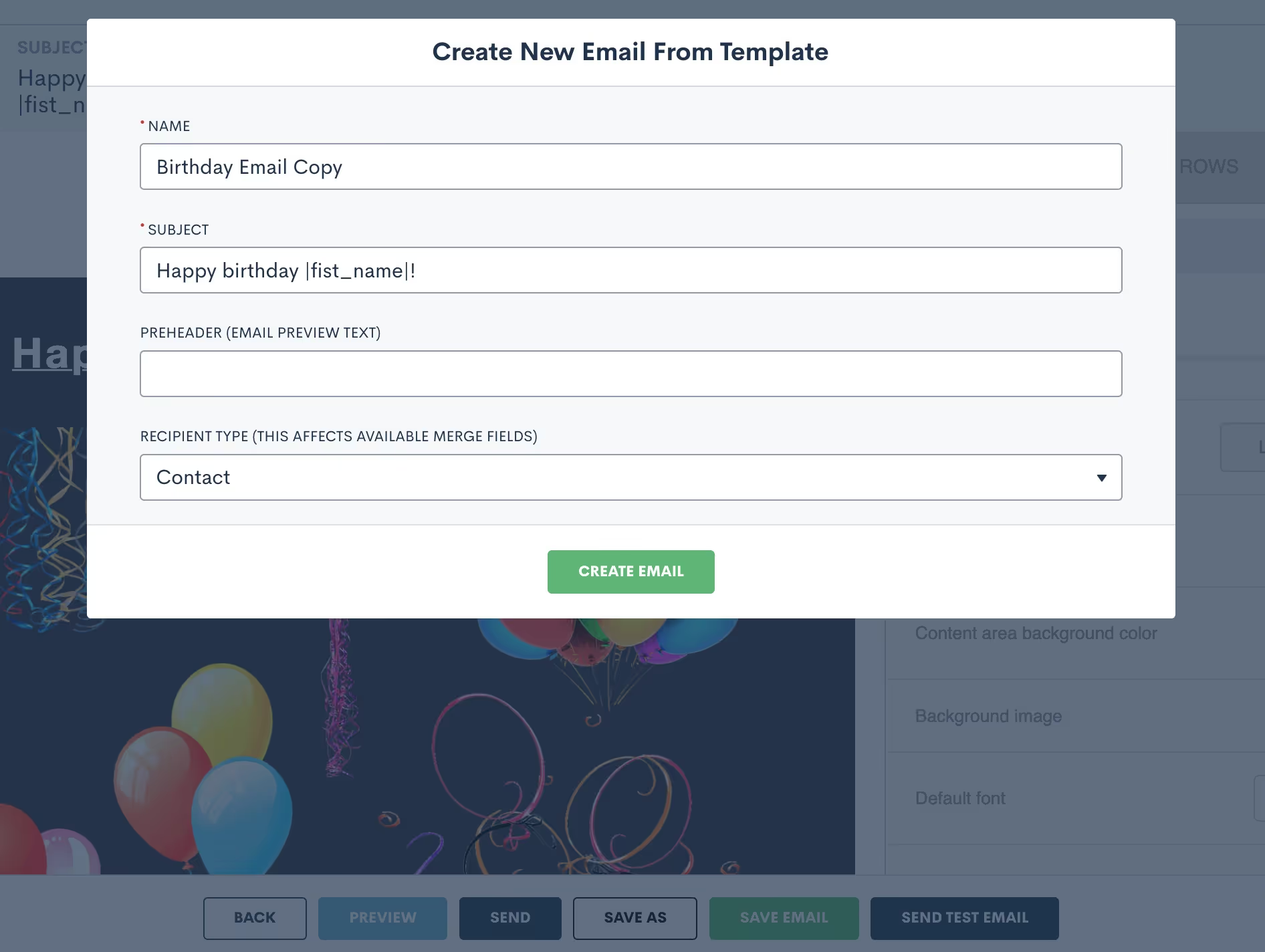
- Be sure to select the recipient type as Contact for any emails that are going to your general marketing audience. Once you have saved the email, you can always come back to make edits, updates, or “save as” to create a copy.
Create filtered target audiences
Now that you have your email content ready, your next step is to select the audience you’ll be sending the email to.
- Begin this process by selecting the Audiences option under the Marketing tab.
- Click Create New Audience and give your audience a name such as “All Contacts” or “Estate Planning Clients”, depending on the group you are targeting. For any broad marketing audiences used for sending a birthday email, holiday emails, firm newsletters, etc you will generally want to create an audience of Contacts as opposed to Matters.
- Once your audience is created, it’s time to select filters. For a broad audience of all contacts you will not add any filters, you simply want the audience to include your full list of contacts.

- For other instances, you may wish to create a more targeted audience. For example, let’s say you have an email targeted specifically for closed criminal defense cases. In this instance, you would add a filter for practice area as well as the case closed status, as shown below.
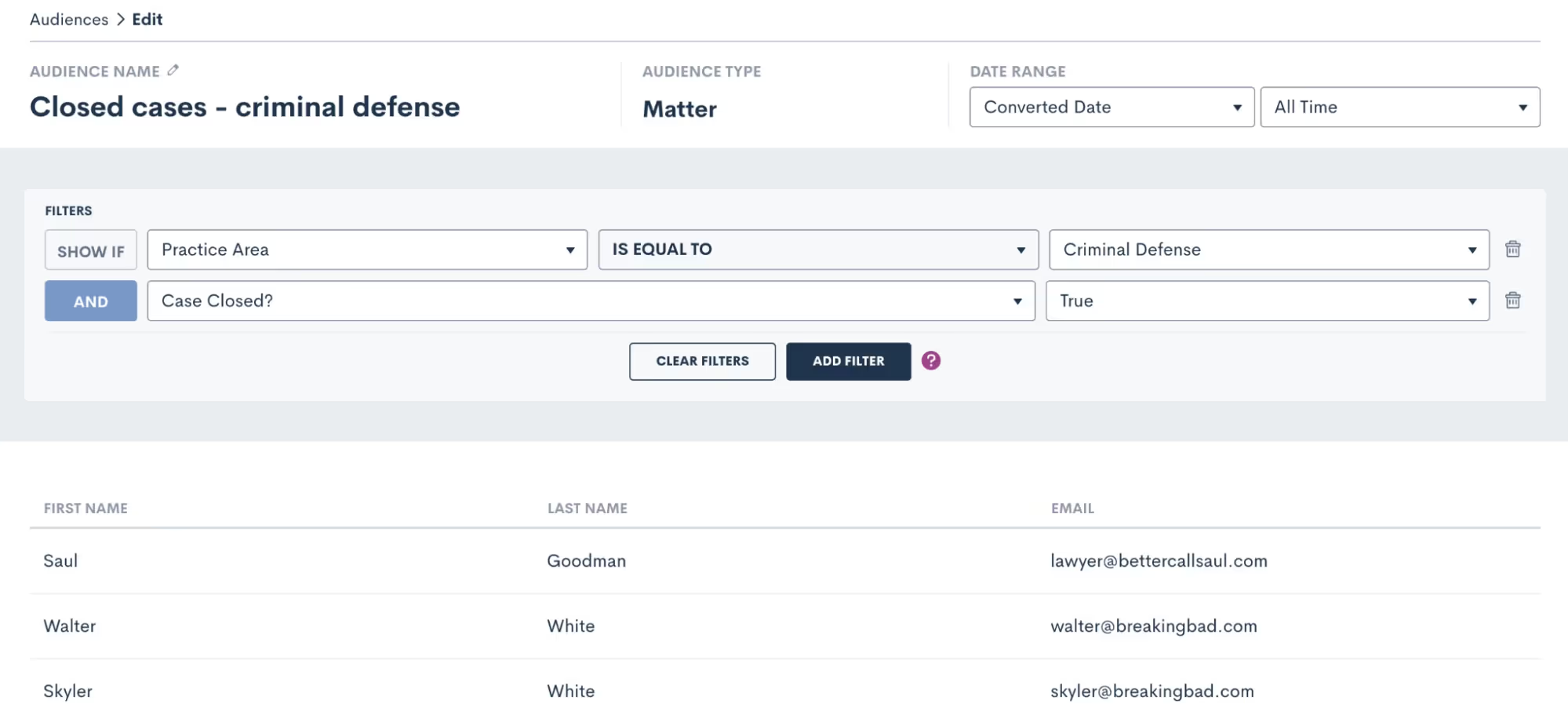
The system will filter out any contacts that don’t meet your specifications, so that you are targeting only those who do meet them in this particular audience.
Send emails with campaigns
You now have your email content created as well as the audience you wish to send the email to, it’s time to send the email! Select Campaigns under the Marketing tab and then click Add New Campaign. There are three different kinds of email campaigns you can create, you’ll see those options at the bottom of the pop up. Let’s run through each of them.
Run once
Run Once will likely be your most commonly used campaign type since you will use it for holiday emails, newsletters, and general one-off announcements or promotions. Think of this campaign as your option for “email blasts”.
- For any campaign type you select, you will first need to enter a campaign name, select your email template, audience list, and select which of your firm users (or the firm email) the email should send from.
- Once you select Run Once as the type, you will be prompted to select when to run the campaign. When Manual Activation is selected, it will be up to you to activate the campaign whenever you would like to actually send the email.
- If you wish to add more automation to this campaign, you can opt to run the campaign on a specific date.
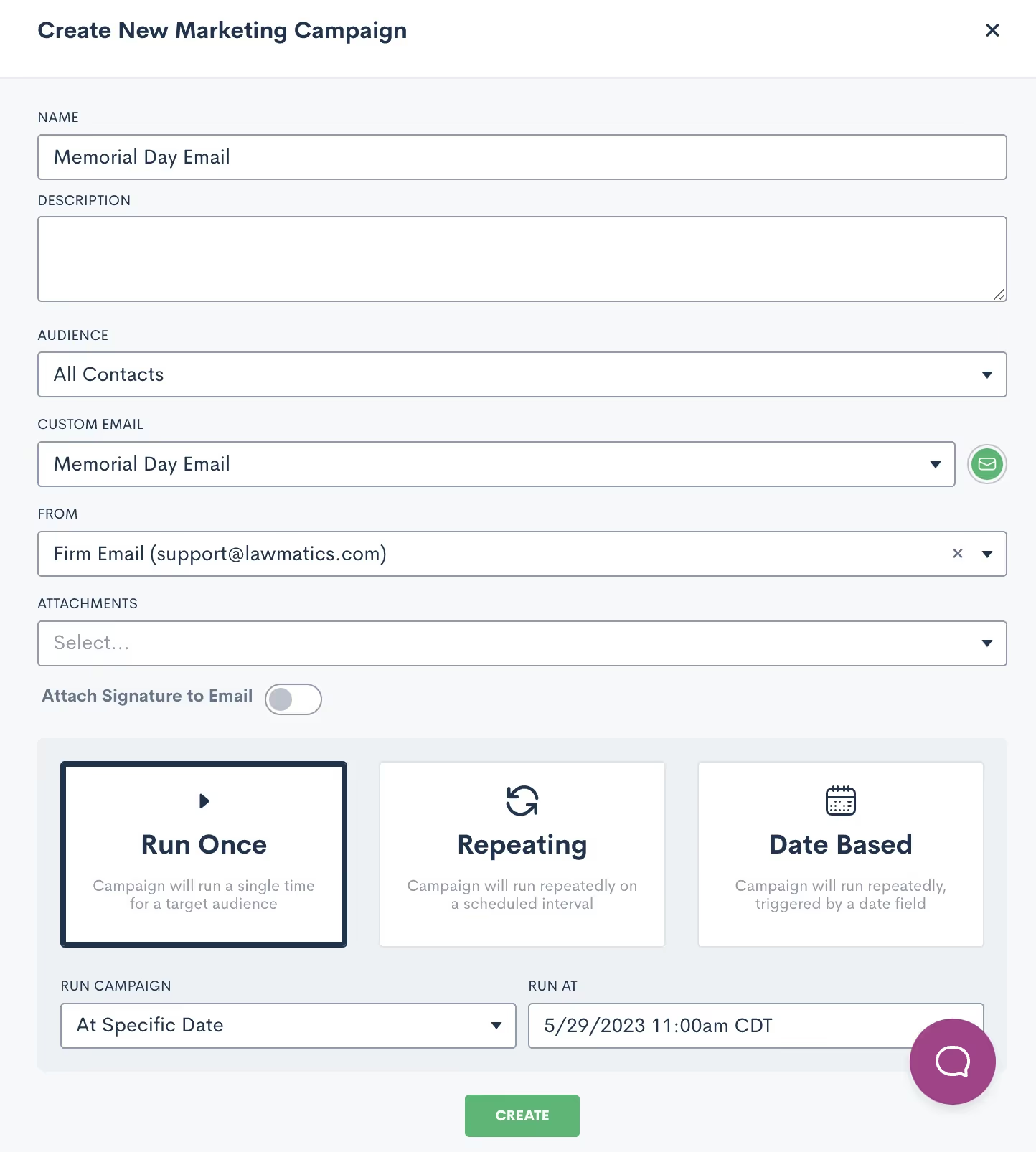
- When this option is selected, you will not need to manually activate the campaign to send the email. Rather, the email will be sent automatically at the date and time that you have selected on the calendar. All you need to do is hit the Create button, and then the email sends automatically on the correct day.
Repeating
The key thing to remember when creating a Repeating email campaign is that the same email template will be sent on a repeating interval. With that being said, this does not work for newsletters or holidays, since those emails will be different each time.Repeating campaigns allow you to create a custom schedule for sending a particular email on a recurring basis. When you select Repeating, you will be able to set the custom schedule for the campaign.
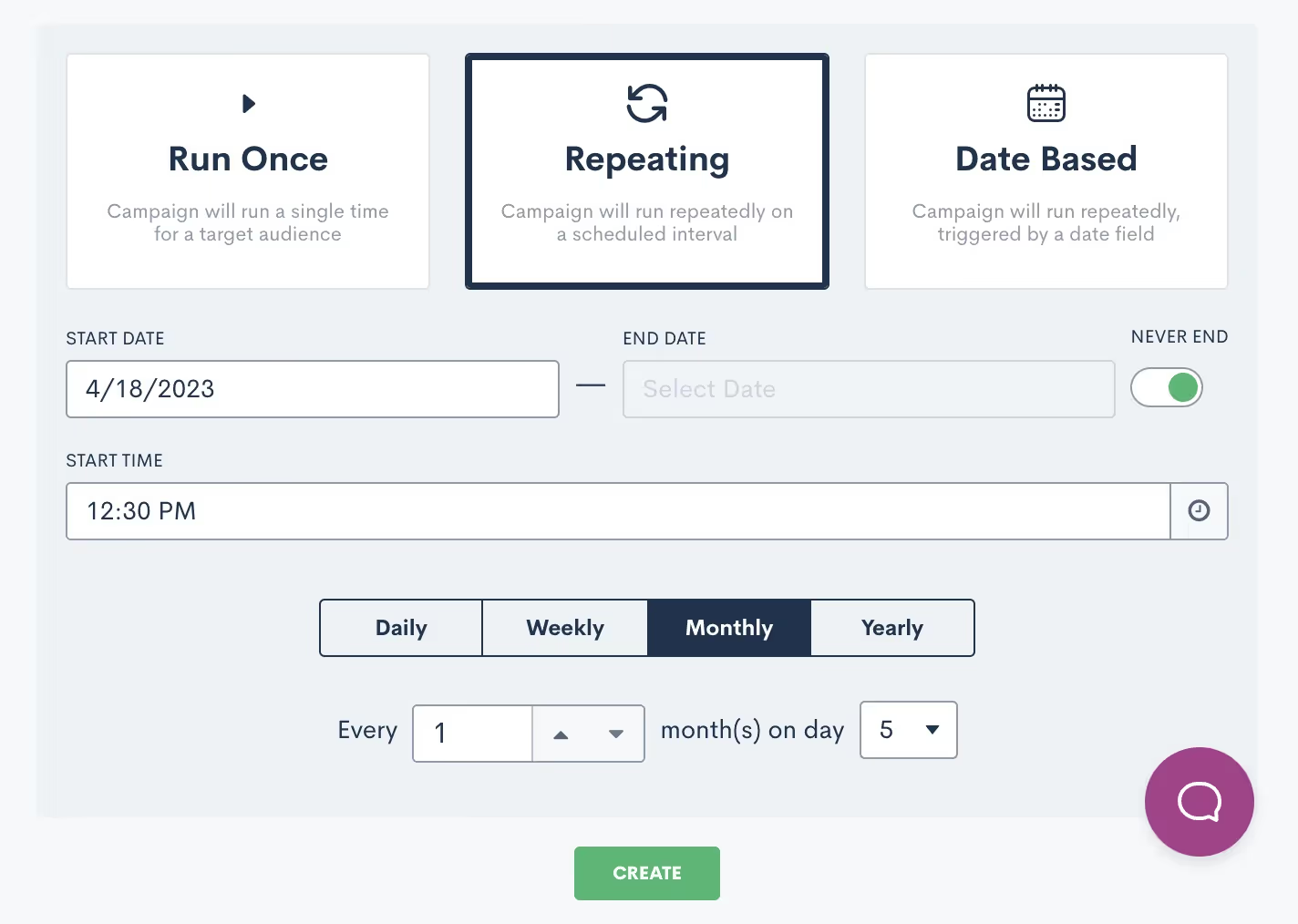
Date based
Finally, Date Based campaigns are your method for sending out birthday or anniversary emails on a particular date that is unique to each contact.
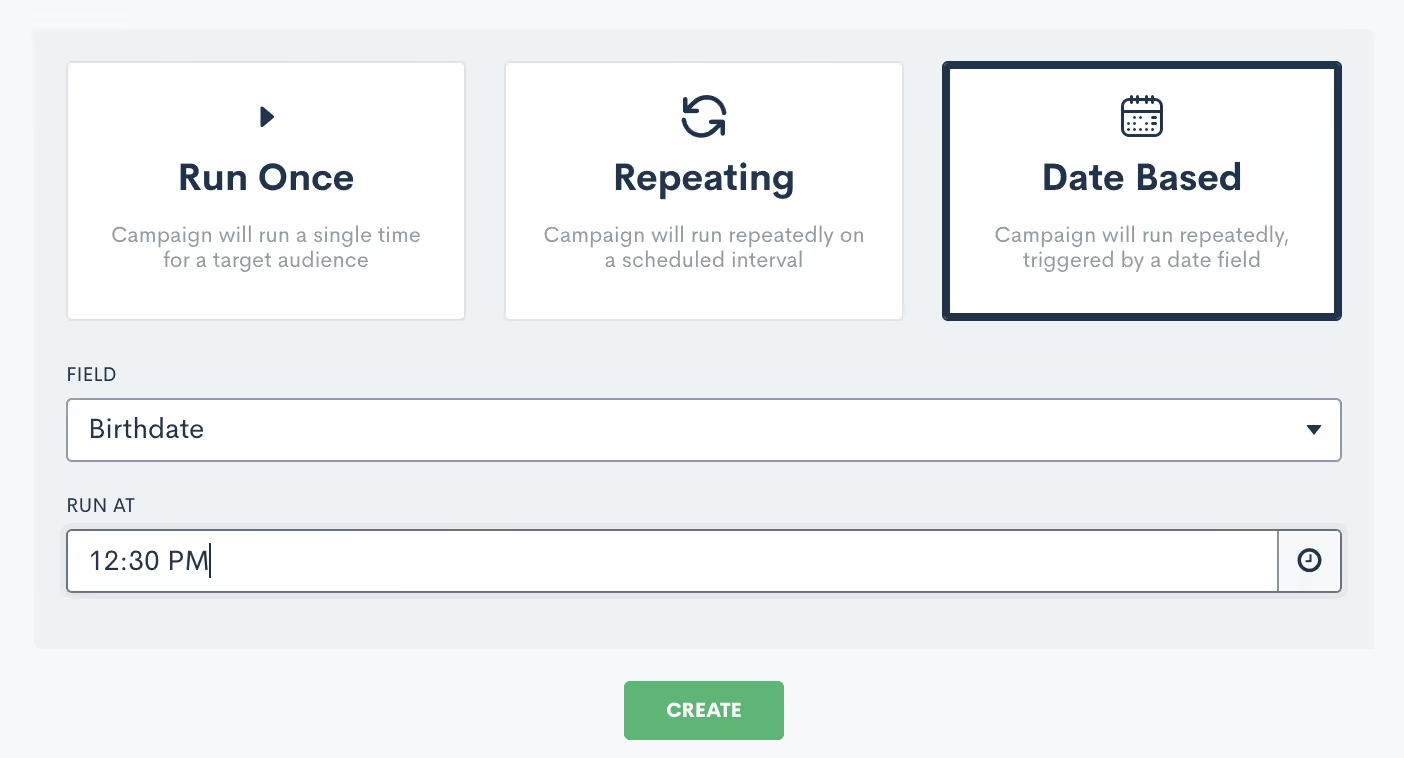
After you select Date Based, you will need to select which field should be used for the date for this campaign, I’ve selected Birthdate above. You will be able to select from any date type fields in your CRM, including custom fields. Note that if you have selected an audience of contacts, as opposed to matters, you will not be able to select a matter field as the date field for this campaign.Once the campaign is active, it will start sending the email on the appropriate date for each individual at the specific time you have selected.
Track campaign performance
One of the main reasons to use an email campaign to send out your firm's marketing emails is to track the performance of each campaign. This includes bounces, opens, and clicks. To view the stats for an email campaign simply click on the name of the campaign to open up the campaign details. You will then see a page similar to the one shown below.

For run once email campaigns you will be able to view your stats as soon as the campaign has been activated and the email has been sent. This could be from manual activation or from a scheduled send. If you check the stats immediately after the email is sent, you will get a good indication of the delivery/bounce rate, but keep in mind that the additional stats like opens and clicks will be logged over time as the recipients open or click on any links in the email. With repeating campaigns, keep in mind that your stats will not necessarily appear as soon as you activate the campaign, since these campaigns will be running on a specific interval over a period of time. Also remember that with this type of campaign, you may see the same contacts listed several times in the stats, since they are receiving the email repeatedly.With date based campaigns, you will generally see the stats slowly tick up after you have activated the campaign. By definition, your recipients in this type of campaign will only receive the email once a year on the appropriate date for them, so as time passes more recipients will have received their email. When it comes to emails bouncing, you may choose to be notified of email bounces in the platform so that you can be sure to correct an invalid email when possible. To enable this notification go to the Notifications page in settings, then choose either the Email Bounced option to be notified of all bounces, or the only mine option to only be notified of bounces on an email sent from you.
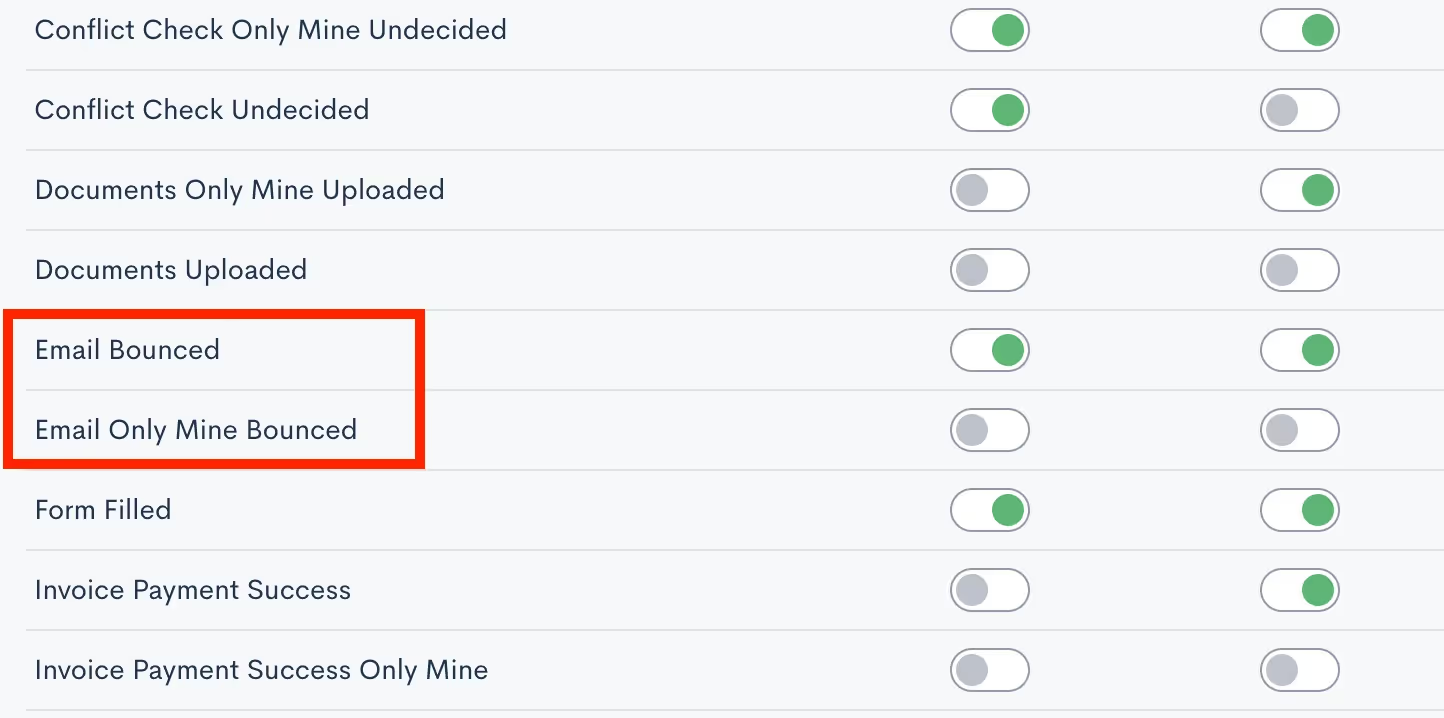
Now that you know how to access your campaign stats, it’s important to take the next step of analyzing and interpreting these metrics to make informed decisions for future campaigns. Pay attention to the time of day the email was sent, the specific filters on your audience list, and the type of content in the email to see what generates the highest engagement rate.As you discover what works and what doesn’t, feel free to incorporate those findings into your future email campaigns for improved engagement and overall results!
Conclusion
Promotional email marketing is a great way to keep your firm top of mind among your target audience. With Lawmatics, you’ll find that you can implement professional-seeming email campaigns with no additional financial investment and very extra little time investment.Lawmatics has also taken things a step further and provided you with the ability to monitor and track all of your email campaigns. Without the ability to track your marketing efforts, you’ll never know which ones to invest further in or which ones to ease off of. This feature alone is one of the many things that distinguishes Lawmatics from many of your other options.Say goodbye to piecemealing multiple marketing softwares and setting up complicated zaps and integrations. Lawmatics has everything you need to master promotional marketing all in one platform.

Spring has sprung at the Lawmatics office and we’ve got another round of new features in bloom! Last month we announced our new Create From Within user experience; we are thrilled to share more developments to this project as well as other new additions and improvements all throughout the platform.
New display options for true/false Custom Fields
Custom Fields have always been a staple of the Lawmatics CRM, so why not introduce further customization options? With this new feature you can now select from three different display options for your true/false fields: toggle (previously the only option), a checkbox, or a picklist displaying options of “Yes” and “No”. Select the option that is best suited for each Custom Field to give your clients the best possible experience when filling out your intake forms.
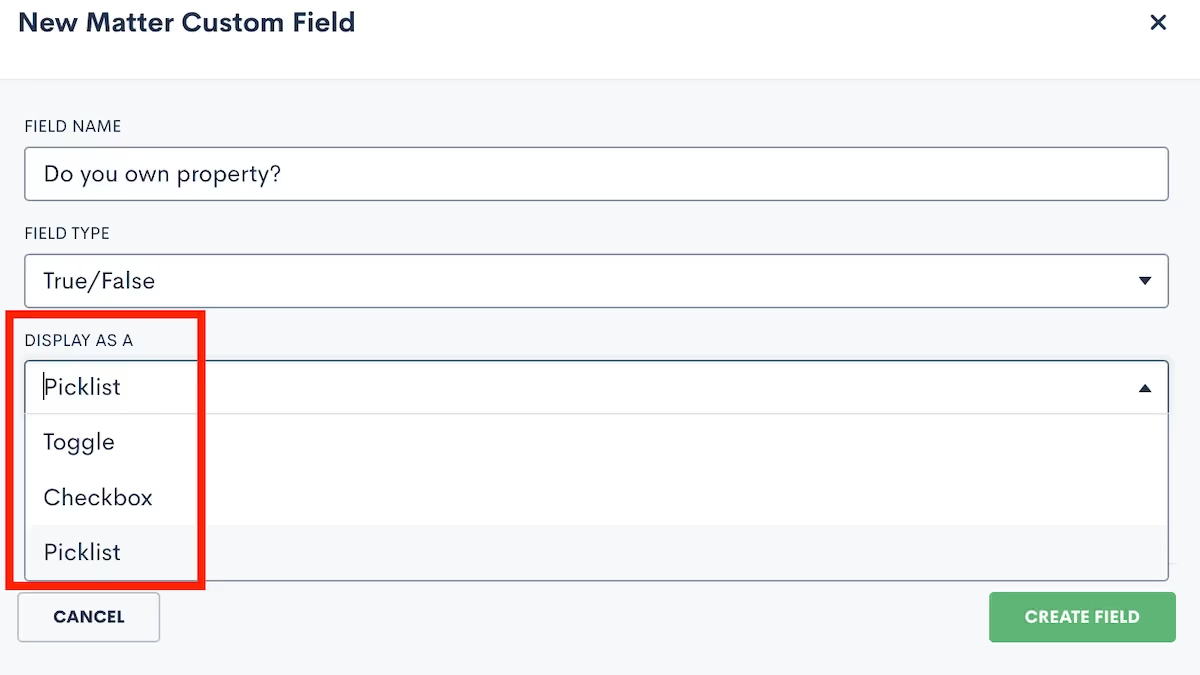
We’ve also introduced the option for true/false fields to be designated as either "Required" or "Required To Be True".This gives you the flexibility to enforce the selection of a "true" or “false” answer - particularly when a "false" response would result in disqualifying a potential lead.
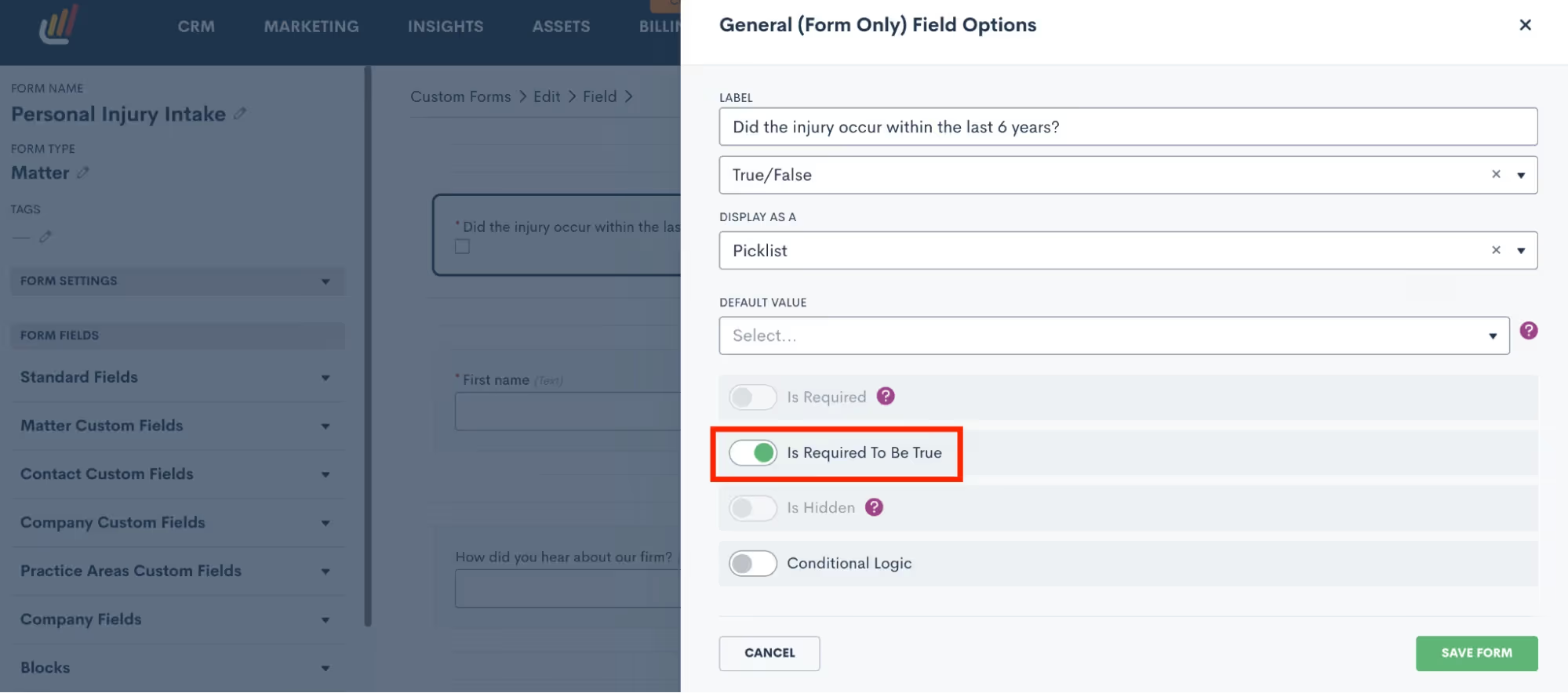
Click here to learn more about custom fields.
Select All option on Matter Page
You already love the ability to bulk update or delete matters in bulk, but we’ve now enhanced this capability by allowing you to select ALL matters without needing to go from page to page. Simply click the checkbox at the top left, highlighted below, then click the Select All option to check all of your total matters. Any updates made will now apply to all matters selected. This new improvement makes it much easier for you to bulk edit a large selection of matters all at once.
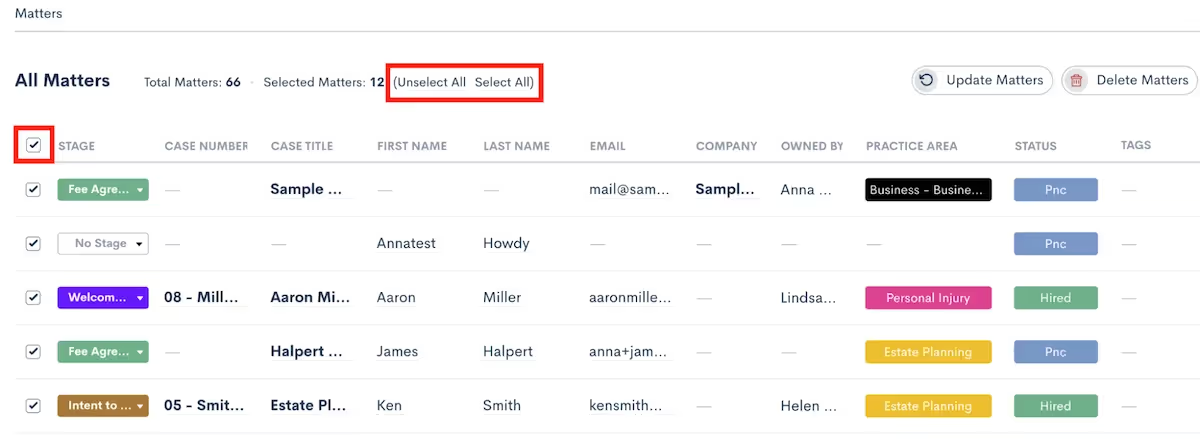
New Create From Within updates
Build a New Custom Form Within Automations and Matter Profile
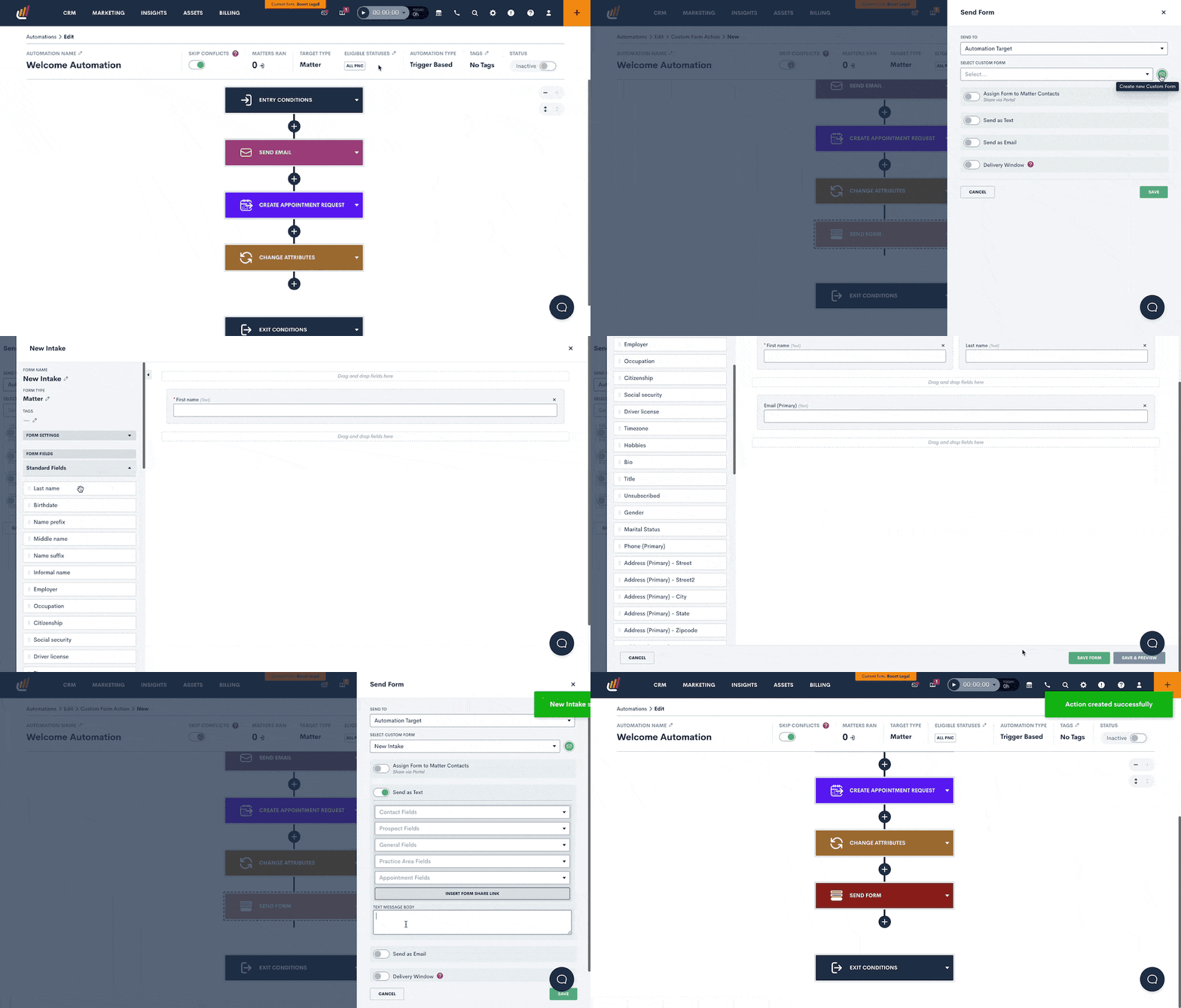
Create New Pipeline and/or Stage When Adding New Matter
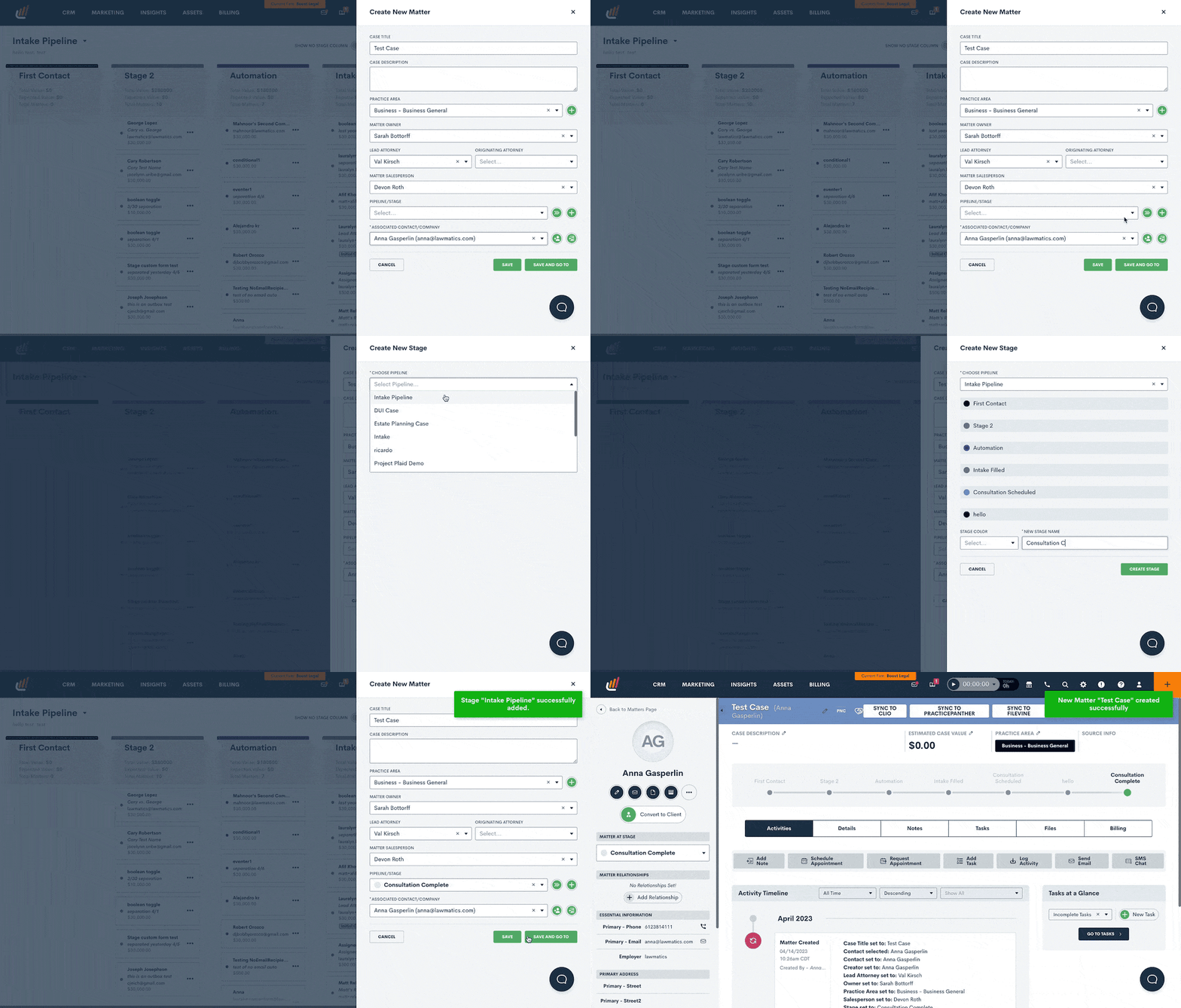
Add New Practice Areas from Practice Area Field Selection
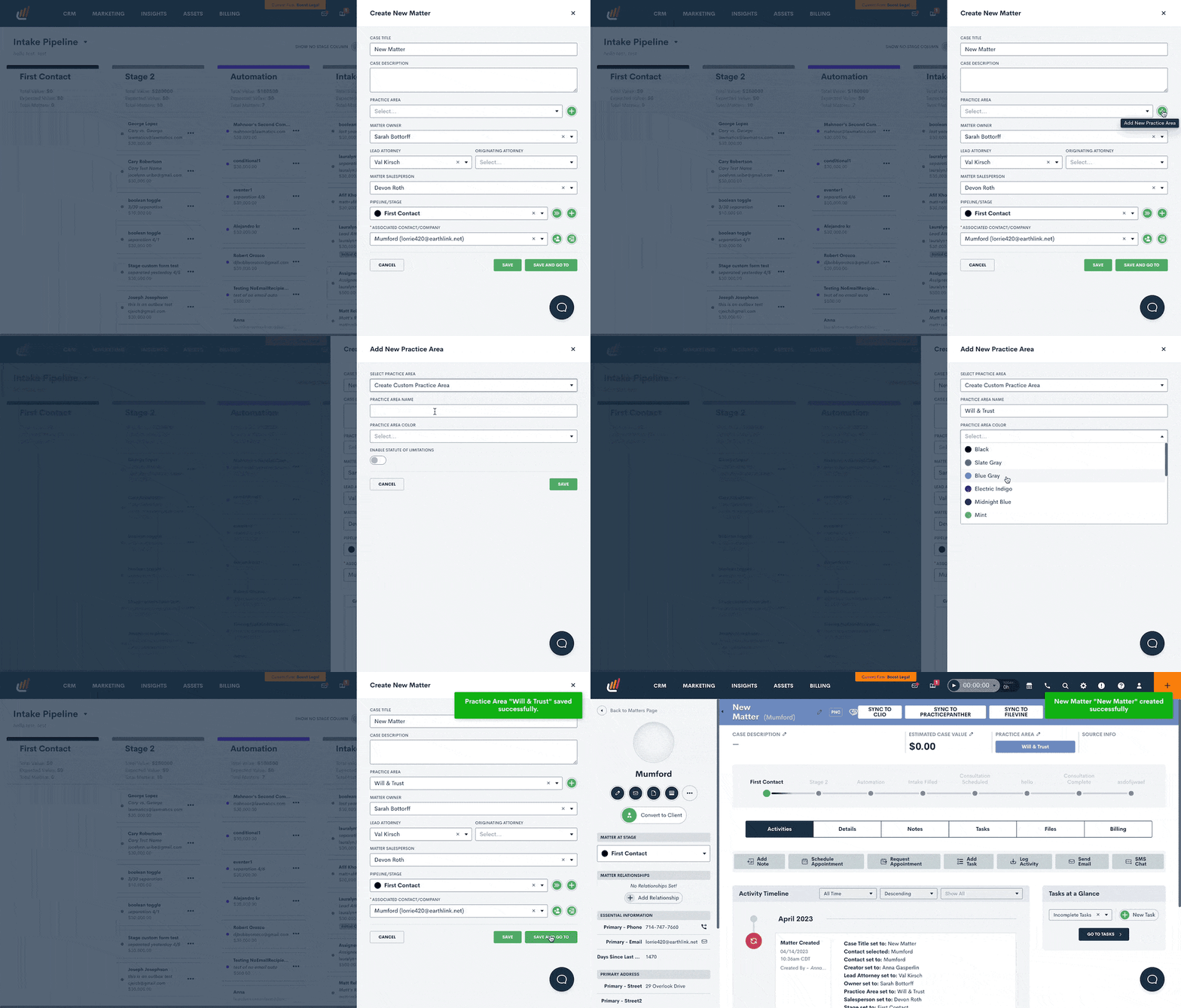
New Relationship Types Directly From Matter Profile
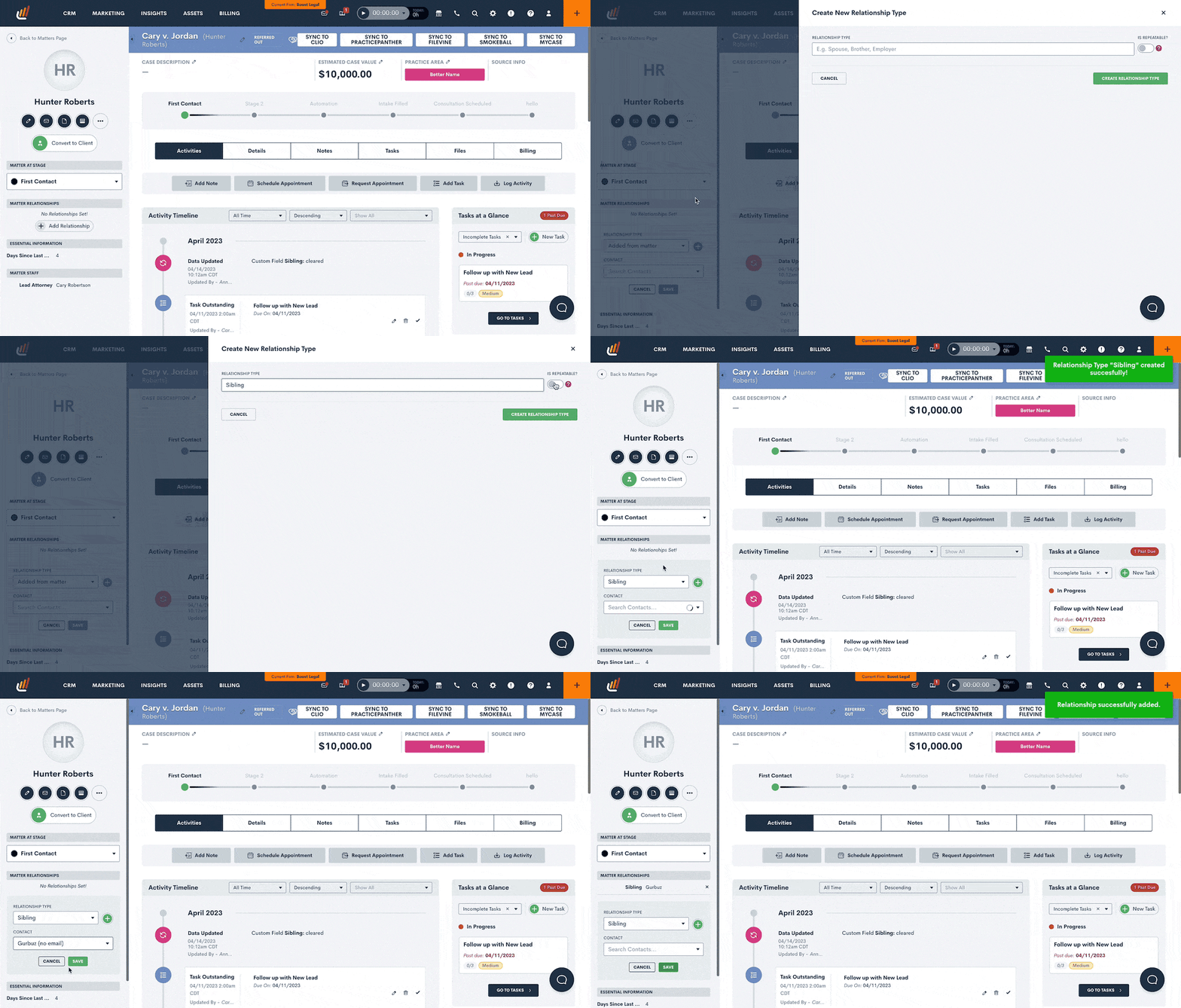
Also In This Release
Relative Time Filtering Option for Date Fields
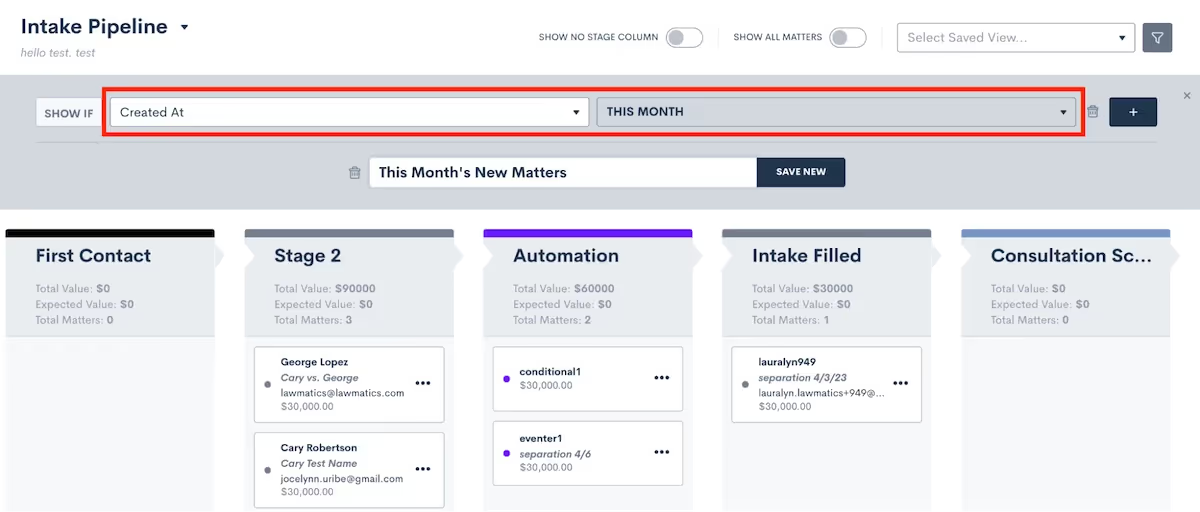
Particularly useful for honing in on particular matters within specific time windows, you can now select from relative date options such as “this month” or “last week” any time you are using a Date Field as a filter in the platform. This is also available in Reports and Audiences.
New Layout in Custom Form and Custom Document Builders
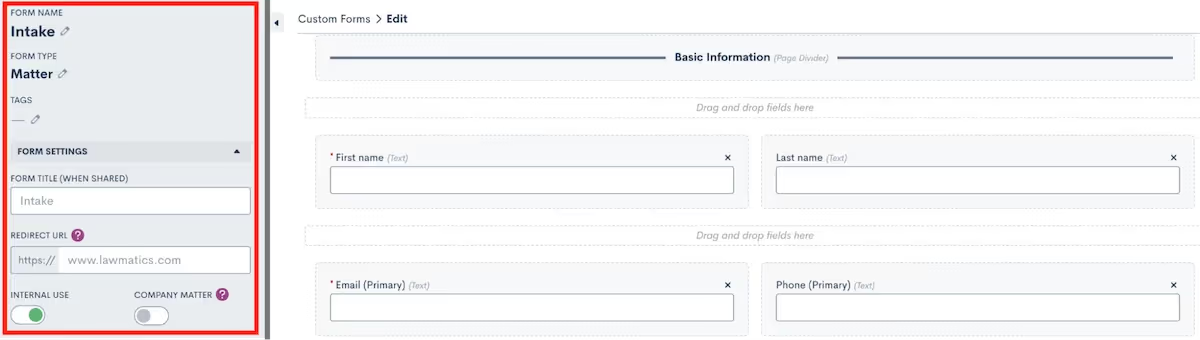
In alignment with our other user experience improvements, we have also reorganized both the Custom Form and Custom Document editor for improved usability when editing selection options such as Internal Use and Form/Doc Recipient Type.– We hope these new features are just what you need to dust off winter and hop into the new season! As always, feel free to share your thoughts or questions with us by emailing support@lawmatics.com.
Register for upcoming Monthly Deep Dives here.
From consultations to court dates to signing meetings, you undoubtedly schedule a plethora of appointments with potential clients. Lawmatics has all the tools you need to facilitate a smooth process, from the initial booking to confirmation, reminders, and post-meeting correspondences.While you may know that all of these tools exist in Lawmatics, you may not yet be using them all to their full potential. We are thrilled to share this deep dive into every aspect of appointment in Lawmatics.
Calendar Sync
Before you even begin booking appointments, we first recommend that you sync your external calendar to Lawmatics. Note that this is an individual user setting, so each of your firm’s users can connect their own calendar account. By initiating this sync, you permit that any of your appointments booked via Lawmatics to seamlessly sync onto your external calendar. The sync eliminates any need for you to be hopping back and forth between multiple calendars, such as your Google Calendar or Outlook and Lawmatics, when booking an appointment.To sync your Calendar to Lawmatics:
- Navigate to the Settings page in Lawmatics by clicking the gear icon near the top right of your screen.
- Select Calendar from the left sidebar. If you have not yet synced your calendar, you will see options to sync for each calendar provider.
Once you have walked through the necessary steps, your page will look similar to the one shown below.
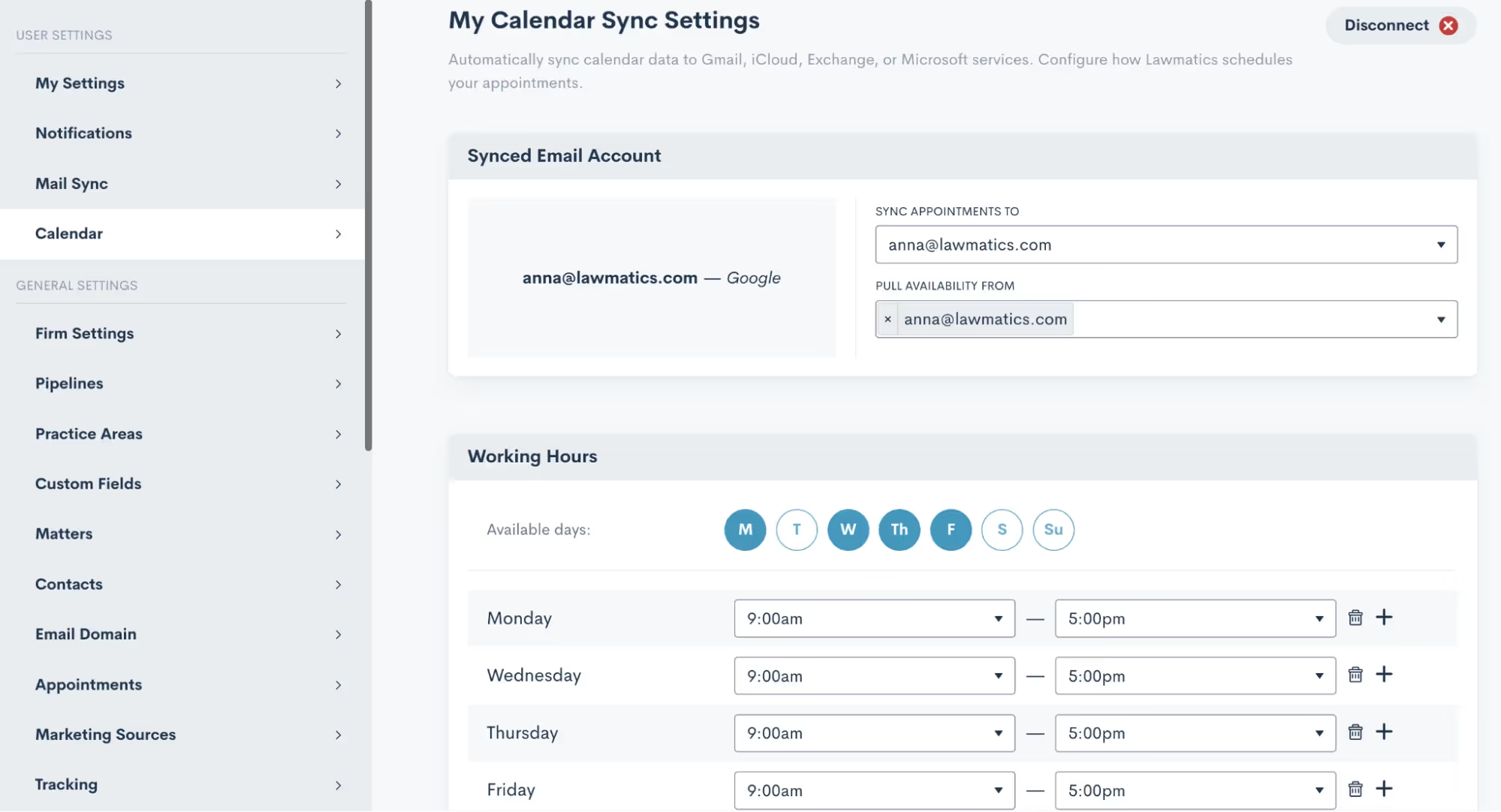
From here, you can easily select your availability hours as well as Buffer Time, Lunch Hour, and other availability settings. These options will come into play for our automatic scheduling, which we’ll discuss more later.
Appointment Settings
In addition to syncing your calendar, there are a few other settings relating to appointments that you’ll want to get squared away. Select Appointments from the main settings menu to get started.First, make sure you create your firm’s various Appointment Types. This is an essential step before you begin booking appointments in Lawmatics. Appointment Types are used to distinguish between the different emails, reminders, follow-ups, etc that are used for each different type of appointment your firm may hold.
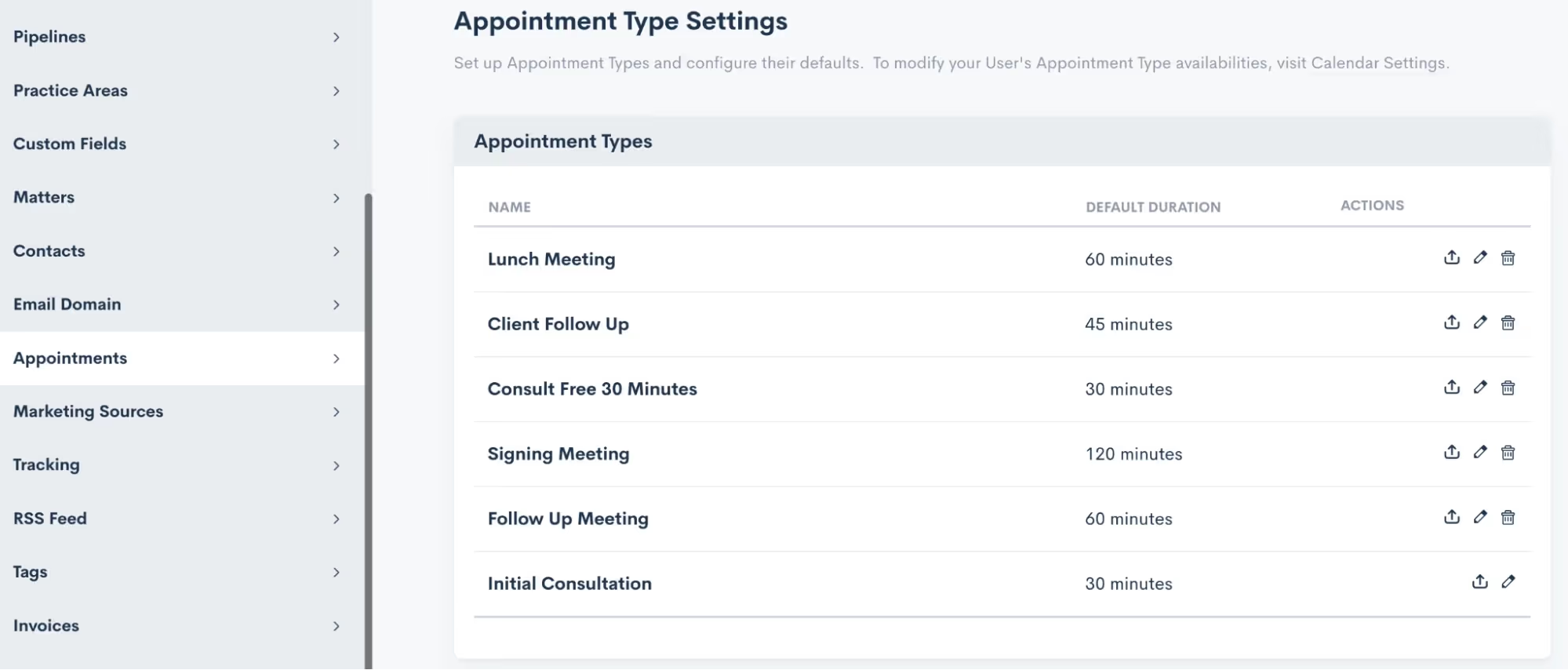
Note that these are completely customizable and can be edited or updated at any time.
Scheduling Appointments
Now that you have synced your calendar and set up your appointment types, you are ready to start booking appointments in Lawmatics. Within the platform you will find many different ways to go about scheduling your appointments. Throughout your intake process you may wind up using some combination of these methods. Let’s walk through each of them.
Calendar
The first and perhaps the most obvious way to book an appointment is from the Calendar, found under the CRM tab. Simply select Calendar from the drop down menu, and you will then see a summary of your Lawmatics appointments, as well as your Tasks.
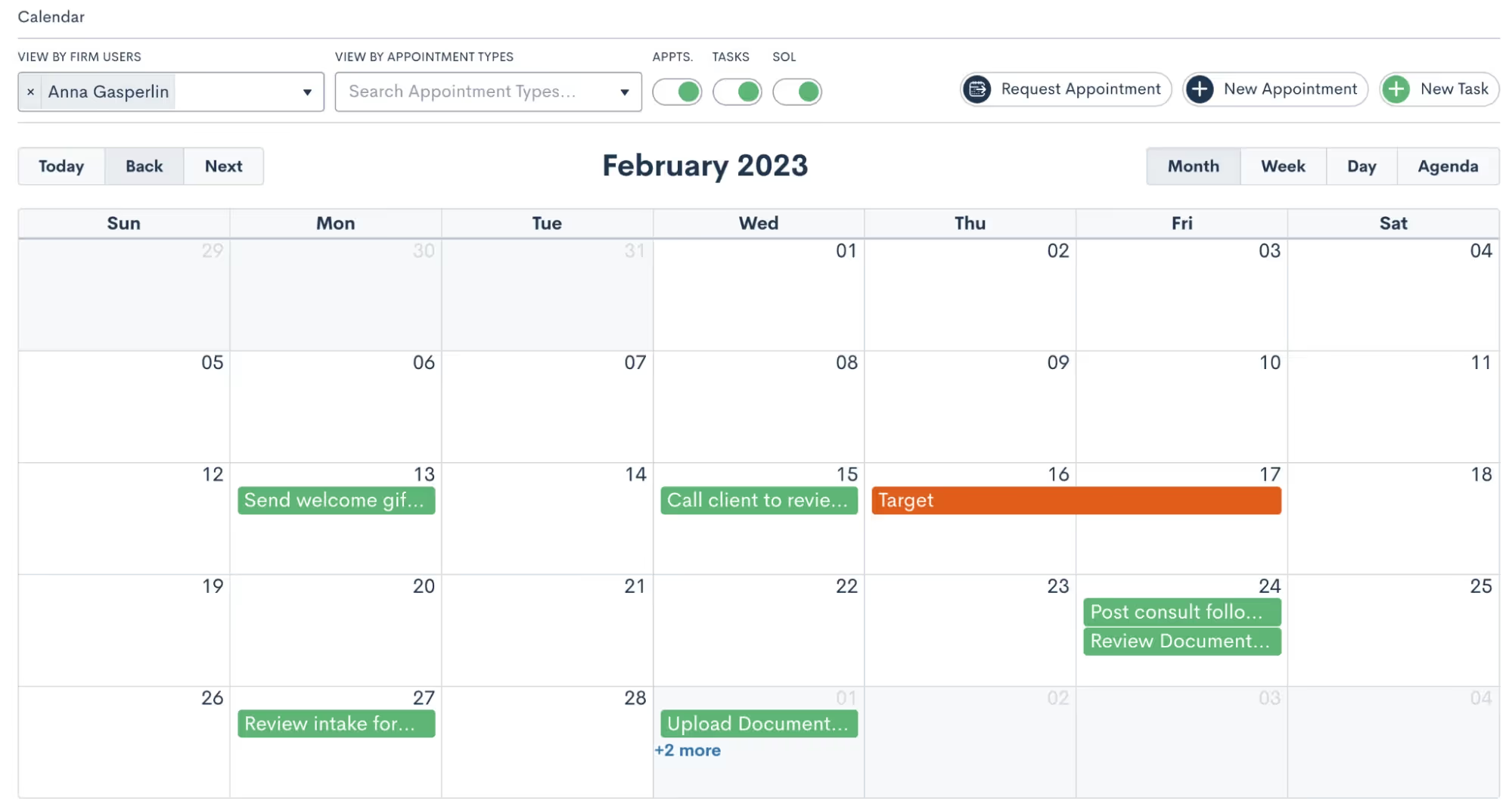
Click on the New Appointment button at the top of the page to book a new appointment. You will then be prompted to fill in details on the appointment and make selections such as the location, attendees, etc. No matter which method you choose to book an appointment from the options outlined here, you will see a similar window when scheduling.
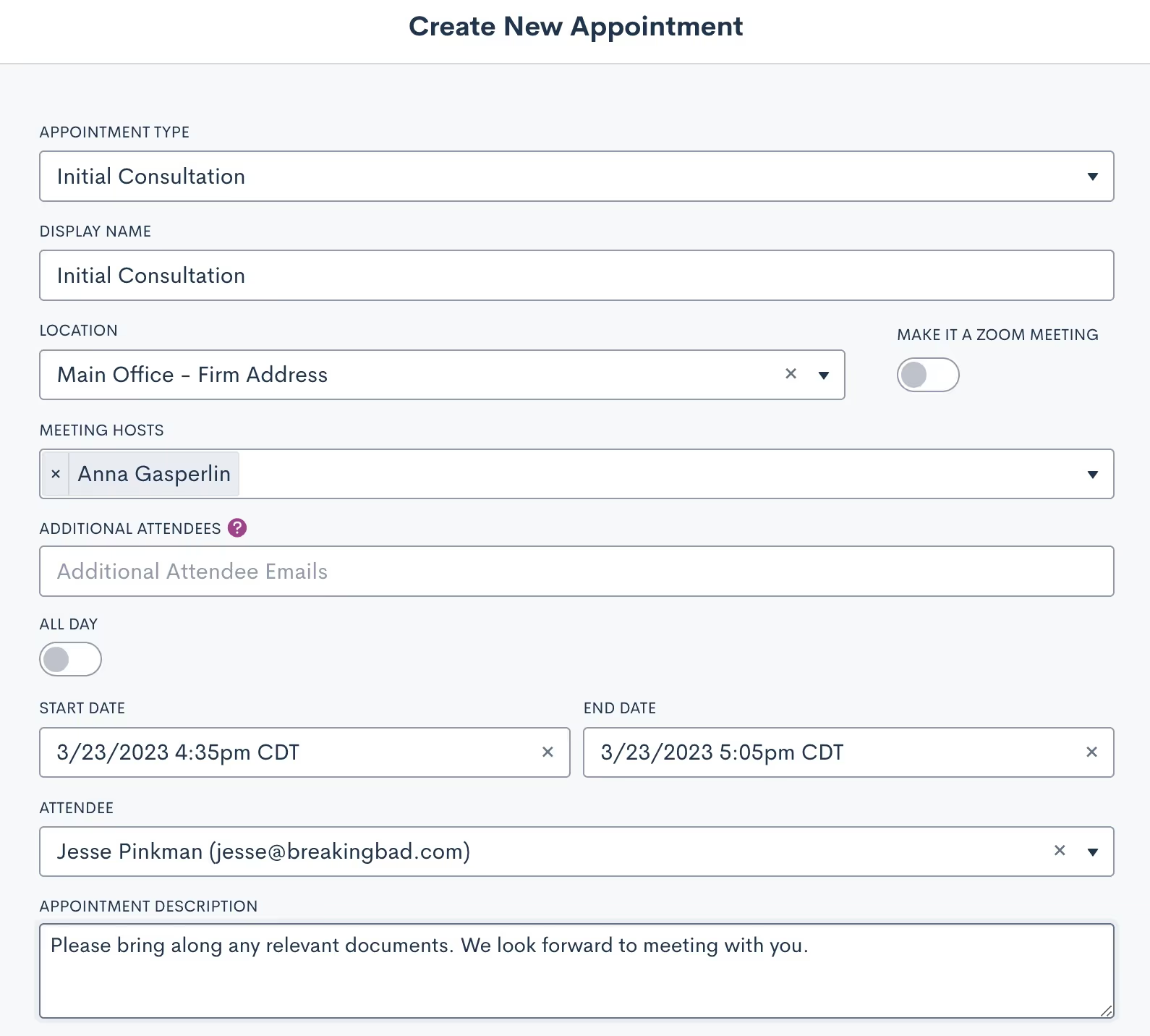
Matter Profile
You can also book appointments directly from a matter’s profile. Simply navigate to the matter using either the search tool or clicking on their name from the pipeline, then click the Schedule Appointment button.
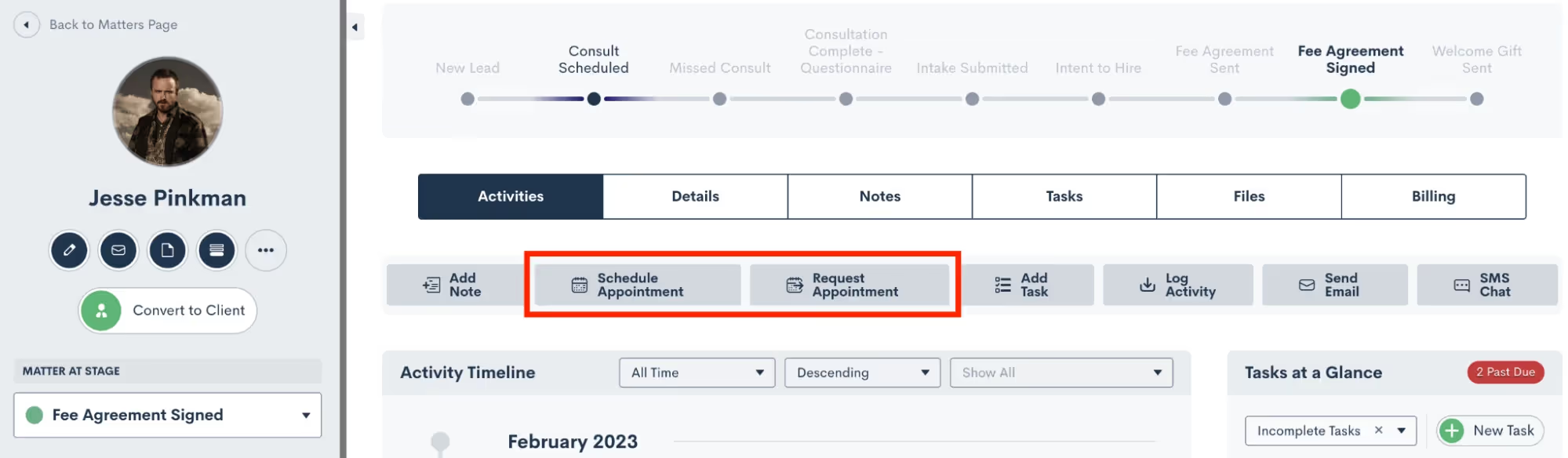
Note that there are two options for appointments, highlighted above. Schedule Appointment allows you to simply choose the date and time and book the appointment. Request Appointment on the other hand sends out a booking link for the recipient to choose their own appointment time based on the host’s availability. Read on to learn more about that feature.
Custom Form
Forms are another common method for booking appointments. If using an internal Form, you have the option to select either an Appointment field, or the Booking Request field, both highlighted below.
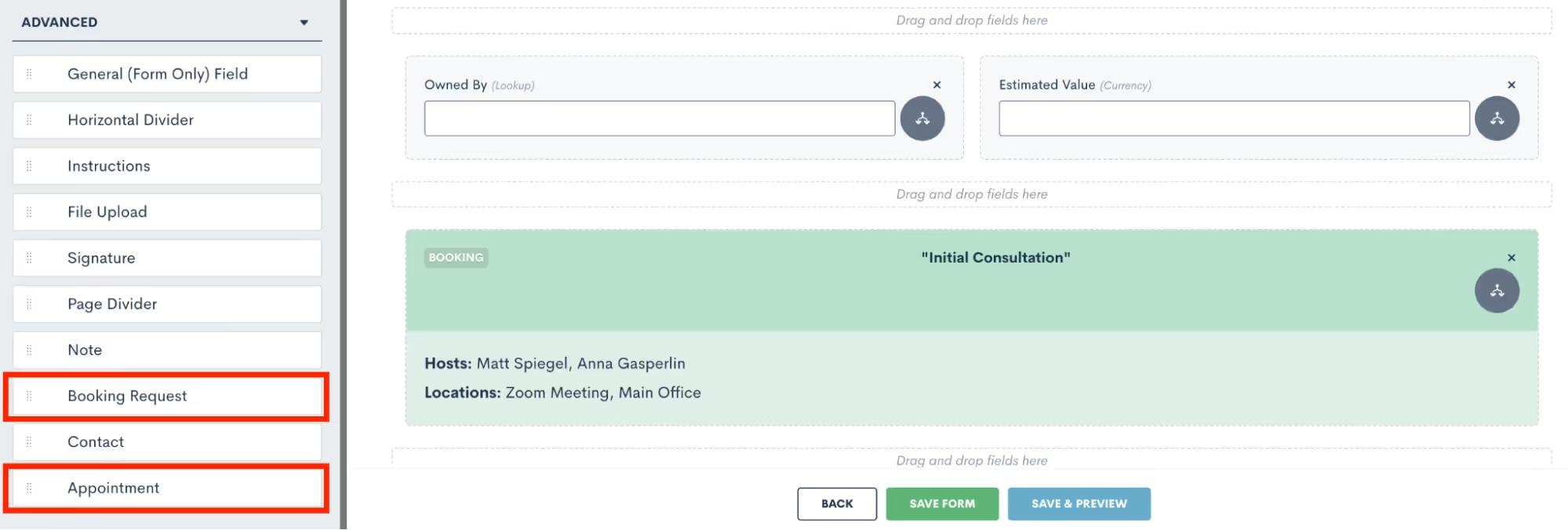
The Appointment can only be used on internal Forms, since it allows the internal firm user to select the exact date and time for scheduling the appointment. The Booking Request option gives the client the chance to schedule for themselves based on the host availability.
Booking Form
A Booking Form is similar to a Custom Form but with one exception, it will always contain a booking request whereas this is merely an option on a Custom Form. This scheduling method is great for embedding on your website, since it can simultaneously capture a new lead and prompt them to schedule their own appointment.
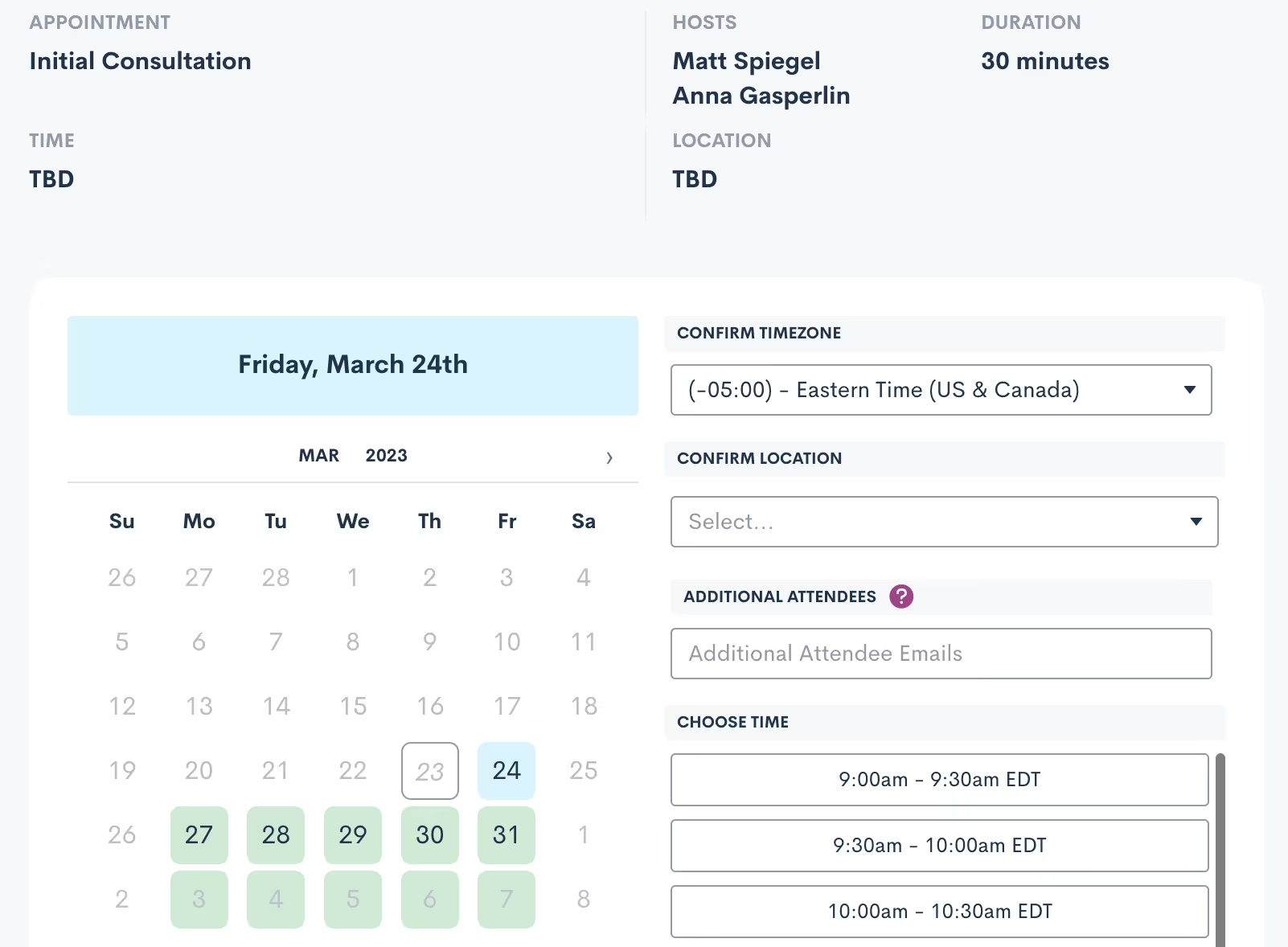
Bonus: Use a booking form with our new Payment Gateway feature to easily collect a consultation fee
Booking Link
Last but not least, you can also use a simple Booking Link to allow leads or clients to book their own appointment. Booking links are generated from the Appointments page in settings, click the arrow icon (visible on the far right for each appointment type) and then make your selections as shown below.
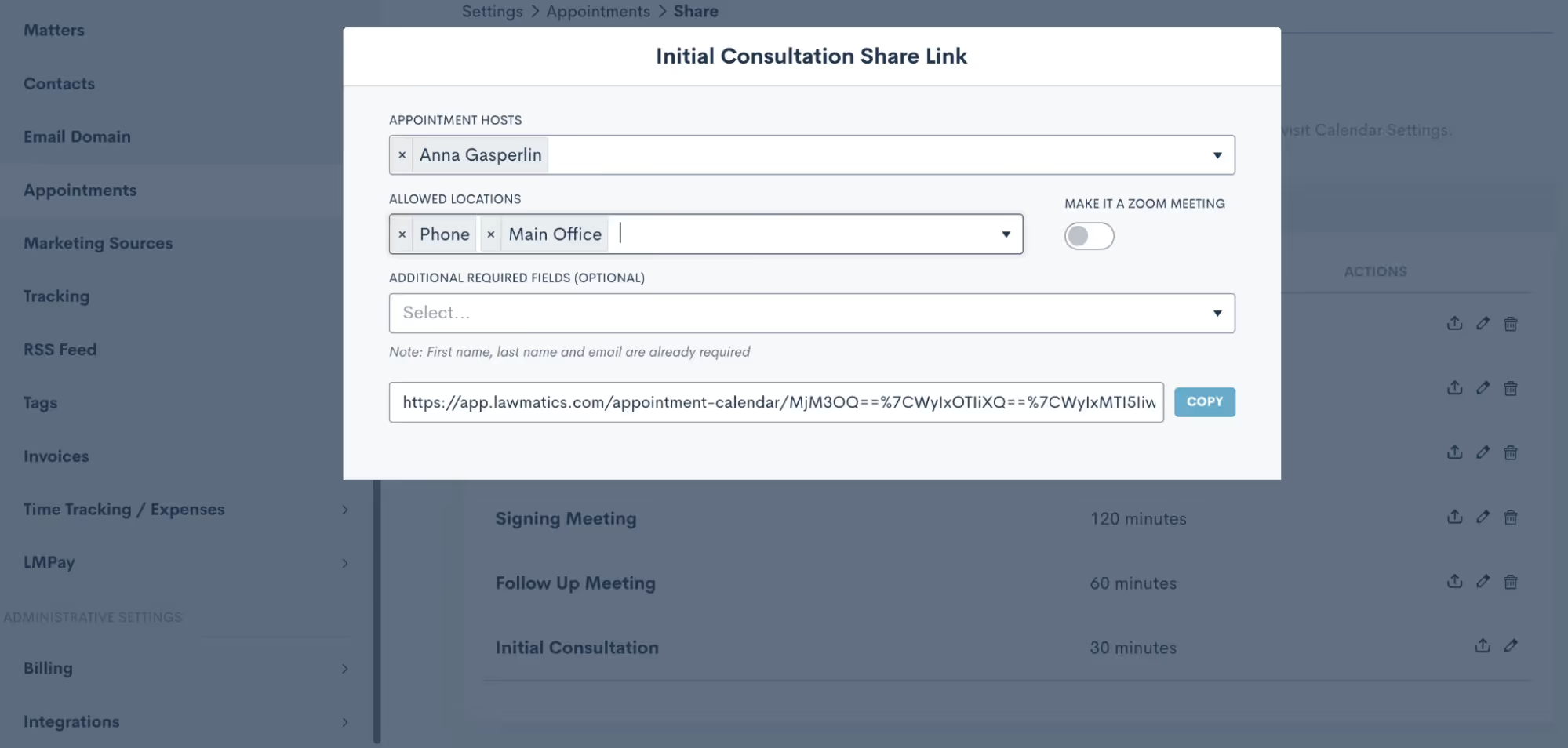
This link could be used in an email template, connected to a button on your website, or even used internally.
Confirming Appointments
Now that you know the ins and outs of booking appointments, it’s time to dive into the client experience side of things. Your leads and clients will absolutely love the experience of receiving an instant email or text message after they schedule letting them know that everything is confirmed and sharing any other pertinent details.While you may be accustomed to using an Appointment Automation to confirm appointments, we’ve made this even easier with our new default confirmation option — no need to build a dedicated Automation any more. When you navigate to the Appointments section of the Settings menu, you now have the option to create a Custom Email and/or SMS template for confirming each of your various appointment types. This confirmation will be sent automatically at the time the appointment is scheduled.
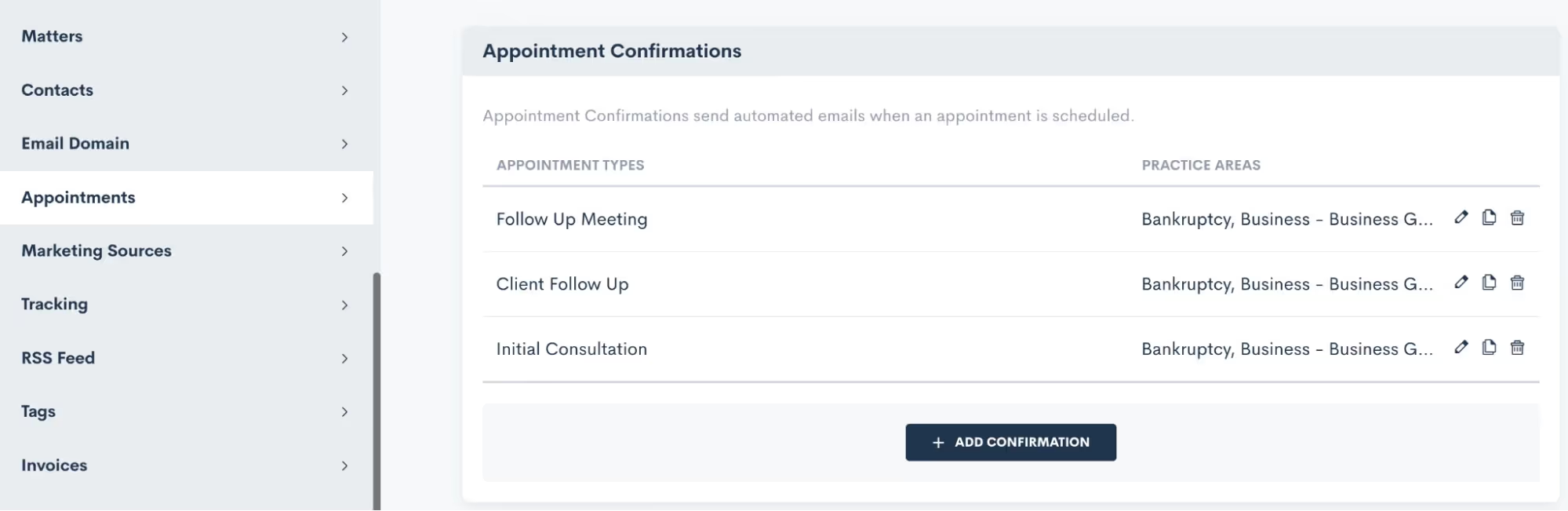
When setting up your Appointment Confirmations, you can create your own custom email template (along with any merge fields) and/or create a text message template as well.

Make sure to select which appointment type(s) your confirmation applies to, as well as any practice area limitations that should apply for this confirmation. This setting allows you to easily set up various confirmation messages for different appointment types, without needing to create a bunch of separate automations.
Appointment Reminders
Similar to Appointment Confirmations, Appointment Reminders are also now set up on the Appointments page within settings. While you still have the option to use appointment Automations for sending out your reminders, we have made it much easier with this new built-in setting.Much like with appointment confirmations, set up your appointment reminders for each appointment type.
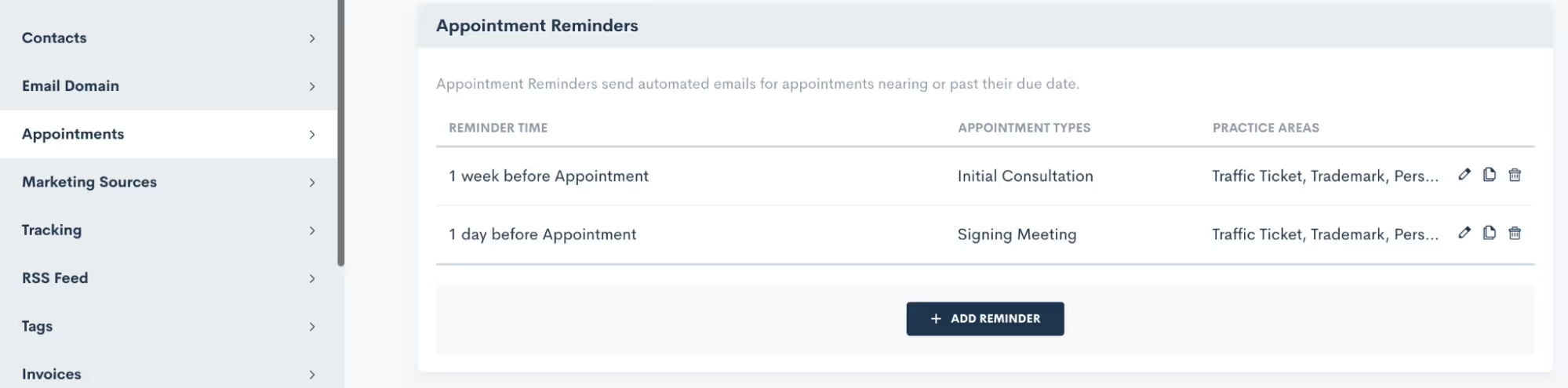
Additionally, you may also set up multiple reminders for a single appointment type if you wish to have reminders go out on multiple time frames, such as 1 week before, 1 day before, etc.Once again, you no longer need to build any Automations for confirming or reminding of your appointments. These simple settings will handle everything!
Rescheduling
In a perfect world, all clients would show for all of their appointments as scheduled. But unexpected conflicts do arise and thus rescheduling is often unavoidable. Thankfully, Lawmatics has simplified this as well.When you use Booking Forms or Appointment Requests, you will always have the option to include a Reschedule option right within the scheduling module. So let’s say someone is booking their appointment. Immediately after they have chosen a date and time, they can simply return to the initial request and select an alternate time slot, as opposed to booking a new appointment all together.

Above you see an example of the Reschedule Setting option within a Booking Form. Simply toggle that on to include the Reschedule Link.In addition to using the Reschedule Link on automated Appointments, you can also manually reschedule any appointment by simply editing that Appointment either from the Calendar or from the Matter Profile, shown below.
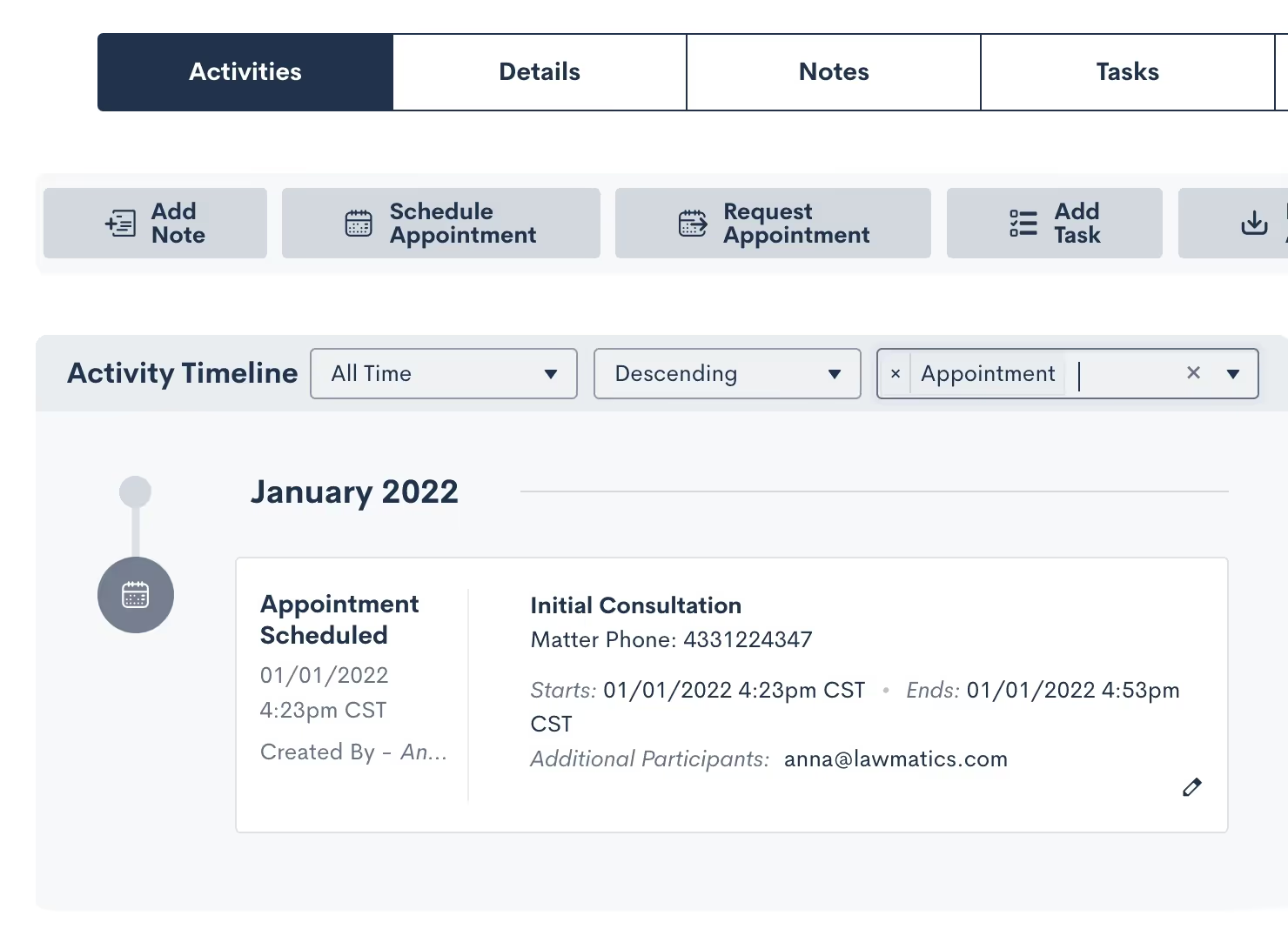
Note that when an Appointment is rescheduled in Lawmatics it will also automatically be rescheduled to the new time on your external synced calendar. Additionally, any Appointment Reminders that you have set up in your Settings as described above will also run as per the new time. Even if they had already been sent relative to the original appointment time, the reminders will resend based on the new date and time.
Conclusion
Lawmatics can tackle anything you throw at it when it comes to your appointments. A consultation with a new lead is often the first impression they have of your firm, so it is essential to make the scheduling process a smooth one.From automated booking links to customized confirmations and reminders to easy rescheduling, appointments are sure to be a breeze with the help of Lawmatics.

According to the American Bar Association's 2022 Profile of the Legal Profession, just 38% of lawyers and 30% of judges in the United States are women. While that portion has been climbing steadily over decades, law is still a male-dominated industry. That's why we wanted to take Women's History Month as an opportunity to ask our female-identifying customers what being a woman in law means to them. Here are some of their responses.
What does it mean to you to be a woman in law?
“
“Being a woman in law means I can continue the legacy of women that have gone before me to fight for the rights of the oppressed, help those who would otherwise not afford help, and better society.”
— Anonymous
“
“It means that I am a leader. I'm showing my daughters that gender and social expectations do not need to limit our dreams.”
— Anonymous
“
“It's empowering. It is an opportunity to uplift voices historically excluded from the legal and policy realm. It is an opportunity to challenge patriarchal systems of privilege, hierarchy, ownership, dominance, and exclusion.”
— Mara Yarbrough, Staff Attorney, New Mexico Environmental Law Center
“
“To be a woman in law means to be a woman of power and responsibility.
Being a woman in law means being consistently under-estimated and having to work harder than your male colleagues to be heard and respected. Women are expected to be nice, polite and reasonable. If we behave assertively or with confidence, we are labeled “aggressive” or worse. A man can interrupt a woman without notice or regard, but when a woman interrupts a man during the same conversation, it rarely goes unnoticed or unchastised.Being underestimated (and often over-criticized) is a strength. We yield power through bias. When we get fierce it’s shocking. When we call out bad behavior, it’s even more so.We have the power to make change. We have the responsibility to step up and speak out. We have a responsibility to create change and opportunities for the next generation of women and men.”— Kristen Prinz, Founder & Managing Partner, The Prinz Law Firm
“
“Those statistics are interesting to me because I do see that the industry is still male dominated, but [it’s] so much better than 20 or 30 years ago, so there is progress. I have been practicing so long that it feels natural to practice law as a woman, but I still run into male lawyers who want to dominate the conversation, act aggressive, and treat me differently. Clients and judges too. Not so long ago, I had a woman tell me that she wouldn't want to work at my firm because she just doesn't want a female boss.”
— Sharon Pratt, President, Pratt & Associates, APC
“
“For me as an owner, it has provided me with financial security and the ability to handle a variety of situations and not feel undervalued or minimized.”
— Anonymous
“
“Strong, focused, resilient and determined to succeed against all odds in a male-dominated profession.”
— Anonymous
“
“It can feel like a powerful position, but it is clearly a field run primarily by men.”
— Anonymous
Have you been mentored by a woman in the legal industry? What qualities of theirs have stayed with you?
“
“The key qualities I've retained from my mentors are: 1) Be authentic and speak your mind; 2) honor your plan; 3) you are doing the best you can with what you have; 4) you are doing enough; 5) you are enough!”
— Jeanette Mora, Attorney, Family First Firm
“
“Qualities that have been very important to me and that I continue to apply in my daily life are: never compare myself with others, we all have different purposes and different rhythms. To have discipline, since in life everything is achieved based on determination, perseverance and work. To transmit confidence, both to my clients and to my work team. To trust in my skills and knowledge and never let anyone else question them; and finally, to always keep myself updated because we live in a changing world that is evolving faster and faster.”
— Melissa Zúñiga de la Fuente, Legal Marketing Consultant, Gericó Associates
“
“Hard work, intelligence, and focus.”
— Anonymous
“
“Compassion, patience”
— Anonymous
“
“Very early in my career I was told by one of the female partners, in training me how to take a deposition, not to be so "ladylike", which was good advice at the time because I was raised to be polite and unassuming, which is not the best demeanor for a deposition, especially when you are young. These days I practice with a lot more confidence and hardly think about whether someone is male or female. I think more about whether they are good at what they do. When I am mentoring younger females, I want them to know that it is all about confidence.”
— Sharon Pratt, President, Pratt & Associates, APC
“
“The recognition that I have skills to share in legal areas that others may not.”
— Nadine Atkinson-Flowers, Attorney, Law Office of Nadine Atkinson-Flowers
“
“I have been supported and sponsored by so many women in the legal industry. Their tenacity, strength, humor, and friendship have stayed with me.”
— Kristine Palkowetz, Marketing Director, C. Todd Smith Law
“
“Perseverance, strength, motivation, kindness, intelligence, respect.”
— Mara Yarbrough, Staff Attorney, New Mexico Environmental Law Center
Have you been mentored by a woman in the legal industry? What qualities of theirs have stayed with you?
“
“If you're interested in law, the best thing you can do is to start. Take an internship, apply, or start a class. Most importantly, just start!”
— Kristine Palkowetz, Marketing Director, C. Todd Smith Law
“
“Value your time.”
— Anonymous
“
“I wholeheartedly feel that I am impacting lives one at a time as I work with my clients. In the end, that is what it is all about.”
— Jeanette Mora, Attorney, Family First Firm
“
“Shortly after I was hired at a firm years ago, I found out that a man with less experience and credentials than me had been offered a higher starting salary. He didn’t negotiate a higher starting salary. He negotiated from a higher starting point than offered to me. When I approached the male hiring partner and asked why my male colleague was offered a higher starting salary, he told me it was “because men won’t take as little as women.”
Too often, he has been proven correct. Women undervalue our own contributions because we want to be nice, polite and reasonable. Instead, let’s be bold. Let’s be aggressive. Let’s be powerful."— Anonymous
“
“The gap between men and women in law-related positions is still quite large and it is important to close it because the lack of inclusion has too high a cost. The positive thing is that more and more women are making our way and opening doors for each other, which helps us to believe and bet on the professional capacity of women, which should not be overshadowed or left aside by external factors."
— Melissa Zúñiga de la Fuente, Legal Marketing Consultant, Gericó Associates
Final thoughts
We appreciate each of our customers who took the time to complete our survey. Your honest comments provided powerful insight into the strengths and challenges involved in being a woman in law. As a legal software company, Lawmatics recognizes that people are the core infrastructure of the legal profession. We hope that by sharing your thoughts and experiences, we can further propel meaningful conversations that recognize the critical role of women in law.