

CRM



Lawmatics, the leading intake and growth platform for law firms, today introduced Merlin, a new family of AI features built natively in Lawmatics to help law firms grow. The suite, which includes a just-released conversational interface called Merlin Copilot, takes on the repetitive work that moves prospects toward signing, freeing staff to focus on client service, legal work, and strategy, while giving firms the speed and responsiveness that competitive consumer law markets demand.
For most law firms, growth happens at the front of the business — the speed from inquiry to first contact, how consistently leads are evaluated, and how clearly firms can see what's working across their pipeline. These are the points where revenue is won or lost, and they're the points that most legal AI hasn't reached. Today's legal AI tools tend to focus on case work or general productivity. The cost of that technology gap is felt in law firms every day: leads that go unanswered too long, qualified prospects lost to faster competitors, and skilled staff spending hours on repetitive work instead of on clients.
Merlin is designed for the part of a firm that comes before the case: lead intake, prospect engagement, and the operations that convert potential clients into retained clients.
"CRMs were built to track opportunities. Lawmatics goes further, because growth doesn't come from tracking opportunities. It comes from acting on them," said Matt Spiegel, founder and CEO of Lawmatics. "Merlin is how we put AI to work in Lawmatics for law firms, helping with everyday tasks that move a prospect toward signing, so that law firms can maximize every opportunity without having to ask their people to do more.”
The Merlin suite currently includes three features, each available as an add-on to the Lawmatics platform:
- Merlin Copilot, a conversational user interface that creates automations, generates reports, and surfaces insights from firm data through plain-language prompts.
- Merlin Qualify, an AI agent that evaluates and prioritizes incoming leads based on fit, urgency, and engagement signals defined by the firm. Released earlier this year, Merlin Qualify has been recognized with an Excellence in AI Award from Business Intelligence Group, which honors innovation across technology sectors.
- Merlin Engage, the agentic AI for dynamically engaging with prospects through SMS, email, website chat, and phone calls. Currently in beta.
"Our firm saw a higher closing percentage within the first week of using Merlin Engage," said Glenn Gilmour, Director of Operations at Sawyer & Associates, LLC. "Engage makes our intake team so much more efficient and helps 24/7. It even handled a lead that came in over the weekend that resulted in a $12,000 sale."
Merlin represents how Lawmatics sees the future of legal practice: more law firms reaching their full potential, with the time and capacity to pursue the work they set out to do, on their own terms. Merlin is Lawmatics' commitment to that future, and it is only the beginning.

Criminal defense law marketing is the combination of attracting leads through visibility and trust-building and converting them into signed retainers through an efficient intake process. For marketing to succeed, your firm needs to qualify leads consistently, direct them to the right person, and convert leads at a rate that justifies marketing spend.
While that may sound straightforward, the challenge with criminal defense marketing is the urgency involved. Prospective clients are often under extreme stress, are more likely to call at inconvenient hours, and need to make a decision in hours rather than days. The firms that win don’t necessarily have the biggest budget. Instead, they build trust quickly and respond fast.
In this guide we’ll cover what makes criminal defense marketing different, which channels provide the most leads, and how to better convert those leads into retained clients.
Key Takeaways
- Criminal defense leads are more likely to convert when response speed, trust signals, and case fit work together.
- Firms are more likely to lose leads at intake, where response time is paramount.
- Local and paid search can improve lead generation, but need to be paired with an intake path that converts effectively.
- Legal CRM software can improve response times and follow-up through automation and give you visibility into your whole pipeline.
What Is Criminal Defense Law Marketing?
Criminal defense law marketing covers the strategies, channels, and systems a firm uses to attract and sign new clients. It spans three interconnected aspects:
- Visibility: How leads find your firm
- Trust-building: How you build credibility
- Conversion: How you retain clients
Criminal defense marketing differs from general law firm marketing, due to the urgency involved. A prospect researching criminal defense firms often has limited time (maybe just minutes or hours) to compare different options. By contrast, someone who needs a divorce attorney likely has weeks to shop around.
This sense of urgency changes how your firm markets itself. You need to be fast to respond, available even outside business hours, and provide reassurance to prospects facing a difficult situation.
Criminal defense law marketing isn’t about promising legal results. Instead, you should focus on metrics you can control that will help you grow your firm, such as lead quality, response time, and consultation show rate.
Why Is Criminal Defense Marketing Different for High Urgency Cases?
When someone needs a criminal defense attorney, they usually don’t have time to do a calm Google search on their desktop during business hours. Instead, the defendant or their family is quickly trying to figure out their options based on first appearances.
This context shapes the decision-making process. Prospects are looking for immediate reassurance and only the most essential information. They need to verify right away that your firm is available, that you handle cases like theirs, and that you’re reputable and trustworthy.
Given that prospective clients don’t have time to read through lengthy bios or blog archives, establishing trust can be challenging. Criminal defense firms should rely on clear credentials, recent reviews, and a concise explanation of next steps to convey that they understand the prospect’s case and can provide immediate assistance.
To see how this sense of urgency plays out in practice, compare two firms running the same Google Ads campaign. The first firm receives a call from a person whose son has just been arrested. Before hanging up, the firm qualifies the case and books a consultation. The second firm misses the call and only sends an auto-reply email two hours later, following up the next morning, by which time the prospect has found another firm.
What Makes Criminal Defense Law Marketing Leads Convert?
Converting leads in criminal defense law marketing depends on understanding three pillars: case fit, trust signals, and speed to response. These three pillars must work together to function properly. If one breaks down, then the other two are limited in their effectiveness.
Case fit and practice focus
Leads are more likely to convert if they can quickly tell whether or not your firm handles their type of case. For example, if a person has been arrested for DUI, they’ll gravitate to a DUI defense page that explains the firm’s expertise with DUI cases and what clients should expect from the process.
A generic page that lists all of your practice’s focus areas is too vague to feel as though it’s the right fit for a person dealing with a specific problem. Nor does it convey your expertise in a particular area.
Trust signals that matter before the first call
Leads evaluate your trustworthiness before they call, such as through recent reviews, credentials, and your attorney bio.
Both volume and recency of reviews matter. Leads want to see a large number of reviews, preferably from within the last month or two. A 4.7 rating from last week carries more weight than a 4.8 rating left eight years ago.
Similarly, your bio should not read like a CV that lists your education and work experience. It should convey how you’ve guided your clients through the legal system.
Finally, you should have clear calls to action on your website. Lay out what the next steps will be, so leads feel reassured of your experience and ability to handle their case.
Availability and response speed
Criminal defense law leads are looking for a lawyer faster than most other law clients. Hennessey Digital’s 2024 survey found that the median response time from law firms to online leads dropped from 33 minutes in 2022 to just 13 minutes in 2024.
If you take longer than 13 minutes to respond to a lead, you’ve fallen behind the competition. Consider how your staffing and after-hours coverage can give you an advantage.
Which Channels Drive Criminal Defense Attorney Marketing Results in the US?
The channels that drive the most high-quality leads to criminal defense firms are local search, paid search, and referrals. However, each channel comes with tradeoffs in terms of speed, cost, and control over lead quality.
Local search and Google Business Profile
When prospects are looking for a criminal defense law firm, they almost always need an attorney who is local. That makes local search one of the most powerful channels for driving high-intent leads to your website.
Having a well-optimized Google Business Profile and strong local SEO strategy ensure that, when prospects look for an attorney near them, your site will appear more often.
The benefit of local search is that you don’t have to pay for clicks, making it cost effective and good for building trust. However, in competitive markets, it can take months to climb organic search results. Our criminal defense marketing tips can give you a better chance of increasing your visibility.
For example, build content that addresses immediate questions prospective clients are likely to have, such as “what to do after getting arrested for an unlicensed firearm in Cleveland.” This sort of content helps you better reach a local audience, while also signaling your expertise.
Paid search and lead ads for urgent queries
If you’re a recently established firm or entering a new market, paid search is effective at getting in front of high-intent searches early on. Unlike with organic search, you don’t need to build a large content library to start seeing results.
The drawback is that paid search is costly, especially for criminal defense keywords in competitive markets. For paid search to be effective, you have to track which clicks are leading to conversions.
If you’re unable to show how your ad spend is contributing to consultations booked or retainers signed, then you risk wasting your marketing investment.
Referrals and professional networks that compound
Referrals from other attorneys and professionals are some of the most cost-effective and high-quality leads for criminal defense firms. These leads are already pre-qualified and more likely to put their trust in your representation.
By investing in your professional networks and referral relationships, you can see compounding returns that paid search struggles to match.
The downside of referrals is that building these networks takes time. Often it’s easier to invest in local and paid search in order to see more immediate returns. However, while doing that, you should also invest in networking in order to maintain long-term growth.
How Do You Turn Criminal Defense Marketing Leads Into Retained Clients?
Marketing generates leads while your firm’s intake journey converts those leads into clients. Intake is a system that includes first contact, qualification, consultation, follow-up, and signed engagement. By focusing on intake speed, follow-up systems, and lead qualification, you’ll better optimize your intake and minimize the chances of lead dropoff.
Lead intake speed and coverage
Ideally, you should respond to phone calls right away, even outside of business hours. Even if you can’t respond manually, using legal client intake software to send an automated acknowledgement shows that your firm is responsive.
Once a lead has made contact, setting up a live conversation and consultation should be your priority. Again, automation is key. For example, give your lead the opportunity to book a consultation online rather than having to call a staff member manually. That will help keep the lead moving through the pipeline quickly.
Follow-up systems for missed calls and web forms
If you miss a call or a form submission, the lead is not necessarily lost. However, it does require a different follow-up approach. Use legal marketing automation to send automated SMS and email sequences that are triggered immediately after contact. This will keep your firm visible while the prospect is still in decision mode.
Similarly, automated sequences will keep your firm visible, but you should follow up manually with the client as soon as possible. Align your automation with manual follow up. That way, even if you have trouble getting in touch with the lead, your automated sequences keep your firm on their mind.
Lead qualification and pipeline visibility
Lead qualification is essential for moving prospects quickly through the pipeline. With Lawmatics’ QualifyAI you can qualify leads automatically and prioritize the highest-value opportunities. By automating qualification, you also ensure a consistent standard is applied across all leads.
A standardized intake workflow not only ensures consistency, it also improves pipeline visibility for your team. With a legal CRM, your team can see where leads are dropping off. Pipeline visibility enables you to come up with solutions that address the actual problem, instead of tinkering with different elements without understanding the big picture.
Checklist: Criminal Defense Law Marketing Scorecard
| Funnel area | What good looks like | Common failure | Metric | Owner |
|---|---|---|---|---|
| Visibility | Ranking for high-intent local keywords | Targeting low-intent traffic | Organic leads | SEO lead |
| Visibility | Optimized Google Business Profile | Incomplete or inactive listing | Calls, directions | Marketing |
| Visibility | Paid search aligned to intake capacity | Overspending without conversion | Cost per lead | Paid media |
| Trust | Strong bios, results, credibility signals | Thin or generic content | Time on page | Content |
| Trust | Consistent, recent reviews | Low volume or outdated reviews | Rating, velocity | Office manager |
| Trust | FTC-compliant testimonials and review practices (2024) | Misleading or incentivized reviews | Compliance checks | Legal ops |
| Intake | Fast forms and call routing | Slow response or broken forms | Conversion rate | Intake |
| Intake | Automated intake workflows | Manual processes, missed leads | Lead to consult rate | CRM owner |
| Follow-up | Immediate SMS and email follow-up | Delayed or inconsistent outreach | Time to response | Automation |
| Follow-up | Nurture for unconverted leads | No structured follow-up | Re-engagement rate | Marketing ops |
| Reporting | Clear attribution from lead to client | Disconnected systems | Cost per client | RevOps |
| Reporting | Real-time performance dashboards | Delayed or unclear reporting | Consult volume | Leadership |
How to use this scorecard
Begin by identifying the two or three rows that represent your weakest metrics. To improve these metrics, focus on intake and follow-up instead of simply increasing your marketing spend. Increasing budget will merely add more leads to your intake without actually improving the conversion rate.
In the last column, you’ll find who should have ownership over each area. This person will be responsible for reviewing monthly progress and linking improvements to consultations and signed clients.
Our Marketing Mastery Series Criminal Defense guide offers more useful advice for how to attract and convert more qualified leads to your firm.
Convert More Criminal Defense Leads With Lawmatics
Criminal defense marketing performance depends on both consistent lead generation and having an intake system that can quickly and efficiently convert those leads into clients. Investing in one without the other will leave your firm with either too many leads that are failing to convert or an effective intake process but not enough leads to make a difference to your bottom line.
Lawmatics helps you integrate both lead generation and your intake process into a single system. You can centralize your CRM, client intake, custom automations, and AI qualifications, giving you complete visibility into your pipeline. With visibility, you can measure what converts and respond faster. If you’re ready to build a complete marketing pipeline, explore our criminal defense law software designed for the entire client journey.
Criminal Defense Law Marketing FAQs
How much should a criminal defense lawyer spend on marketing?
There’s no universal number. Instead, you should identify the number of new clients you want per month and how much you’ll need to spend per signed retainer. The key is to link marketing spend to each signed client, not just leads or clicks. That way you’ll be able to better connect spend to revenue and determine what budget is sustainable.
What is the best marketing channel for criminal defense attorneys?
The best marketing channel depends on your market, practice focus, and long- versus short-term goals. Paid search delivers leads fastest, but it’s costly and doesn’t always deliver the best quality leads. Local SEO takes longer to build, but has a lower cost per lead. Referrals have the best conversion rate, but building a referral network is a long-term commitment.
How can I improve conversion from criminal defense leads?
Improving intake speed and follow-up times are especially crucial in criminal defense marketing where urgency is key. The faster you respond to leads, the less likely you are to lose them to competitors. Also, having legal CRM software that tracks key metrics like lead-to-consultation rate and consultation show rate will help you identify where leads are dropping off.
Are criminal defense lawyer reviews and testimonials risky?
Reviews and testimonials can help you build trust, but using them in your marketing needs to comply with state and federal regulations. The FTC finalized a rule in 2024 addressing reviews and testimonials, including prohibitions on fake reviews, review manipulation, and undisclosed incentivized endorsements. Confirm your state bar requirements before publishing any testimonials.
Do I need a CRM for criminal defense marketing?
A CRM becomes necessary if your firm is handling more than a handful of inquiries per month, leads are being lost, or you’re struggling with follow-up. A CRM gives you visibility into your consultation-to-retainer rate so you can identify where lead falloff is happening. You should also have a CRM if more than one person is handling intake, as it will help you maintain consistency.
How fast should a law firm respond to online leads?
A recent benchmark study found many firms are still slow to respond, and some do not respond at all. Use response time as a marketing performance metric, not just an intake issue. After all, delays can waste lead generation spend.
What counts as false or misleading lawyer advertising?
The ABA Model Rules state that communications about a lawyer’s services must not be false or misleading. This includes material misrepresentations or omissions that make the message misleading as a whole.
Are testimonials and online reviews regulated?
The FTC finalized a rule addressing deceptive practices involving consumer reviews and testimonials, with an effective date in 2024. Firms should avoid review manipulation practices and ensure endorsements are truthful and properly disclosed.

The client intake process is the foundation of a law firm’s growth. This guide breaks down the five essential steps of an ideal legal client intake process, showing how firms can capture, qualify, and convert more leads using automation, better workflows, and a legal CRM.
The client intake process is critical to your law firm’s success. It is where you set the tone for the client relationship and where you either win or lose new business.
Every missed call, delayed response, or manual step introduces friction that costs you clients. Fortunately, these issues are some of the easiest to fix. By treating your client intake process as a structured, optimized system instead of a loose collection of manual steps, you’ll be able to respond faster, create a better first impression, and convert more leads.
This guide breaks down the five steps of an ideal client intake process, highlights the most common challenges for law firms, and shows what a better intake process looks like in practice.
What Is the Client Intake Process?
The legal client intake process is a structured workflow that shows how your law firm captures, evaluates, and onboards new clients. This process begins at first contact, which can take the form of a phone call, a form fill, or a referral, and ends when the client signs a retainer agreement.
Intake is not just administrative. It directly impacts revenue, client experience, and firm efficiency. An effective intake service for law firms should be a seamless and responsive process. When it works, it builds trust in your future clients. But a poor intake process leads to missed opportunities and lost cases caused by friction, slow follow-up, and communication gaps.
Why the Client Intake Process Matters for Law Firms
The client intake process is the highest-leverage stage of the entire client journey. Law firms invest heavily in generating inbound leads. Your intake process determines whether those leads become clients.
A strong intake process impacts some key outcomes that positively affect your firm:
- Faster response times to new leads
- Higher consultation booking rates
- Improved client experience
- Better visibility into marketing return on investment (ROI)
These outcomes make it easier for managing partners to forecast growth and profitability. Associate attorneys can expect higher-quality incoming work and spend less time on non-billable administrative tasks.
When your client intake process isn’t working, small inefficiencies can quickly cascade into larger problems. For example, a delayed response to a lead of just a few hours can cause that lead to turn to another firm.
The 5 Steps of the Ideal Client Intake Process
Step 1: Capture the Lead (Initial Contact)
The legal client intake process begins when a prospective client first contacts your firm. Prospects may fill out a contact form, call your office directly, start a live chat, or be referred by another attorney or past client. Your priority is to respond as quickly as possible and to make it easy for the prospect to progress to the next step in the intake process.
Lead capture can be optimized through a few key elements:
- Mobile-friendly website experience
- Intake forms embedded directly on your website
- Forms focused on collecting the key information needed to qualify leads
- Clear calls to action (CTAs) that guide visitors toward scheduling a consultation
Client intake software allows firms to further automate this process by sending immediate confirmations, next steps, and reminder sequences when prospects submit a form or schedule a consultation. First impressions are everything, which is why lead capture should feel effortless for prospects.
Step 2: Qualify and Screen the Case
The faster you can qualify and screen leads, the more time you can spend on those who are more likely to convert into paying clients. And the less time you’ll waste on leads who are unlikely to convert.
Use a custom form builder to gather critical information about each case, including:
- Case type and details
- Timeline and urgency
- Identity of all involved parties
With this information, you can assess whether the case fits your practice area and expertise and aligns with your revenue or strategic goals. If you’re doing the qualification manually, it can be time-consuming and prone to human errors. Different staff members may evaluate leads differently, which can result in missed opportunities or wasted time on cases that aren’t a good fit.
Prescreening questions in your intake forms immediately filter out unqualified leads, so staff can more easily dedicate time to qualified prospects. AI-powered tools like QualifyAI go even further by scoring leads, so high-value opportunities are prioritized and by triggering faster next steps in the intake process.
Step 3: Run Conflict Checks
Conflict checks are an ethical requirement for all law firms and must be treated as a non-negotiable part of the intake process. Early conflict checks help firms uphold ethical obligations, reduce risk, and avoid compliance issues.
As with case screening, many firms still run conflict checks manually. This results in a slow process that requires staff to search through databases, cross-reference parties, and document the results. Manual conflict checks are slow and error-prone, resulting in wasted staff time, a slow intake process for prospects, and an increased risk of lost leads.
The modern approach to conflict checks is to use custom automations that instantly check prospects against existing client records and flag potential issues for immediate attorney review. The process moves much faster and is less prone to human error, which reduces your compliance risk and ensures you don’t waste resources trying to convert prospects that aren’t suitable for your firm.
Step 4: Schedule and Conduct the Consultation
Once you’ve qualified a lead and cleared them for conflicts, you’ll next want to schedule and conduct a consultation. Even a minimal amount of friction, such as having to exchange multiple emails to find an available time, increases the likelihood that a lead will fall out of the intake process.
Automated scheduling tools reduce this friction:
- Leads can book a consultation directly through a calendar link and see available slots in real-time, making the scheduling process feel seamless.
- Automated SMS and email reminders sent at strategic intervals in the days and hours leading up to the consult reduce no-shows.
- Automated calendar syncing ensures the attorney’s schedule is up to date.
The consultation itself is where attorneys have an opportunity to establish a one-on-one relationship with a potential client.
Attorneys can access centralized client data to review prescreening responses and better prepare for the consultation, helping prospects feel valued by the firm. Standardized consultation workflows ensure a consistent experience for prospects, which helps improve overall close rates.
Step 5: Convert with a Retainer Agreement
The final step in the intake process for law firms is converting the lead into a signed client. Ideally, the lead will sign the retainer agreement, and you’ll collect the first payment as soon as possible after the consultation.
Automation reduces friction during conversion. You can automatically:
- Generate retainer agreements using legal document automation software based on the case type and intake information.
- Send documents for e-signatures.
- Collect payments via a direct link.
Once the retainer agreement is signed and the initial payment is received, the prospect becomes a client, and casework can begin.
By delivering a signing and payment process that is smooth and easy to navigate, you provide new clients with a positive first impression of your firm and improve their overall experience.
Common Challenges in Legal Client Intake
Even small inefficiencies during intake can create bottlenecks that affect your firm’s responsiveness, organization, and ability to convert new business. Reliance on manual client intake leads to several challenges.
- Time-consuming workflows: When your intake relies on someone manually entering data, filling out paper forms, or sending reminders, the process slows down. This wastes staff time and increases the risk of losing leads to faster competitors.
- Data entry errors: If your staff is entering information manually across multiple systems, errors such as misspelled names and missing details are inevitable. Over time, inconsistent records make it harder to find the correct files and create downstream issues for billing, case management, and communication.
- Disconnected systems: Running multiple platforms with minimal integration makes it harder for attorneys and staff to work efficiently. Improving your legal software integrations gives everyone a clearer view of where a lead stands and where handoffs are being missed.
- Poor client experience: Long response times, repeated requests for information, and a lack of an e-signature solution create friction for prospects. A smooth intake process reassures clients that your firm is responsive and organized.
- Security risks with sensitive data: Manual processes can create security risks when prospects share sensitive information through unsecured forms or informal communication channels. This increases the risk of data breaches and potential compliance issues.
These challenges can have a meaningful impact on your business, leading to lost leads, lower conversion rates, and more staff time spent on administrative work.
How to Improve Your Client Intake Process
Improving your client intake process often comes down to treating it as a single system. That way, you can better understand how issues at one stage affect other stages and close any gaps.
Automate lead capture and follow-up
Automating lead capture and follow-up ensures that every inquiry is responded to immediately and consistently. By automating confirmations, follow-up sequences, and scheduling, you capture lead interest faster and reduce the risk of drop-offs.
Centralize client data
Centralizing client data ensures that everyone on your team has access to the same data and that nothing falls through the cracks. A centralized legal client relationship management (CRM) software like Lawmatics, which integrates with tools like Clio, MyCase, and PracticePanther, makes contact records, responses, case details, and communication history easily accessible.
Use standardized workflows
Using automated pipeline management helps create standardized workflows, where every lead moves through the same intake steps in the same order. The process becomes predictable and easier to identify where leads are dropping off. The result is that you can make improvements to your intake process that are more likely to result in improved metrics and better conversions.
Track performance metrics
Similarly, to understand how well your intake process is working, you need access to performance metrics. Your intake reporting should make it easy to see your lead volume, qualification rates, response times, bookings, and conversion rates.
Lawmatics gives your firm the tools and data you need to turn your intake process into an efficient and predictable system. You can replace manual tasks with automated processes, speed up your intake cycles, and deliver a more consistent client experience.
With automated client intake, AI-powered lead qualification, custom workflows, and detailed reporting dashboards, Lawmatics empowers your firm to better capture leads and turn them into paying clients.
Turn Your Intake Process Into a Revenue Engine
The client intake process is one of the most critical drivers of law firm growth. If you’re still relying on outdated manual processes during intake, you’re missing out on potential new clients and revenue opportunities. By modernizing intake, you save time, capture more leads, and convert more clients.
Treating client intake as a structured, automated system reduces administrative overhead and yields a more consistent, positive client experience.
With Lawmatics, you can streamline your client intake, automate follow-ups, and gain full visibility into performance. The result is that areas of weakness are addressed more quickly, and overall lead capture and conversion rates are optimized.
Request a demo to see how Lawmatics can transform your client intake process and help you convert more leads into clients.
FAQ
What is client intake in a law firm?
Client intake is the process that potential clients go through from first contact to retained clients. It utilizes structured workflows to collect lead data, evaluate their suitability for a firm, and schedule consultations that aim to turn the lead into a signed client.
Why is the intake process important?
The intake process has a direct impact on revenue and client satisfaction. Intake is the key driver for converting leads into paying clients. When it works well, it contributes to more revenue and sets the tone for the entire client relationship.
How long should the intake process take?
Intake should move quickly. From initial contact to scheduling a consultation should take minutes or hours, not days. The faster your intake process works, the less likely a lead is to drop off and the better an impression you make on future clients.
What tools help improve legal client intake?
Legal CRM platforms, automation tools, scheduling software, and eSignature solutions all contribute to a more efficient intake process. When you improve intake efficiency, you reduce administrative overhead, increase lead conversions, and improve overall client satisfaction.
What is the biggest intake mistake law firms make?
Slow response times and manual workflows are two of the leading causes of lead dropoffs. If your firm is taking too long to respond or is creating friction through inefficient manual workflows, leads are more likely to begin looking at competing law firms.
Can intake be fully automated?
While most of the intake process can be automated, consultations and legal decisions still require attorney involvement. However, automation removes much of the administrative burden, such as appointment reminders, scheduling, conflict checks, and retainer generation.
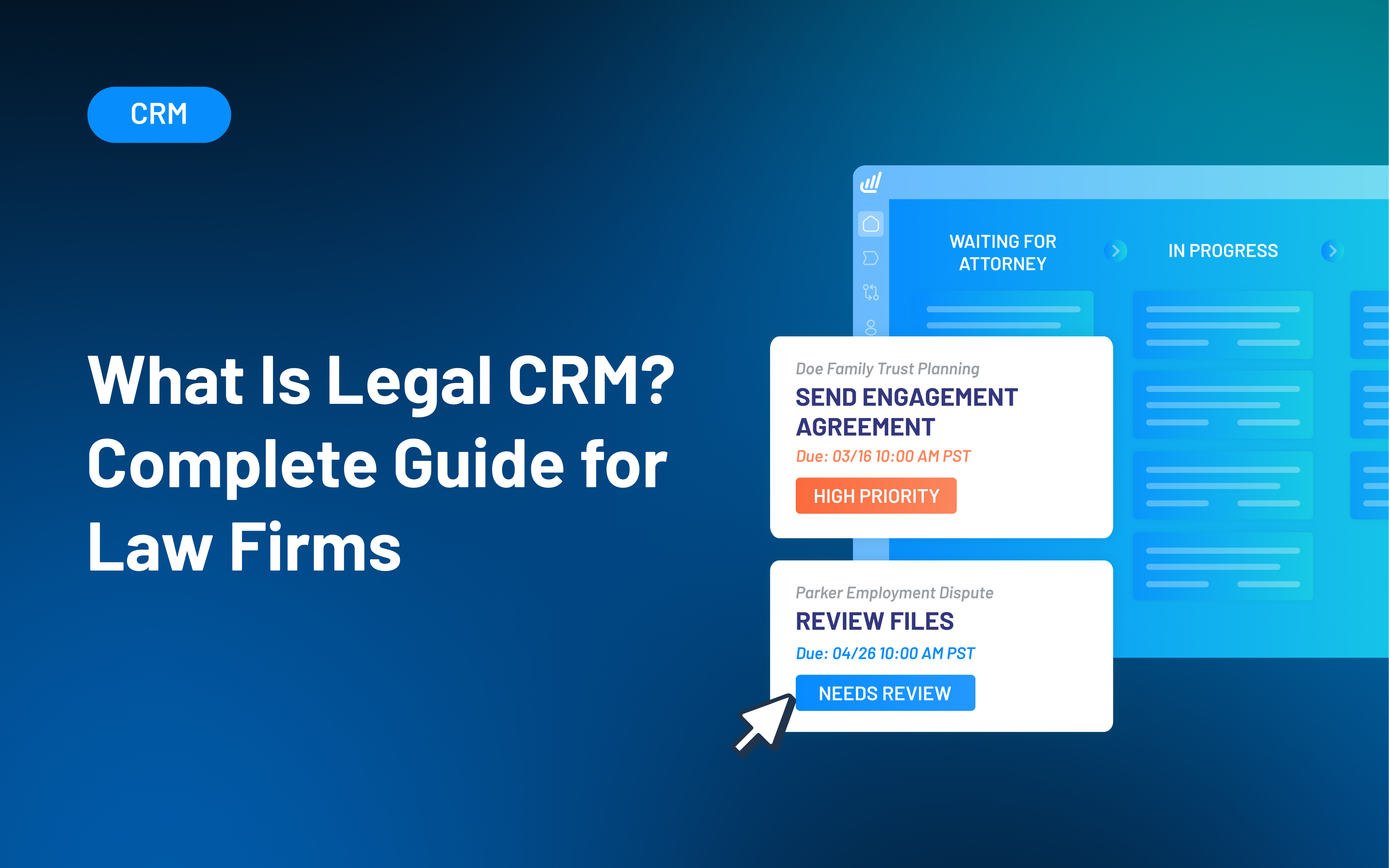
A legal CRM is software designed to help law firms manage relationships, intake, and follow-up from the first inquiry through to retained clients. It centralizes contacts, communications, and intake workflows, so firms can track prospects, reduce missed leads, and measure what drives new business.
Most law firms don’t lose business because they lack leads. They lose business because the intake process breaks down under real-world volume.
Calls go unanswered, form submissions sit in inboxes, follow-ups happen late (or not at all), and reporting is too unclear to fix what’s broken. That’s where legal CRM software comes in.
Unlike generic CRMs or case management systems, a legal CRM focuses on pre-matter workflows like lead tracking, intake, communication, and reporting.
Firms use legal CRMs to standardize intake, improve response times, reduce missed opportunities, and understand what converts prospects into signed clients.
This guide breaks down what a legal CRM is, how it differs from case management software, and which features matter most to law firms.
You’ll also see common mistakes to avoid, how to evaluate CRM options using real intake metrics, and how platforms like Lawmatics help turn intake into a predictable, measurable growth engine.
What Is a Legal CRM?
A legal CRM, or client relationship management system for law firms, is a platform that centralizes contacts, communications, and intake workflows. It helps you track and nurture prospects from initial contact through to retained clients.
Legal CRMs focus on relationship management and revenue workflows rather than active matter execution. And firms can manage leads, referrals, intake, and follow-up in one place, rather than across inboxes, spreadsheets, and scattered notes.
Because the earliest stages of the client journey often determine whether a firm earns the engagement, legal CRM software is designed around the realities of intake: capturing information quickly, routing leads to the right person, following up consistently, and tracking performance over time.
Legal CRM vs Case Management
| Feature | Legal CRM software | Case management software |
|---|---|---|
| Primary purpose | Manage leads, relationships, and intake from first inquiry through retained client | Manage active matters after a client is signed |
| When it is used | Before and after engagement | During engagement |
| Core focus | Intake, follow-up, communication, and conversion | Matter execution, deadlines, documents, and billing |
| Lead and referral tracking | Yes | Limited or not designed for this |
| Intake pipeline management | Yes | No |
| Automated follow-up and reminders | Yes | Limited |
| Email and SMS communication | Built in for intake and client communication | Often limited or matter-centric |
| Marketing source tracking | Yes | No |
| Conversion and intake reporting | Yes | Minimal |
| Contact and relationship history | Centralized across leads and clients | Matter-based |
| Best used alongside | Practice management and billing tools | Legal CRM for intake and growth |
Legal CRM
A legal CRM manages pre-matter workflows and ongoing relationships, including former clients and referral partners. It supports client intake, consistent follow-up, and reporting that connects lead sources and process steps to retained outcomes.
Practice management and case management software
Practice and case management tools are designed for active matters. They run signed client work, like tasks, calendaring, documents, time tracking, billing, and matter execution. This software is essential after engagement, but it’s not built to manage inbound leads or intake pipelines.
Why the distinction matters
When firms allow case management software to function like a legal CRM, leads fall through cracks, follow-up becomes inconsistent, and reporting can’t explain why. Most firms get better results by pairing a legal CRM with practice management so each system does its job.
What a Legal CRM Does
A good legal CRM doesn’t just store contact info. It creates consistent client intake automation, ensuring measurable and scalable performance for firms.
Centralizes contacts and communication history
A legal CRM creates a single record for each lead and client. The record may include messages, notes, and touchpoints. That shared history reduces handoff issues and makes it easier for teams to pick up conversations within a workflow.
Manages the intake pipeline
A legal CRM organizes intake into stages, like new lead, contacted, qualified, consult scheduled, consult held, and retained. When every lead has a stage and an owner, fewer inquiries get overlooked, and bottlenecks become visible.
Automates follow-up and task routing
A legal CRM can assign ownership, trigger reminders, and send messages based on lead status or behavior. This reduces reliance on memory and keeps intake moving during busy periods.
Provides reporting tied to outcomes
A legal CRM can provide reporting on lead volume, consult rate, show rate, retained rate, and performance by source or team member. That visibility helps firms improve conversion and invest in what works.
Examples of CRM Tools Used by Law Firms
Most CRM software for legal services offers communication, tracking, and workflow tools that support intake and business development. Here are some examples of how firms use legal CRM tools.
Email marketing and automated follow-up
Law firms often use email automation to respond immediately to form submissions, follow up after missed calls, and nurture leads. The goal is consistent contact without relying on someone to execute each next step.
For firms that want to go beyond simple reminders, a legal marketing automation platform can run multi-step nurture campaigns, re-engagement sequences, and referral follow-ups tied to intake outcomes.
Marketing source tracking
Marketing source tracking helps firms understand where leads came from, such as website forms, phone calls, referrals, or ads, and how those leads perform over time. Knowing what generates leads and retained clients allows firms to make smarter marketing decisions and reduce spend on channels that aren’t working.
Contact and relationship management
Legal contact management software centralizes information for leads, clients, and referral partners in one place. This ensures relationship history doesn’t disappear when an attorney changes firms, a staff member leaves, or a matter closes.
Custom reporting and dashboards
Reporting dashboards give firms visibility into the intake pipeline, including stage volume, response time, and conversion metrics. Many firms also want reporting by practice area, attorney, or lead source. Legal CRM reporting helps firms identify intake delays and performance gaps more quickly.
Text messaging and SMS communication
A legal CRM can support two-way texting, send automated reminders for consultations, and log message history for context and compliance. SMS communication can help firms reduce no-shows and better reach prospects who prefer a text.
Calendar syncing and appointment setting
Online scheduling within legal CRMs makes consult booking easier, with automated reminders that improve show rates. And calendar syncing reduces back-and-forth for intake staff and helps ensure the right attorney is booked based on availability and case type.
File and document collection
Secure upload links and centralized document collection cut down on multiple email threads and keep intake materials connected to the contact record. That speeds up lead qualification and helps attorneys walk into consultations better prepared.
Key Features to Look for in Legal CRM Software
A legal CRM should do more than store contacts. It should support intake execution, reduce manual work, and enable measurable performance. When you evaluate platforms, look for these core capabilities.
Intake forms and data capture
Look for customizable intake forms with legal-friendly fields and conditional logic. Strong data capture improves routing, qualification, and reporting accuracy.
Automation and workflow rules
Prioritize workflow controls that automate ownership assignment, follow-up timing, and internal routing to keep intake consistent across the team. For busy firms, this is what turns follow-up from best effort into built-in, consistent follow-up.
Communication tools
Email and SMS should be built in (or tightly integrated) with logged history and templates to standardize messaging and reduce manual work. When messaging is standardized, the client experience improves and staff waste less time rewriting the same responses.
Reporting and analytics
Reporting should make it easy to evaluate lead-source performance, conversion performance by stage, and intake-team productivity. The most useful reporting connects activity to outcomes, so firms can see what actually drives consults and retained clients.
Integrations
Integrations matter because most firms already have a practice management platform and don’t want to duplicate data entry. A legal CRM should integrate with practice management and billing tools to avoid duplicate entry and support clean handoffs after retention.
Security and permissions
Because intake information can be sensitive, role-based access and permission controls are important. A CRM should make it easy to control who can see what and to understand what changes were made over time.
AI and lead intelligence
AI features are most valuable when they help intake teams prioritize and act faster without removing human judgment. Explainable lead scoring can help route inbound inquiries. It allows staff to focus on leads likely to fit a firm’s ideal client profile, based on intake data.
This is where AI-powered lead scoring, like QualifyAI, can support intake teams by helping them prioritize leads while keeping final decisions in human hands.
Benefits of a Legal CRM for Law Firms
A legal CRM should be your firm’s intake operating system. When you can consistently capture, track, and follow up with every inquiry, you reduce lead leakage and make growth measurable. Here are the core benefits most firms see:
- Fewer missed leads and more consistent intake: Every inquiry is tracked through defined stages with clear ownership, so fewer leads fall through the cracks. Standardized workflows reduce variability across staff and make intake more reliable.
- Faster response times and higher conversion rates: Automation supports immediate acknowledgement, timely follow-up, and consistent reminders, helping prospects stay engaged.
- Better visibility into firm performance: Intake becomes measurable, with reporting on pipeline health, conversion rates, and marketing return on investment (ROI). Leaders can identify bottlenecks and top-performing sources, and attorneys receive more complete handoffs.
- Reduced administrative workload: Centralized records, templates, and automated tasks reduce manual entry. Teams spend less time tracking down information and more time efficiently executing intake.
- Systems that scale as the firm grows: When workflows live in the CRM, new hires onboard faster, and processes stay consistent as volume increases. Growth becomes less dependent on adding headcount at the same rate as leads.
Common Mistakes When Choosing a Legal CRM
A legal CRM can dramatically improve intake, but only if it’s the right fit and implemented with clear ownership. These are the most common mistakes firms make when evaluating CRMs.
- Choosing a generic CRM not built for legal workflows: Generic platforms often require heavy customization to handle intake, consult scheduling, and legal-specific reporting. The complexity slows adoption and can leave intake needs unsupported.
- Treating the CRM as “just a contact database”: If the system is only used to store names and numbers, you miss the real value: pipeline tracking, automation, and reporting.
- Ignoring integrations: Without clean integrations to practice management, calendaring, and communication tools, teams duplicate data entry and lose context during handoffs, which hurts adoption and reporting accuracy.
- Not defining ownership or an intake SOP: Technology doesn’t fix a messy process. Without defined stages, responsibilities, and response-time expectations, follow-up stays inconsistent even with a CRM in place.
How to Choose the Right Legal CRM
Choosing the right legal CRM comes down to finding a platform that matches your intake workflow, integrates with your existing tools, and gives your firm clear visibility into what drives consults and retained clients.
Start with your intake workflow
Before evaluating tools, map your client intake process from the first inquiry to a retained client. Define the stages to track and the criteria that qualify a lead to move forward. Assign ownership, so every inquiry has a responsible person, even when handoffs happen between intake staff and attorneys.
Define required reporting upfront
Identify the metrics you need to run, such as response time, conversion by stage, show rate, and retention outcomes by source. Then, confirm that the legal CRM can produce those reports without excessive manual work.
Ensure it fits alongside existing tools
Most firms already rely on practice management and billing platforms to run active matters, so the right CRM for legal firms should complement, not replace, those systems. Prioritize tools that integrate with your existing stack to avoid duplicate entry and maintain a clean handoff.
Test with real leads
During a trial or pilot, measure response time, consult scheduling rate, consult show rate, and time-to-retain. This makes it easier to compare tools objectively and build internal buy-in based on outcomes rather than preferences.
Turn your CRM into a predictable growth engine
A legal CRM should reduce lead leakage, standardize intake, and make performance measurable. When intake is treated as a system, with defined stages, ownership, and reporting, firms can improve conversion without relying on constant manual effort.
Lawmatics is a legal CRM built specifically for law firms, combining client intake, automation, reporting, and integration-friendly workflows into one centralized system.
With the right workflows in place, your firm can respond faster, follow up more consistently, and understand which sources and processes actually drive retained revenue.
Ready to turn your intake into a more consistent, measurable process? Request a demo to see how Lawmatics can help your firm capture more leads, follow up faster, and convert more inquiries into retained clients.
CRM for lawyers FAQs
What is a legal CRM?
A legal CRM is software that helps law firms manage leads, contacts, communications, and intake workflows from the first inquiry through to client retention.
Is a legal CRM the same as case management software?
No. A legal CRM focuses on intake and relationships, while case management focuses on active matters, including deadlines, documents, and billing.
Do small law firms need a legal CRM?
Yes, especially if leads are being missed or follow-up is inconsistent. A legal CRM helps smaller firms stay responsive and organized without adding headcount immediately.
What features matter most in a legal CRM?
The most important features are intake workflows, automation, communication tools (email and SMS), outcome-driven reporting, and integrations with existing systems.
Can a legal CRM integrate with tools like Clio or MyCase?
Yes. Many legal CRMs integrate with practice management platforms such as Clio or MyCase to reduce duplicate data entry and improve handoffs.

This guide highlights the best vendors in the four main categories of law firm software: customer relationship management (CRM), case management, legal document management, and time-tracking and billing solutions. Lawmatics tops our roundup for its extensive integrations, automation tools, and customizable features that help you explore new leads and strengthen existing client relationships.
Running a successful law firm means juggling countless tasks beyond courtroom appearances, from client intake and case prep to time-tracking and billing. Add marketing your services between meetings and court dates, and it's easy to feel overwhelmed, especially without dedicated administrative support.
The right legal software makes all the difference. According to 2025 Harvard Law School research, legal technology (particularly AI-powered tools) can boost lawyer productivity up to 100 times. This not only leads to better service quality but to a stronger reputation and, ultimately, increased revenue.
But the best legal software for your firm isn't necessarily what your competitor uses. This guide ranks top vendors in each category — CRM, case management, document management, and billing and time-tracking — so you can find the perfect fit.
What Is Legal Software?
Legal software is a broad category of tech applications designed to streamline the day-to-day operations of law firms. It ranges from electronic client intake forms that speed up prescreening to matter management tools that provide a comprehensive view of all your cases.
The main types of software for lawyers include:
- Customer relationship management (CRM): Sources, onboards, and maintains client relationships through email campaigns, drip marketing, and client portals.
- Intake management: Creates custom electronic intake forms based on your specialty and schedules new client appointments.
- Practice (case) management: Handles internal administrative tasks like bookkeeping, document management, deadline tracking, scheduling, and matter monitoring.
- Document management: Creates, organizes, and shares documents securely while complying with regulations like HIPAA.
- Billing management: Generates, sends, and streamlines client invoices, expenses, and payments, including trust account management.
- Time-tracking: Records billable and non-billable hours across multiple projects with easy-access timers on any device.
Many legal platforms integrate with third-party tools, like project management, lead generation, calendar, video conferencing, and accounting software, to create a seamless tech ecosystem.
Legal software can also be as comprehensive or specialized as you need, from all-in-one solutions to standalone products that address specific needs.
Learn more about legal software programs and the difference between legal CRMs and practice management with CRM for Law Firms: Complete Guide.
How to Choose the Best Legal Software
Beyond features, evaluate these factors when selecting the best legal software to fit your needs.
Ease of use & adoption
If finding the settings menu takes 10 minutes, imagine your staff's frustration. Choose platforms with intuitive, modern designs that your team can navigate easily. Familiar interfaces with customization options reduce training time and encourage firm-wide adoption.
Integrations & compatibility
When legal software integrates with the other tech tools you use every day, productivity soars. You and your staff avoid the cognitive strain of constantly switching between applications or the dreaded “toggle tax.”
Look for solutions that already have native integrations with your current business applications. At a minimum, your choice should connect with your CRM, billing, and case management systems.
Lawmatics integrations, for example, include Clio, MyCase, and PracticePanther. This allows you to unite CRM and case management without duplicate data entry.
Security & compliance
Client confidentiality is paramount. With the shift to cloud-based legal software solutions, data breach risks are a serious threat.
Evaluate legal platforms for their data encryption, audit trails, and secure storage capabilities. Verify they support two-factor authentication, role-based permissions, and access controls.
And, ensure they comply with SOC 2 Type 2 or ISO 27001 standards, plus laws like Health Insurance Portability and Accountability Act (HIPAA) and the California Consumer Privacy Act (CCPA).
Scalability & cost
Your ideal legal software should meet current needs while supporting future growth.
This might include additional customization options, analytics, reports, automations, AI tools, integrations, and API access as you evolve. Many platforms offer tiered pricing that unlocks features when the time is right.
You’ll also need to consider your budget carefully. Most cloud-based platforms charge monthly subscriptions based on firm size, user count, and feature tier. Watch for hidden costs like storage, support, implementation, and data migration fees.
Best Legal CRM & Client Intake Software
CRM and client intake software are critical for firm growth. Some features overlap with practice management tools, like calendaring and contact management. Meanwhile, CRM adds marketing and nurturing capabilities to keep prospects and former clients engaged.
Lawmatics
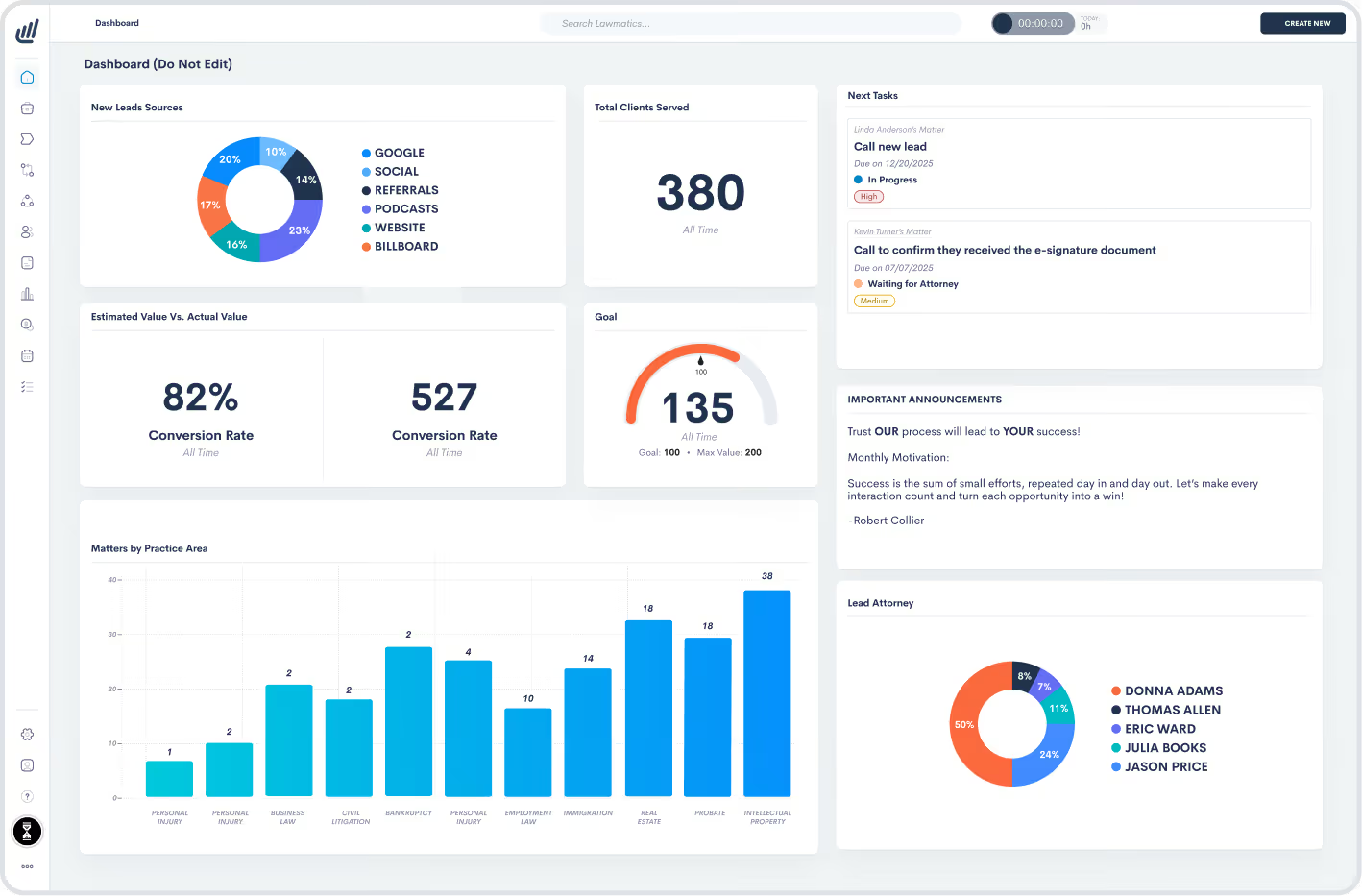
Lawmatics is a legal software platform with client intake, CRM, and data analytics capabilities, with an add-on for time tracking and billing. In particular, Lawmatics CRM handles the time-consuming work of organizing, scheduling, and following up with leads — tasks that often pull attorneys away from case preparation.
Lawmatics leads the pack with its powerful client pipeline automations, which sort and progress prospects across stages with minimal direct involvement. Plus, its AI-powered email drafting and SMS/MMS capabilities speed up client communication to enhance their overall experience.
Features:
- Client intake and pipeline automation
- Custom form builder
- Conflict checking
- Appointment booking, including client self-scheduling
- Email drip marketing campaigns
- E-signatures
- Client portals
- AI email drafting
- Custom analytics and reporting dashboards
- Optional time-tracking and billing add-on
Pricing: Contact sales for a quote. Three tiers are available (Essential, Premium, Enterprise) with a three-user minimum. Time & Billing available as an add-on.
Key differentiator: Native integrations with multiple vendors, including Clio, 8am MyCase, Smokeball, and QuickBooks.
Captorra
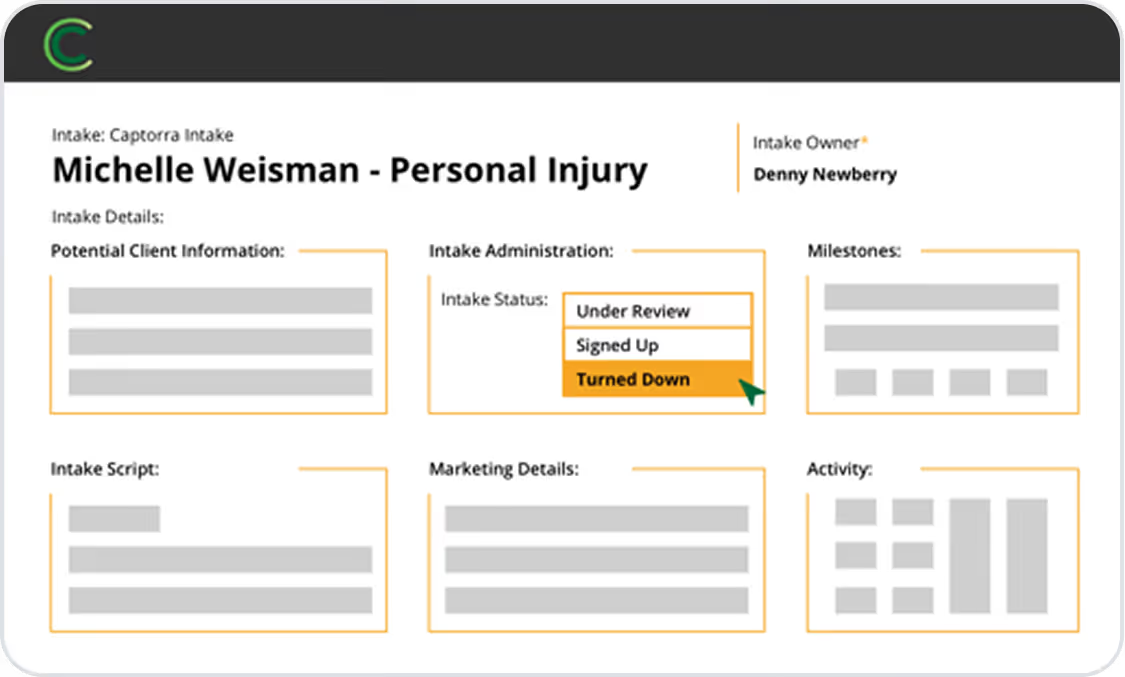
Captorra offers both lead and case management to support the whole client life cycle. Its intake management is particularly strong. It lets you create custom scripts for your intake specialists and paralegals.
You can even build automated turn-down processes that politely decline unqualified leads while maintaining positive relationships.
Features:
- Lead tracking
- Custom workflows
- E-signatures
- Referral management to determine strong referral partners
- Integrations with live chat and call center providers
Pricing: Contact sales for a quote.
Key differentiator: Automated prospect follow-up emails that keep leads warm and encourage sign-up.
Clio Grow
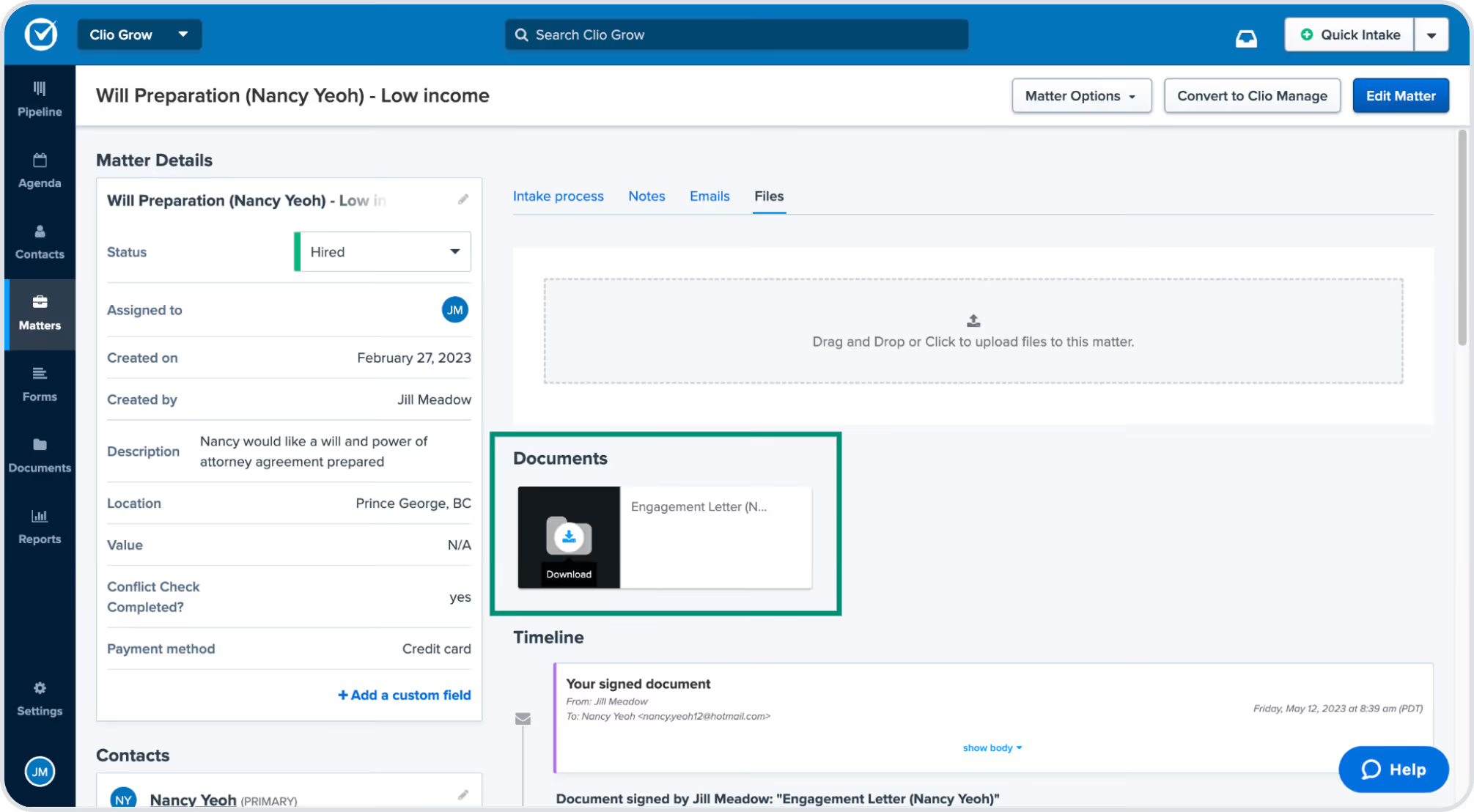
Clio Grow, formerly known as Lexicata, is a client intake solution purpose-built for law firms. It centralizes lead capture, intake form completion, and client onboarding within a single interface. Clio Grow includes charts that highlight lead sources and conversion trends over time, along with active intake workflows and upcoming follow-ups.
Integrating directly with Clio Manage, Clio Grow connects marketing, intake, and case management to create a seamless client experience from first contact to active representation. Clio Grow’s CRM features allow firms to automate reminders, track lead activity, and personalize follow-ups through email, text, or website form.
Features:
- Custom intake forms
- E-signatures
- Automated workflows and reminders
- Email and calendar sync
- Lead source tracking and reporting
Pricing:
7-day free trial. Afterward (billed annually):
- Basic: $49 per user per month
- Advanced: $69 per user per month
- Suite: $89 per user per month (includes Clio Manage integration)
Best Legal Case Management Software
Case, or practice, management software is essential for your daily case handling. Below are some of the top vendors.
Remember: Case management software boosts productivity, but you'll also need a CRM, like Lawmatics, to source, maintain, and engage with current and former clients. This ensures great experiences from intake to case closure, which strengthens your reputation and drives growth.
8am MyCase
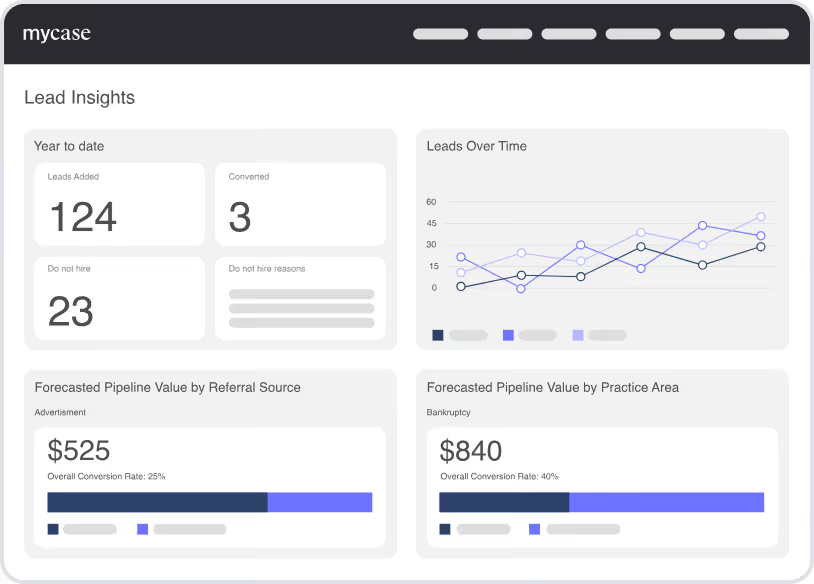
8am MyCase is a legal platform offering native functionality for case management, communications, intake, billing, and time-tracking. Rather than separate products, each subscription tier provides access to some of these capabilities, with more advanced versions unlocked at higher tiers.
MyCase's CRM features allow audience segmentation and communication through email, text, and your firm’s website.
Features:
- Client intake
- E-signatures
- Document automation
- Mobile app
- Workflow automation
Pricing:
10-day free trial. Afterward (billed annually):
- Basic: $39 per user per month
- Pro: $89 per user per month
- Advanced: $109 per user per month
- Add-ons: LawPay Payments, MyCase Accounting, and Website
Key differentiator: Create a law firm website with embedded intake forms and client portal connections.
Clio Manage
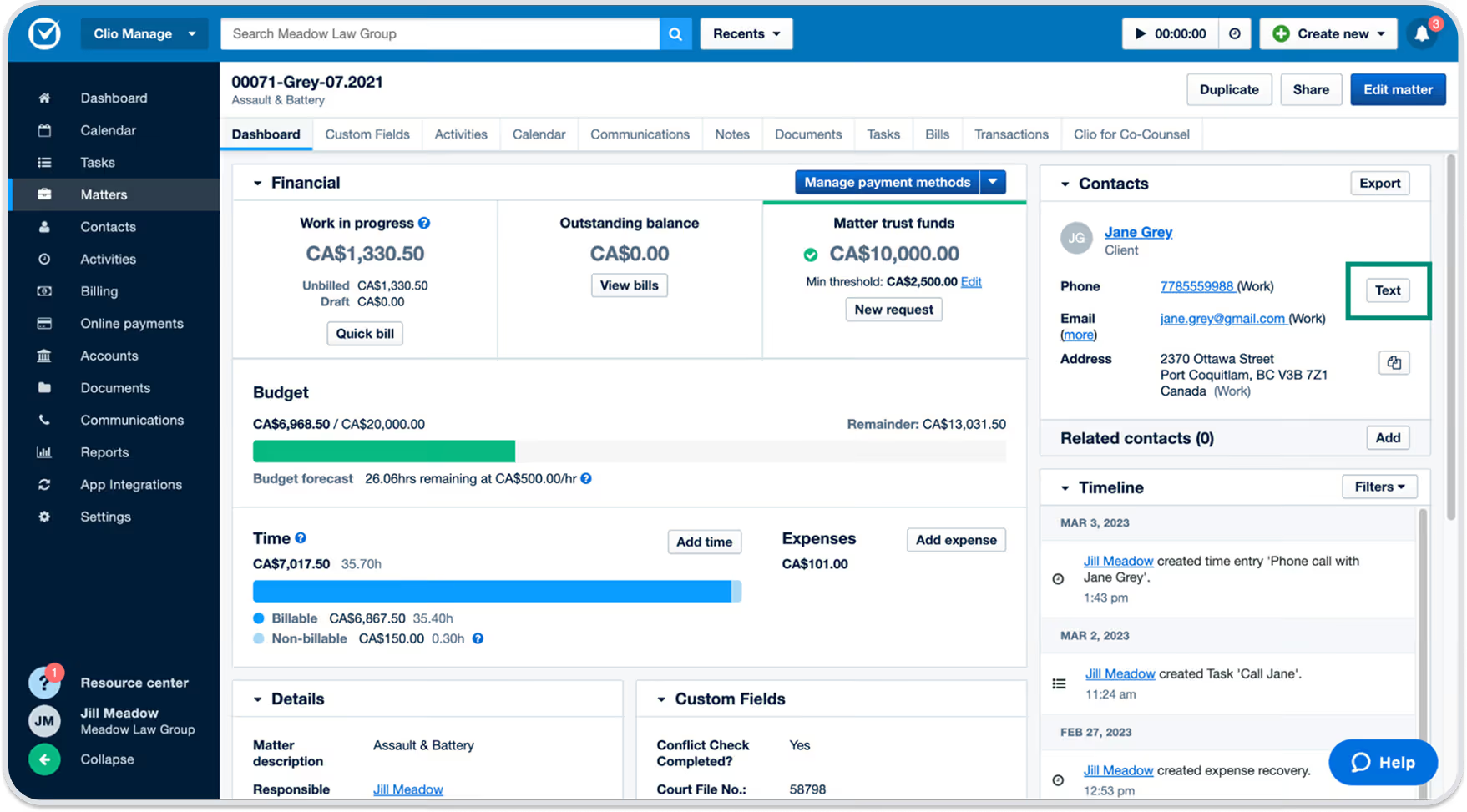
Clio is one of the biggest names in legal software, offering CRM and case management alongside advanced document, time-tracking, and financial management features. Clio Manage is its case management product. It includes calendaring, task, and contact management tools for internal operations.
Clio Manage also provides detailed reports and analytics, including utilization, realization, and collection rates, to help you understand your firm’s overall performance.
Features:
- All-in-one legal software suite
- Custom report builder
- Project-management collaboration tools
- Client scheduler
- Legal aid tools
- 250+ integration partners
Pricing:
7-day free trial (up to Advanced tier). Afterward (billed annually):
- EasyStart: $49 per user per month
- Essentials: $89 per user per month
- Advanced: $119 per user per month
- Complete: $149 per user per month
- Add-ons (Essentials tier and up): Advanced Document Automation, Clio Duo, Clio Grow, Clio Accounting, Personal Injury, and HIPAA Liability Protection.
Key differentiator: Specialty-specific tools like medical management and settlement features for personal injury practices.
PracticePanther
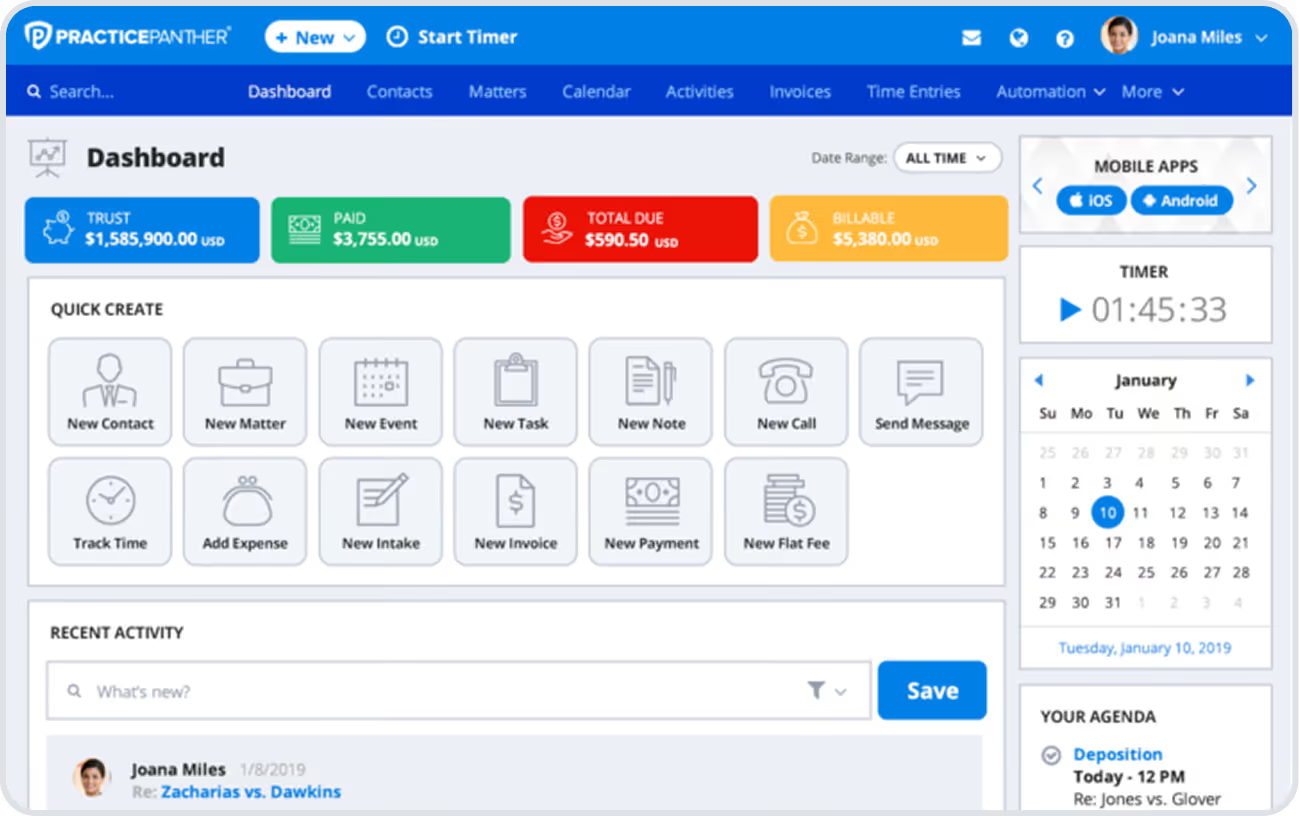
PracticePanther is a powerful practice management platform with calendaring, document management, and task collaboration features.
Its intuitive interface makes it easy to navigate, even for nontech-savvy staff. Integration with platforms like Zapier extends its functionality, letting attorneys and staff boost productivity without leaving the app.
Features:
- Case tracking
- Billing
- Workflow automations
- E-payments
- Unlimited data storage
Pricing:
7-day free trial. Afterward (billed annually):
- Solo: $49 per user per month
- Essential: $69 per user per month
- Business: $89 per user per month
Key differentiator: Military-grade 256-bit data encryption for secure firm and client information.
Smokeball
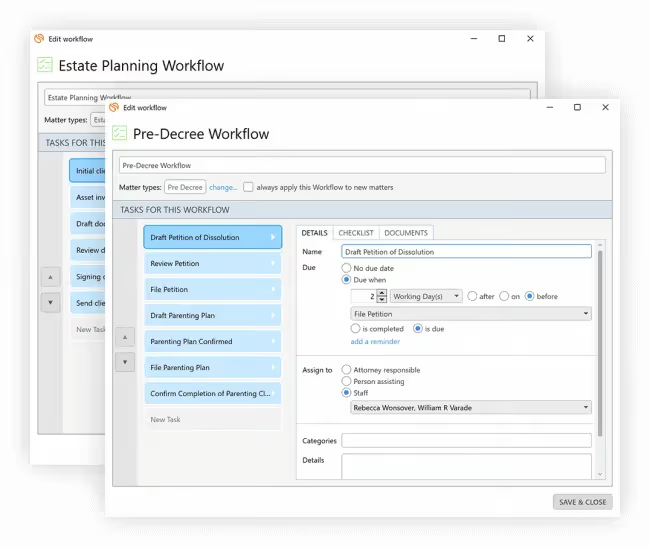
Smokeball is a legal software that, unlike Clio and PracticePanther, focuses primarily on case management tools to automate time-consuming administrative tasks. This makes it particularly suited for small-to-midsize law firms moving away from manual processes and spreadsheets.
Beyond workflow automation, Smokeball includes basic billing and time-tracking in all subscription tiers for improved financial visibility and productivity monitoring.
Features:
- Document automation
- Case management
- Built-in productivity tracking
- Free software training and configuration
- Legal drafting
Pricing: Contact sales for a quote. Four tiers are available (Bill, Boost, Grow, and Prosper+). Add-ons like Intake and Archie AI Assistant are available for Boost plans and up.
Key differentiator: AI-powered assistant, Archie, enables email drafting, matter and document summaries, and legal document creation.
Best Legal Document Management Software
Legal document management platforms ensure the organization and security of your firm and client information. At the same time, they help simplify document generation and maintain compliance with data privacy laws.
Lawmatics document automation, for example, auto-generates documents from templates to save time and reduce repetitive drafting.
Explore other top legal document management systems below.
iManage
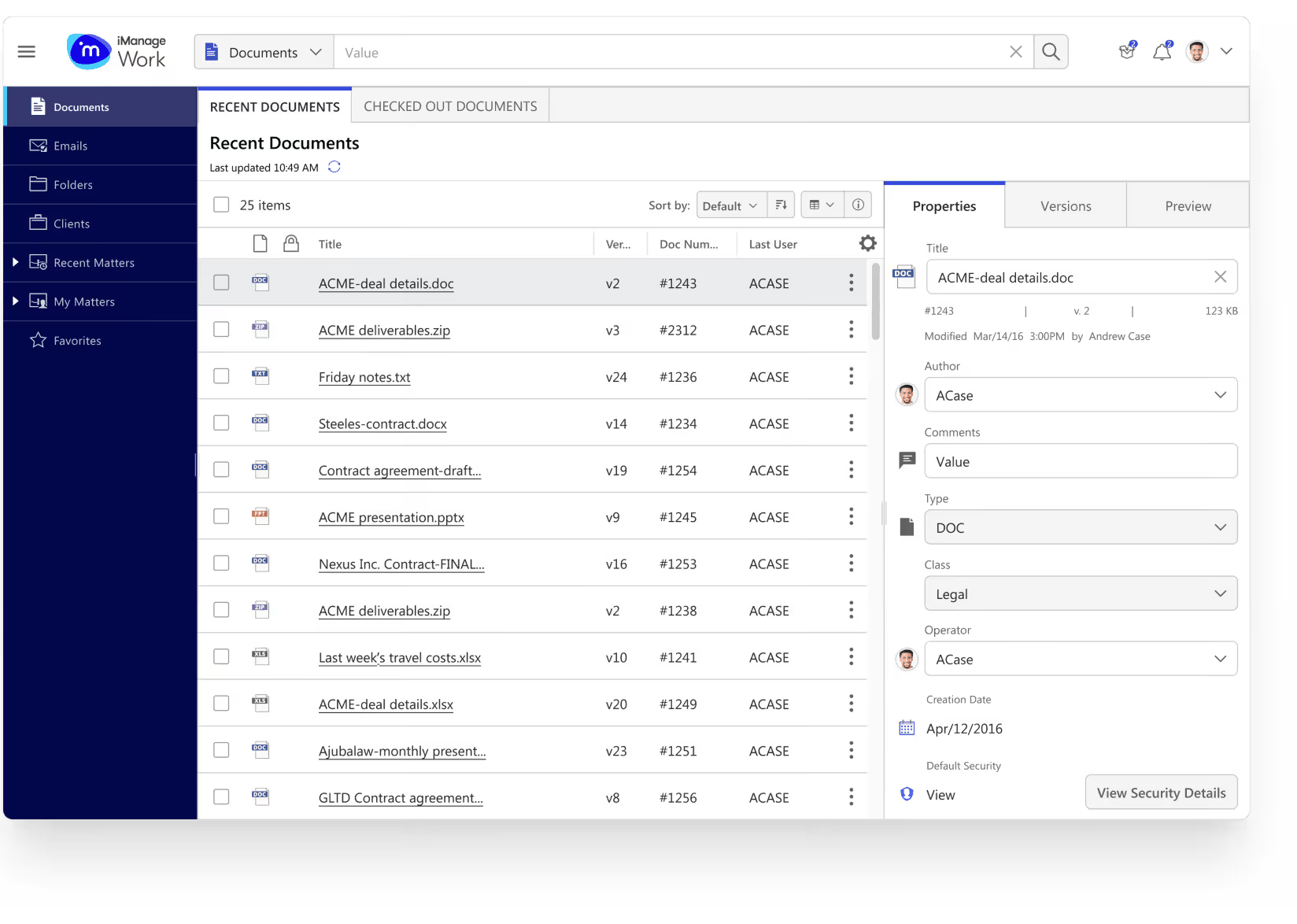
iManage is a document storage, sharing, and team collaboration tool. While not law-firm-specific, its enterprise-grade controls ensure asset protection while eliminating team and data silos.
Features:
- Document and email management controls
- Legal transaction management
- Security and governance protocols, like Threat Manager
Pricing: Contact sales for a quote
Key differentiator: Advanced search capabilities, including natural language searches and conversation with Ask Knowledge, its AI assistant.
NetDocuments
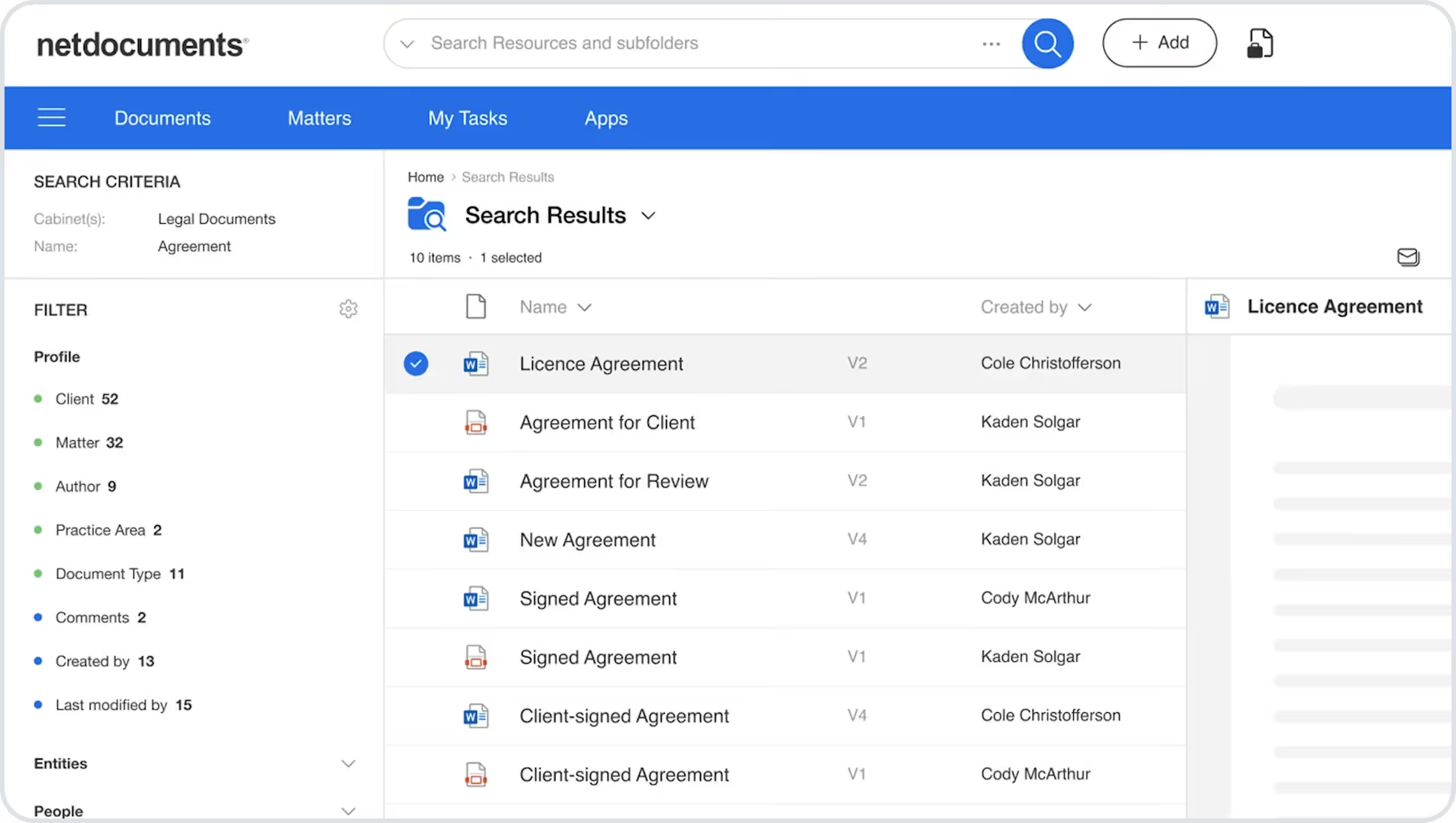
NetDocuments is a document management platform purpose-built for law firms. As such, it designed its tools with the needs of lawyers in mind. This includes search filters for matters and automation workflows for legal document creation, like intake forms and retainer agreements.
Features:
- Legal AI Assistant with agentic AI capabilities
- PatternBuilder for automation and multi-document creation
- Document bundling and delivery
Pricing: Contact sales for a quote.
Key differentiator: Ethical walls and granular access controls that restrict document and workspace access, maintaining client confidentiality.
Clio Docs
As a comprehensive legal platform, Clio includes document management directly within its practice management system. This makes content creation and collaboration seamless. For example, autofilling documents with information stored in Clio Manage.
Features:
- Clio Drive for Windows and Mac
- Integration with other Clio products
- Desktop and mobile support
Pricing: 7-day free trial. Starts at $49 per user per month for document storage and e-signatures. Advanced document automation is an add-on.
Key differentiator: Ability to scan and upload physical documents to move to a completely paperless workspace.
Best Legal Billing & Time-Tracking Software
Billing and time-tracking software is essential for understanding your firm's profitability and growth potential. The right software helps you pinpoint billing bottlenecks, identify lost billable hours, and prevent payment delays.
Lawmatics Legal Billing add-on, for example, lets clients view and pay invoices from their portal, speeding up payment processing.
Check out other great options below.
TimeSolv
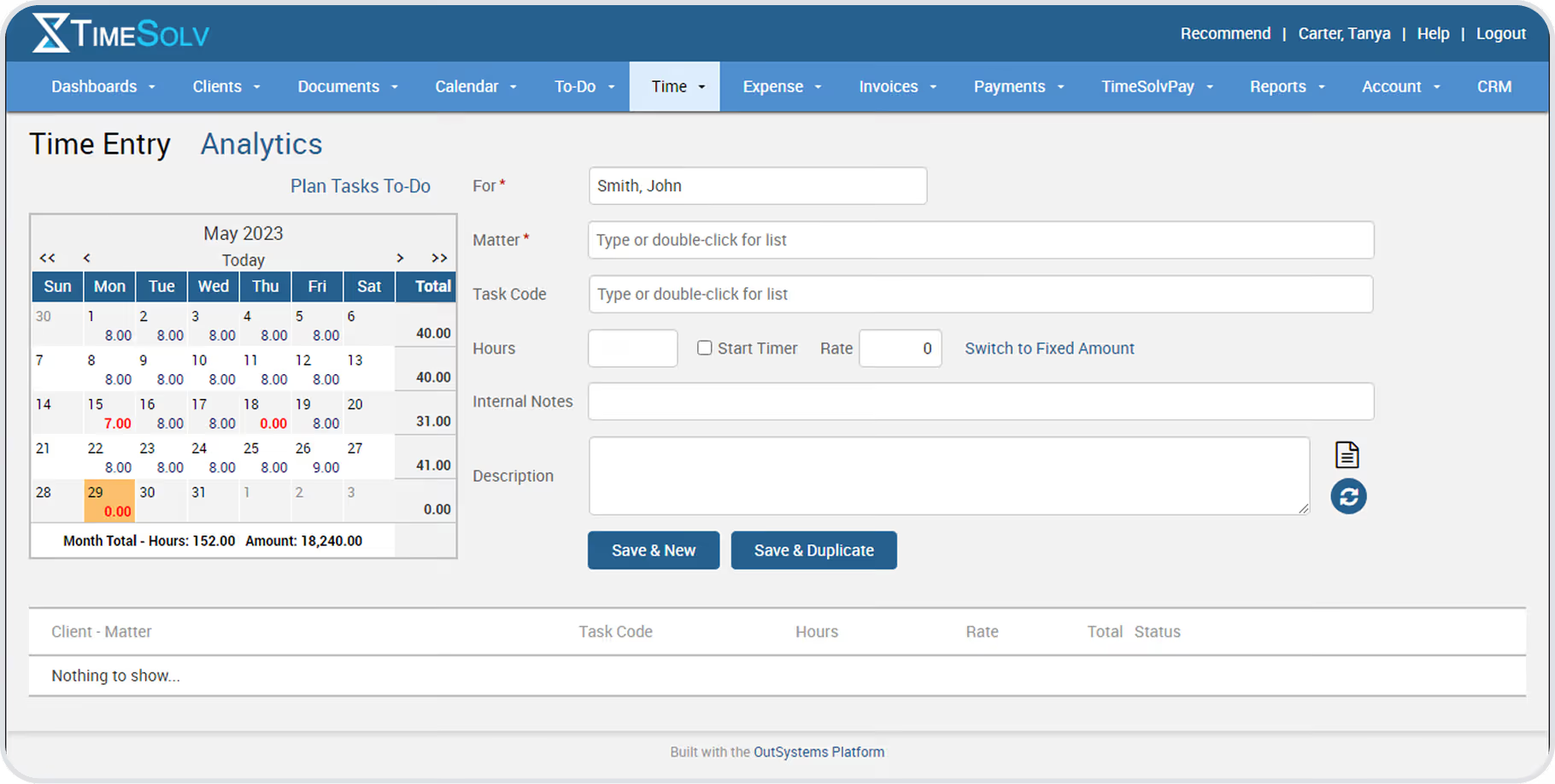
TimeSolv is a time and billing platform designed for solo practices or small-to-midsize firms. Its simple design and integrations with accounting tools like QuickBooks, Xero, and AccountEdge encourage adoption while providing a macro view of your firm’s profitability.
Features:
- Trust accounting
- Budgeting
- Offline time tracking
Pricing:
10-day free trial. Afterward (billed annually):
- TimeSolv Pro: $38 per month.
- TimeSolv Legal: $53 per month.
Key differentiator: Outsourced legal bookkeeping services for firms without in-house billing resources.
Bill4Time
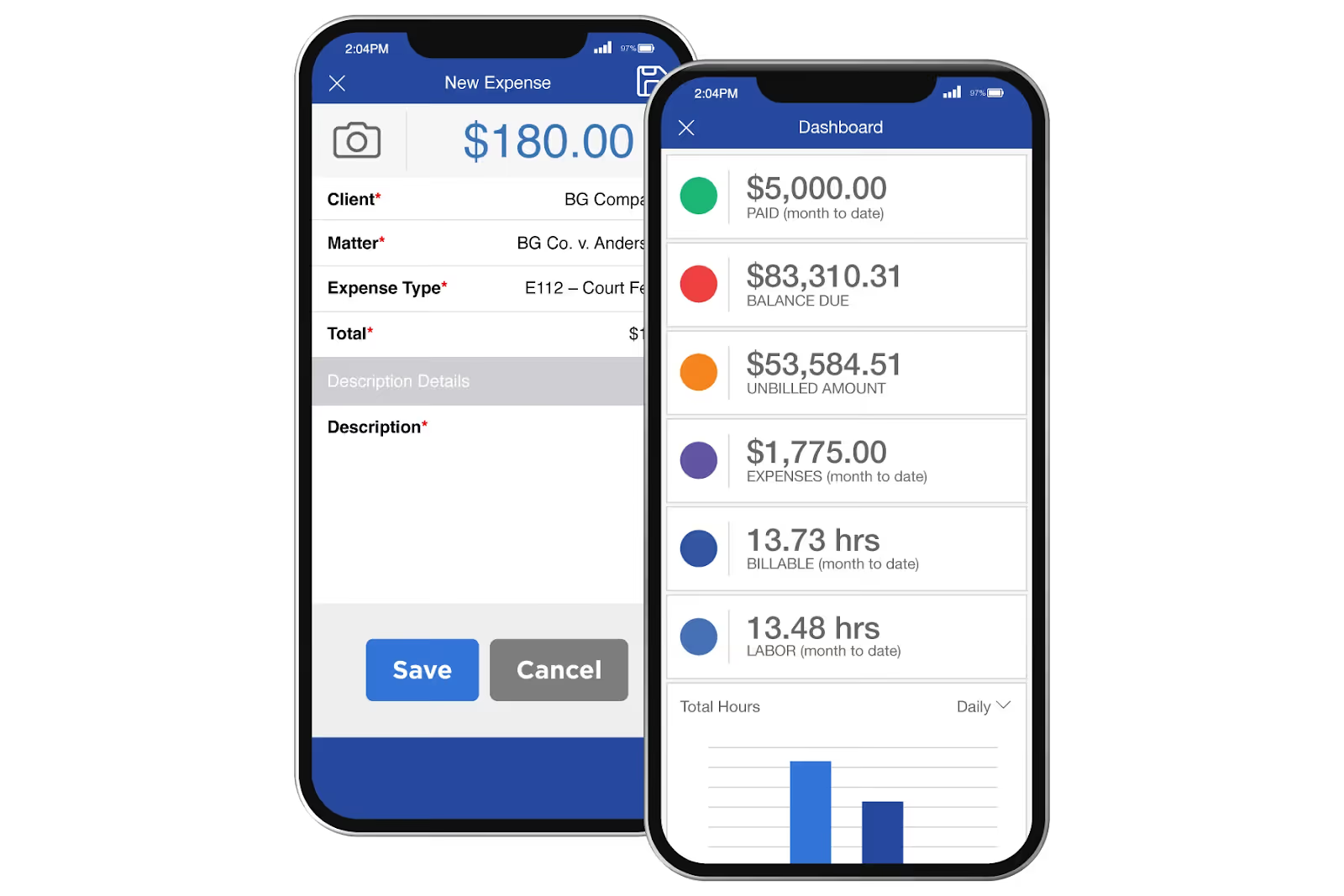
Bill4Time is another popular billing and time-tracking software for lawyers with scalable price tiers supporting solo practitioners to large firms. Features include advanced billing tools like contingency arrangements and customized invoices.
Features:
- Trust accounting
- Expense tracking and invoicing
- Basic CRM and case management tools
Pricing:
14-day free trial. Afterward (billed annually):
- Time & Billing: $27 per user per month.
- Time & Billing Enterprise: $67 per user per month.
- Legal Pro: $45 per user per month.
- Legal Enterprise: $80 per user per month.
Key differentiator: Task, client, and document management tools included in all subscription plans.
LeanLaw
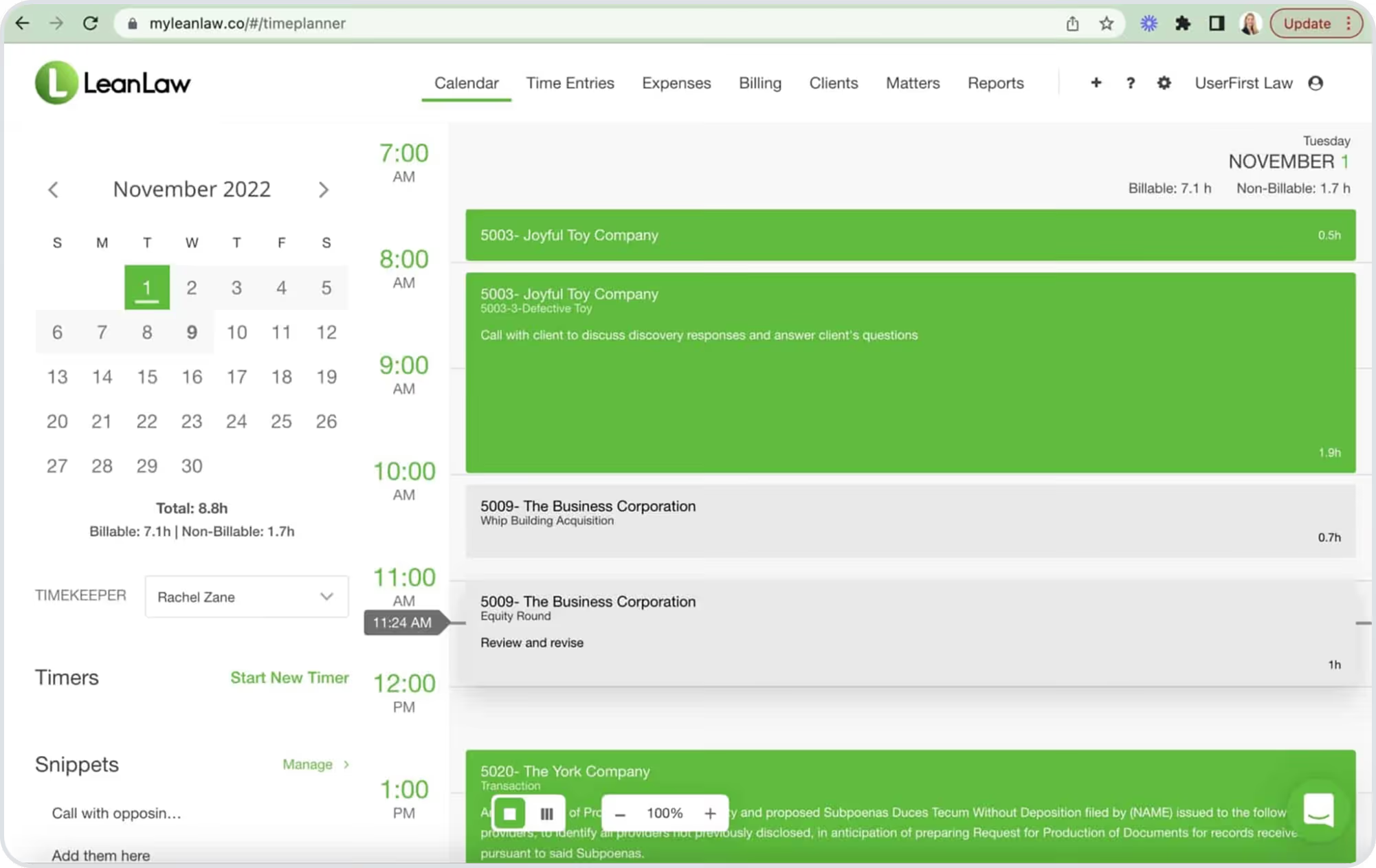
LeanLaw's intuitive interface makes it great for small and midsized firms seeking quick implementation.
While it has fewer native integrations than platforms like Lawmatics and TimeSolv, it compensates with user-friendly features like invoice templates and in-app timers for more accurate client invoicing.
Features:
- QuickBooks integration
- Invoicing and expense tracking
- Time tracking
Pricing:
7-day free trial. Afterward (billed annually):
- Core: $55 per user per month.
- Pro: $75 per user per month.
- Elite: Contact sales.
- Add-ons: Priority support, Custom reporting, Unlimited invoices, and Compensation tracking.
Key differentiator: Dynamic analytics dashboards providing real-time actionable insights into firm performance.
Choosing the Best Law Firm Software
When you’re ready for your next law firm technology, ask yourself:
- What kind of legal software does my firm need: CRM, practice management, document management, or time-tracking and billing?
- Does the platform create a great experience for my clients?
- How easy is the platform to use?
- Can it integrate with my current tech tools?
- What security protocols does it have?
- Will it adapt as my firm grows?
The best way to futureproof your firm? A CRM and intake platform that keeps prospects engaged with powerful marketing features and automated workflows that increase efficiency.
Don’t let leads slip through the cracks. Request a demo of Lawmatics, the leading legal CRM and client intake software. See how it integrates seamlessly with tools like Clio, 8am MyCase, and PracticePanther to power your firm’s growth.
Frequently Asked Questions About Legal Software
Is cloud-based legal software secure?
Yes, when providers implement proper security and data governance policies. Look for compliance with data privacy laws like the CCPA and the SHIELD Act, plus information security standards like SOC 2 Type 2 or ISO 27001.
Legal software should also comply with HIPAA and, for billing and payments, the Payment Card Industry Data Security Standard (PCI DSS).
When choosing a platform, research its security standards. Ask vendors about confidentiality features, especially during file transfers. Features like 256-bit encryption, multi-factor authentication, privacy settings, access controls, and independent security audits indicate they take your data protection seriously.
What is the difference between legal CRM and practice management software?
While there's some feature crossover, legal CRMs focus on sourcing, engaging, and nurturing relationships with future and past clients. Practice management platforms focus on handling cases with existing clients.
Think of it this way: CRMs are for external marketing and maintaining client relationships. Practice management tools are for controlling your internal operations.
How much does legal software cost?
Most cloud-based legal software uses subscription pricing. Overall costs typically depend on features and user count, usually ranging from $30 to more than $200 per user per month.
You’ll also want to be on the lookout for hidden fees, such as costs for implementation, data migration, priority support, or customized reports and workflows.
What legal software is best for small vs. large law firms?
Small firms typically prioritize case management features that support their existing client base. These features may include matter management, document management, billable work tracking, and accounting software integrations.
Large firms often seek more advanced software, particularly CRM platforms, to automate repetitive tasks, engage prospects, and develop their brand and reputation for continued growth.
What features should I look for in legal software?
The features to look for in legal software largely depend on what’s important to you, whether it’s CRM, case management, document management, or billing and time-tracking.
Generally, look for platforms with automated workflows that eliminate manual administrative processes. These can give you more time for your clients’ cases. Features like client portals and appointment self-scheduling also free up your time while improving client experience.

Running a law firm means managing a lot of moving parts — from new inquiries and consultations to signed agreements and onboarding, let alone billable work. The more your pipeline grows, the more important it becomes to have systems that keep everything moving smoothly and nothing falling through the cracks. That’s where automation steps in — not just to save time, but to help you build a more scalable, conversion-ready intake process.In this month’s Deep Dive, Lawmatics Product Manager Devon Roth is joined by Clare Struzzi, manager of the account management team, to walk through how to get even more out of your automations and pipeline setup, so your firm can continue to grow.
Time Stamps of Key Takeaways
4:50 — Build an intentional pipeline
The webinar kicks off with Devon and Clare outlining how to build a clean, intentional intake pipeline that works across all practice areas. Rather than juggling multiple pipelines, they recommend one universal structure with milestone-based stages. Clare also shares tips from onboarding calls about using filters and tags to keep it flexible without adding complexity.
9:22 — Automate key workflows
In this section, Devon demonstrates how automations can replace manual tasks — like sending emails, changing statuses, or converting leads — so your team can focus on high-touch client work. The takeaway: Automation isn’t just about speed — it’s about setting your firm up to scale responsibly.
27:00 — Using triggers and actions
This section covers the full automation lifecycle, from what sets a workflow in motion to what happens next. Devon breaks down key trigger types like form submissions, document completions, and field updates, then transitions into a demo of how to stack actions such as emails, tasks, delays, and conditionals. Clare adds strategic context around using advanced logic, testing automations with dummy matters, and avoiding common missteps.
43:59 — Exit conditions and next steps
In the final segment, Devon and Clare demonstrate how exit conditions ensure automations stop when a lead hires, is lost, or moves forward, preventing redundant follow-ups. A key example is the engagement agreement: Once it’s signed, Lawmatics can automatically convert the lead to a hired matter, trigger a welcome packet, and end any drip campaigns still running. Your hosts wrap by emphasizing the importance of sub-statuses for tracking lost leads and using conversion actions to maintain clean data and syncs across systems.
Webinar slide deck

When a client needs to send over a copy of their ID or an accident photo, they’re not looking for a complicated process. They don’t want to log into a portal, track down your email address, or dust off the household scanner. They want to do what they already do dozens of times a day: take a picture on their phone and hit “send.”Now, they can — directly to your firm’s text thread.We’re excited to introduce MMS messaging in Lawmatics, a new add-on feature that makes it easier than ever for clients to share what you need. With MMS enabled, your clients can send photos and other media files straight to your firm via text message, no extra steps required. It’s fast, convenient, and designed for the way people actually communicate today.And because it all flows into Lawmatics, your team gets complete visibility — without ever chasing an email or wondering where that document went.
Why law firms need MMS
Law firms have long used SMS in Lawmatics to confirm appointments, send reminders, and streamline the intake process. It’s a fast, reliable way to keep communication moving — especially during those early client interactions where speed and clarity matter most.Now, with the addition of MMS, there’s an even more convenient option when a client wants to share something visual. Whether it’s a photo of a document or an ID, clients can send it directly by replying to a text message — no need to switch to email or upload through another system.For clients who are on the go or not especially tech-savvy, it’s a natural extension of how they already use their phones. And for firms, it’s a simple way to keep all communication in one place. A quick handoff of information is especially useful in early-stage conversations, where momentum can mean the difference between a retained client and a lost opportunity. It also helps prevent small delays from snowballing; when an item isn’t in-hand, you can’t move forward.

How MMS messaging works
MMS is an add-on feature that builds on your existing SMS capabilities in Lawmatics. Once enabled, clients can simply reply to your text with a file.Supported file types include standard formats like .jpeg and .png. You’ll see incoming media directly in the conversation thread within Lawmatics. From there, your team can take whatever next step is needed — whether that’s moving the intake forward, assessing the file in the client’s record, or triggering an automation based on the update.
Where MMS makes the biggest impact
While MMS is helpful across the board, in some practice types, the convenience can be a game-changer.Take personal injury, where documentation often includes real-time photos of injuries, accident scenes, or vehicle damage. Now, they can just text it, and you’ll receive it within seconds. And because Lawmatics is SOC 2 Type 2 and HIPAA compliant, your firm can safely receive even sensitive medical or personal records through MMS without worrying about where or how those files are stored.Alternatively, in immigration law, there’s often a long list of required documents: passports, visas, birth certificates, proof of residency, and more. Clients may not have ready access to email or may be coordinating with family members across borders. MMS lets them send what they have on hand right away, without needing a laptop or scanner.Even in estate planning, family law, or criminal defense, there are plenty of moments where a client needs to share a physical document, handwritten note, or piece of mail. With MMS, they can take a photo and send it through the text thread they’re already using to communicate with your firm. It’s easy, intuitive, and completely in line with how they already use their phones.
Built for a client-centered experience
For your firm, MMS means fewer delays, fewer follow-ups, and fewer dropped balls. For your clients, it means a legal process that feels more responsive and modern. Instead of “please send that via email when you get a chance,” they hear: “you can just text it.”And that shift matters. When clients feel like it’s easy to work with you, they’re more likely to follow through, stay engaged, and trust the process. And when your team has the files they need, exactly when they need them, they can serve clients more efficiently and effectively.
Getting started with MMS
At the end of the day, adding MMS support is about reducing friction in one of the most common parts of the legal journey: sharing photos and documents. Your clients expect to communicate with you as easily as they do with friends or family — and now, they can.If you're already using Lawmatics, enabling MMS is a simple upgrade. Once the feature is activated on your account, all incoming client messages will support media attachments, with no extra setup required on your end. To enable MMS for your firm, just reach out to your account manager or use this form to sign up.Not using Lawmatics yet? Get a demo to see how our platform helps law firms streamline communication, automate intake, and deliver a better client experience from day one.
We know running a law firm means juggling a ton of software. And while each tool is supposed to make things easier, sometimes it feels like they just add more to your plate with duplicate data entry, wasted time, and clients who feel neglected.That’s exactly why we’d like to spotlight our Lawmatics integration with MyCase, one of the leading case management platforms. With this powerful connection, you can manage the entire client lifecycle — from initial inquiry to case resolution and beyond — without the hassle of manual data transfers.
What this integration does for you
Your team shouldn’t have to spend time manually copying client details from one system to another. Technology should lighten the administrative load, not add to it. By linking Lawmatics with MyCase, you get a frictionless transition from client intake to case management, ensuring a more efficient workflow and a better experience for both clients and your team.
A smooth connection from Lawmatics to MyCase
Lawmatics users can automatically or manually sync matters over to MyCase. Any records that have been created in Lawmatics as matters will be pushed into MyCase along with corresponding details like notes and files.
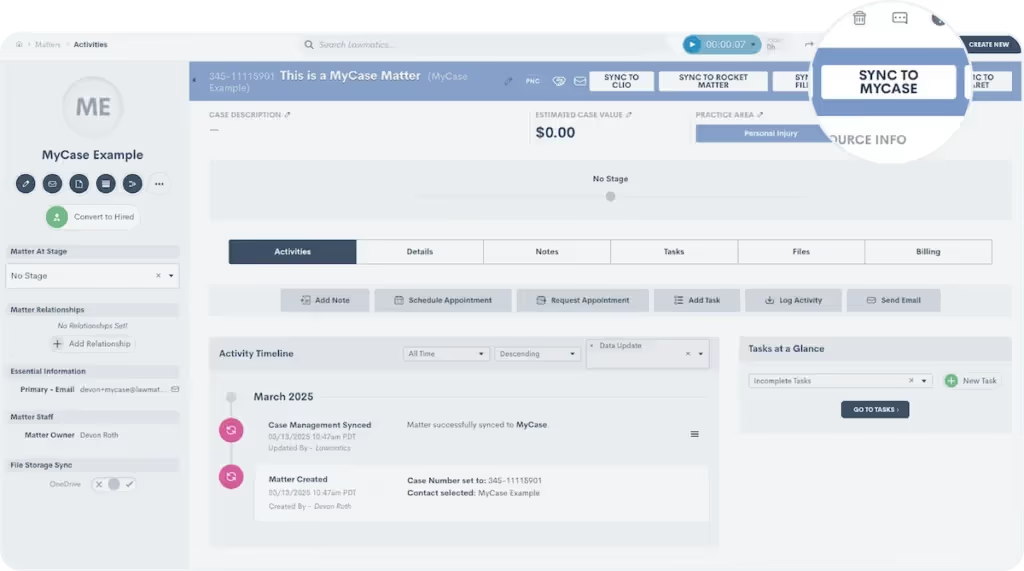
Activating the integration takes just moments. From there, you can define triggers that automatically transfer matter details to MyCase. For example, once a client signs an engagement agreement in Lawmatics, their case file can instantly sync to MyCase, keeping everything up to date without extra effort from your team.
Sync matter details and files automatically
When integrating MyCase with Lawmatics, you can map custom fields from Lawmatics to custom fields in MyCase. Plus, when a matter syncs or converts from Potential New Client to Hired, any files attached to the existing matter in Lawmatics will also move over to MyCase.
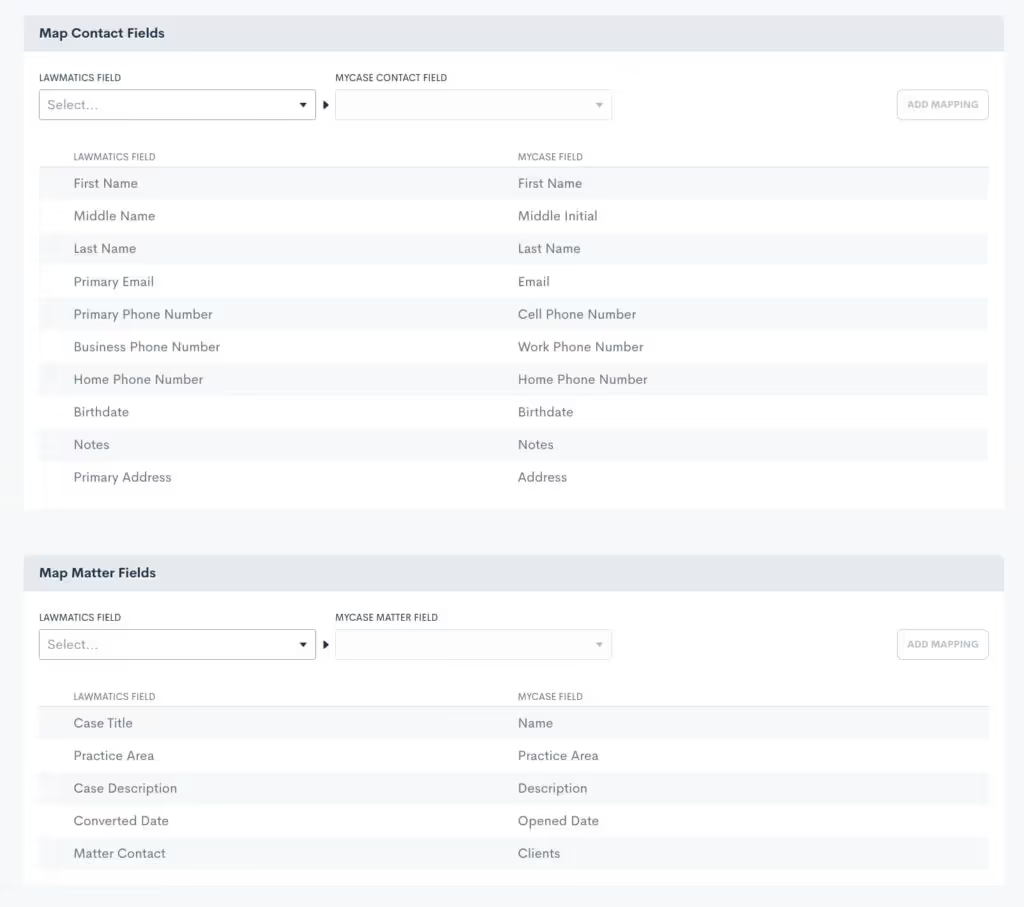
All of the manual work of making sure all details and relevant files get moved over to MyCase will be taken care of on the Lawmatics integration page.
How to integrate Lawmatics and MyCase
Already using both platforms? Setting up the integration is quick and easy. Just head to the integration settings page in Lawmatics, click the MyCase icon, and follow the simple connection steps. You’ll need your MyCase login credentials, so have those handy. For more information, please visit our Help Center.

Get started with Lawmatics + MyCase
If you’re a MyCase user looking for a better way to manage client intake, schedule a demo with Lawmatics today and see how our growth platform can take your firm to the next level.For more details on this and other Lawmatics integrations, check out our dedicated integrations page.

Big changes are here, and we couldn’t be more excited to share them with you! We decided there was no better way to start the year than by giving Lawmatics a refresh — one designed to make your experience smoother and more straightforward.This isn’t just a facelift; we made these updates based on extensive research into how our users access different features throughout their day. A new layout, smarter organization, and refined workflows mean you’ll spend less time clicking through menus and more time on revenue-generating tasks.
Welcome to the new navigation panel

The first thing you’ll notice is that the navigation bar has moved — from the top of the screen to a sleek sidebar on the left. Here’s what’s new:
- Simplified menu structure. We’ve grouped related tools and tabs to better reflect your workflow. Some of our previous groups were a bit broad, so we created labels that are more intuitive.
- Persistent access. Now, when you open a tab, it stays open, making it easier to navigate without losing your place. This update builds on the previous design by keeping key menus readily accessible as you work.
- Collapsible design. Prefer more screen space? Collapse the sidebar for a cleaner, distraction-free view — perfect for reviewing matters or data.
- One-click buttons. New navigation buttons now take you straight to frequently used pages in the app, like the Calendar and Dashboard, making it even easier to get where you need to go.
Automations and reminders
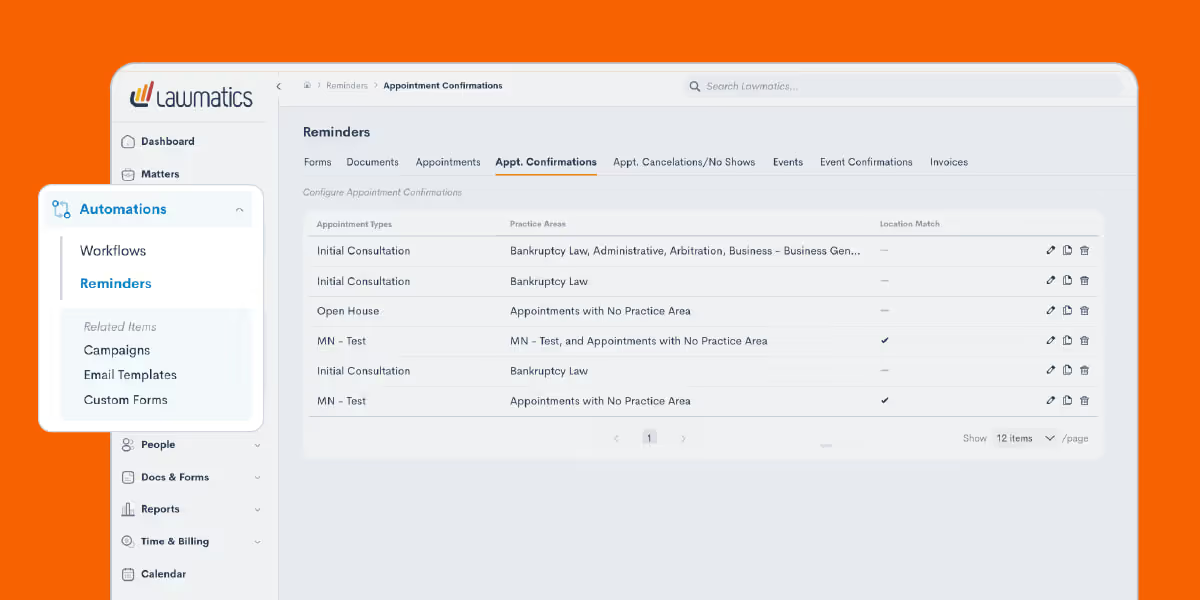
To make automation management and reminders more accessible, we’ve reorganized these tools into a centralized location. Your automation builds are now called Workflows, a name that better represents their function and simplifies navigation. This group now also consolidates all of your reminders, from forms to invoices, into one place. Now, instead of being spread across different features, reminders are all housed in a single hub, making them easier to track and manage than ever.
One marketing hub for client engagement
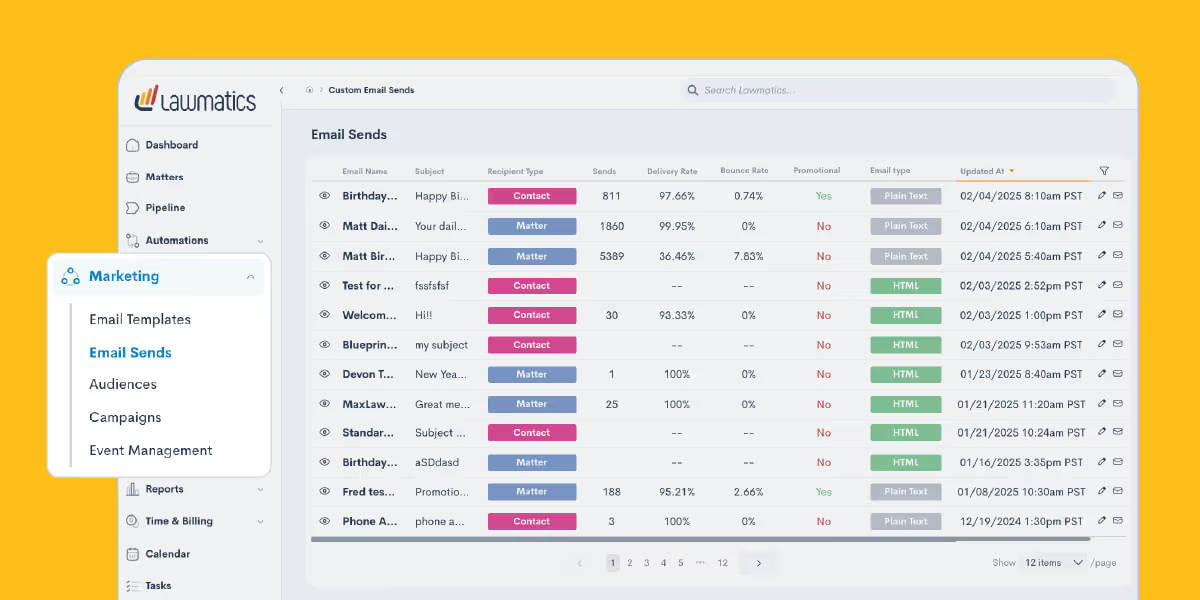
Your Marketing tab has been reimagined to create a seamless journey from initial contact to lasting engagement. Now, everything is structured to help you connect with potential clients, nurture relationships, and drive conversions in a way that feels natural and intuitive.
Emails
Start with Email Templates, where you can craft messages that resonate every time. Save your best-performing content and repurpose it effortlessly, ensuring consistency in your outreach. When it’s time to send, head to Email Sends, your go-to for delivering targeted messages to leads and existing clients with just a few clicks.
Audiences
To ensure your emails land with the right audience, the Audiences tab allows you to organize contacts into meaningful groups. A personal injury firm, for instance, might segment contacts by case type — auto accidents, slip-and-fall claims, or workplace injuries — so each message is hyper-relevant. This way, every email is not just sent but resonates with recipients, guiding them toward the next step in their legal journey.
Campaigns & event management
With your emails in motion, the Campaigns tab becomes your control center. Here, you can track performance, tweak messaging based on real-time insights, and optimize engagement. But what happens when an email sparks interest, and a lead wants to learn more? That’s where Event Management comes in. Whether it’s a live webinar, an educational lunch-and-learn, or an in-person networking event, you can manage registrations, track attendees, and follow up afterward. This keeps potential clients engaged and strengthens your connection with them before they even step into your office.By organizing the Marketing tab around the natural flow of client engagement, Lawmatics turns your outreach efforts into a well-oiled machine — attracting, nurturing, and converting leads with ease.
Contacts and matters
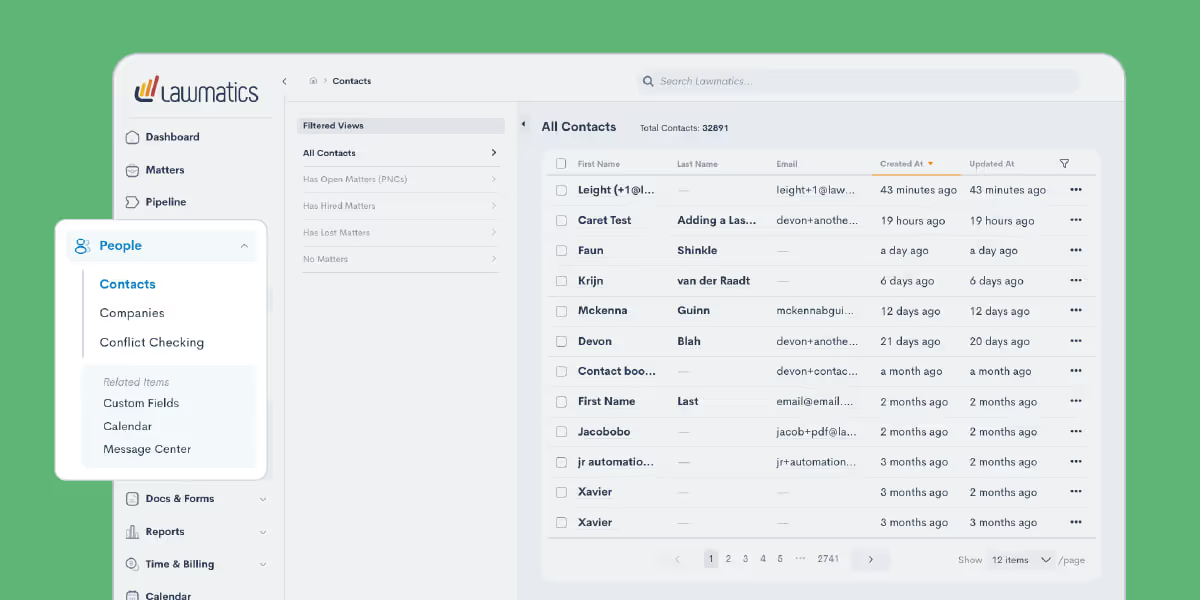
Most of the features previously found under the CRM group are now housed in the new People tab, the central hub for everything related to your clients. Here, you’ll find key details like contact information, company associations, and conflict checking.But managing client relationships isn’t just about storing information; it’s about meaningful engagement. That’s why we’ve also included tools that help you take action. For instance, after reviewing a client’s personal details, you may want to follow up with them directly. To make that next step as simple as possible, we’ve added a direct link to the Message Center under the People tab, allowing you to send an email without disrupting your workflow.
Documents and forms

The first change here is that we relabeled this group from Assets to Docs & Forms, your one-stop shop for information sharing. Emails have moved to the Marketing tab, while most other features remain in this section for easy access.To streamline navigation, we’ve separated some existing functions. Document Templates, for example, have their own page, and we’ve added a new E-Signatures section for you to monitor your document signing requests. While new e-signature documents can’t be created from this page, you can monitor when requests were sent and whether they’ve been completed.We applied this same approach further down in this section — File Request Templates and File Requests are now distinct, making it easier to manage each separately. You’ll also find Firm Files here, a central space for storing welcome packets, images, and other attachments you regularly use with clients.
Recap
The brand-new Lawmatics interface is about giving you a platform that works the way you do. Every one of these changes is based on user feedback and real-world usage patterns. We are pumped for how these upgrades will make your daily workflow even smoother and more efficient. And we’ve got even more updates planned — so stay tuned throughout the year!If you haven’t used Lawmatics yet and want a firsthand look at the platform, now is the perfect time to check it out. Get a fully personalized demo and see for yourself how we’ve built our platform with legal professionals like you in mind.
For law firms, managing client data across multiple platforms has always been a headache. Entering details into multiple systems, making new typos at every turn, wasting precious time that could be better spent helping clients — juggling data like this is frustrating, inefficient, and frankly, risky.The good news? We’re continuing to build solutions to meet legal professionals where they are.Our recently announced integration with CARET Legal is designed to eliminate hassle, minimize risk, and save administrative hours that tend to add up.Watch the webinar below to see the integration in action, or keep reading for a full breakdown of how it works and what it means for your firm.
Why integrate with CARET Legal?
Transferring data from intake to case management systems is a time-sucking ordeal for most firms. This process pulls focus away from serving clients and generating revenue. In many law firms, this kind of data work is how nearly half of a lawyer’s non-billable time gets spent on administrative tasks.Every manual keystroke introduces a new chance for entry errors, omissions, and other costly mistakes. Data mishaps can have serious repercussions like miscommunication, erroneous invoices, and shaken client trust.By connecting our CRM to CARET Legal, we’re lifting this burden off law firms, while providing complete control over data management. With this integration, you’re not just streamlining your processes — you’re gaining peace of mind.
Seamless data transfer between systems
Forget fumbling between platforms and re-entering the same matter details over and over again. Our integration takes care of that for you. With just a few clicks — or a pre-set automation — your client data hops seamlessly from Lawmatics to CARET Legal. This instant sync keeps your information flowing from intake to case management, making those cumbersome transfer processes a relic of the past.
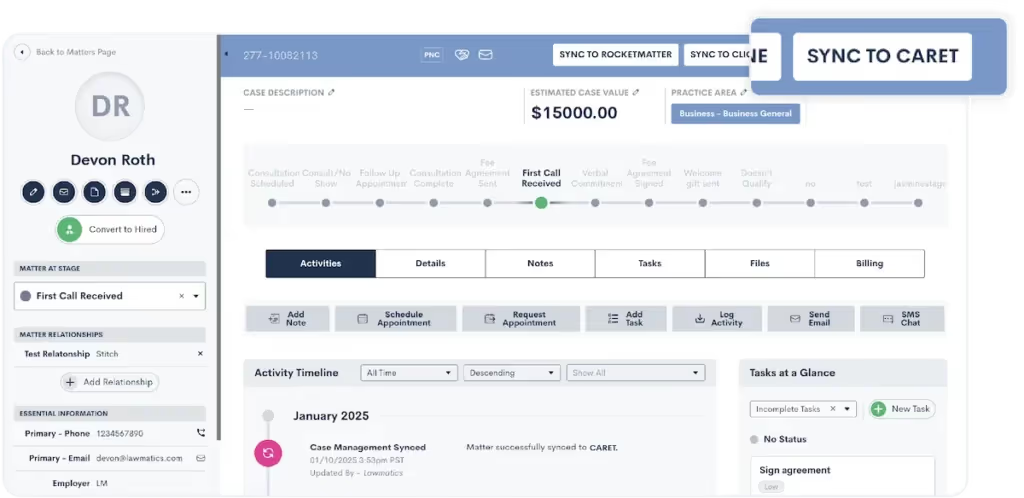
Here are your options for how to sync matters:
- Sync manually: When a matter is ready to sync to CARET Legal, just click on the “Sync to CARET” button on the top right of your screen and confirm your choice.
- Sync automatically: Set up an automation that triggers the matter to sync to CARET Legal upon the matter converting to a Hired status.
Maintain data integrity with confidence
The phrase “garbage in, garbage out” haunts every intake manager. And inconsistent data can spell trouble faster than you can remember how to spell “certiorari.” In fact, an ABA study found that administrative errors, like clerical errors and lost files, accounted for 23% of all malpractice claims a few years ago.But now, with this integration, you can rest easy knowing that data integrity is maintained at every step. With a simple transition from one stage to the next, you can be confident that your data is always clean, consistent, and accurate. Say goodbye to typos and discrepancies.
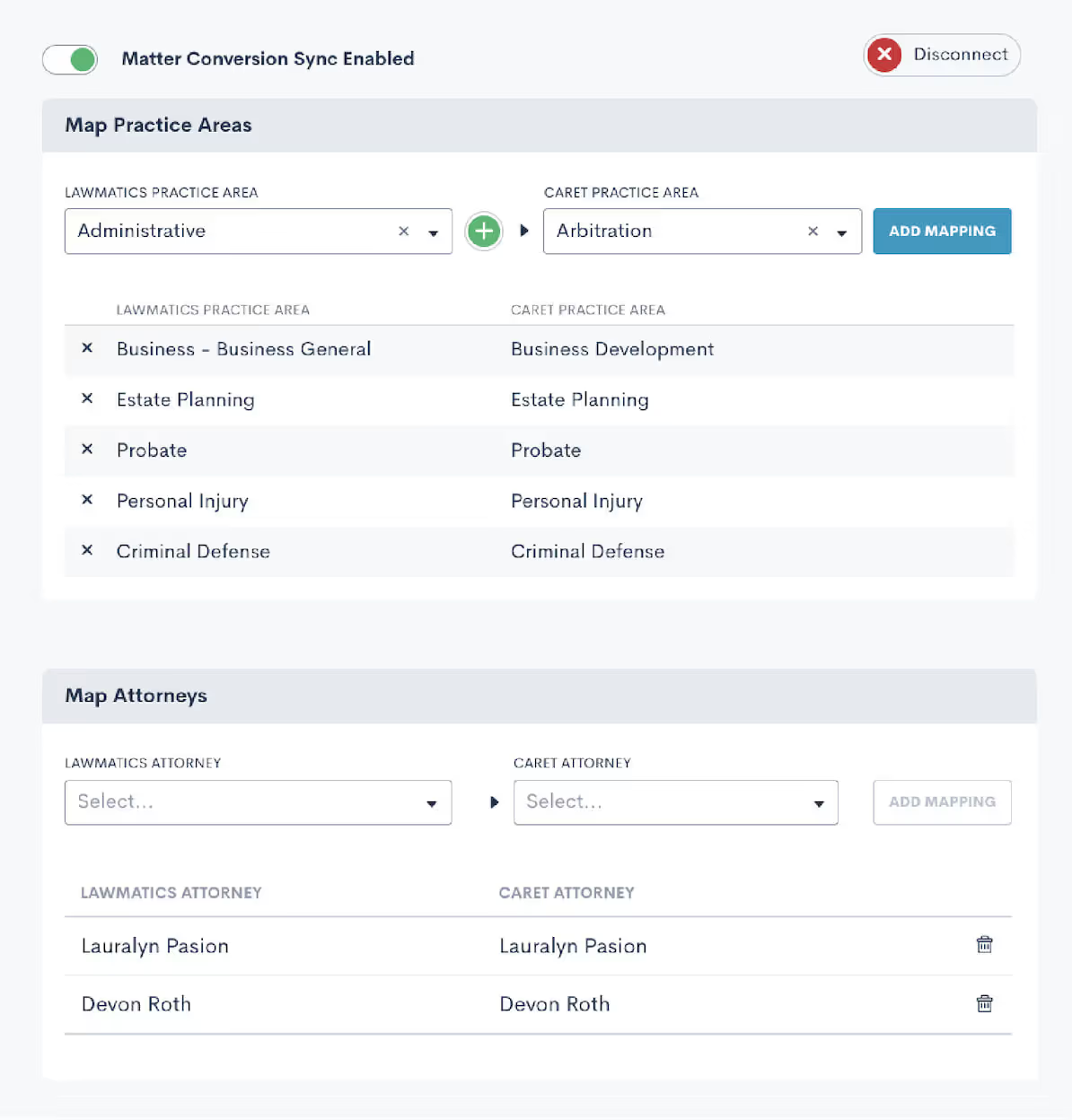
Save time on administrative hassle
Time is your most valuable resource, and every minute wasted on repetitive tasks is a minute you can’t dedicate to clients. The Lawmatics + CARET Legal integration takes tedious tasks off your plate, creating more time for clients and building your business. In a nutshell: more productivity, less busywork. Refocus those energies into client service or tasks that actually generate revenue.

Get started with Lawmatics + CARET Legal
It’s time to reclaim your day from the clutches of inefficient processes and redundant data entry. The Lawmatics + CARET Legal integration is here to make your workflows smoother, your data more reliable, and your practice more efficient. Current Lawmatics users can log in to set up your integration today.If you’re a CARET Legal user looking to revolutionize intake for your firm, book a Lawmatics demo to check out our CRM for yourself.If you’re interested in learning more about CARET Legal, visit our dedicated integration page.

Why SEO matters: The mindset of today’s legal consumer
Imagine you’re a potential client searching for a lawyer. You’ve just been in a car accident, and your insurance company is dragging its feet. What’s the first thing you do? You pull out your phone and type something like, “best personal injury lawyer near me.”This moment — when someone searches for a solution to their legal problem — is what SEO is all about. It positions your firm at the exact point where intent meets action — one of the tenets of digital marketing for law firms.Here’s why it pays to pay to have the best SEO for law firms:
- Legal consumers are searching, and fast: Research shows that 68% of all online experiences start with a search engine. Legal consumers don’t casually browse—they look for attorneys when they need help now. If your firm isn’t optimized to show up, another firm will be.
- They trust Google’s results: About 75% of users never scroll past the first page of search results. Think about it: When was the last time you clicked to page two? Being at the top of the results isn’t just a nice-to-have—it’s critical.
- They want answers instantly: SEO ensures your firm appears in local search results like Google’s Local Pack, where potential clients can immediately see your contact information, reviews, and location.
SEO as a Digital First Impression
If your website isn’t optimized for search, it’s like having an office with no signage or an empty lobby. SEO ensures you’re not only visible but credible. When potential clients see you ranking high in search results, they assume your firm is established, reputable, and capable.
Why do law firms need marketing, generally speaking?
Now that we’ve established the importance of SEO, let’s broaden the scope. Digital marketing isn’t just about ranking higher in search results; it’s about creating a comprehensive strategy that consistently brings in leads. While referrals still matter big time in legal, the average consumer expects to find you online, trust your reputation (think reviews and rankings), and quickly access the answers they need.Today’s law firm marketing revolves around:
- SEO (Search Engine Optimization): Getting your firm to rank for high-intent searches like “construction lawyer near me.”
- Google Ads (PPC): Claiming premium placement at the top of search results, ensuring visibility when potential clients need you most.
- Content Marketing: Publishing resources like blog posts or guides that build trust and reinforce your expertise.
If you’re not visible online, you’re invisible to prospective clients. The right digital strategy creates a predictable system for generating legal leads and converting them into loyal clients.
How much do law firms spend on marketing?
Once you understand the why, it’s time to explore how much. Let’s break it down.
How much do law firms spend on SEO?
SEO is the long game — and for good reason. On average, law firms spend $3,000 to $10,000 per month on SEO services, depending on factors like competition, practice area, and market size (source).Why the investment?
- Content-Driven Traffic: Optimized blogs, service pages, and FAQs tailored to your practice area drive qualified traffic.
- Technical Optimization: Fast, mobile-friendly sites are essential to rank well and keep users engaged.
- Local Dominance: A family law firm in Dallas can attract more cases by appearing in “local pack” results for queries like “child custody lawyer near me.”
SEO pays dividends in the form of steady, organic traffic — but it requires consistent attention and expertise.
How much do law firms spend on Google Ads?
Google Ads is where speed meets precision. The average Google Ads budget for law firms ranges from $5,000 to $15,000 per month, with some firms spending far more in high-stakes niches like personal injury.What drives costs?
- Sky-high CPCs: Legal keywords are some of the most expensive, with costs per click often exceeding $100.
- Intense competition: A DUI lawyer in a major city like Chicago or Miami may face aggressive bidding wars for keywords like “criminal defense attorney.”
- Results you can track: Unlike SEO, Google Ads delivers quick wins but requires ongoing optimization to ensure ROI.
Google Ads is ideal for firms looking to attract high-intent clients quickly, but costs can skyrocket without proper management.
How much should a law firm spend on marketing?
Here’s the golden rule: successful law firms allocate 2–10% of gross revenue to marketing. Newer or smaller firms may need to spend more to establish their presence, while established firms with a loyal client base might spend less proportionally but more in absolute terms.A smart allocation for digital marketing might look like this:
- 30% to SEO: Build a foundation for long-term growth.
- 40% to Google Ads: Drive immediate traffic and leads.
- 20% to Content Marketing: Showcase expertise and engage potential clients.
- 10% to Social Media: Strengthen your brand and stay connected with your audience.
For example, a personal injury firm generating $2M annually might allocate $150K to marketing, investing $45K in SEO and $60K in PPC to dominate local searches while producing educational content on common accident claims.
The key to getting ahead: Lawmatics
Visibility isn’t optional — it’s the deciding factor in whether a client calls your firm or moves on to the next result. If your marketing feels piecemeal or outdated, it’s time to take a smarter approach.That’s where Lawmatics comes in. Our platform integrates lead generation, client relationship management, and marketing automation to help your firm attract, engage, and convert more clients. From SEO strategies to automated follow-ups, we give you the tools to dominate your market.Request a demo today and see how Lawmatics can transform your firm’s marketing strategy for 2025.

Picture this: It’s late at night, and a potential client is frantically Googling “best criminal defense attorney near me” after an unexpected run-in with the law. Now imagine your firm isn’t even on the first page of results. That’s not just a missed opportunity — it’s a client for your competitor.The reality is that 46% of all Google searches have local intent (Saga Pixel). That means almost half of the online world is actively looking for local services like yours. If your law firm isn’t investing in digital marketing for law firms, particularly local SEO, you’re invisible. Let’s break down why local SEO is your secret weapon for getting found and growing your practice.
Do Law Firms Need SEO?
Absolutely, and here’s why.SEO (Search Engine Optimization) is the strategy that makes your law firm discoverable online. Without it, your website becomes an expensive business card gathering dust in a corner of the internet.For example, if you’re a personal injury lawyer in Atlanta and someone searches for “car accident attorney near me,” SEO ensures your firm has a fighting chance to appear. But it’s not just about showing up — it’s about showing up in the right places, at the right time.SEO builds trust and authority by aligning your website with search engine expectations. This includes having fast-loading pages, mobile-friendly design, and relevant, keyword-rich content. For law firms, it’s the difference between being someone’s first choice and being invisible.
What is Local SEO in Digital Marketing?
Local SEO is how your law firm becomes a household name in your area. Unlike traditional SEO, which casts a wide net, local SEO zeroes in on your specific geographic location, ensuring you’re found by people searching nearby.
Local SEO for Lawyers: A Strategic Advantage
Law is inherently local. Clients look for attorneys who understand the laws and nuances of their area. Local SEO bridges the gap by focusing your digital marketing efforts on attracting nearby clients. Here’s how:
- Optimized Google Business Profile (GBP): Ensure your listing includes accurate business hours, contact info, and client reviews to dominate the Local Pack.
- Localized Content: Blog posts addressing region-specific legal topics can establish authority.
- Location-Specific Keywords: Phrases like “real estate attorney Los Angeles” or “divorce lawyer Tampa” help you rank for searches in your area.
Local SEO Examples That Work
- A DUI attorney in Houston creating blog posts about Texas DWI laws.
- A workers’ compensation lawyer in Chicago ensuring their GBP includes reviews mentioning quick settlements.
- A probate law firm in San Diego embedding “San Diego probate lawyer” across service pages and meta descriptions.
Is Doing Local SEO Worth It?
If your goal is to grow your client base, local SEO is non-negotiable. But don’t just take my word for it—here’s why local SEO for lawyers is a game-changer.
Why Local SEO is Important for Law Firms
Google’s algorithm favors proximity. In fact, almost half of all Google searches have local intent. If you’re not showing up in searches like “criminal defense lawyer near me,” you’re leaving money—and clients—on the table.
Benefits of Local SEO
- Higher Visibility: Appear in local searches where potential clients are actively looking.
- Enhanced Credibility: Reviews and star ratings position you as a trusted choice.
- Cost-Effective Marketing: Focus your budget on clients most likely to hire you.
- Stronger Community Presence: Local SEO reinforces your reputation as an integral part of your community.
When executed correctly, local SEO positions your law firm as the first and most trusted name people see when searching for legal help.
How Much Do Law Firms Spend on SEO?
SEO is an investment, but it’s one that can pay off exponentially. On average, law firms allocate $2,500–$10,000 per month for SEO services, depending on their location, competition, and the scope of their campaign.Here’s a breakdown of what factors into those costs:
- Keyword Research: Understanding what clients are searching for.
- Content Creation: Regularly publishing high-quality, relevant blog posts and pages.
- Technical SEO: Ensuring your website is fast, mobile-friendly, and optimized for search engines.
- Link Building: Establishing your site as an authority through backlinks from trusted sources.
For local SEO, the costs can be even more focused. Instead of competing on a national level, you’re targeting a smaller, more specific audience, often making campaigns more affordable while delivering higher returns.
Turn Google searches into clients
Your law firm’s visibility can be the deciding factor in whether potential clients choose you—or the firm down the street. Local SEO ensures that you’re not only visible but also the first choice when it counts.If your current digital marketing strategy feels outdated or scattered, let us help. Our software is designed to give your firm the edge it needs in today’s competitive market. Request a demo today, and take the first step toward owning your local market.

Picture this: a potential client needs legal help. They grab their phone, type "divorce lawyer near me," and within seconds, they’re scrolling through the top results on Google. Considering that 38% of clients initiate their search for legal assistance online (Finances Online), if your law firm isn’t on that first page, you’re practically invisible. That’s the power of digital marketing for law firms, and at the heart of it lies SEO (Search Engine Optimization).SEO isn’t just a trendy buzzword — it’s the backbone of how law firms attract, engage, and retain clients in a digital-first world. And if you're not investing in it, you’re leaving opportunities (and revenue) on the table.
What Is SEO for Law Firms?
There’s more to SEO for lawyers than merely sprinkling keywords on your website. It’s a multi-faceted strategy to ensure your firm shows up when someone searches for legal services you offer. Think of it as your online reputation manager and lead generator rolled into one.Here’s what it includes:
- Keyword research and optimization: Identifying phrases like “divorce attorney in [city]” or “real estate lawyer near me” that potential clients are searching for.
- Technical SEO: Ensuring your website is fast, secure, and mobile-friendly—because no one has patience for a slow site.
- Content marketing: Producing valuable resources like blog posts, FAQs, and eBooks that answer client questions.
- Local SEO: Optimizing for location-specific searches to dominate your area’s results.
- Backlink building: Earning links from reputable websites that signal your authority to search engines.
SEO for law firms is essentially your online handshake with potential clients. When done right, it positions your firm as the go-to expert before they’ve even spoken to you.
Do Law Firms Need SEO?
Short answer? Absolutely.The days of relying solely on word-of-mouth referrals or billboard ads are long gone. Most clients start their search for legal help online, and if your firm isn’t showing up in those searches, your competitors are.
What Is Law Firm SEO Content?
Law firm SEO content is what gets potential clients to stop scrolling and start engaging. This isn’t about stuffing pages with generic legal jargon; it’s about creating meaningful, search-friendly content that speaks directly to your audience. Examples include:
- Practice area pages: Highlight your services in detail, from family law to corporate litigation.
- Case studies: Share real-world examples of how you’ve helped clients achieve favorable outcomes.
- Educational blog posts: Break down legal jargon into plain English, answering questions like “What happens during a bankruptcy filing?”
Good SEO content answers questions before they’re asked, building trust and credibility while driving traffic to your site. Remember, you’re building relationships with potential clients, and often it starts here.
Why Are Local SEO Services Important?
Location is everything. For most legal clients, proximity is a top factor in choosing an attorney. That’s where Local SEO for lawyers comes in.Local SEO ensures your firm appears in geographically relevant searches, particularly in Google’s coveted local map pack. Here’s what that means for your firm:
- Dominate local searches: Optimize for terms like “immigration lawyer in [city]” to capture nearby clients.
- Strengthen your Google My Business profile: Keep it up-to-date with accurate contact details, hours, and client reviews.
- Encourage reviews: Positive reviews don’t just build trust — they help your rankings.
The best SEO for law firms doesn’t just attract visitors; it ensures the right people—local clients—find you at the exact moment they need help.
How Much Do Law Firms Spend on SEO?
Investing in SEO isn't just about visibility; it's about return on investment. On average, law firms allocate around $150,000 annually to SEO efforts, yielding a remarkable 526% ROI over three years (Rank Tracker). SEO costs can vary widely depending on your firm’s size, goals, and competition. Here’s a breakdown:
- Smaller firms: May spend $1,500–$3,000 monthly for a modest foundational strategy.
- Mid-sized firms: Typically invest $3,000–$8,000 monthly for a robust approach, including local and technical SEO.
- Larger firms: Often spend $10,000+ monthly for aggressive campaigns targeting highly competitive markets.
Is it worth it? Absolutely. With high-value cases often exceeding five or six figures, a single client secured through SEO can cover months — if not years — of investment.
Turn searchers into clients with Lawmatics
Ignoring SEO is like letting a golden opportunity slip through your fingers. It’s the difference between being a local leader or an afterthought in search results. By leveraging SEO, your firm can capture the attention of high-value clients exactly when they’re searching for your services.Want to rise above the competition? Lawmatics offers the tools and expertise to supercharge your digital strategy. Request a demo today and see how we can help your firm dominate the search results and grow your client base.

Legal marketing isn’t about waiting for referrals anymore. Today’s clients start their search for legal services on Google, comparing firms based on what they see across websites, reviews, and social media. If you’re a lawyer, being “visible” means more than just having a website—it’s about engaging clients where they’re already looking and delivering something memorable. Digital marketing for law firms is now a matter of survival. Without a clear strategy, you risk getting lost in the endless scroll. Below, we’ll dive into practical law firm marketing ideas to make sure you’re front and center when it matters most.
How do you advertise yourself as a lawyer?
A solid marketing plan is essential for capturing attention and building trust in an increasingly digital world. Think of it as your blueprint for reaching and engaging the right clients.
What are the 7 steps of a marketing plan?
Successful legal marketing hinges on structure and strategy. Here’s a seven-step plan to guide you through it:
- Define Your Target Audience. Zeroing in on your audience is non-negotiable. Maybe you focus on businesses needing intellectual property help or clients with family law needs. Craft your messaging to resonate with this target demographic and choose channels that align with their preferences.
- Set Clear Goals. Identify what you want to achieve and make it measurable. Are you aiming for a 30% increase in consultations or doubling your social media following? Specific goals help you measure what’s working.
- Analyze the Competition. Competitor analysis isn’t just about seeing who they are—it’s about understanding what they’re doing well and where you can do better. This insight can inform everything from your messaging to your ad placement.
- Create a Unique Value Proposition (UVP). Your UVP is what sets you apart. Maybe it’s your specialized knowledge, your approachability, or your track record. Make sure this value is front and center in your materials.
- Develop Key Marketing Strategies. Consider SEO, content marketing, social media, and PPC advertising. For instance, a well-optimized blog can answer client questions before they even ask, helping you become a go-to resource.
- Execute Your Strategy. Now, it’s time to roll out your tactics—launch campaigns, track web traffic, engage on social media, and nurture those leads.
- Measure & Adjust. Analyze results and pivot based on what you learn. Marketing is a dynamic process, so remain agile and ready to adapt to trends and client needs.
Can lawyers advertise on social media?
Absolutely, and it’s a must for staying relevant. Social media allows lawyers to showcase their expertise, interact with clients, and establish a personal brand. According to the American Bar Association, 35% of lawyers have gained clients through their social networking activities, proving that these platforms are more than just social—they’re crucial client-building tools. And while ethical guidelines apply on platforms like LinkedIn, Facebook, and Instagram, social media can add a much-needed human element to a lawyer’s brand.
What social media do lawyers use most?
While LinkedIn and Facebook have been reliable for years, lawyers today are branching out to other platforms like Instagram and TikTok, where they can reach younger clients or showcase firm culture.
- LinkedIn – LinkedIn remains a cornerstone for professional networking. It’s ideal for sharing thought leadership content, engaging with other professionals, and reaching corporate clients.
- Facebook – With its broad reach, Facebook works well for general updates, sharing testimonials, and posting blog links to drive traffic to your website.
- Twitter – Twitter is great for quick, insightful posts, sharing legal news, and staying visible in current conversations. Lawyers who want to weigh in on trending topics will find a home here.
- Instagram – Think of Instagram as a way to humanize your firm. It’s perfect for sharing behind-the-scenes looks, team events, or community involvement, giving a more personable touch.
- TikTok – Yes, even TikTok. Lawyers are increasingly using TikTok to create short, engaging videos that break down legal concepts, demystify jargon, and educate viewers in bite-sized segments.
Did you know?TikTok's monthly active users hit 1 billion in 2021, and it continues to grow as a powerful platform for business outreach
Social media for lawyers can be powerful when it’s done right, staying compliant with ethical standards while building a genuine online presence.
What Is the best form of advertising for a lawyer?
A mix of digital advertising tactics tends to work best, especially when customized to your unique strengths and client base. Here are some of the most effective forms of lawyer advertising:
- Search Engine Optimization (SEO) – Organic search traffic is pure gold for law firms. Clients actively searching for terms like “immigration lawyer near me” or “DUI attorney” are primed for conversion. Studies show that 96% of those seeking legal representation begin their search online, underscoring the importance of strong SEO for visibility.
- Pay-Per-Click Advertising (PPC) – With Google Ads, you can secure premium placement in search results, appearing right when potential clients are searching for your expertise. It’s a direct, effective way to generate leads from those actively seeking services.
- Content Marketing – Regularly posting insightful blogs, articles, or case studies positions you as a thought leader. By answering potential clients’ questions in advance, you’re building trust and proving your value before they even call you.
- Email Marketing – Email marketing is cost-effective and keeps your firm top-of-mind. Whether it’s monthly newsletters, legal updates, or tips, email lets you stay connected with both potential and existing clients.
A balanced law firm digital marketing strategy combines these elements to ensure that you’re visible, reachable, and engaging across multiple channels.
Take control of your firm’s growth with Lawmatics
A well-executed digital strategy can make all the difference in connecting with the clients you want. Our software is designed to support legal professionals like you in maximizing reach, engagement, and conversions, so you can spend less time on marketing and more on what you do best. Request a demo today to see how we can help your firm make a lasting impact.

Imagine you're scrolling through social media, and an ad for a law firm grabs your attention. But instead of the usual jargon, it feels like it speaks directly to you. That’s the power of smart advertising, and it’s what every law firm needs to compete in a fast-paced market. The legal industry is experiencing a shift—lawyers must now think like marketers to stand out. But with so many options out there, from digital campaigns to traditional billboards, what really works?It’s a question that more law firms are asking, especially as clients’ expectations for accessibility and service continue to rise. In fact, studies show that 96% of people seeking legal advice use a search engine (FindLaw) and 74% of law firms say they intend to invest more in digital marketing strategies over the next year (ABA). The data doesn’t lie—getting your firm noticed online is no longer optional, it’s a must. But let’s break down the forms of advertising that really make a difference for lawyers.
What is legal advertisement?
Legal advertisement refers to any form of promotion where lawyers market their services to potential clients. This includes everything from traditional TV ads and billboards to modern digital ads on social media. The ABA advertising rules are designed to ensure that law firm marketing remains professional and ethical, prohibiting false or misleading claims. A crucial part of navigating legal advertisements is staying up to date with the rules governing it, which can vary by state. While these rules might seem restrictive, they actually serve to build trust and maintain the integrity of the legal profession.
What kinds of advertising do lawyers most commonly use?
Law firms typically leverage a mix of traditional and digital advertising methods, depending on their target audience and goals. Here’s a breakdown of the most common forms of law firm advertising:
- Billboards. Yes, those huge signs lining the highways are still in use, especially by personal injury and criminal defense attorneys. These ads aim to capture the attention of drivers and pedestrians alike.
- TV and Radio Ads. Local commercials remain popular for attorneys seeking to connect with a broader, often older, audience.
- Pay-Per-Click (PPC) Ads. Lawyers increasingly use PPC ads on Google and Bing to target clients searching for legal help online.
- Social Media Ads. Platforms like Facebook, Instagram, and LinkedIn provide targeting tools to reach specific demographics, making it easier for lawyers to advertise their services to people who need them most.
Are billboards effective for lawyers?
Yes and no. Billboards can be effective in certain contexts, like personal injury or criminal law, where potential clients may make decisions quickly. However, billboards don’t always provide enough depth to fully explain a law firm's services, and the return on investment is often hard to track. So while they may work for visibility, they often don’t convert as well as digital marketing efforts, which allow you to directly target specific audiences.For example, billboard campaigns could make sense in high-traffic areas with repeated exposure to consumers, but they’re most effective when used alongside other strategies. In contrast, digital methods allow for more precise targeting and measurable results, which brings us to a more modern alternative: social media.
Can lawyers advertise on social media?
Absolutely. Lawyer advertisements on social media have skyrocketed in recent years as firms recognize the potential to reach new clients where they spend much of their time—online. Platforms like Facebook, Instagram, and LinkedIn are not only affordable but also offer advanced targeting capabilities, allowing law firms to reach specific audiences based on demographics, location, and even behavior.For example, a family law attorney could target ads toward individuals who have recently updated their relationship status. Similarly, a business law firm could run ads aimed at startups and small business owners. Social media advertising is cost-effective, trackable, and allows for creative ways to engage with potential clients through videos, testimonials, and case studies.
What is the best form of advertising for a lawyer?
Ultimately, the best form of advertising for a lawyer depends on the specific goals of the firm. While there is no one-size-fits-all solution, there are a few universal rules to keep in mind:
- For brand awareness. Traditional methods like billboards or TV ads can create broad awareness, especially if your practice serves a wide geographic area.
- For targeted outreach. Digital marketing, especially PPC ads and social media campaigns, allow for more precise targeting of potential clients. For instance, using law firm advertising examples as a guide, you could tailor ads for people searching for specific services like estate planning or DUI defense.
- For building trust. Client testimonials, reviews, and informative content on your website can act as powerful advertising tools. Content marketing, which includes writing helpful articles and guides on legal topics, positions your firm as a trusted authority.
As technology continues to evolve, so too do the advertising options available to lawyers. Regardless of which platform you choose, staying compliant with lawyer advertising rules is essential to protect your firm’s reputation and avoid any ethical violations.
Maximize your marketing efforts through automation and insights
The world of legal advertising is evolving, and your law firm needs to evolve with it. Traditional methods like billboards may still play a role, but the future lies in digital. By investing in smart, targeted online ads, your law firm can reach the right audience and stand out in a crowded market.Looking for a comprehensive way to elevate your law firm's marketing? Our software is purpose-built to help lawyers optimize digital campaigns, track leads, and grow their practices. Request a demo today and see how we can help your firm thrive.

Let’s cut to the chase: If your law firm isn’t mastering digital marketing, you're already behind. With more than 70% of legal consumers using online resources to find answers to a legal question, you need to be where they are. But we're not just talking about throwing up a website and calling it a day. The digital landscape is more competitive than ever, and to get ahead, law firms must adopt a strategic and comprehensive approach to online marketing. This means going beyond the basics—leveraging SEO, content marketing, and social media to build a dynamic online presence. It’s about creating a cohesive strategy that positions your firm in front of the right clients at the right time.
Do law firms need digital marketing?
Absolutely. Digital marketing isn’t just a tool, it’s a necessity. If your clients are using search engines to find legal help, why wouldn't you meet them there? Without a solid digital presence, you’re missing out on potential leads, and more importantly, you're letting competitors take your business. In fact, according to a recent study, 96% of people seeking legal advice use a search engine (Google Consumer Survey). Not having a strong online presence essentially means you’re leaving money on the table.
Why is digital marketing important for law firms?
Digital marketing is the foundation of modern lead generation. The best lead generation for lawyers is done through targeted digital strategies like SEO, content marketing, and PPC. These aren’t just buzzwords—they’re proven tactics that help potential clients find your firm before they even know they need you. And it's not just about being found, it's about establishing trust. A well-rounded digital marketing strategy enables you to build credibility and engage with clients in a way that traditional marketing can’t.
What are the best practices in digital marketing?
Let's talk about what’s actually going to move the needle for your firm:
- Optimize for SEO. If you’re not showing up on the first page of Google, you might as well not exist. Proper SEO is the cornerstone of any digital strategy. Focus on the right keywords (hint: think like your clients).
- Content that Converts. Content isn’t just filler—it’s your chance to educate and influence. High-value blog posts, videos, or even infographics not only engage clients but also show Google you’re an authority in your field. 88% of law firms today use blog posts for client development, and you should be too (ABA).
- Social Media Mastery. Platforms like LinkedIn aren't just for job seekers. They’re places where firms can showcase expertise, share successes, and connect with prospective clients. You don’t need to be everywhere—be where your clients are.
- Email Marketing Done Right. Sending out a monthly newsletter isn’t enough. Email campaigns should be segmented and personalized, delivering content that’s directly relevant to each client group.
- Analytics and Adjustments. What’s working? What’s not? Tracking and adjusting your strategy based on data is what separates good marketers from great ones.
What are the 5S goals of digital marketing?
The 5 S’s are your blueprint for digital success, and law firms can benefit tremendously by following them:
- Sell. Make it easy for clients to find and choose your services. A strong online presence helps convert visitors into leads.
- Serve. Think beyond selling. Serving your clients with value-driven content or seamless client portals builds trust.
- Speak. Consistent communication keeps you top of mind. Whether it’s through blogs, email campaigns, or social posts, staying active is key.
- Save. Digital marketing can save your firm both time and money by automating tasks like appointment setting and client follow-ups.
- Sizzle. Stand out. The legal market is crowded, but the firms that invest in polished branding, sharp websites, and standout content will always get noticed.
What is the best strategy for digital marketing?
Here’s where we get tactical. The best digital marketing strategies combine a mix of content, SEO, paid ads, and social proof. But it’s not just about slapping together a few tactics. You need to be intentional with everything you do:
- SEO-driven blogging. Regularly updating your site with content that answers common client questions boosts organic traffic and positions your firm as an expert.
- Google ads with precision. A well-targeted pay-per-click (PPC) campaign ensures your firm is front and center for the most valuable keywords. PPC ads can increase brand awareness by 80% (Google).
- Social proof for trust. Client testimonials, Google reviews, and case studies aren’t just nice-to-haves—they’re essential. 84% of people trust online reviews as much as personal recommendations (BrightLocal).
- Retargeting for results. Don’t let potential clients slip away. Retargeting campaigns bring back visitors who have already shown interest but didn’t convert on the first go.
Whether you’re dipping your toes into digital marketing or looking to fine-tune an existing strategy, these approaches are a must.
Level up your firm’s marketing with Lawmatics
Law firms that leverage digital marketing strategies for law firms are the ones thriving today. It’s no longer optional—it’s the lifeblood of client acquisition and retention. With our platform, you can take the guesswork out of digital marketing, automate your lead generation, and give your clients the experience they deserve. Want to see how we can help your firm grow? Request a demo today!