

Client Intake



Lawmatics, the leading intake and growth platform for law firms, today introduced Merlin, a new family of AI features built natively in Lawmatics to help law firms grow. The suite, which includes a just-released conversational interface called Merlin Copilot, takes on the repetitive work that moves prospects toward signing, freeing staff to focus on client service, legal work, and strategy, while giving firms the speed and responsiveness that competitive consumer law markets demand.
For most law firms, growth happens at the front of the business — the speed from inquiry to first contact, how consistently leads are evaluated, and how clearly firms can see what's working across their pipeline. These are the points where revenue is won or lost, and they're the points that most legal AI hasn't reached. Today's legal AI tools tend to focus on case work or general productivity. The cost of that technology gap is felt in law firms every day: leads that go unanswered too long, qualified prospects lost to faster competitors, and skilled staff spending hours on repetitive work instead of on clients.
Merlin is designed for the part of a firm that comes before the case: lead intake, prospect engagement, and the operations that convert potential clients into retained clients.
"CRMs were built to track opportunities. Lawmatics goes further, because growth doesn't come from tracking opportunities. It comes from acting on them," said Matt Spiegel, founder and CEO of Lawmatics. "Merlin is how we put AI to work in Lawmatics for law firms, helping with everyday tasks that move a prospect toward signing, so that law firms can maximize every opportunity without having to ask their people to do more.”
The Merlin suite currently includes three features, each available as an add-on to the Lawmatics platform:
- Merlin Copilot, a conversational user interface that creates automations, generates reports, and surfaces insights from firm data through plain-language prompts.
- Merlin Qualify, an AI agent that evaluates and prioritizes incoming leads based on fit, urgency, and engagement signals defined by the firm. Released earlier this year, Merlin Qualify has been recognized with an Excellence in AI Award from Business Intelligence Group, which honors innovation across technology sectors.
- Merlin Engage, the agentic AI for dynamically engaging with prospects through SMS, email, website chat, and phone calls. Currently in beta.
"Our firm saw a higher closing percentage within the first week of using Merlin Engage," said Glenn Gilmour, Director of Operations at Sawyer & Associates, LLC. "Engage makes our intake team so much more efficient and helps 24/7. It even handled a lead that came in over the weekend that resulted in a $12,000 sale."
Merlin represents how Lawmatics sees the future of legal practice: more law firms reaching their full potential, with the time and capacity to pursue the work they set out to do, on their own terms. Merlin is Lawmatics' commitment to that future, and it is only the beginning.

Key Takeaways:
- 66% of surveyed customers reported adding clients each month: 119 of 180 respondents reported gaining additional clients after using Lawmatics.
- Those firms reported at least 2,392 additional clients per month combined: This is a conservative figure calculated using the bottom of each reported range.
- 65% of firms with a measurable time-savings response save at least four hours per week: Nearly 3 in 10 save eight hours or more.
- 90% of firms reporting a measurable conversion outcome saw improvement: Of those firms, 82% reported an improvement of at least 11%.
- Automation was the most common theme in open-ended feedback: 26% of 62 unique comments mentioned automation or workflows without being prompted.
Client intake can consume hours without anyone noticing where the time went. A missed follow-up here, a manual form request there, and another consultation to schedule can add up quickly as inquiry volume grows.
Automation can change that workload in measurable ways. In June 2026, Lawmatics surveyed 180 customers about the impact of the platform on their firms. Their responses point to three outcomes in particular: more time back, more clients signed, and higher lead-to-client conversion rates.
This article breaks down those findings, compares results across customer groups, and explores the intake improvements customers most often connect to time savings, stronger follow-up, and conversion.
What 180 Lawmatics Customers Told Us About Automated Intake
The survey included 86 family law respondents and 94 customers from the broader Lawmatics customer base. Customers were asked about additional clients, time saved, changes to lead-to-client conversion, and the measurable impact Lawmatics has had on their firms.
Here is the high-level picture:
| Intake Outcome | What Customers Reported | Who the Statistic Includes |
|---|---|---|
| Additional clients | 119 firms reported adding clients each month | All 180 respondents |
| Time saved | 65% save 4+ hours per week | 147 respondents who reported a measurable outcome |
| Significant time saved | 29% save 8+ hours per week | 147 respondents who reported a measurable outcome |
| Conversion improvement | 90% reported improvement | 93 respondents who reported a conversion outcome |
| Double-digit conversion improvement | 82% of improving firms reported gains of 11%+ | 84 respondents who reported improved conversion |
| Automation/workflows | Most frequently mentioned theme at 26% | 62 unique open-ended comments |
Survey results are self-reported by Lawmatics customers. Individual results vary.
These numbers tell only part of the story. The open-ended responses help explain how firms are getting there.
Customers repeatedly pointed to automated follow-up, intake workflows, scheduling, forms, reminders, e-signatures, and better pipeline visibility as ways they reduced manual work and kept prospective clients moving.
How Client Intake Automation Saves Law Firms Time
Intake work rarely comes from one large administrative task. It accumulates through dozens of smaller ones: sending forms, confirming appointments, following up after consultations, requesting missing information, checking pipeline stages, and reminding prospects about next steps.
65% of firms that measured time savings save at least four hours per week.
Among the 147 respondents who provided a measurable time-savings answer, 96 reported saving four or more hours each week.
The reported savings break down further:
- 54 firms: 4–7 hours per week
- 20 firms: 8–15 hours per week
- 22 firms: 15+ hours per week
That means 29% of respondents with a measurable outcome save eight hours or more each week.
Four hours per week adds up to at least 208 hours over a year. For firms at the higher end of the range, that can free up substantially more staff time.
“The workflows take much of the manual work off our intake team. This makes us more efficient and profitable.”
— Kaydee Gomez, Griswold LaSalle
The open-ended responses offer more context on where customers notice those time savings. Respondents frequently mentioned automating follow-up emails and texts, scheduling, intake questionnaires, document requests, reminders, task creation, and other repetitive steps.
Instead of asking staff to remember and execute every action manually, firms can use client intake automation to build those actions into the intake process.
Automation can also change what staff have time to work on
Saving time does not necessarily mean doing less. For many respondents, it meant having more capacity for work that required a person. Customers described intake staff spending less time on manual follow-up, data entry, scheduling, and reminders so they could focus on prospective clients, legal support, and other higher-value responsibilities.
That becomes especially important as inquiry volume grows. More inquiries do not have to translate directly into the same increase in repetitive administrative work.
How Automated Intake Can Help Law Firms Sign More Clients
Time savings are valuable on their own, but firms ultimately need intake improvements that help more qualified prospects move forward.
66% of surveyed customers reported adding clients each month.
Of the 180 customers surveyed, 119 reported gaining additional clients after using Lawmatics.
Among those 119 firms:
- 27 reported: 1–5 additional clients per month
- 23 reported: 6–10
- 33 reported: 11–25
- 14 reported: 26–50
- 14 reported: 50–100
- 8 reported: 100+
Taken together, those firms accounted for a conservative minimum of 2,392 additional clients per month. Because the survey used ranges, that figure uses the lowest value in each range rather than estimating a midpoint.
This approach shows the scale of the gains while avoiding assumptions beyond the survey responses.
Most firms reporting growth added more than a few clients
Of the 119 customers reporting additional clients, 92, or 77%, added at least six per month. And 69, or 58%, reported adding at least 11 per month.
Open-ended responses frequently connected those gains to more consistent follow-up. Customers described being able to stay in touch with leads for longer, send reminders automatically, keep track of outstanding steps, and reconnect with prospects who were not ready to hire immediately.
That consistency can be difficult to maintain when every follow-up depends on someone remembering to send it.
How Client Intake Automation Affects Lead-to-Client Conversion
Signing more clients depends on more than generating inquiries. Firms also need to understand what happens after those inquiries enter the intake process.
90% of firms reporting a conversion outcome saw improvement.
Of the 93 respondents who provided a measurable lead-to-client conversion result, 84 said their conversion rate improved.
Many respondents also reported double-digit gains:
- 15 firms reported: 1–10% improvement
- 26 reported: 11–15%
- 29 reported: 26–50%
- 10 reported: 50–100%
- 4 reported: 100%+
Among the 84 firms reporting improvement, 69, or 82%, reported a gain of at least 11%.
These are self-reported survey results, so they do not prove that intake software alone caused a specific conversion increase. What they do show is that firms reporting stronger conversion often described improvements in follow-up, automation, and intake management.
What the responses do show is a strong relationship between the intake changes customers described and the conversion improvements they reported.
Similar Intake Trends Appeared Across Customer Groups
The survey included 86 family law respondents and 94 customers from the broader Lawmatics customer base. The size of the gains varied, but both groups showed similar overall patterns.
Conversion was especially consistent. Among respondents who reported a measurable conversion outcome:
- 89% of family law respondents reported improved conversion.
- 91% of general respondents reported improved conversion.
Among those reporting an improvement, more than 8 in 10 respondents in both groups said their conversion rate increased by at least 11%.
The two groups also reported meaningful time savings and additional clients. The size of those gains varied by practice area, volume, and workflow, but both groups showed the same broader trends: less manual work, more consistent follow-up, and stronger conversion.
How Law Firms Are Improving the Client Intake Process
The quantitative responses show what changed. The open-ended feedback helps explain how firms believe those results are happening. Across the responses, several recurring parts of the intake process stood out.
More consistent follow-up
Customers repeatedly described using automated communications and reminders to stay in contact with prospective clients. That can be especially useful when someone does not hire after the first conversation. Rather than relying on an intake team member to remember when to follow up again, firms can create a defined cadence that keeps the relationship active.
“I can automate some of the follow-up, so my potential clients are not feeling like I'm behind.”
— Firm Performance
Fewer manual intake steps
Forms, appointment scheduling, document requests, task creation, and other routine steps were common sources of reported time savings. When information can move through a predefined workflow, staff spend less time transferring data or triggering the next action themselves.
Clearer pipeline visibility
Several respondents connected better conversion with being able to see where prospects were in the intake process. A centralized legal CRM can make it easier to identify stalled leads, see what follow-up has already happened, and determine what needs attention next.
Faster movement toward engagement
Respondents also mentioned electronic signatures, engagement agreements, payment links, and appointment booking. Reducing unnecessary steps between a prospect deciding to move forward and completing the next required action can help maintain momentum through the later stages of intake.
Better reporting on what is working
Intake improvement is easier when firms know where problems exist. Customers mentioned using law firm performance reporting to track lead sources, conversion, pipeline stages, no-shows, and marketing performance. That visibility can help firms determine which parts of their intake process need attention rather than relying only on an overall conversion number.
What Law Firm Customers Say About Automated Intake
Beyond the measurable outcomes, customers were also asked to describe Lawmatics’ impact in their own words. Their responses show which benefits stood out most across day-to-day intake work.
94% of open-ended comments were positive.
Of 62 unique open-ended comments, 58 were positive, and four were mixed or critical.
The most common themes were:
- Automation and workflows: 26%
- Conversion, leads, and clients: 24%
- Intake and onboarding: 23%
- Efficiency and profitability: 23%
- Time savings: 19%
- Reporting, tracking, and ROI: 18%
- Follow-up: 15%
Because respondents could mention more than one theme, these percentages are not intended to total 100%.
The ranking is useful because respondents were not selecting benefits from a predefined list. These were the areas they chose to talk about when describing Lawmatics' measurable impact.
What These Client Intake Statistics Mean for Law Firms
The survey does not establish a single intake benchmark for every firm, but it does highlight several metrics worth tracking in your own process. Intake volume, practice area, staffing, lead quality, workflows, and marketing sources can all affect the results.
- Start with time. Track how many staff hours go toward repetitive intake and follow-up work each week. That gives you a baseline for evaluating whether automation actually creates capacity.
- Measure conversion by stage. An overall lead-to-client rate is useful, but pipeline-stage data can reveal whether prospects are getting stuck before consultations, after consultations, during follow-up, or while completing engagement steps.
- Track follow-up consistency. Look at whether prospects receive the right communication when expected, including those who do not hire immediately.
- Connect marketing to signed clients. Lead volume alone cannot show which sources create valuable opportunities. Reporting from inquiry through engagement provides a clearer picture of marketing performance.
- Watch capacity as volume grows. A stronger intake process should help your team manage more opportunities without allowing administrative work to increase at the same rate.
Those measurements give firms a clearer way to see whether intake changes are saving time, improving follow-up, and converting more prospects.
Building a More Measurable Client Intake Process
Across the survey, time savings, stronger conversion, and client growth repeatedly connect to more consistent follow-up, automation, and intake visibility. Together, those improvements can help firms keep prospects moving while reducing the manual work required from staff.
Lawmatics helps law firms bring those pieces into one connected process. Teams can:
- Automate follow-up and reminders so prospects continue receiving timely communication without every touchpoint depending on a manual task.
- Collect intake information and schedule consultations within a more consistent workflow.
- Track prospects through each pipeline stage so teams can see where leads are moving, slowing down, or need attention.
- Keep communication history organized so intake staff have clearer context when following up.
- Measure intake performance by connecting lead sources, pipeline activity, conversion, and signed clients through reporting.
That combination can make it easier to manage intake consistently, identify where the process can improve, and measure whether those changes are actually saving time or supporting stronger conversion.
Get a demo of Lawmatics to see how your firm can build a more consistent and measurable intake process that helps your firm grow.
FAQs: Automated Client Intake Statistics
What parts of client intake can law firms automate?
Law firms can automate repetitive intake steps such as inquiry responses, intake form requests, appointment confirmations, reminders, follow-up emails and texts, task creation, document requests, and portions of the engagement process.
The right workflow depends on the firm's practice area and intake process. Automation works best when the firm first defines the stages, responsibilities, and next steps it wants prospects to move through.
How should a law firm measure intake automation?
Start with metrics tied to both efficiency and business outcomes. Useful measures include time spent on intake, inquiry-to-consultation rate, consultation-to-client conversion, overall lead-to-client conversion, response and follow-up activity, no-show rates, pipeline stage duration, and signed clients by lead source.
Tracking these metrics over time can help a firm determine where automation is reducing work and where prospects may still be getting stuck.
Does automating client intake increase conversion rates?
It can support stronger conversion by making follow-up more consistent and reducing manual gaps in the intake process, but results vary by firm. In Lawmatics' June 2026 customer survey, 90% of the 93 respondents who provided a measurable conversion outcome reported an improvement. Of those respondents, 82% reported an improvement of at least 11%.
How much time can automated client intake save?
The amount depends on the firm's inquiry volume and current processes. In the June 2026 Lawmatics survey, 65% of the 147 respondents who reported a measurable time-savings outcome said they save at least four hours per week, while 29% reported saving eight hours or more.
Findings are based on a June 2026 survey of 180 Lawmatics customers, including 86 family law respondents and 94 respondents from the broader customer base. Results are self-reported. “2,392 additional clients” is a conservative floor calculated using the lowest value in each reported client range. Percentages involving time savings or conversion use only respondents who provided a measurable outcome, as specified above. Individual results vary.
Lead intake is the first stage of a law firm’s broader client intake process. It focuses on capturing new inquiries, collecting initial information, evaluating fit, and determining the appropriate next step. Client intake continues that journey through consultation, conflict checks, follow-up, engagement agreements, and conversion into a signed client.
Understanding lead intake vs. client intake can help law firms spot where prospective clients are getting lost between first contact and signed engagement. That window can be narrow: Thomson Reuters found that 81% of legal consumers contacted or seriously considered just two attorneys or law firms.
An inquiry may be captured successfully but still stall during qualification, follow-up, consultation scheduling, or another handoff. Defined ownership at each stage reduces missed follow-up and keeps prospects from getting stuck between teams.
This article explains where lead intake fits within the broader client intake process, how the two stages work together, and how firms can create a smoother path from first inquiry to signed engagement.
What is Lead Intake?
Lead intake is the initial process of capturing a prospective client's inquiry, collecting essential information, evaluating fit, and routing the lead appropriately. It begins as soon as an inquiry reaches your firm. That could happen through a website form, phone call, live chat, referral partner, digital ad, email, or another source.
At this stage, collect enough information to decide what should happen next without overwhelming the prospective client with unnecessary questions. Lead intake commonly includes:
- Capturing the inquiry: Record the lead and source in a software platform so the opportunity does not remain buried in an inbox, voicemail, or individual staff member's notes.
- Collecting basic information: Gather contact details, practice area, a brief matter summary, relevant dates, location or jurisdiction, and other information needed for preliminary review.
- Evaluating fit: Determine whether the matter appears to match the firm's practice areas, geography, case criteria, capacity, or other requirements.
- Routing the inquiry: Assign the lead to the appropriate person, attorney, office, or workflow based on the information collected.
- Beginning follow-up: Acknowledge the inquiry, request missing details, or explain the next step.
- Scheduling a consultation: When the lead appears to be a fit, make it easy for the lead to book the appropriate consultation.
Consistency becomes especially important when several people participate in intake. If one staff member asks five follow-up questions and another asks fifteen, or each person applies different standards for determining fit, promising inquiries can receive very different experiences.
Establish consistency in this process with a tool like Merlin Qualify, which can evaluate inquiries against firm-defined criteria and recommend the appropriate next action. Firm-defined criteria and human judgment still guide the final decision.
What is Client Intake?
Client intake covers the full path from initial inquiry through signed engagement, with lead intake serving as its first stage. Once the firm has captured and initially evaluated an inquiry, more information and decisions are usually needed before an attorney-client relationship begins.
Depending on the practice area and firm's process, client intake may involve:
- Further qualification and matter review
- Conflict checks
- Consultation scheduling and preparation
- Follow-up before and after the consultation
- More detailed intake forms
- Supporting document collection
- Fee or payment discussions
- Engagement agreements and e-signatures
- Transition into the firm's process for retained clients
A well-structured client intake process keeps staff aligned on the next action while giving prospects consistent communication throughout the pre-engagement period. Someone who has already explained the basic details of a matter should not have to start over every time responsibility changes hands.
Client intake also differs from client onboarding. Intake happens primarily before engagement and helps the firm evaluate, communicate with, and convert a prospective client. Onboarding follows engagement and prepares the new client and matter for the work ahead. Firms may organize those stages differently, but a clear transition between intake and onboarding helps prevent duplicated work.
Lead Intake vs. Client Intake
Lead intake and client intake overlap, but they occur at different points and require different actions. The comparison below shows where each fits.
| Lead Intake | Client Intake | |
|---|---|---|
| Primary purpose | Capture and evaluate a new inquiry | Move the prospect toward engagement |
| When it occurs | At the beginning of the intake journey | Across the broader pre-engagement journey |
| Who is involved | Intake staff, reception, marketing or business development, and attorneys as needed | Intake staff, attorneys, administrators, and operations or finance staff as needed |
| Typical information | Contact details, matter type, urgency, and preliminary fit | Detailed matter information, conflicts, documents, and fee or engagement details |
| Typical actions | Capture, respond, qualify, and route | Consult, follow up, collect information, sign, and transition |
| Key measures | New inquiries, response time, and qualification rate | Consultation rate, show rate, signed-client conversion, and intake cycle time |
| Primary risk | Missing or misqualifying promising inquiries | Losing qualified prospects before engagement |
Put simply, lead intake helps your firm determine which inquiries should move forward. The client intake process guides qualified prospects through consultation, follow-up, and engagement.
Separating the two stages also helps firms pinpoint where opportunities are being lost. If inquiries are never being contacted or evaluated, the problem may be concentrated at the lead intake stage. If qualified prospects regularly attend consultations but rarely sign, the firm needs to look further down the client intake process.
How Lead Intake and Client Intake Work Together
A prospective client does not see an internal workflow diagram. They experience one continuous interaction with your firm.
A typical journey might look like:
Inquiry → capture → evaluate → follow up → consultation → conflict and fit review → engagement → signed client
Each transition may shift responsibility between staff members or require information to move between systems. Those transitions need clear ownership.
Create a clear handoff between intake stages
Start by defining what each status means and who owns the next action. Your team should be able to answer questions such as:
- Who owns a new inquiry when it arrives?
- What criteria need to be met before a consultation is scheduled?
- When should an attorney review the matter?
- Who follows up after a consultation?
- What happens if the prospect stops responding?
- When is the intake process considered complete?
Clear ownership prevents the common situation where everyone assumes someone else followed up and a promising lead sits untouched.
Keep information connected throughout the journey
The information collected during lead intake should stay with the prospect as they move through the process. Contact details collected from the first form, notes from a phone call, appointment history, emails, documents, and engagement status should build on the same record.
A legal CRM gives firms a central place to maintain that history instead of piecing together the client journey across personal inboxes, spreadsheets, forms, and calendars. Staff can pick up the conversation with context instead of asking prospects to repeat information they have already provided.
Use consistent intake statuses
Everyone involved in intake should use the same statuses to describe where a prospect stands. A new inquiry, a lead awaiting review, a scheduled consultation, a prospect in follow-up, and someone ready for engagement should each have a defined place in the workflow.
Consistent statuses make it easier for staff to understand what has already happened, who owns the next action, and which prospects need attention without relying on individual inboxes or notes.
Challenges of Law Firm Intake Processes
Intake problems often surface when inquiry volume grows faster than the firm's workflows can keep up. Inconsistent methods and scattered information make those gaps harder to manage.
Some of the most common problems include:
- Leads sit too long before someone responds: A new inquiry may arrive while staff are on calls, in meetings, or focused on active matters. A lead that sits unnoticed can become a missed opportunity before the firm has even evaluated it.
- Qualification standards vary by staff member: Without documented criteria, two people may reach different conclusions based on the same information. A consistent framework helps teams evaluate inquiries more predictably.
- Information gets lost during the handoff: Details collected through an initial form may never reach the attorney conducting the consultation. Staff then spend time copying information between systems, and prospects are asked to repeat themselves.
- Follow-up stops after the first conversation: Some prospects need additional information, time, or reminders before they are ready to schedule or sign. One unanswered email does not necessarily mean a qualified prospect has lost interest.
- Firms cannot see where prospects drop off: Without a defined intake pipeline, it is difficult to tell whether the biggest gap occurs during initial response, qualification, consultation scheduling, or engagement.
These problems often compound. Inconsistent qualification can fill calendars with poor-fit consultations, while fragmented records and limited reporting make it harder to see where stronger opportunities are getting stuck.
How to Improve Your Lead and Client Intake Process
Before changing your intake workflow, identify where leads stall, where ownership becomes unclear, and where staff repeat manual work.
1. Map the intake journey from inquiry to engagement
Document what happens from the moment an inquiry enters the firm until the prospect signs or exits the intake process. For each stage, identify the owner, required information, decision being made, expected next action, and what triggers movement into another stage. Pay particular attention to points where ownership shifts from one person or team to another.
2. Define qualification criteria
Teams need shared criteria for determining whether an inquiry is a potential fit for the firm. Relevant criteria may include:
- Practice area
- Location or jurisdiction
- Matter characteristics
- Important dates or urgency
- Firm capacity
- Other firm-specific acceptance requirements
Documenting those criteria gives intake staff a clearer framework and makes it easier to identify where attorney review is required. Firms interested in adding AI-assisted evaluation can also review this guide to AI lead scoring for approaches to applying qualification criteria more consistently.
3. Standardize what information you collect
More questions do not automatically create better intake. Decide what the firm needs to know at each stage. An initial inquiry may only require enough information to determine basic fit and the appropriate next step. More detailed forms can follow once a prospect advances.
Collecting information progressively can make the process easier for prospects while still giving attorneys and staff what they need.
4. Set expectations for follow-up
Define who owns prospect communication, when outreach should happen, and what the team should do when someone stops responding. That cadence might include an immediate acknowledgment, appointment reminders, post-consultation outreach, and longer-term nurturing when appropriate.
5. Automate repetitive intake work
Look for intake activities that happen repeatedly and follow predictable rules. Legal workflow automation can help connect forms, scheduling, reminders, communications, document collection, and internal tasks without requiring staff to initiate every step manually.
For example, a new inquiry can trigger an acknowledgment, assign the lead to the appropriate team member, send an intake form, create a follow-up task, and start the next workflow based on the prospect's status.
Automation is most useful for predictable administrative steps. Keep attorney or staff review in place wherever a legal, ethical, or client-specific decision requires human judgment.
6. Measure both stages of intake
Different stages of intake reveal different performance gaps, so firms should track more than one conversion metric.
For lead intake, firms can track:
- Inquiry volume
- Initial response time
- Qualification rate
- Qualified leads by marketing source
For the broader client intake process, firms can review:
- Consultation booking rate
- Consultation show rate
- Consultation-to-signed rate
- Inquiry-to-client conversion
- Intake cycle time
- Conversion by source or practice area
Law firm reporting software can connect those measures and show where prospects advance or drop off. For example, a strong qualification rate paired with a low consultation booking rate points to a different problem than a high booking rate followed by poor attendance.
How Lead Intake Software Connects the Entire Process
Effective lead intake software should carry information from the initial inquiry into the CRM and the rest of the client intake workflow.
A lead intake CRM can centralize:
- Prospect records: Keep contact information, matter details, status, and communication history connected.
- Intake forms: Collect the information needed at different points in the process.
- Pipeline stages: See where each prospect sits and what needs to happen next.
- Follow-up workflows: Trigger messages, reminders, tasks, or internal notifications based on activity and status.
- Appointment scheduling: Give qualified prospects a clear route to the appropriate consultation.
- Qualification: Apply documented criteria and route inquiries for further review.
- Documents and e-signatures: Keep engagement paperwork within the same intake workflow.
- Reporting: Measure performance from inquiry source through signed engagement.
With the same information available throughout intake, staff can prepare for consultations, follow up, send engagement documents, and report on performance without rebuilding the prospect record at each stage.
Connect Lead Intake and Client Intake With Lawmatics
Intake gets harder to manage when forms, follow-up, scheduling, and prospect status live in different places.
Lawmatics brings those intake stages into one legal CRM, giving your team a shared view of every prospect from first inquiry through signed engagement. Instead of piecing together forms, follow-up, scheduling, and pipeline updates across separate tools, staff can manage the journey from one system.
The Merlin suite can extend those workflows where AI assistance makes sense. Merlin Qualify evaluates new leads using your firm's intake criteria and recommends next steps, while Merlin Engage can gather missing information and help move qualified leads toward consultation scheduling. The tools work within the broader intake process rather than creating a separate workflow.
Attorneys and staff can see which prospects need attention, which actions are overdue, and where leads are leaving the intake pipeline.
Request a demo to see how Lawmatics can connect your firm's lead and client intake workflows.
FAQs: Lead Intake vs. Client Intake
Who should handle lead intake at a law firm?
The right owner depends on the firm's size and structure. Dedicated intake specialists, receptionists, administrators, or attorneys may all participate. Regardless of who handles the work, each inquiry should have a clear owner. Firms should also document when an inquiry needs attorney review, when it can move directly to scheduling, and who takes responsibility if additional information is required.
How quickly should a law firm respond to a new lead?
There is no single response-time standard for every law firm, but new inquiries should be acknowledged as promptly as staffing and practice-area needs allow. Automated confirmations can let prospects know their inquiry was received, while tasks, notifications, and follow-up workflows help staff respond consistently. Automation should support a substantive response rather than create the impression that an automated acknowledgment alone completes intake.
What information should a law firm collect before scheduling a consultation?
Collect enough information to establish preliminary fit and prepare the appropriate person for the conversation. That usually includes the prospect's contact information, practice area or legal need, a brief matter summary, relevant dates, location or jurisdiction, and referral or marketing source.
Firms may also need additional information based on their practice area or conflict-check process. Avoid asking every possible question up front. Additional details can be collected as the prospect progresses through intake.
What is the difference between a lead and a prospective client?
A lead is generally anyone who has expressed interest in the firm's services or submitted an inquiry. A prospective client is generally a lead who has advanced further into intake, such as someone being evaluated for fit, preparing for a consultation, or considering engagement. Firms may use these terms differently internally, so the most important step is defining each status clearly within the intake workflow.

The client intake process is the foundation of a law firm’s growth. This guide breaks down the five essential steps of an ideal legal client intake process, showing how firms can capture, qualify, and convert more leads using automation, better workflows, and a legal CRM.
The client intake process is critical to your law firm’s success. It is where you set the tone for the client relationship and where you either win or lose new business.
Every missed call, delayed response, or manual step introduces friction that costs you clients. Fortunately, these issues are some of the easiest to fix. By treating your client intake process as a structured, optimized system instead of a loose collection of manual steps, you’ll be able to respond faster, create a better first impression, and convert more leads.
This guide breaks down the five steps of an ideal client intake process, highlights the most common challenges for law firms, and shows what a better intake process looks like in practice.
What Is the Client Intake Process?
The legal client intake process is a structured workflow that shows how your law firm captures, evaluates, and onboards new clients. This process begins at first contact, which can take the form of a phone call, a form fill, or a referral, and ends when the client signs a retainer agreement.
Intake is not just administrative. It directly impacts revenue, client experience, and firm efficiency. An effective intake service for law firms should be a seamless and responsive process. When it works, it builds trust in your future clients. But a poor intake process leads to missed opportunities and lost cases caused by friction, slow follow-up, and communication gaps.
Why the Client Intake Process Matters for Law Firms
The client intake process is the highest-leverage stage of the entire client journey. Law firms invest heavily in generating inbound leads. Your intake process determines whether those leads become clients.
A strong intake process impacts some key outcomes that positively affect your firm:
- Faster response times to new leads
- Higher consultation booking rates
- Improved client experience
- Better visibility into marketing return on investment (ROI)
These outcomes make it easier for managing partners to forecast growth and profitability. Associate attorneys can expect higher-quality incoming work and spend less time on non-billable administrative tasks.
When your client intake process isn’t working, small inefficiencies can quickly cascade into larger problems. For example, a delayed response to a lead of just a few hours can cause that lead to turn to another firm.
The 5 Steps of the Ideal Client Intake Process
Step 1: Capture the Lead (Initial Contact)
The legal client intake process begins when a prospective client first contacts your firm. Prospects may fill out a contact form, call your office directly, start a live chat, or be referred by another attorney or past client. Your priority is to respond as quickly as possible and to make it easy for the prospect to progress to the next step in the intake process.
Lead capture can be optimized through a few key elements:
- Mobile-friendly website experience
- Intake forms embedded directly on your website
- Forms focused on collecting the key information needed to qualify leads
- Clear calls to action (CTAs) that guide visitors toward scheduling a consultation
Client intake software allows firms to further automate this process by sending immediate confirmations, next steps, and reminder sequences when prospects submit a form or schedule a consultation. First impressions are everything, which is why lead capture should feel effortless for prospects.
Step 2: Qualify and Screen the Case
The faster you can qualify and screen leads, the more time you can spend on those who are more likely to convert into paying clients. And the less time you’ll waste on leads who are unlikely to convert.
Use a custom form builder to gather critical information about each case, including:
- Case type and details
- Timeline and urgency
- Identity of all involved parties
With this information, you can assess whether the case fits your practice area and expertise and aligns with your revenue or strategic goals. If you’re doing the qualification manually, it can be time-consuming and prone to human errors. Different staff members may evaluate leads differently, which can result in missed opportunities or wasted time on cases that aren’t a good fit.
Prescreening questions in your intake forms immediately filter out unqualified leads, so staff can more easily dedicate time to qualified prospects. AI-powered tools like QualifyAI go even further by scoring leads, so high-value opportunities are prioritized and by triggering faster next steps in the intake process.
Step 3: Run Conflict Checks
Conflict checks are an ethical requirement for all law firms and must be treated as a non-negotiable part of the intake process. Early conflict checks help firms uphold ethical obligations, reduce risk, and avoid compliance issues.
As with case screening, many firms still run conflict checks manually. This results in a slow process that requires staff to search through databases, cross-reference parties, and document the results. Manual conflict checks are slow and error-prone, resulting in wasted staff time, a slow intake process for prospects, and an increased risk of lost leads.
The modern approach to conflict checks is to use custom automations that instantly check prospects against existing client records and flag potential issues for immediate attorney review. The process moves much faster and is less prone to human error, which reduces your compliance risk and ensures you don’t waste resources trying to convert prospects that aren’t suitable for your firm.
Step 4: Schedule and Conduct the Consultation
Once you’ve qualified a lead and cleared them for conflicts, you’ll next want to schedule and conduct a consultation. Even a minimal amount of friction, such as having to exchange multiple emails to find an available time, increases the likelihood that a lead will fall out of the intake process.
Automated scheduling tools reduce this friction:
- Leads can book a consultation directly through a calendar link and see available slots in real-time, making the scheduling process feel seamless.
- Automated SMS and email reminders sent at strategic intervals in the days and hours leading up to the consult reduce no-shows.
- Automated calendar syncing ensures the attorney’s schedule is up to date.
The consultation itself is where attorneys have an opportunity to establish a one-on-one relationship with a potential client.
Attorneys can access centralized client data to review prescreening responses and better prepare for the consultation, helping prospects feel valued by the firm. Standardized consultation workflows ensure a consistent experience for prospects, which helps improve overall close rates.
Step 5: Convert with a Retainer Agreement
The final step in the intake process for law firms is converting the lead into a signed client. Ideally, the lead will sign the retainer agreement, and you’ll collect the first payment as soon as possible after the consultation.
Automation reduces friction during conversion. You can automatically:
- Generate retainer agreements using legal document automation software based on the case type and intake information.
- Send documents for e-signatures.
- Collect payments via a direct link.
Once the retainer agreement is signed and the initial payment is received, the prospect becomes a client, and casework can begin.
By delivering a signing and payment process that is smooth and easy to navigate, you provide new clients with a positive first impression of your firm and improve their overall experience.
Common Challenges in Legal Client Intake
Even small inefficiencies during intake can create bottlenecks that affect your firm’s responsiveness, organization, and ability to convert new business. Reliance on manual client intake leads to several challenges.
- Time-consuming workflows: When your intake relies on someone manually entering data, filling out paper forms, or sending reminders, the process slows down. This wastes staff time and increases the risk of losing leads to faster competitors.
- Data entry errors: If your staff is entering information manually across multiple systems, errors such as misspelled names and missing details are inevitable. Over time, inconsistent records make it harder to find the correct files and create downstream issues for billing, case management, and communication.
- Disconnected systems: Running multiple platforms with minimal integration makes it harder for attorneys and staff to work efficiently. Improving your legal software integrations gives everyone a clearer view of where a lead stands and where handoffs are being missed.
- Poor client experience: Long response times, repeated requests for information, and a lack of an e-signature solution create friction for prospects. A smooth intake process reassures clients that your firm is responsive and organized.
- Security risks with sensitive data: Manual processes can create security risks when prospects share sensitive information through unsecured forms or informal communication channels. This increases the risk of data breaches and potential compliance issues.
These challenges can have a meaningful impact on your business, leading to lost leads, lower conversion rates, and more staff time spent on administrative work.
How to Improve Your Client Intake Process
Improving your client intake process often comes down to treating it as a single system. That way, you can better understand how issues at one stage affect other stages and close any gaps.
Automate lead capture and follow-up
Automating lead capture and follow-up ensures that every inquiry is responded to immediately and consistently. By automating confirmations, follow-up sequences, and scheduling, you capture lead interest faster and reduce the risk of drop-offs.
Centralize client data
Centralizing client data ensures that everyone on your team has access to the same data and that nothing falls through the cracks. A centralized legal client relationship management (CRM) software like Lawmatics, which integrates with tools like Clio, MyCase, and PracticePanther, makes contact records, responses, case details, and communication history easily accessible.
Use standardized workflows
Using automated pipeline management helps create standardized workflows, where every lead moves through the same intake steps in the same order. The process becomes predictable and easier to identify where leads are dropping off. The result is that you can make improvements to your intake process that are more likely to result in improved metrics and better conversions.
Track performance metrics
Similarly, to understand how well your intake process is working, you need access to performance metrics. Your intake reporting should make it easy to see your lead volume, qualification rates, response times, bookings, and conversion rates.
Lawmatics gives your firm the tools and data you need to turn your intake process into an efficient and predictable system. You can replace manual tasks with automated processes, speed up your intake cycles, and deliver a more consistent client experience.
With automated client intake, AI-powered lead qualification, custom workflows, and detailed reporting dashboards, Lawmatics empowers your firm to better capture leads and turn them into paying clients.
Turn Your Intake Process Into a Revenue Engine
The client intake process is one of the most critical drivers of law firm growth. If you’re still relying on outdated manual processes during intake, you’re missing out on potential new clients and revenue opportunities. By modernizing intake, you save time, capture more leads, and convert more clients.
Treating client intake as a structured, automated system reduces administrative overhead and yields a more consistent, positive client experience.
With Lawmatics, you can streamline your client intake, automate follow-ups, and gain full visibility into performance. The result is that areas of weakness are addressed more quickly, and overall lead capture and conversion rates are optimized.
Request a demo to see how Lawmatics can transform your client intake process and help you convert more leads into clients.
FAQ
What is client intake in a law firm?
Client intake is the process that potential clients go through from first contact to retained clients. It utilizes structured workflows to collect lead data, evaluate their suitability for a firm, and schedule consultations that aim to turn the lead into a signed client.
Why is the intake process important?
The intake process has a direct impact on revenue and client satisfaction. Intake is the key driver for converting leads into paying clients. When it works well, it contributes to more revenue and sets the tone for the entire client relationship.
How long should the intake process take?
Intake should move quickly. From initial contact to scheduling a consultation should take minutes or hours, not days. The faster your intake process works, the less likely a lead is to drop off and the better an impression you make on future clients.
What tools help improve legal client intake?
Legal CRM platforms, automation tools, scheduling software, and eSignature solutions all contribute to a more efficient intake process. When you improve intake efficiency, you reduce administrative overhead, increase lead conversions, and improve overall client satisfaction.
What is the biggest intake mistake law firms make?
Slow response times and manual workflows are two of the leading causes of lead dropoffs. If your firm is taking too long to respond or is creating friction through inefficient manual workflows, leads are more likely to begin looking at competing law firms.
Can intake be fully automated?
While most of the intake process can be automated, consultations and legal decisions still require attorney involvement. However, automation removes much of the administrative burden, such as appointment reminders, scheduling, conflict checks, and retainer generation.

Automated legal intake uses software-driven workflows to standardize how law firms capture, qualify, schedule, and onboard new clients. This guide covers four key areas: lead capture, qualification and routing, scheduling and follow-up, and onboarding with documents and e-signatures. Together, these workflows help firms improve speed-to-lead, reduce missed opportunities, and increase consultation and signed engagement rates.
A strong intake process helps law firms respond faster, stay organized, and create a more consistent experience for prospective clients. Delays in follow-up or missing details during intake make it harder to keep momentum at a critical stage of the client journey.
Automated legal intake brings structure to how inquiries are captured, qualified, routed, and moved forward. Instead of relying on scattered emails, phone tag, and manual reminders, firms can create repeatable workflows that help every lead get a timely, consistent experience.
This consistency leads to faster response times, fewer dropped leads, better consult conversion, and less administrative drag on attorneys and staff. For managing partners, it also provides clearer visibility into what is working and where leads get stuck.
This guide breaks down four practical ways to automate the law firm intake process using a legal client relationship management (CRM) system, without forcing your firm to replace the systems you already use.
What Is Automated Legal Intake?
Automated legal intake is a practice that uses technology to move a new lead through the intake process more efficiently, with fewer manual steps. Instead of treating intake as a single form or one-time administrative task, it treats intake as a connected process that carries a lead from inquiry to onboarding.
What legal intake automation covers
Legal intake automation can include:
- Lead capture across channels
- Qualification and routing
- Conflict check triggers
- Scheduling and reminders
- Document collection and ID checks when needed
- Engagement letters and e-signature
- Handoff and reporting
What legal intake automation is not
Legal intake automation is not about replacing attorney judgment on lead fit, case strategy, or case value. It’s not about making final decisions without review. It’s not about creating a single form that solves intake on its own without follow-up workflows.
Good intake automation gives your team a more consistent way to gather the right details, move faster, and avoid preventable handoff issues with human oversight built into the process. Attorneys still decide which matters to pursue. Automation simply helps them get better information, sooner.
Why Intake Automation Matters for Law Firms
For many firms, intake is where bottlenecks start to slow growth. A lead comes in after hours. A voicemail sits too long. A staff member follows up, but not with consistent intake questions. A high-value inquiry gets buried under lower-priority submissions.
These inconsistencies make it harder to move leads forward efficiently and deliver a consistent intake experience. Automation can help law firms standardize intake, reduce staff burnout, and improve visibility for managing partners.
Increase conversion by improving speed-to-lead
Leads can go cold fast, and manual follow-up gaps are one of the most common reasons opportunities disappear.
The faster your firm responds, the better your odds of moving a lead to consultation. Automated acknowledgments, routing rules, and follow-up workflows help firms respond quickly, even after hours or on weekends.
Reduce operational drag and staff burnout
Manual intake creates a lot of invisible work: back-and-forth emails, repeated phone calls, duplicate data entry, and constant interruptions for attorneys who should be focused on billable work.
Automation speeds up the process by making the next steps happen automatically and consistently.
Create consistent intake outcomes across the firm
When every intake runs differently, results become unpredictable.
Standardized questions, required fields, and repeatable handoffs help firms ensure every intake is consistent. That consistency improves both client experience and internal accountability.
Improve visibility for managing partners
A better intake process should include reporting.
Managing partners need visibility into lead source performance, conversion rates, consult outcomes, and bottlenecks by matter type or office. Intake automation makes that data measurable and visible to leaders.
4 Ways to Automate the Intake Process
Automated legal intake works best when it supports the full journey. These four areas show where law firms can reduce manual work, improve initial response time, and create a more consistent path from inquiry to signed client.
1. Automate lead capture with online intake forms
The first step in automated legal intake is standardizing the information that enters your pipeline. That starts with online intake forms that collect the right information, in the right format, from the start.
Standardize what you collect
A strong intake form captures contact information and core details without leaving important gaps. Required fields ensure leads enter the pipeline complete, while conditional logic can adapt questions based on practice area, case type, or urgency. That gives your team cleaner data and a more usable starting point.
Use progressive intake to reduce abandonment
Not every lead needs a long form on first contact. Progressive intake lets you start with a shorter form to open the conversation. Then, use automated follow-up forms to gather more detailed case information. A staged approach reduces abandonment while still collecting the information your firm needs.
Reduce errors with structured data capture
When intake data is clean from the outset, downstream tasks become easier, improving accuracy and reducing the need for later clarification. Use structured data fields for dates, locations, parties, and case categories.
Metrics to track
For this stage of the law firm intake process, track:
- Form completion rate
- Intake form abandonment rate
- Percentage of submissions with complete required fields
- Lead source conversion rate from form submit to consult
2. Automate qualification, routing, and conflict check workflows
Once a lead enters the system, the next step is to ensure it reaches the right person and moves into the right workflow. This is where legal intake automation begins to create operational value.
Automate triage
Routing rules can assign leads to the right team member without manual sorting. High-value inquiries can be prioritized immediately, while lower-fit matters can follow a different path. Automate triage by practice area, matter type, urgency, or location.
Use QualifyAI to standardize lead qualification
QualifyAI helps firms standardize early lead qualification through structured, AI-powered lead evaluation. It acts as your intake agent, asking firm-approved questions and capturing key case details to quickly and efficiently route leads.
QualifyAI also uses predictive lead scoring to flag your most promising prospects right away. The result is more consistency at first contact without removing human judgment from the process.
Route qualified and unqualified leads into the correct workflows
Qualified leads can automatically move into scheduling or follow-up sequences, while complex matters are routed for review. Non-qualified leads can be tagged and handled appropriately, preventing calendar clutter and preserving staff time.
Trigger conflict checks earlier and more reliably
Conflict checks become more reliable when names, entities, and matter details are captured early and consistently. AI-assisted qualification can gather those details up front, and workflow rules can automatically trigger conflict check tasks once the required fields are present.
Firms can also block scheduling or engagement steps until the conflict review is complete, reducing the risk of incomplete intake.
Metrics to track
For this stage of the law firm intake process, track:
- Time-to-first-response
- Percentage of leads qualified before human review
- Lead-to-consult conversion rate
- Percentage of leads routed correctly on first pass
3. Automate scheduling, reminders, and follow-up
Even firms with strong initial response processes can lose momentum between inquiry and consultation. Scheduling friction, no-shows, and missed-call gaps can quietly drain conversion.
Make scheduling self-serve
Self-serve scheduling works best when it is tied to the right calendar owner, appointment type, and intake path. Practice-area-specific booking options can help route leads into the correct consult type, while automated pre-work can be delivered as soon as the appointment is booked.
Reduce no-shows with automated reminders
Once a consult is scheduled, the follow-up should not rely on memory. If a lead goes quiet, escalation rules can trigger outreach before the meeting is lost entirely. Use automations to keep appointments on track, including confirmation messages, reminders, and reschedule links.
Close gaps caused by missed calls and after-hours inquiries
Some of the most preventable losses happen outside business hours or after missed calls. Automation helps firms respond right away, gather initial details, and better guide leads toward next steps.
For leads that are not yet ready to book, drip email marketing software can keep follow-up consistent with educational touchpoints and next-step prompts.
Metrics to track
At this stage, focus on measuring:
- Consultation show rate
- Average days from inquiry to consult
- No-show rate by channel
4. Automate onboarding: Documents, e-signatures, and handoff
The intake process does not end when a consult is booked. To turn a prospective client into a retained client, firms need a smooth onboarding experience that keeps things moving without adding more manual work.
Automate document collection
Different case types require different supporting documents. Automated checklists and reminders help firms request the right documents at the right time, while secure portals or upload links reduce reliance on email attachments.
Legal document automation software helps firms standardize document requests and generate engagement materials. That makes onboarding faster and easier for both staff and clients.
Automate engagement agreements and e-signature
When a lead reaches “ready to retain” status, the next step should be immediate. Automated workflows can send engagement letters, track signature status, and use e-signature software to help firms move leads forward as soon as agreements are signed. Once signed, the lead can proceed automatically rather than waiting for manual status checks.
Standardize the matter kickoff and internal handoff
Good onboarding also means a clean internal handoff. Automated task creation, owners, and due dates ensure staff have the right information before work begins. Syncing key intake details into connected systems also reduces re-keying and lowers the odds of avoidable errors.
Metrics to track
For this stage of the law firm intake process, track:
- Consult-to-signed conversion rate
- Time from consult to signed agreement
- Onboarding completion time
What to Look for in Client Intake Software
Not all client intake software is built for the full intake lifecycle. Some tools stop at form capture, while others automate one or two isolated steps but leave your team to complete the rest manually. Here are a few key features to look for in client intake software:
- Workflow depth, not just forms: Look for workflow depth: routing, follow-up, scheduling, document requests, task automation, escalation rules, and audit trails.
- Reporting that ties intake to growth: The right system should show how intake affects growth. That includes lead-source visibility, funnel reporting, consult-show rate, and signed-engagement reporting.
- Integrations that support your existing tech stack: Most firms want intake automation that works alongside existing case management platforms, calendars, email systems, and forms. Legal software integrations reduce adoption friction and help firms improve intake without major disruption.
- Security and permissions: For law firms, security is critical. Role-based access, secure document handling, and consistent data governance are essential features when evaluating legal intake solutions.
Where Lawmatics Fits: Automated Intake Inside a Legal CRM
Lawmatics is built for firms that want intake automation to live inside a broader system for managing relationships, follow-up, and growth. It’s an all-in-one CRM platform for law firms that supports the full client journey from first contact to final signature.
Built as a legal CRM, not a bolt-on intake tool
Lawmatics is legal CRM software designed to manage the full relationship lifecycle, not just intake forms. Intake workflows live in the same system that tracks leads, consultations, and retained clients, giving managing partners a clearer view of pipeline and conversion performance.
End-to-end intake automation from first contact to retained client
Lawmatics supports intake automation throughout the full client journey, starting with a custom form builder that helps firms create intake forms tailored to their workflows, practice areas, and qualification criteria.
From there, firms can automate routing, follow-up, scheduling, reminders, and reporting. That way, leads move from inquiry to consultation to signed engagement with less manual work and more consistency.
Automation that supports growth without adding headcount
Custom automations help firms reduce repetitive administrative work, prevent follow-up from stalling, and create more consistent intake execution across the team. That supports growth without forcing attorneys and staff to spend more of the day managing logistics.
Reporting that connects intake activity to revenue outcomes
Lawmatics also gives firms visibility into lead-source performance, qualification rates, consult conversion rates, speed-to-lead, and intake bottlenecks. With automated pipeline management, firms can see how leads progress from initial inquiry to consultation to signed engagement without relying on manual tracking across disconnected tools.
Designed to work alongside existing case management systems
For firms that already rely on case management software, Lawmatics has deep integrations with all of the major case management systems. That makes it possible to automate intake inside a legal CRM while preserving the rest of your tech stack.
The Case for Automating Legal Intake
Automated legal intake is one of the fastest ways to improve conversion, consistency, and operational capacity without adding headcount. The strongest approach goes beyond forms and connects capture, qualification, scheduling, onboarding, and reporting into a single workflow.
For firms dealing with missed follow-up, inconsistent intake, and limited visibility into what drives signed clients, that kind of automation is not just convenient. It is foundational.
Request a demo to see how Lawmatics helps automate intake inside a legal CRM while working alongside the systems your firm already uses.
FAQ
How do I automate legal intake?
Legal intake is automated by using workflows that standardize how new inquiries are captured, qualified, routed, scheduled, and moved into client onboarding. This helps law firms reduce manual work, improve response times, and create a more consistent intake experience from first contact through next steps.
What should a law firm automate first in the intake process?
Start with lead capture, speed-to-lead follow-up, and scheduling. Then, automate routing, conflict check triggers, document requests, and engagement agreement workflows.
Can intake automation improve conversion rates?
Yes. Faster response times, consistent follow-up, and fewer scheduling delays typically increase lead-to-consult conversion and consultation show rates.
How does a legal CRM help with legal intake automation?
A legal CRM centralizes lead records and automates follow-ups, task creation, scheduling workflows, document requests, and reporting, so intake becomes repeatable and measurable.
Can automated intake work with case management software?
Yes. Many firms automate intake in a legal CRM, then sync key details into their case management platform once a lead becomes a client.
What metrics should managing partners track after automating intake?
Track time-to-first-response, lead-to-consult conversion rate, consultation show rate, consult-to-signed conversion rate, and lead source performance.
Client intake is the end-to-end process of converting an inquiry into a signed client. It starts from first contact and qualification and moves through conflict checks, consult scheduling, engagement agreement, and onboarding.
Revenue is won or lost during client intake, often long before an attorney ever opens a matter file. The best-performing law firms reduce lead leakage by using software to respond quickly, standardize screening and intake forms, and create clean handoffs.
Online intake and automation improve speed and consistency by routing, sending reminders, collecting documents, and tracking the pipeline. At the same time, it still preserves human judgment for sensitive conversations and for setting expectations.
In this guide, we’ll break down the client intake process step by step, share best practices to improve conversion, and highlight common mistakes to avoid.
We’ll also highlight how Lawmatics supports this workflow within a legal CRM software. We’ll show how it helps firms automate follow-up, prioritize leads with AI scoring, and report conversion from lead to retained client.
What Is Client Intake? Overview of the Client Intake Process
Client intake (often called law firm client intake or lawyer intake) is the operational system that turns an inquiry into a signed engagement. A smooth intake process ensures the firm has what it needs to start, and the client experiences timely communication and follow-up.
In a law firm context, intake isn’t just a form. It’s a sequence of decisions, checkpoints, and handoffs that should be measurable and repeatable.
Core stages of the client intake process include:
- Lead capture via phone, web form, chat, or referral.
- Immediate response and routing to the right person and practice area with the right urgency.
- Prescreen and qualification for fit, basics, and expectations.
- Conflict check and fit decision, including exception approvals.
- Consultation scheduling and prep, such as confirmation and pre-work.
- Fee discussion and engagement agreement followed by e-sign and payment.
- Document collection, ID checks as needed, and matter kickoff.
In terms of success, a managing partner will want to see a higher conversion rate from inquiry to retained client, a more predictable consult pipeline, and clean reporting dashboards that illustrate what converts and why.
For an associate attorney, success looks like fewer intake interruptions, all pre-matter complete before consultations, and smoother handoffs.
Client Intake Best Practices for Law Firms
Below is a practical playbook you can apply immediately to your client intake process. Each best practice includes what to do, why it matters, where it can go wrong, and a simple metric you can track.
1. Document your intake policies and processes
First, determine who owns each intake channel and define a response-time service-level agreement (SLA) for each one. Document how your team will triage leads by practice area, urgency, geography, and case type.
Define when conflict checks should occur and who can approve exceptions, and standardize definitions for outcomes such as qualified, not a fit, refer out, and follow up.
- Why it matters: Documented policies and processes prevent ad hoc decisions and reduce lead leakage as volume grows.
- Where it can break down: Staff apply different criteria, so similar leads receive different outcomes.
- What to track: Track first-response time by channel.
2. Create a fast, consistent first-response system
Commit to a same-day response for every inquiry, with tighter targets for phone calls and web forms. Use a phone script with one clear goal: book the consult or collect the missing info needed to qualify. Send an instant form confirmation with a next-step scheduling link. Then, tag and route all emails so they reach the right owner immediately.
- Why it matters: A fast, consistent first-response system increases conversion by meeting prospects while intent is high.
- Where it can break down: Leads wait too long for a reply and hire a faster firm.
- What to track: Track the percentage of leads contacted within X minutes or hours.
3. Conduct a thoughtful prescreen before you book time
Collect prescreening details, such as matter type, timing, jurisdiction, stakes, opposing parties, and conflict flags, before reserving attorney time. Then screen out obvious non-fits early. Using a consistent prescreen form ensures nothing gets skipped when intake is busy.
- Why it matters: Prescreening protects attorney calendars and improves the quality of consultations.
- Where it can break down: Consults get booked without fit basics, leading to wasted time and cancellations.
- What to track: Track consult-to-retained rate by matter type.
4. Standardize intake forms to reduce back-and-forth
Capture the details that typically trigger follow-up, including contact info, opposing parties, timeline, prior counsel, and key documents. Use conditional logic to keep client intake forms short and relevant. Then, collect more detailed information after qualification.
This information is especially important for attorneys' new client intake. It supports smoother law firm client onboarding by preventing recollection after the engagement is signed.
- Why it matters: Standardized intake forms reduce delays and create cleaner handoffs for onboarding.
- Where it can break down: Intake forms are too long or lack essential information.
- What to track: Track form completion rate and the percentage of leads missing required fields.
5. Build a clean intake-to-case handoff
Define a “case-ready” packet that includes the intake summary, conflict check results, documents received, and next steps. Ensure the packet is complete before the attorney review or consultation. Standardize the handoff format so every attorney receives information consistently.
- Why it matters: A clean intake-to-case handoff reduces attorney admin work and prevents consults from starting cold.
- Where it can break down: Information is scattered across emails and notes, and key details get missed.
- What to track: Track the percentage of consults with a complete intake packet.
6. Improve show rates with reminders and pre-work
Confirm the consultation immediately with clear time, location, and expectations. Send automated SMS/email reminders at set intervals, and include simple pre-work and an easy reschedule option to prevent ghosting.
- Why it matters: Reminders and pre-work can increase held consults without increasing lead volume.
- Where it can break down: Clients forget or feel unprepared, so they no-show.
- What to track: Track consultation show rate.
7. Make retainer and payment steps frictionless
Send engagement agreements via e-signature immediately after the consult decision. Offer payment options when the client is ready to proceed, and standardize follow-up when the agreement isn’t signed quickly.
- Why it matters: Frictionless payment steps reduce drop-off between the initial consultation and a signed client.
- Where it can break down: Manual steps and inconsistent follow-up stall momentum.
- What to track: Track time from consult to signed agreement.
8. Track the intake funnel like a revenue pipeline
Define intake stages clearly from lead received through retained, and report conversion by stage and by lead source. Use the data from law firm intake solutions to identify and address bottlenecks in response, screening, scheduling, and signing.
- Why it matters: Treating intake as a revenue pipeline can optimize intake for law firms, making it measurable and increasing the predictability of retained revenue.
- Where it can break down: Firms generate leads but can’t see where they’re losing them.
- What to track: Track stage conversion rates and conversion by source.
Common Client Intake Mistakes Law Firms Make
Small process gaps can lead to delays, inconsistencies, or dropped follow-ups during the intake process. Below are a few of the most common law firm intake problems, so you can spot issues early and fix them fast.
Slow response times
Leads contact multiple firms, and the first credible response often wins. If your firm is responding more slowly, you are missing out on clients. Slow response times are especially costly when web forms and voicemail inquiries sit unassigned or are pushed aside.
Over-qualifying too early
Rigid screening can turn away viable matters before you’ve collected enough information to evaluate fit. And when intake feels like an interrogation upfront, prospects drop off.
Inconsistent intake criteria
Inconsistent responses undermine trust and make outcomes unpredictable. Conflicting intake processes also make coaching and performance improvement difficult when they are defined and handled differently across the team.
Manual handoffs between intake and attorneys
Leads stall when conflict checks, consult booking, and document requests rely on manual steps. Even small handoff delays can break the momentum of law firm client intake, especially for time-sensitive matters.
No visibility into intake performance
Without clear reporting, intake problems repeat. If you can’t see intake conversion by stage and source, you can’t tell whether the issue is lead quality, response speed, screening, or follow-up.
Why Law Firms Are Moving to Online Intake
Online intake isn’t just a convenience. It’s a necessary upgrade for lean teams. Core benefits include eliminating paper handling and duplicate data entry, reducing errors and lost information, and making the overall intake experience easier for clients and faster for staff.
Online intake often works best as a two-step process:
- Firms start with a short initial form to capture essentials and enable quick follow-up.
- Firms then send a deeper form after qualification to collect detailed case information and supporting documents.
This approach keeps early-stage friction low while still ensuring the firm gathers everything needed for a strong consult and clean handoff.
The real driver is capacity. For busy firms, manual intake is hard to scale, and every extra step adds delay. A standardized online intake process helps firms handle more inquiries without sacrificing response time, consistency, or client experience.
Automating Your Client Intake Process With Lawmatics
Client intake automation is making the intake process easier and more scalable for firms. It handles the repeatable, time-sensitive steps that tend to slip when teams get busy.
Lawmatics is a legal CRM designed to centralize your intake pipeline, automate follow-up, and provide reporting that connects intake activity to retained revenue.
Lawmatics integrations with tools like Clio, MyCase, PracticePanther, Smokeball, and others help firms improve intake without replacing their full tech stack.
Here’s how firms use Lawmatics automation to simplify intake, improve follow-up, and stay organized.
Where automation actually belongs in intake
The best place to use automation is within the first intake layer. A legal marketing automation platform can turn lead capture into a CRM record, route the lead to the right owner, trigger notifications, and ensure follow-ups happen on schedule.
It also works well for sending form links and document requests. It collects what’s needed without manual chasing and updates pipeline stages, so reporting stays accurate without extra data entry.
Still, intake requires a human touch where trust and judgment matter most. Sensitive conversations, expectation setting, and the consult experience shouldn’t feel automated, because that’s where a prospective client decides whether they feel understood and confident in the firm.
And while software can support consistency, the final fit decision should remain with the firm, so you can weigh nuance, risk, and relationship factors that don’t belong in a fully automated workflow.
QualifyAI for lead scoring and prioritization
AI-powered lead scoring for law firms can help qualify leads more effectively before the first touch. QualifyAI helps intake teams evaluate, qualify, and prioritize leads using explainable reasoning, so staff can act quickly and consistently without relying on a black box.
For consistency, it applies the same evaluation logic across the team, reducing the swing that happens when screening decisions depend on who happens to respond first. And for reporting, it turns lead attributes into usable insights.
Turn Client Intake Into a Predictable Growth Engine
Client intake is where revenue is won or lost. Tight standard operating procedures (SOPs), fast response, consistent screening, and a low-friction path to consult and signature reduce lead leakage and increase retained matters.
If you want to turn intake into a measurable growth engine, Lawmatics can help you centralize your pipeline, automate follow-ups, qualify leads, and report on performance end-to-end.
Request a demo to see how Lawmatics can help your firm build a faster, more consistent intake process from first inquiry through signed engagement.
Client Intake FAQs
What is client intake for a law firm?
Client intake is the process of capturing a new lead, collecting key information, screening fit and conflicts, scheduling consultations, and completing engagement steps through to onboarding.
What should a law firm intake form include?
Contact info, matter type, incident timeline, opposing parties, jurisdiction, key documents, and consent for communications, with conditional questions by practice area.
How do you improve law firm intake conversion?
Improve first-response speed, standardize prescreening, reduce form friction, implement reminders, and make signing and payment steps easy to complete.
What is the difference between client intake and client onboarding?
Intake covers lead-to-engagement (qualification through signed agreement). Onboarding covers post-signature steps to launch the matter smoothly.
Should law firms automate intake?
Yes. Firms can automate repetitive steps, such as routing, follow-up, reminders, and document requests, while keeping human touchpoints where trust and judgment matter.
How does QualifyAI help with intake?
QualifyAI helps teams prioritize leads with explainable AI lead scoring, so staff can focus on follow-up where it is most likely to align with the firm’s ideal client profile.

Growth comes from converting the leads you're already paying to attract.Most firms generate more interest than they convert. A referral that didn’t get a reply. A form fill that went unanswered. A no-show that was never rebooked. Without structure, those opportunities sit idle, and marketing dollars go unused.So how do you make the most of every lead?Here are five practical rules to help your firm respond faster, follow up more consistently, and turn missed connections into steady revenue.
Rule 1: Respond the way clients expect
Speed matters, especially at first contact.When a prospective client reaches out, they’re often in a moment of stress, urgency, or uncertainty. They expect the same responsiveness they’ve come to rely on in other industries: immediate acknowledgment, clear next steps, and an easy way to move forward.In 2024, 28% of law firms responded to online leads in under five minutes, up from 18% the year before, according to Hennessey Digital’s annual industry study. The firms that meet that mark set the pace for everyone else. When responses lag, many prospective clients keep looking. In fact, Martindale-Avvo identified slow response times as the #1 red flag for consumers when hiring an attorney.Delays in response time often stem from inefficiencies in the intake process. Teams rely on shared inboxes, spreadsheets, or manual follow-up systems that break under volume and pressure.High-performing firms build structure into their intake. With automation, they respond in real time and make a strong first impression. So each response includes:
- Confirmation that the message was received
- Clarity about what happens next
- A direct link to schedule a call or consultation
The message doesn’t have to be complex. It just needs to be consistent. A prospective client should get the same prompt, professional experience whether they were referred, clicked on an ad, or called after business hours.These early moments shape perception. When your firm shows up fast, with clarity and care, trust builds, and more leads become clients.
Rule 2: Make speed to lead part of the system
When intake depends on memory, inboxes, or spreadsheets, response time breaks down. Each new inquiry creates questions: Who follows up? Has someone already responded? What’s the next step?Even with the best intentions, these small delays lead to missed opportunities.The first ten minutes after a lead reaches out are often the most important. That’s when they’re focused, available, and ready to engage. If your team doesn’t respond during that window, the chance of conversion drops.Speed to lead improves when it’s built into the intake process. A structured system can automatically:
- Alert the team when a new inquiry comes in
- Assign it to the appropriate intake coordinator
- Launch a predefined set of follow-up tasks
This type of intake design supports consistency, regardless of volume. It helps the team stay responsive, not just when things are slow, but when the calendar is full. When responsibilities and next steps are defined in advance, follow-up happens without confusion or delay. Every prospective client gets a clear, timely response, and the intake team stays focused on high-value conversations.Whether your firm fields ten inquiries a week or manages hundreds each month, structure ensures each one is handled with the same level of attention without overloading the intake team.
Rule 3: Use lead source to guide the first touch
Anyone who calls a law firm starts the process with different expectations. A referral may already trust your firm. A pay-per-click (PPC) lead likely doesn’t and is still deciding whether to engage. Treating both the same undermines the first impression.When firms send identical responses to every lead, the message often misses the mark. That initial reply is a key moment to reinforce confidence and create momentum. A referral may need warmth. A PPC lead may need speed and clarity.Tailoring the message by source strengthens both. For referrals, a more personal tone goes a long way: “Thanks for reaching out. [Referrer’s name] said you might be looking for support. Let’s find a time to connect.” That type of reply acknowledges the relationship and sets a respectful tone.For ad-driven or site-generated leads, a fast, actionable response builds trust: “Thanks for contacting us. You can schedule a consultation here [link]. We’ll confirm and follow up with details.” This shows that your firm is responsive and organized, which are key signals for those unfamiliar with your brand.These reply types can be routed automatically based on lead source no manual steps required. With a few structured rules, your system can send the right message to the right contact at the right time. Tailoring intake by source improves engagement, sets a professional tone, and reflects the client-first experience that growth-focused firms are known for.
Rule 4: Segment early to stay relevant
Every lead brings a different context and different expectations. Some are ready to move forward. Others are still evaluating options. But if every new contact gets the same response, relevance suffers.When replies don’t match the lead’s urgency or intent, engagement drops. A research-phase lead may disengage if pressured to book. A high-intent contact may move on if they don’t get a clear next step. Strong intake systems solve this by segmenting early, often before the first reply goes out. Most do it in the background, using logic based on form fields, source, or behavior. Lead tags are applied automatically, classifying contacts by urgency, interest, or stage.This kind of segmentation allows intake teams to respond with clarity and precision. A contact who clicks “book a consultation” can be tagged as high priority and routed for immediate follow-up. Someone downloading a resource may receive a lighter-touch sequence, with future check-ins based on activity.Priority indicators take it further. Based on signals like call requests, time of inquiry, or stated timeline, each lead can be ranked. That helps the team focus attention where it’s most needed.When segmentation is systematized, teams aren’t making case-by-case decisions under pressure. They’re following clear logic that ensures timely, appropriate follow-up, without sacrificing quality. Growth-minded firms know that people contacting your firm don’t expect perfection, but it will keep potential clients engaged through the process if the outreach feels timely and personalized.
Rule 5: Build intake as a growth engine
In a client-driven firm, intake is more than an administrative task. It’s the moment where interest turns into action. So, when intake systems lack structure, results suffer. Leads fall through. No-shows rise. High-value contacts lose interest. And with no visibility into what’s happening, teams can’t tell what’s working or why conversion lags.Shifting intake into a growth function starts with measurement. Intake data should tie directly to business performance. At a minimum, firms should monitor:
- Time to first response
- Consults booked per inquiry
- No-show rate
- Conversion by lead source
With the right systems, these numbers inform action. A rise in no-shows might point to gaps in scheduling or reminder messages. If one source consistently converts, the marketing budget can be realigned. Intake becomes a performance lever, one that drives smarter decisions across marketing, staffing, and client service.Structure also reduces friction. When next steps are built into the process, staff spend less time tracking and more time engaging. Alerts, task routing, and message templates help the team prioritize follow-up without reinventing it each time.Firms that structure intake around timely follow-up and measurable outcomes consistently report stronger conversion and clearer insight into what’s driving growth. Treating intake as a growth lever doesn’t require overhauling your operations. But it does mean designing intake with purpose so every inquiry has a clear path forward, and every effort supports firm growth.
Systems create predictable growth
Structured intake creates business stability. With clear rules and repeatable actions, law firms can handle growth without sacrificing responsiveness or quality. Intake becomes a system that supports long-term performance, not just daily tasks.Each of the five rules shared here contributes to that foundation. They establish the principles behind a more consistent, more confident intake process: fast responses, relevant messaging, and clear priorities. When those elements are built into the system, intake becomes a driver of growth and client trust.The next step is operational. Firms that define their workflows, messages, and logic up front create an intake experience that’s easier to manage, easier to scale, and aligned with how legal consumers actually make decisions.If you want to see how that looks in practice, get a demo of Lawmatics. We’ll walk you through how the platform helps firms respond faster, follow up consistently, and convert more of the leads they’re already paying to attract.
For law firms, managing client data across multiple platforms has always been a headache. Entering details into multiple systems, making new typos at every turn, wasting precious time that could be better spent helping clients — juggling data like this is frustrating, inefficient, and frankly, risky.The good news? We’re continuing to build solutions to meet legal professionals where they are.Our recently announced integration with CARET Legal is designed to eliminate hassle, minimize risk, and save administrative hours that tend to add up.Watch the webinar below to see the integration in action, or keep reading for a full breakdown of how it works and what it means for your firm.
Why integrate with CARET Legal?
Transferring data from intake to case management systems is a time-sucking ordeal for most firms. This process pulls focus away from serving clients and generating revenue. In many law firms, this kind of data work is how nearly half of a lawyer’s non-billable time gets spent on administrative tasks.Every manual keystroke introduces a new chance for entry errors, omissions, and other costly mistakes. Data mishaps can have serious repercussions like miscommunication, erroneous invoices, and shaken client trust.By connecting our CRM to CARET Legal, we’re lifting this burden off law firms, while providing complete control over data management. With this integration, you’re not just streamlining your processes — you’re gaining peace of mind.
Seamless data transfer between systems
Forget fumbling between platforms and re-entering the same matter details over and over again. Our integration takes care of that for you. With just a few clicks — or a pre-set automation — your client data hops seamlessly from Lawmatics to CARET Legal. This instant sync keeps your information flowing from intake to case management, making those cumbersome transfer processes a relic of the past.
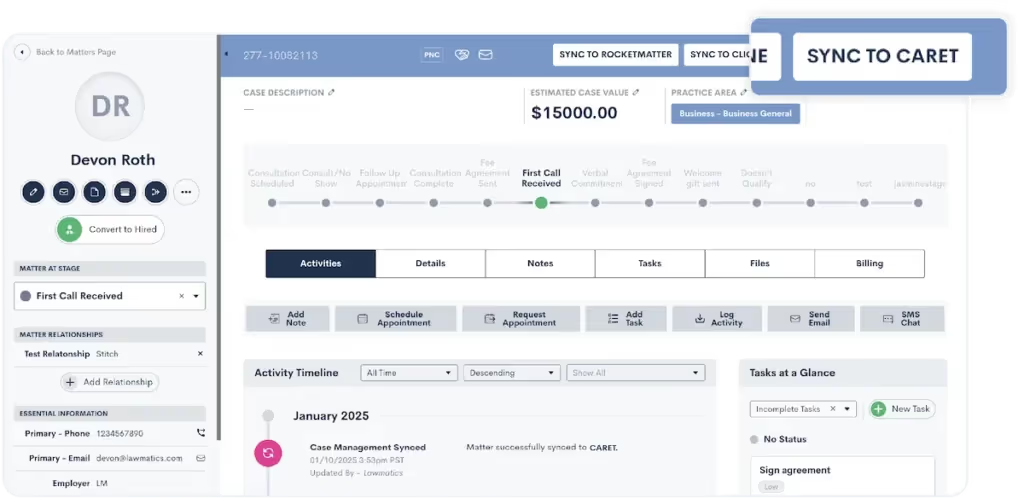
Here are your options for how to sync matters:
- Sync manually: When a matter is ready to sync to CARET Legal, just click on the “Sync to CARET” button on the top right of your screen and confirm your choice.
- Sync automatically: Set up an automation that triggers the matter to sync to CARET Legal upon the matter converting to a Hired status.
Maintain data integrity with confidence
The phrase “garbage in, garbage out” haunts every intake manager. And inconsistent data can spell trouble faster than you can remember how to spell “certiorari.” In fact, an ABA study found that administrative errors, like clerical errors and lost files, accounted for 23% of all malpractice claims a few years ago.But now, with this integration, you can rest easy knowing that data integrity is maintained at every step. With a simple transition from one stage to the next, you can be confident that your data is always clean, consistent, and accurate. Say goodbye to typos and discrepancies.
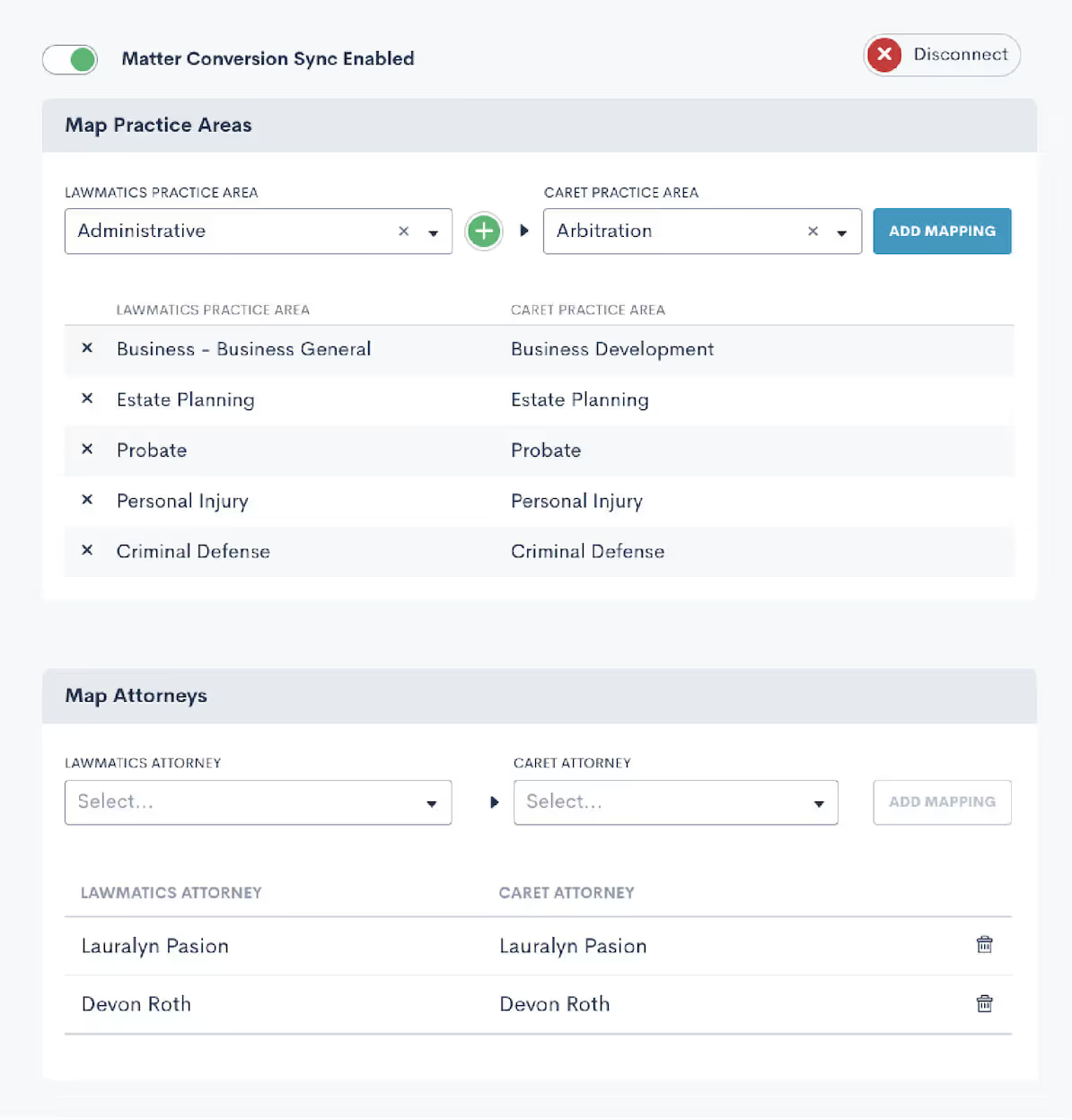
Save time on administrative hassle
Time is your most valuable resource, and every minute wasted on repetitive tasks is a minute you can’t dedicate to clients. The Lawmatics + CARET Legal integration takes tedious tasks off your plate, creating more time for clients and building your business. In a nutshell: more productivity, less busywork. Refocus those energies into client service or tasks that actually generate revenue.

Get started with Lawmatics + CARET Legal
It’s time to reclaim your day from the clutches of inefficient processes and redundant data entry. The Lawmatics + CARET Legal integration is here to make your workflows smoother, your data more reliable, and your practice more efficient. Current Lawmatics users can log in to set up your integration today.If you’re a CARET Legal user looking to revolutionize intake for your firm, book a Lawmatics demo to check out our CRM for yourself.If you’re interested in learning more about CARET Legal, visit our dedicated integration page.

Why SEO matters: The mindset of today’s legal consumer
Imagine you’re a potential client searching for a lawyer. You’ve just been in a car accident, and your insurance company is dragging its feet. What’s the first thing you do? You pull out your phone and type something like, “best personal injury lawyer near me.”This moment — when someone searches for a solution to their legal problem — is what SEO is all about. It positions your firm at the exact point where intent meets action — one of the tenets of digital marketing for law firms.Here’s why it pays to pay to have the best SEO for law firms:
- Legal consumers are searching, and fast: Research shows that 68% of all online experiences start with a search engine. Legal consumers don’t casually browse—they look for attorneys when they need help now. If your firm isn’t optimized to show up, another firm will be.
- They trust Google’s results: About 75% of users never scroll past the first page of search results. Think about it: When was the last time you clicked to page two? Being at the top of the results isn’t just a nice-to-have—it’s critical.
- They want answers instantly: SEO ensures your firm appears in local search results like Google’s Local Pack, where potential clients can immediately see your contact information, reviews, and location.
SEO as a Digital First Impression
If your website isn’t optimized for search, it’s like having an office with no signage or an empty lobby. SEO ensures you’re not only visible but credible. When potential clients see you ranking high in search results, they assume your firm is established, reputable, and capable.
Why do law firms need marketing, generally speaking?
Now that we’ve established the importance of SEO, let’s broaden the scope. Digital marketing isn’t just about ranking higher in search results; it’s about creating a comprehensive strategy that consistently brings in leads. While referrals still matter big time in legal, the average consumer expects to find you online, trust your reputation (think reviews and rankings), and quickly access the answers they need.Today’s law firm marketing revolves around:
- SEO (Search Engine Optimization): Getting your firm to rank for high-intent searches like “construction lawyer near me.”
- Google Ads (PPC): Claiming premium placement at the top of search results, ensuring visibility when potential clients need you most.
- Content Marketing: Publishing resources like blog posts or guides that build trust and reinforce your expertise.
If you’re not visible online, you’re invisible to prospective clients. The right digital strategy creates a predictable system for generating legal leads and converting them into loyal clients.
How much do law firms spend on marketing?
Once you understand the why, it’s time to explore how much. Let’s break it down.
How much do law firms spend on SEO?
SEO is the long game — and for good reason. On average, law firms spend $3,000 to $10,000 per month on SEO services, depending on factors like competition, practice area, and market size (source).Why the investment?
- Content-Driven Traffic: Optimized blogs, service pages, and FAQs tailored to your practice area drive qualified traffic.
- Technical Optimization: Fast, mobile-friendly sites are essential to rank well and keep users engaged.
- Local Dominance: A family law firm in Dallas can attract more cases by appearing in “local pack” results for queries like “child custody lawyer near me.”
SEO pays dividends in the form of steady, organic traffic — but it requires consistent attention and expertise.
How much do law firms spend on Google Ads?
Google Ads is where speed meets precision. The average Google Ads budget for law firms ranges from $5,000 to $15,000 per month, with some firms spending far more in high-stakes niches like personal injury.What drives costs?
- Sky-high CPCs: Legal keywords are some of the most expensive, with costs per click often exceeding $100.
- Intense competition: A DUI lawyer in a major city like Chicago or Miami may face aggressive bidding wars for keywords like “criminal defense attorney.”
- Results you can track: Unlike SEO, Google Ads delivers quick wins but requires ongoing optimization to ensure ROI.
Google Ads is ideal for firms looking to attract high-intent clients quickly, but costs can skyrocket without proper management.
How much should a law firm spend on marketing?
Here’s the golden rule: successful law firms allocate 2–10% of gross revenue to marketing. Newer or smaller firms may need to spend more to establish their presence, while established firms with a loyal client base might spend less proportionally but more in absolute terms.A smart allocation for digital marketing might look like this:
- 30% to SEO: Build a foundation for long-term growth.
- 40% to Google Ads: Drive immediate traffic and leads.
- 20% to Content Marketing: Showcase expertise and engage potential clients.
- 10% to Social Media: Strengthen your brand and stay connected with your audience.
For example, a personal injury firm generating $2M annually might allocate $150K to marketing, investing $45K in SEO and $60K in PPC to dominate local searches while producing educational content on common accident claims.
The key to getting ahead: Lawmatics
Visibility isn’t optional — it’s the deciding factor in whether a client calls your firm or moves on to the next result. If your marketing feels piecemeal or outdated, it’s time to take a smarter approach.That’s where Lawmatics comes in. Our platform integrates lead generation, client relationship management, and marketing automation to help your firm attract, engage, and convert more clients. From SEO strategies to automated follow-ups, we give you the tools to dominate your market.Request a demo today and see how Lawmatics can transform your firm’s marketing strategy for 2025.

Picture this: It’s late at night, and a potential client is frantically Googling “best criminal defense attorney near me” after an unexpected run-in with the law. Now imagine your firm isn’t even on the first page of results. That’s not just a missed opportunity — it’s a client for your competitor.The reality is that 46% of all Google searches have local intent (Saga Pixel). That means almost half of the online world is actively looking for local services like yours. If your law firm isn’t investing in digital marketing for law firms, particularly local SEO, you’re invisible. Let’s break down why local SEO is your secret weapon for getting found and growing your practice.
Do Law Firms Need SEO?
Absolutely, and here’s why.SEO (Search Engine Optimization) is the strategy that makes your law firm discoverable online. Without it, your website becomes an expensive business card gathering dust in a corner of the internet.For example, if you’re a personal injury lawyer in Atlanta and someone searches for “car accident attorney near me,” SEO ensures your firm has a fighting chance to appear. But it’s not just about showing up — it’s about showing up in the right places, at the right time.SEO builds trust and authority by aligning your website with search engine expectations. This includes having fast-loading pages, mobile-friendly design, and relevant, keyword-rich content. For law firms, it’s the difference between being someone’s first choice and being invisible.
What is Local SEO in Digital Marketing?
Local SEO is how your law firm becomes a household name in your area. Unlike traditional SEO, which casts a wide net, local SEO zeroes in on your specific geographic location, ensuring you’re found by people searching nearby.
Local SEO for Lawyers: A Strategic Advantage
Law is inherently local. Clients look for attorneys who understand the laws and nuances of their area. Local SEO bridges the gap by focusing your digital marketing efforts on attracting nearby clients. Here’s how:
- Optimized Google Business Profile (GBP): Ensure your listing includes accurate business hours, contact info, and client reviews to dominate the Local Pack.
- Localized Content: Blog posts addressing region-specific legal topics can establish authority.
- Location-Specific Keywords: Phrases like “real estate attorney Los Angeles” or “divorce lawyer Tampa” help you rank for searches in your area.
Local SEO Examples That Work
- A DUI attorney in Houston creating blog posts about Texas DWI laws.
- A workers’ compensation lawyer in Chicago ensuring their GBP includes reviews mentioning quick settlements.
- A probate law firm in San Diego embedding “San Diego probate lawyer” across service pages and meta descriptions.
Is Doing Local SEO Worth It?
If your goal is to grow your client base, local SEO is non-negotiable. But don’t just take my word for it—here’s why local SEO for lawyers is a game-changer.
Why Local SEO is Important for Law Firms
Google’s algorithm favors proximity. In fact, almost half of all Google searches have local intent. If you’re not showing up in searches like “criminal defense lawyer near me,” you’re leaving money—and clients—on the table.
Benefits of Local SEO
- Higher Visibility: Appear in local searches where potential clients are actively looking.
- Enhanced Credibility: Reviews and star ratings position you as a trusted choice.
- Cost-Effective Marketing: Focus your budget on clients most likely to hire you.
- Stronger Community Presence: Local SEO reinforces your reputation as an integral part of your community.
When executed correctly, local SEO positions your law firm as the first and most trusted name people see when searching for legal help.
How Much Do Law Firms Spend on SEO?
SEO is an investment, but it’s one that can pay off exponentially. On average, law firms allocate $2,500–$10,000 per month for SEO services, depending on their location, competition, and the scope of their campaign.Here’s a breakdown of what factors into those costs:
- Keyword Research: Understanding what clients are searching for.
- Content Creation: Regularly publishing high-quality, relevant blog posts and pages.
- Technical SEO: Ensuring your website is fast, mobile-friendly, and optimized for search engines.
- Link Building: Establishing your site as an authority through backlinks from trusted sources.
For local SEO, the costs can be even more focused. Instead of competing on a national level, you’re targeting a smaller, more specific audience, often making campaigns more affordable while delivering higher returns.
Turn Google searches into clients
Your law firm’s visibility can be the deciding factor in whether potential clients choose you—or the firm down the street. Local SEO ensures that you’re not only visible but also the first choice when it counts.If your current digital marketing strategy feels outdated or scattered, let us help. Our software is designed to give your firm the edge it needs in today’s competitive market. Request a demo today, and take the first step toward owning your local market.

Picture this: a potential client needs legal help. They grab their phone, type "divorce lawyer near me," and within seconds, they’re scrolling through the top results on Google. Considering that 38% of clients initiate their search for legal assistance online (Finances Online), if your law firm isn’t on that first page, you’re practically invisible. That’s the power of digital marketing for law firms, and at the heart of it lies SEO (Search Engine Optimization).SEO isn’t just a trendy buzzword — it’s the backbone of how law firms attract, engage, and retain clients in a digital-first world. And if you're not investing in it, you’re leaving opportunities (and revenue) on the table.
What Is SEO for Law Firms?
There’s more to SEO for lawyers than merely sprinkling keywords on your website. It’s a multi-faceted strategy to ensure your firm shows up when someone searches for legal services you offer. Think of it as your online reputation manager and lead generator rolled into one.Here’s what it includes:
- Keyword research and optimization: Identifying phrases like “divorce attorney in [city]” or “real estate lawyer near me” that potential clients are searching for.
- Technical SEO: Ensuring your website is fast, secure, and mobile-friendly—because no one has patience for a slow site.
- Content marketing: Producing valuable resources like blog posts, FAQs, and eBooks that answer client questions.
- Local SEO: Optimizing for location-specific searches to dominate your area’s results.
- Backlink building: Earning links from reputable websites that signal your authority to search engines.
SEO for law firms is essentially your online handshake with potential clients. When done right, it positions your firm as the go-to expert before they’ve even spoken to you.
Do Law Firms Need SEO?
Short answer? Absolutely.The days of relying solely on word-of-mouth referrals or billboard ads are long gone. Most clients start their search for legal help online, and if your firm isn’t showing up in those searches, your competitors are.
What Is Law Firm SEO Content?
Law firm SEO content is what gets potential clients to stop scrolling and start engaging. This isn’t about stuffing pages with generic legal jargon; it’s about creating meaningful, search-friendly content that speaks directly to your audience. Examples include:
- Practice area pages: Highlight your services in detail, from family law to corporate litigation.
- Case studies: Share real-world examples of how you’ve helped clients achieve favorable outcomes.
- Educational blog posts: Break down legal jargon into plain English, answering questions like “What happens during a bankruptcy filing?”
Good SEO content answers questions before they’re asked, building trust and credibility while driving traffic to your site. Remember, you’re building relationships with potential clients, and often it starts here.
Why Are Local SEO Services Important?
Location is everything. For most legal clients, proximity is a top factor in choosing an attorney. That’s where Local SEO for lawyers comes in.Local SEO ensures your firm appears in geographically relevant searches, particularly in Google’s coveted local map pack. Here’s what that means for your firm:
- Dominate local searches: Optimize for terms like “immigration lawyer in [city]” to capture nearby clients.
- Strengthen your Google My Business profile: Keep it up-to-date with accurate contact details, hours, and client reviews.
- Encourage reviews: Positive reviews don’t just build trust — they help your rankings.
The best SEO for law firms doesn’t just attract visitors; it ensures the right people—local clients—find you at the exact moment they need help.
How Much Do Law Firms Spend on SEO?
Investing in SEO isn't just about visibility; it's about return on investment. On average, law firms allocate around $150,000 annually to SEO efforts, yielding a remarkable 526% ROI over three years (Rank Tracker). SEO costs can vary widely depending on your firm’s size, goals, and competition. Here’s a breakdown:
- Smaller firms: May spend $1,500–$3,000 monthly for a modest foundational strategy.
- Mid-sized firms: Typically invest $3,000–$8,000 monthly for a robust approach, including local and technical SEO.
- Larger firms: Often spend $10,000+ monthly for aggressive campaigns targeting highly competitive markets.
Is it worth it? Absolutely. With high-value cases often exceeding five or six figures, a single client secured through SEO can cover months — if not years — of investment.
Turn searchers into clients with Lawmatics
Ignoring SEO is like letting a golden opportunity slip through your fingers. It’s the difference between being a local leader or an afterthought in search results. By leveraging SEO, your firm can capture the attention of high-value clients exactly when they’re searching for your services.Want to rise above the competition? Lawmatics offers the tools and expertise to supercharge your digital strategy. Request a demo today and see how we can help your firm dominate the search results and grow your client base.

Legal marketing isn’t about waiting for referrals anymore. Today’s clients start their search for legal services on Google, comparing firms based on what they see across websites, reviews, and social media. If you’re a lawyer, being “visible” means more than just having a website—it’s about engaging clients where they’re already looking and delivering something memorable. Digital marketing for law firms is now a matter of survival. Without a clear strategy, you risk getting lost in the endless scroll. Below, we’ll dive into practical law firm marketing ideas to make sure you’re front and center when it matters most.
How do you advertise yourself as a lawyer?
A solid marketing plan is essential for capturing attention and building trust in an increasingly digital world. Think of it as your blueprint for reaching and engaging the right clients.
What are the 7 steps of a marketing plan?
Successful legal marketing hinges on structure and strategy. Here’s a seven-step plan to guide you through it:
- Define Your Target Audience. Zeroing in on your audience is non-negotiable. Maybe you focus on businesses needing intellectual property help or clients with family law needs. Craft your messaging to resonate with this target demographic and choose channels that align with their preferences.
- Set Clear Goals. Identify what you want to achieve and make it measurable. Are you aiming for a 30% increase in consultations or doubling your social media following? Specific goals help you measure what’s working.
- Analyze the Competition. Competitor analysis isn’t just about seeing who they are—it’s about understanding what they’re doing well and where you can do better. This insight can inform everything from your messaging to your ad placement.
- Create a Unique Value Proposition (UVP). Your UVP is what sets you apart. Maybe it’s your specialized knowledge, your approachability, or your track record. Make sure this value is front and center in your materials.
- Develop Key Marketing Strategies. Consider SEO, content marketing, social media, and PPC advertising. For instance, a well-optimized blog can answer client questions before they even ask, helping you become a go-to resource.
- Execute Your Strategy. Now, it’s time to roll out your tactics—launch campaigns, track web traffic, engage on social media, and nurture those leads.
- Measure & Adjust. Analyze results and pivot based on what you learn. Marketing is a dynamic process, so remain agile and ready to adapt to trends and client needs.
Can lawyers advertise on social media?
Absolutely, and it’s a must for staying relevant. Social media allows lawyers to showcase their expertise, interact with clients, and establish a personal brand. According to the American Bar Association, 35% of lawyers have gained clients through their social networking activities, proving that these platforms are more than just social—they’re crucial client-building tools. And while ethical guidelines apply on platforms like LinkedIn, Facebook, and Instagram, social media can add a much-needed human element to a lawyer’s brand.
What social media do lawyers use most?
While LinkedIn and Facebook have been reliable for years, lawyers today are branching out to other platforms like Instagram and TikTok, where they can reach younger clients or showcase firm culture.
- LinkedIn – LinkedIn remains a cornerstone for professional networking. It’s ideal for sharing thought leadership content, engaging with other professionals, and reaching corporate clients.
- Facebook – With its broad reach, Facebook works well for general updates, sharing testimonials, and posting blog links to drive traffic to your website.
- Twitter – Twitter is great for quick, insightful posts, sharing legal news, and staying visible in current conversations. Lawyers who want to weigh in on trending topics will find a home here.
- Instagram – Think of Instagram as a way to humanize your firm. It’s perfect for sharing behind-the-scenes looks, team events, or community involvement, giving a more personable touch.
- TikTok – Yes, even TikTok. Lawyers are increasingly using TikTok to create short, engaging videos that break down legal concepts, demystify jargon, and educate viewers in bite-sized segments.
Did you know?TikTok's monthly active users hit 1 billion in 2021, and it continues to grow as a powerful platform for business outreach
Social media for lawyers can be powerful when it’s done right, staying compliant with ethical standards while building a genuine online presence.
What Is the best form of advertising for a lawyer?
A mix of digital advertising tactics tends to work best, especially when customized to your unique strengths and client base. Here are some of the most effective forms of lawyer advertising:
- Search Engine Optimization (SEO) – Organic search traffic is pure gold for law firms. Clients actively searching for terms like “immigration lawyer near me” or “DUI attorney” are primed for conversion. Studies show that 96% of those seeking legal representation begin their search online, underscoring the importance of strong SEO for visibility.
- Pay-Per-Click Advertising (PPC) – With Google Ads, you can secure premium placement in search results, appearing right when potential clients are searching for your expertise. It’s a direct, effective way to generate leads from those actively seeking services.
- Content Marketing – Regularly posting insightful blogs, articles, or case studies positions you as a thought leader. By answering potential clients’ questions in advance, you’re building trust and proving your value before they even call you.
- Email Marketing – Email marketing is cost-effective and keeps your firm top-of-mind. Whether it’s monthly newsletters, legal updates, or tips, email lets you stay connected with both potential and existing clients.
A balanced law firm digital marketing strategy combines these elements to ensure that you’re visible, reachable, and engaging across multiple channels.
Take control of your firm’s growth with Lawmatics
A well-executed digital strategy can make all the difference in connecting with the clients you want. Our software is designed to support legal professionals like you in maximizing reach, engagement, and conversions, so you can spend less time on marketing and more on what you do best. Request a demo today to see how we can help your firm make a lasting impact.

Imagine you're scrolling through social media, and an ad for a law firm grabs your attention. But instead of the usual jargon, it feels like it speaks directly to you. That’s the power of smart advertising, and it’s what every law firm needs to compete in a fast-paced market. The legal industry is experiencing a shift—lawyers must now think like marketers to stand out. But with so many options out there, from digital campaigns to traditional billboards, what really works?It’s a question that more law firms are asking, especially as clients’ expectations for accessibility and service continue to rise. In fact, studies show that 96% of people seeking legal advice use a search engine (FindLaw) and 74% of law firms say they intend to invest more in digital marketing strategies over the next year (ABA). The data doesn’t lie—getting your firm noticed online is no longer optional, it’s a must. But let’s break down the forms of advertising that really make a difference for lawyers.
What is legal advertisement?
Legal advertisement refers to any form of promotion where lawyers market their services to potential clients. This includes everything from traditional TV ads and billboards to modern digital ads on social media. The ABA advertising rules are designed to ensure that law firm marketing remains professional and ethical, prohibiting false or misleading claims. A crucial part of navigating legal advertisements is staying up to date with the rules governing it, which can vary by state. While these rules might seem restrictive, they actually serve to build trust and maintain the integrity of the legal profession.
What kinds of advertising do lawyers most commonly use?
Law firms typically leverage a mix of traditional and digital advertising methods, depending on their target audience and goals. Here’s a breakdown of the most common forms of law firm advertising:
- Billboards. Yes, those huge signs lining the highways are still in use, especially by personal injury and criminal defense attorneys. These ads aim to capture the attention of drivers and pedestrians alike.
- TV and Radio Ads. Local commercials remain popular for attorneys seeking to connect with a broader, often older, audience.
- Pay-Per-Click (PPC) Ads. Lawyers increasingly use PPC ads on Google and Bing to target clients searching for legal help online.
- Social Media Ads. Platforms like Facebook, Instagram, and LinkedIn provide targeting tools to reach specific demographics, making it easier for lawyers to advertise their services to people who need them most.
Are billboards effective for lawyers?
Yes and no. Billboards can be effective in certain contexts, like personal injury or criminal law, where potential clients may make decisions quickly. However, billboards don’t always provide enough depth to fully explain a law firm's services, and the return on investment is often hard to track. So while they may work for visibility, they often don’t convert as well as digital marketing efforts, which allow you to directly target specific audiences.For example, billboard campaigns could make sense in high-traffic areas with repeated exposure to consumers, but they’re most effective when used alongside other strategies. In contrast, digital methods allow for more precise targeting and measurable results, which brings us to a more modern alternative: social media.
Can lawyers advertise on social media?
Absolutely. Lawyer advertisements on social media have skyrocketed in recent years as firms recognize the potential to reach new clients where they spend much of their time—online. Platforms like Facebook, Instagram, and LinkedIn are not only affordable but also offer advanced targeting capabilities, allowing law firms to reach specific audiences based on demographics, location, and even behavior.For example, a family law attorney could target ads toward individuals who have recently updated their relationship status. Similarly, a business law firm could run ads aimed at startups and small business owners. Social media advertising is cost-effective, trackable, and allows for creative ways to engage with potential clients through videos, testimonials, and case studies.
What is the best form of advertising for a lawyer?
Ultimately, the best form of advertising for a lawyer depends on the specific goals of the firm. While there is no one-size-fits-all solution, there are a few universal rules to keep in mind:
- For brand awareness. Traditional methods like billboards or TV ads can create broad awareness, especially if your practice serves a wide geographic area.
- For targeted outreach. Digital marketing, especially PPC ads and social media campaigns, allow for more precise targeting of potential clients. For instance, using law firm advertising examples as a guide, you could tailor ads for people searching for specific services like estate planning or DUI defense.
- For building trust. Client testimonials, reviews, and informative content on your website can act as powerful advertising tools. Content marketing, which includes writing helpful articles and guides on legal topics, positions your firm as a trusted authority.
As technology continues to evolve, so too do the advertising options available to lawyers. Regardless of which platform you choose, staying compliant with lawyer advertising rules is essential to protect your firm’s reputation and avoid any ethical violations.
Maximize your marketing efforts through automation and insights
The world of legal advertising is evolving, and your law firm needs to evolve with it. Traditional methods like billboards may still play a role, but the future lies in digital. By investing in smart, targeted online ads, your law firm can reach the right audience and stand out in a crowded market.Looking for a comprehensive way to elevate your law firm's marketing? Our software is purpose-built to help lawyers optimize digital campaigns, track leads, and grow their practices. Request a demo today and see how we can help your firm thrive.

Let’s cut to the chase: If your law firm isn’t mastering digital marketing, you're already behind. With more than 70% of legal consumers using online resources to find answers to a legal question, you need to be where they are. But we're not just talking about throwing up a website and calling it a day. The digital landscape is more competitive than ever, and to get ahead, law firms must adopt a strategic and comprehensive approach to online marketing. This means going beyond the basics—leveraging SEO, content marketing, and social media to build a dynamic online presence. It’s about creating a cohesive strategy that positions your firm in front of the right clients at the right time.
Do law firms need digital marketing?
Absolutely. Digital marketing isn’t just a tool, it’s a necessity. If your clients are using search engines to find legal help, why wouldn't you meet them there? Without a solid digital presence, you’re missing out on potential leads, and more importantly, you're letting competitors take your business. In fact, according to a recent study, 96% of people seeking legal advice use a search engine (Google Consumer Survey). Not having a strong online presence essentially means you’re leaving money on the table.
Why is digital marketing important for law firms?
Digital marketing is the foundation of modern lead generation. The best lead generation for lawyers is done through targeted digital strategies like SEO, content marketing, and PPC. These aren’t just buzzwords—they’re proven tactics that help potential clients find your firm before they even know they need you. And it's not just about being found, it's about establishing trust. A well-rounded digital marketing strategy enables you to build credibility and engage with clients in a way that traditional marketing can’t.
What are the best practices in digital marketing?
Let's talk about what’s actually going to move the needle for your firm:
- Optimize for SEO. If you’re not showing up on the first page of Google, you might as well not exist. Proper SEO is the cornerstone of any digital strategy. Focus on the right keywords (hint: think like your clients).
- Content that Converts. Content isn’t just filler—it’s your chance to educate and influence. High-value blog posts, videos, or even infographics not only engage clients but also show Google you’re an authority in your field. 88% of law firms today use blog posts for client development, and you should be too (ABA).
- Social Media Mastery. Platforms like LinkedIn aren't just for job seekers. They’re places where firms can showcase expertise, share successes, and connect with prospective clients. You don’t need to be everywhere—be where your clients are.
- Email Marketing Done Right. Sending out a monthly newsletter isn’t enough. Email campaigns should be segmented and personalized, delivering content that’s directly relevant to each client group.
- Analytics and Adjustments. What’s working? What’s not? Tracking and adjusting your strategy based on data is what separates good marketers from great ones.
What are the 5S goals of digital marketing?
The 5 S’s are your blueprint for digital success, and law firms can benefit tremendously by following them:
- Sell. Make it easy for clients to find and choose your services. A strong online presence helps convert visitors into leads.
- Serve. Think beyond selling. Serving your clients with value-driven content or seamless client portals builds trust.
- Speak. Consistent communication keeps you top of mind. Whether it’s through blogs, email campaigns, or social posts, staying active is key.
- Save. Digital marketing can save your firm both time and money by automating tasks like appointment setting and client follow-ups.
- Sizzle. Stand out. The legal market is crowded, but the firms that invest in polished branding, sharp websites, and standout content will always get noticed.
What is the best strategy for digital marketing?
Here’s where we get tactical. The best digital marketing strategies combine a mix of content, SEO, paid ads, and social proof. But it’s not just about slapping together a few tactics. You need to be intentional with everything you do:
- SEO-driven blogging. Regularly updating your site with content that answers common client questions boosts organic traffic and positions your firm as an expert.
- Google ads with precision. A well-targeted pay-per-click (PPC) campaign ensures your firm is front and center for the most valuable keywords. PPC ads can increase brand awareness by 80% (Google).
- Social proof for trust. Client testimonials, Google reviews, and case studies aren’t just nice-to-haves—they’re essential. 84% of people trust online reviews as much as personal recommendations (BrightLocal).
- Retargeting for results. Don’t let potential clients slip away. Retargeting campaigns bring back visitors who have already shown interest but didn’t convert on the first go.
Whether you’re dipping your toes into digital marketing or looking to fine-tune an existing strategy, these approaches are a must.
Level up your firm’s marketing with Lawmatics
Law firms that leverage digital marketing strategies for law firms are the ones thriving today. It’s no longer optional—it’s the lifeblood of client acquisition and retention. With our platform, you can take the guesswork out of digital marketing, automate your lead generation, and give your clients the experience they deserve. Want to see how we can help your firm grow? Request a demo today!

If you're looking to grow your law firm in 2024, digital marketing is non-negotiable. The era of relying on referrals and print ads is fading fast. Digital marketing for law firms has quickly become the new standard for reaching and engaging clients, setting the bar for how modern law firms grow and stay competitive. And with the rapid advancements in AI, personalized content, and data-driven marketing, your firm needs to stay ahead. According to a Forbes digital marketing prediction, marketing spend is increasingly shifting toward digital channels, with a staggering 54% of total marketing budgets allocated to digital in 2024. But the real question is: What’s the most effective way to leverage digital marketing for your law firm?
What Are the Benefits of Digital Marketing for Lawyers?
In 2024, the benefits of digital marketing for lawyers go beyond just visibility. It’s about agility, precision, and personalization. With more people turning to online resources when searching for legal help, digital marketing helps you reach those individuals exactly when and where they need you most. Here’s what makes digital marketing essential for law firms today:
- Hyper-Targeting: Platforms like Google and social media offer unprecedented targeting capabilities. Want to reach potential clients in a 10-mile radius who just searched for “personal injury attorney”? Done.
- Cost Efficiency: Digital marketing is more budget-friendly and scalable than traditional methods. According to a 2023 HubSpot report, businesses using digital content marketing see 62% lower cost per lead compared to traditional methods.
- Real-Time Adjustments: No more waiting weeks for feedback on whether your campaign worked. With tools like Google Analytics and heat maps, you can optimize your strategy on the fly, making quick pivots to ensure your campaigns are always on point.
The digital landscape gives law firms the power to target exactly who they want to reach with measurable results, allowing for growth without wasting time or money.
What Are the Top 7 Types of Digital Marketing?
With so many options in 2024, which digital marketing types should your law firm focus on? Let’s break down the 7 types of digital marketing that will help you stand out in a crowded market:
- Search Engine Optimization (SEO): Still a cornerstone of digital marketing, SEO remains critical for getting your firm found by clients who need your services. Optimize for voice searches, too—almost 30% of web browsing in 2024 is expected to happen without a screen.
- Pay-Per-Click (PPC): Whether it’s Google Ads or retargeting ads, PPC delivers immediate visibility. In fact, Wordstream reports that law firms see a 7% higher conversion rate than other industries using PPC.
- Content Marketing: Blogging, whitepapers, case studies—these don’t just provide valuable information, but they also position your firm as an authority in your field. In 2024, expect clients to engage more with video content and interactive blogs.
- Social Media Marketing: While LinkedIn remains a hub for professional networking, platforms like Instagram and even TikTok are becoming viable spaces for law firms to showcase their unique culture and success stories.
- Email Marketing: Personalized emails are far from dead—in fact, Campaign Monitor revealed that email marketing generates a $42 return for every dollar spent, making it one of the most profitable digital marketing strategies.
- Video Marketing: Lawyers who utilize video marketing—whether it’s short educational clips or client testimonials—are seeing higher engagement rates across all platforms. Video content consumption is expected to grow by 14% in 2024.
- Webinars and Online Workshops: Educational webinars remain a hot ticket for attracting leads. If you’re not already hosting webinars on legal topics, you’re leaving potential clients on the table.
Which Type of Digital Marketing Is Most Effective?
Which digital marketing channel reigns supreme? It really depends on your firm’s goals. But in 2024, SEO and PPC still lead the pack for generating immediate and long-term leads. SEO is especially powerful when you’re playing the long game, helping your firm organically rise to the top of search results. However, PPC is unbeatable for instant visibility, especially for high-intent searches like “divorce attorney near me.”For law firms looking to dominate their niche, video marketing is also gaining traction, with Wyzowl’s 2024 report noting that 91% of businesses use video as a marketing tool for their brand. The legal industry is no exception. Short, engaging videos can set you apart in an otherwise text-heavy space.
Which Digital Marketing Strategy Is Best for Law Firms?
In 2024, the best digital marketing strategy for law firms is an integrated one. Relying on a single tactic will limit your reach and your results. Here’s how to craft a well-rounded approach:
- Optimize for Local Search: Ensure your firm appears in local search results, especially on Google Maps. An optimized Google Business Profile will help you capture nearby leads who are actively searching for legal services.
- Use PPC to Boost Immediate Traffic: PPC campaigns targeting specific keywords like “immigration lawyer in [city]” ensure your ads reach people when they’re ready to hire an attorney.
- Leverage Content Marketing for Authority: Regularly post content that answers potential clients’ most pressing questions. Focus on long-form blog posts and videos to establish your firm as a leader in your practice area.
- Retain Clients with Email Marketing: Keep past clients informed and engaged through email newsletters, offering legal updates or tips that position you as their go-to legal expert.
By combining these strategies, your law firm will attract new clients, retain them, and build long-lasting relationships—all while maximizing ROI. For even more insights on digital advertising strategies for law firms, this comprehensive Digital Advertising Playbook breaks down everything you need to know to drive growth and maximize ROI.
Conclusion
The future of law firm growth is digital, and the sooner you embrace it, the better positioned you'll be to thrive. From SEO and PPC to video marketing, each piece plays a role in driving visibility and engagement for your firm. If you're ready to elevate your digital marketing game, Lawmatics has the tools to help you seamlessly manage your marketing efforts. Request a demo today to see how we can help you grow your practice in 2024 and beyond.

In today's fiercely competitive legal market, firms are progressively embracing digital marketing not only to survive but to thrive. Whether it’s building relationships, showcasing expertise, or simply keeping your firm in the client's mind, digital marketing offers a buffet of options tailored to the unique needs of legal professionals. But among a plethora of strategies, which should your firm prioritize? Let's dig into one of the best digital marketing strategies for law firms and see why email marketing could be your ace in the hole.
Do Law Firms Need Digital Marketing?
Absolutely, yes! Think of digital marketing as the modern-day courthouse steps. It’s where opinions are formed, reputations are built, and much of the public conversation around legal issues takes place. Without a solid digital marketing strategy, even the most skilled law firms may struggle to get noticed in a sea of competitors.Digital marketing is not just about being found. It’s about being found and valued. It’s about telling your firm’s story in a way that resonates with your prospective clients. It empowers firms to communicate directly with both potential and existing clients, create meaningful interactions, and build a community around their services.
Do Law Firms Use Email Marketing?
Many do, and for good reason! Email marketing for law firms is like the Swiss Army knife of digital marketing tools—it’s versatile, powerful, and when used correctly, incredibly effective. In fact, email marketing is one of the most cost-effective channels available — boasting an average ROI of $42 for every $1 spent.Through personalized communication, law firms can nurture leads, update clients about new laws or regulations, share success stories, and foster relationships that might be too costly to manage through in-person meetings alone.According to the ABA 2023 Legal Technology Survey, only about 32% or respondents reported using email marketing as part of their overall marketing strategy. This indicates a growing recognition of email's ability to deliver targeted messages efficiently to various client segments.Moreover, a 2021 study by HubSpot found that segmented email campaigns can result in a 760% increase in revenue, highlighting the importance of personalized content in legal marketing.[oxygen-template id="9105"]
Who is the Target Audience of Email Marketing
In the context of law firms, the target audience for email marketing can be quite diverse, encompassing:
- Previous clients who might need legal services again
- Potential clients who have shown interest through consultations or web inquiries
- Professional peers who may provide referrals
- Local or online communities interested in legal topics covered by the firm’s expertise
Abiding by privacy laws and regulations, email marketing allows firms to address the specific needs and interests of different groups through segmentation and tailored content, making it a potent tool for engagement and conversion.
Is it Legal to Do Email Marketing?
Yes, but it comes with a playbook to follow. Laws such as the CAN-SPAM Act in the U.S. set the rules of the game. These laws mandate transparency, choice, and privacy protections for recipients. This means no misleading subject lines, a visible opt-out option, and clear identification of your message as an advertisement. As long as law firms adhere to these guidelines, email marketing remains not only legal but ethically sound.
What Are Some Email Marketing Strategies for Law Firms?
Incorporating effective strategies within your emails can significantly uplift your firm’s engagement and client conversion rates. Here are a few examples of email marketing for law firms to consider:
- Educational Content: Share insights into common legal issues or recent changes in law that may affect clients.
- Case Studies and Testimonials: Build trust and credibility by highlighting stories of how your firm has helped clients in the past.
- Upcoming Seminars or Webinars: Invite leads to free, valuable discussions on relevant legal topics.
- Personal Milestones: Celebrate firm anniversaries or introduce new team members to create a personal connection.
Templates and tools, like a law firm email marketing template, streamline the process, maintaining brand consistency and reducing the time needed to create compelling emails.
What Tool Can Help Create the Best Email Marketing for Law Firms?
Choosing the right tool can be a game-changer. You need a platform that’s intuitive, robust, and tailor-made for legal marketers. Lawmatics emerges as a front-runner in this arena. Our all-in-one marketing solution is designed with law firms in mind, simplifying campaign management and analytics so you can focus on what you do best—practicing law.Interested in seeing how Lawmatics can transform your firm’s digital marketing efforts? Request a demo today! Let’s help you build a communication bridge that brings your clients closer, one email at a time.