



The Lawmatics Blog
Insights on legal marketing, automating the law practice, and legal tech in general
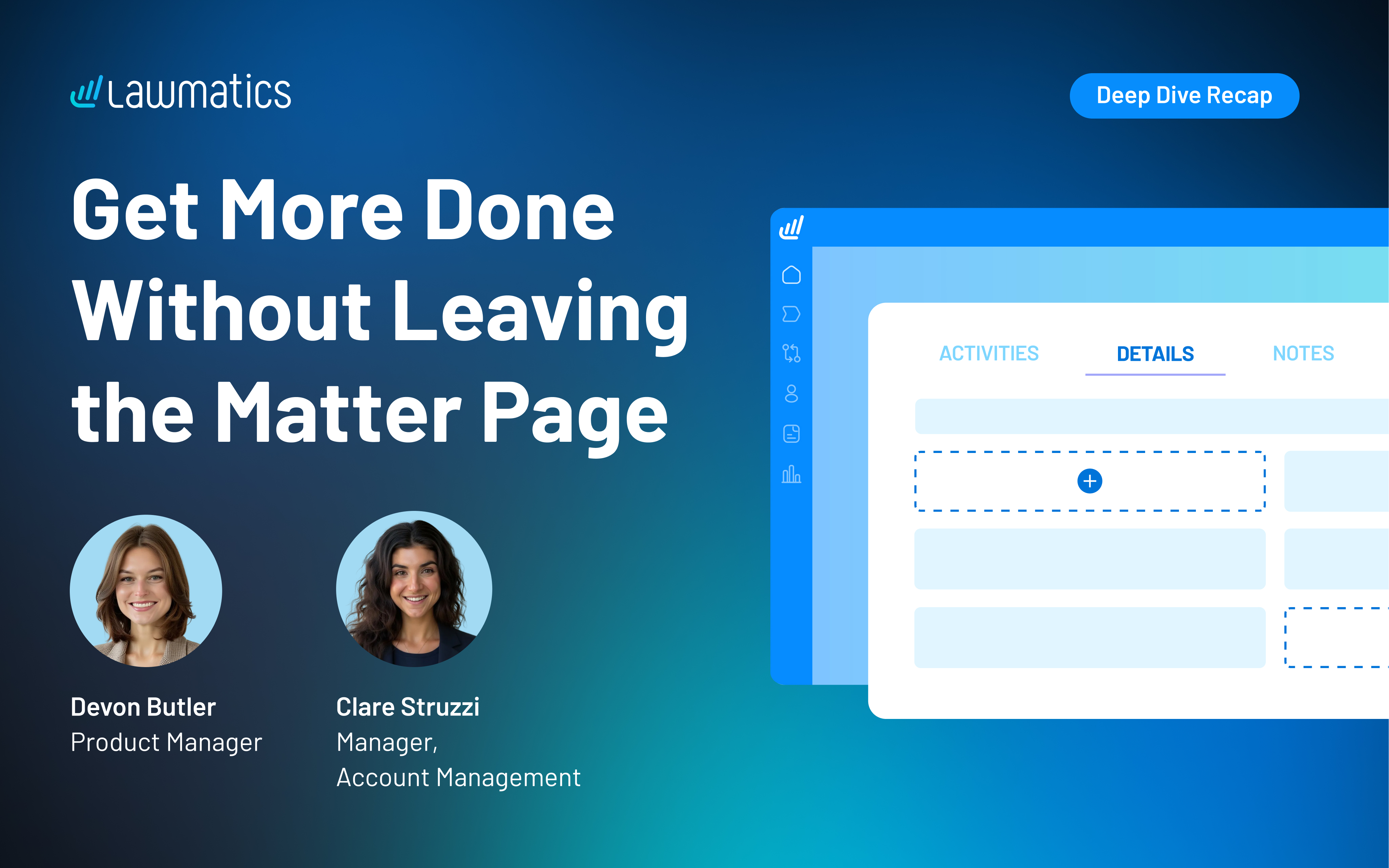


Last month, we walked through how to set up custom matter views. But building views is only half the equation — the real value comes from putting them to work. When intake staff, attorneys, and admins are all looking at the same long list of fields, it's easy to miss what matters, waste time hunting for the right information, or forget to fill out a field before firing off a contract.
In this Deep Dive webinar, Devon Butler, product manager at Lawmatics, and Clare Struzzi, who leads the account management team, showed how firms can use custom matter views to trigger automations, surface reporting fields, and tailor layouts by role and practice area.
Time stamps of key takeaways
5:53 – Why customize your Matter pages
Devon kicked off with four reasons to invest in custom matter views: cutting through the noise so each role only sees what they need, supporting cleaner reporting, strengthening team handoffs between intake and attorneys, and working faster directly from the Matter page without having to search for fields.
9:48 – Building practice-area-specific views
Clare walked through an estate planning intake view built specifically for intake specialists, showing how organized sections replace the old starred-fields approach. She highlighted how a field like "Next Steps Pre-Consult" can live right at the top of the view so the intake team can trigger automations directly from the details page — no need to reopen a form.
14:58 – Creating role-specific views
Devon and Clare showed how the attorney view for the same estate planning practice area includes different fields at the top — like "Next Steps Post-Consult" and a dedicated contract fields section where merge fields for engagement agreements can be reviewed and completed before sending. Clare also pointed out that sensitive information like Social Security numbers can be placed in sections that default to a collapsed view.
25:00 – Triggering automations and managing contract workflows
Devon walked through a live example of building an automation that fires when the "Next Steps Post-Consult" field is updated — automatically moving the matter to the correct pipeline stage and sending the engagement agreement. She also showed how duplicating automations makes it simple to handle variations, like sending a single-signer versus a joint estate plan document.
35:09 – Surfacing fields for cleaner reporting
The session wrapped with a look at how the reporting fields on custom views — source, campaign, estimated value, actual value — feed directly into the analytics page and custom reports. Devon demonstrated grouping a report by source to quickly see which referral sources are converting and where data gaps need attention.
Webinar slide deck

In the high-stakes world of criminal defense, where every move can change a client's future, streamlining your workflows is more than essential—it's critical. Imagine being able to respond promptly to every client's needs without pulling focus from their matters or that of your other clients. Our latest Deep Dive Webinar showcases the power of criminal defense workflows in Lawmatics, making it easy to disengage unqualified leads and win more clients with impactful marketing campaigns. Host and Lawmatics Product Manager Devon Roth demonstrates how to build and implement this workflow in your own practice, ensuring you take timely action and accurate insights.
Webinar Timestamps
0:00 - Introduction and overview
Devon opens the webinar by outlining the focus on mastering criminal defense workflows in Lawmatics, covering housekeeping items, and briefly introducing herself and Erika from the customer success team.
5:36 — Criminal defense Automations
Devon gives an overview of the Automations typically used in a criminal defense practice. Her example workflow includes drip campaigns for leads who haven’t scheduled a consultation, appointment reminders and follow ups, and exit conditions to end follow up campaigns.
15:16 — How to automatically disengage unqualified leads
Not every lead is going to fit your firm’s client profile. In this section, Devon demonstrates how to use Automations to swiftly disengage those disqualified leads after a consultation. She also previews how to build Automations for clients who are undecided, may wish to retain your services at a later date, or are referred out to a law firm better suited to handle their matter.
27:38 — Tailor marketing campaigns for maximum impact
Targeted campaigns for segmented audiences are an effective way to engage prospects and both old and new clients. Here, Devon shows how to create branded HTML emails and incorporate them into drip campaigns to keep your firm top of mind no matter the stage of the client journey.
33:23 — Analyze and report on firm metrics
Understanding your data is critical to running an efficient and profitable criminal defense practice. This section exhibits how to build custom reports based on any field in your Lawmatics CRM and how to incorporate these helpful reports into custom dashboards for actionable visualizations.
35:50 — Create follow ups based on court dates
Automations are key to staying on top of court dates and ensuring no deadlines are missed. Devon wraps up this Deep Dive with a guide to creating date-based Automations, like reminders based on court appearance dates or other key points in your client’s matter.

The client intake process in a law firm typically requires the use of an intake process template. This template is used to gather essential client information that will be used to determine whether a potential client is a fit for a firm and whether their case has legal merit. The template may be created manually or automated by using legal client intake automation software.Some intake process examples include:
- One-size-fits-all. Some law firms use just one template for the entire legal client intake process. However, this method might not always be appropriate due to the diverse nature of information and unique actions required for each case.
- Tailored for each client. Tailoring a legal intake form for each client can be beneficial in certain contexts, but it also has many drawbacks including lack of consistency, labor intensive and time consuming process, and the risk of omitting critical questions or sections.
- Hybrid approach. A customizable template uses a standard intake form that covers all essential and common areas and includes sections or fields that can be customized based on a client’s specific needs.
The hybrid approach is favored by many firms because it allows for consistency and thoroughness while still providing the flexibility to address unique aspects of each client’s situation. The standard sections usually contain basic client information, conflict check, and privacy policy acknowledgment, while the customizable fields gather case-specific details, specific authorizations, and additional relevant questions.
What is the intake process for a law firm?
A law firm’s intake process definition shouldn’t be one-size-fits-all. Tailoring your legal intake process to the type of client your firm wants to attract generally produces better results. This approach allows you to gather relevant information more efficiently and enhances the client experience by making the process more straightforward and focused. Here are some benefits tailoring the intake process to client type:
- Relevance. Different types of clients have different needs and legal concerns. Tailoring the process ensures that you will collect pertinent information specific to the type of case.
- Efficiency. Clients will only provide information that is relevant to their situation, making the intake process quicker and reducing the likelihood of incomplete or inaccurate information.
- Client experience. Clients are more likely to appreciate a process that feels customized to their needs, which can improve their perception of your professionalism and attentiveness.
- Thoroughness. Tailored intake processes help ensure that no critical information is missed by focusing on the specifics of the legal issue at hand.
Streamlined Processes make the review and assessment process more efficient, as the information collected is more targeted and relevant.
What are the steps in the intake process?
The typical steps involved in the legal client intake process include:
- Initial contact. Client contacts the firm via phone, email, or website.
- Pre-intake screening. A team member conducts a brief screening to gather preliminary information and schedule an intake interview.
- Conflict check. Perform a conflict of interest check based on the initial information provided.
- Intake interview. Conduct a detailed intake interview (via phone, video, or in-person) using the standardized intake form.
- Case evaluation. The attorney reviews the intake information to assess the viability of the case.
- Engagement. If the case is accepted, send an engagement letter and retainer agreement for the client to sign.
- Documentation. Collect any necessary documents from the client and organize them in the case management system.
- Follow-up. Send a follow-up email or letter to confirm receipt of documents and outline next steps.
What is the purpose of client intake?
The meaning behind the intake process is that it signifies the critical first step in the attorney-client relationship. The intake process allows potential clients to provide information regarding their personal background, legal issue, and other relevant data—gives lawyers the opportunity to evaluate several important things about a client and their case before they extend representation.
What would a client intake process template look like?
A legal client intake process template example should include:
- Basic contact information – potential client’s name, address, phone number, and email address
- Case information – parties involved, relevant dates and locations, legal status
- Intake form – a form automatically sent to a prospective client to gather critical information
- Screening capabilities – automatic screening to help identify conflicts of interest
- Initial meeting – a means for the potential client to schedule an initial consultation
Client intake technology can automate the client intake process. Software solutions like Lawmatics will streamline the process and make it easier for clients to provide the necessary information.
How do you create an intake process for your law firm?
Many firms follow a standard strategy when they create an intake process. Here are some intake process steps firms should complete to make their system as efficient as possible:
- Identify client types. Determine the different types of clients the firm serves most frequently. Examples include personal injury, family law, corporate clients, criminal defense, estate planning, and more.
- Develop core sections. Create a set of core sections that are common to all forms, such as client contact information, basic case information, and conflict checks.
- Customize specific sections. Develop additional sections or questions tailored to the needs of each client type. For example:
- Corporate law. Information about the business, type of legal issue, e.g., contracts or compliance, and key contact information.
- Criminal defense. Questions about the date, time, and reason of the arrest and the crime charged.
- Family law. Questions about marital status, children, custody issues, etc.
- Personal Injury. Details about the incident, medical treatment, insurance information, etc.
- Use technology. Consider using legal intake software that allows for dynamic form creation. Such software can adapt the questions based on initial inputs, helping to automate the customization process.
- Review and update. Regularly review and update the forms to ensure they remain relevant and comprehensive as laws and client needs evolve.
By tailoring your legal intake process to different types of clients, you can enhance your firm’s efficiency, improve the quality of information collected, and provide a better overall client experience.
How do you define an intake process that works for your practice?
Defining an effective intake process for a law firm involves several key steps to ensure that the process is comprehensive, efficient, and tailored to the firm's specific needs and client base. Here are the steps to define an intake process that works for your firm:
Identify Goals and Objectives
- Efficiency. Streamline the process to save time for both clients and staff.
- Comprehensiveness. Ensure all necessary information is collected.
- Client experience. Make the process smooth and client-friendly.
- Compliance. Ensure adherence to legal and ethical standards.
Map out the Intake Workflow
- Initial contact. Determine how clients will first reach out – phone, email, website form, in-person.
- Gather information. Decide on the method for collecting initial information – online form, phone interview, in-person meeting).
- Conflict check. Incorporate a system for checking conflicts of interest.
- Case evaluation. Set criteria for evaluating the viability of cases.
- Engagement. Define steps for formalizing the attorney-client relationship (engagement letter, retainer agreement).
- Follow-up. Establish a follow-up protocol to keep clients informed and updated.
Develop Standardized Forms and Templates
- Intake forms. Create comprehensive forms for collecting client information.
- Engagement letters and retainer agreements. Prepare templates for engagement and retainer agreements.
- Follow-up communication. Draft templates for follow-up emails or letters
Leverage Technology
- Case management software. Use software to automate and streamline the intake process.
- Online forms. Implement online intake forms that clients can fill out quickly and easily.
- Document management. Utilize document management systems for organizing and storing intake documents.
- Automation. Automate routine tasks, such as sending follow-up emails or reminders.
Train Staff
- Procedures. Train staff on the intake process, including how to use any technology involved.
- Client interaction. Educate staff on best practices for interacting with clients during the intake process.
- Consistency. Ensure all staff follow the same procedures to maintain consistency.
Gather Feedback
- Client feedback. Collect feedback from clients about their intake experience.
- Staff feedback. Get input from staff on what works well and what could be improved.
- Continuous improvement. Regularly review and refine the intake process based on feedback and the firm’s evolving needs.
Monitor and Evaluate
- Metrics. Track key metrics such as time to complete the intake, client satisfaction, and conversion rates.
- Review. Periodically review the intake process to ensure it continues to meet the firm’s goals and objectives.
- Adjust. Make adjustments as needed to improve efficiency, client satisfaction, and overall effectiveness.
Ensure Legal and Ethical Compliance
- Confidentiality. Implement measures to protect client confidentiality throughout the intake process.
- Data security. Ensure that all client data collected is securely stored and handled.
- Ethics. Adhere to legal ethics rules regarding client communication, conflict checks, and representation agreements.
By following these steps and continuously refining the process, a law firm can develop an intake process that is efficient, client-friendly, and effective in gathering the necessary information for successful case management.
Client intake process resources
The legal client intake process is critical because it introduces potential new clients to a law firm. Here are some common questions legal professionals have about the intake process:
1What questions are on an intake form?
The questions on this form should be designed to gather essential information about the client, their case, and any other pertinent details. Types of information collected include personal details, case information, parties involved, financial and insurance information, and client goals and expectations. These questions help ensure that the attorney has a comprehensive understanding of the client’s situation and can provide appropriate legal advice and representation.
2What should be included in an intake form?
A comprehensive legal intake form should include sections that gather all necessary information to understand the client’s legal needs, assess the viability of their case, and ensure no conflicts of interest exist. When an intake form is customized to fit the firm's specific needs, the legal intake process can be thorough, efficient, and client-friendly.
3What is an intake checklist?
An intake checklist is a structured tool used by law firms to ensure that all necessary steps and information are collected during the client intake process. It helps maintain consistency, thoroughness, and efficiency when onboarding new clients. By following an intake checklist, law firms can streamline their intake process, reduce the risk of errors, and provide a more organized and professional experience for new clients.
4What is an intake form?
An intake form is a document used by businesses and organizations, including law firms, to collect essential information from clients or customers when initiating a new service, process, or relationship. In the context of a law firm, an intake form is used to gather details about potential clients and their legal matters during the initial contact or consultation stage. The information collected helps an attorney understand the client's needs, evaluate the case, and determine how best to proceed.
5Why is client intake important?
Legal intake is important because it plays a vital role in facilitating effective communication, understanding client needs, and laying the groundwork for successful representation. This helps ensure that both the client and the law firm are well-prepared to navigate the legal process together.
6Why should I use client intake software?
No matter what area of practice they specialize in, any lawyer can benefit from using client intake software to make their process more efficient, and in turn, create happier clients and more referrals. It’s as simple as signing up for a free demo and seeing how Lawmatics can help revolutionize your client intake process.Lawmatics makes it easy to create your own intake process and efficiently capture the client information you need with a client intake form template for law firms. Simply define the details you want to collect based on your practice area and case type and build custom templates. When firms establish a clear and consistent process for client intake, they can save time, eliminate costly errors and keep everyone in the practice on the same page.Lawmatics legal intake software helps create seamless client intake processes but that’s only the beginning – our platform can streamline other important workflows as well. Are you ready to give our proven system a try? Request your free demo today.

A legal client intake form is an essential document used by law firms to gather pertinent information from new clients. This form helps attorneys understand the client’s needs, assess the case's viability, and ensure proper communication and record-keeping. Legal client intake automation streamlines the intake process so lawyers can focus on what they do best—helping clients.
What information does the client intake form gather?
Here's a comprehensive list of information that should be collected on a client intake form for a law firm:
- Basic client information. Full name, contact information, date of birth, Social Security number, and emergency contact information
- Client background information. Occupation, employer, marital status, dependents (if applicable)
- Current legal representation. Names of any other attorneys currently representing the client
- Legal history. Previous legal Issues or cases, including descriptions and outcomes
- Case details. Type of matter, brief description of the legal issue, date and location of event, contact information for other parties involved
- Financial information. Income, assets, debts, liabilities, relevant insurance information (auto, health, and homeowner’s insurance policies)
- Signatures. Client signature, date of completion
By collecting this information, attorneys can better understand their client's situation, provide accurate advice, and help ensure a smooth and professional relationship.
What 5 forms of information should clients be provided with in an intake?
During the intake process, legal clients should be given clear and comprehensive information to ensure they understand the nature of the legal services, their responsibilities, and what they can expect. Here are five forms of information that should be provided:
- Scope. Clearly outline the legal services the firm will provide, including specific tasks and objectives related to the client's case. Specify what will not be provided.
- Fee structure. Detail the fee arrangement, whether it's hourly, contingency, flat fee, or another structure. Explain the retainer amount and how it will be used.
- Billing. Clarify how often billing occurs, what expenses might be billed separately, and the payment methods accepted.
- Client responsibilities. Outline the client's duty to provide accurate information, respond to communications promptly, and participate in their case as needed.
- Confidentiality and communication. Inform clients about the attorney-client privilege, how their information will be protected, and specify the preferred methods of communication.
Providing this information helps manage client expectations, fosters transparency, and lays the foundation for a professional and cooperative attorney-client relationship.
What should be on a client intake form template?
A client intake form example would vary significantly depending on the specific practice area, jurisdiction, and preferences of the law firm or legal organization. An intake firm should gather basic information and also ask specific questions tailored to a certain area of practice.While a free intake form template could be used to collect basic intake information, generic forms are often not customizable and lack the features specialized platforms provide. Legal intake software allows firms to build a custom law firm intake form for clients to create a unique intake process and efficiently capture the necessary client information.
What makes a good intake form?
A good legal assistance client intake questionnaire is one that is:
- Organized. The form should be easy to understand and include questions that will gather all the information relevant to the legal matter.
- Specific. The questions on the intake form should focus on a specific practice area or legal issue to ensure that the information applies to the potential case.
- Flexible. A good intake form is customizable so that it can be used for various types of legal matters and should provide the ability to add or modify questions as needed.
- Collaborative. Automated intake platforms that provide integration with case management software or other internal systems improve efficiency by automatically populating client information to facilitate case management.
The best intake forms allow potential legal clients to seamlessly submit the requested information via user-friendly software that optimizes the intake process and quickly converts leads into clients.
How do I create an intake form PDF? How do I create an intake form in Google Docs?
Creating an intake form PDF involves several steps, including designing the form, ensuring it is fillable, and converting it into a PDF format. To create an intake form in Google Docs, you will need to set up Google Docs, design and format the form, and convert it to PDF format. Unfortunately, neither are great solutions for efficiently creating an intake form.However, there is a better way. You can design digital forms unique to your practice’s needs with Lawmatics’ drag and drop custom form-builder. Custom forms make it easy to qualify new prospects, organize contact information, and feed new matters into your automated processes. Ready to learn more? Get your free demo of the Lawmatics intake system today.

Finding and keeping the right clients is a constant challenge for law firms of all sizes and practice areas. It’s frustrating — and costly — to see valuable time and resources wasted on leads that never pan out. Consistently profitable practices are built on more than just a high volume of leads — they require the right leads. In this webinar, Lawmatics Co-founder and CEO Matt Spiegel is joined by Bo Royal, Co-founder and CEO of Pareto Legal, to break down proven methods to attract quality prospects and convert them into committed clients. Let’s dive into our experts’ practical tips and real-world strategies for pinpointing your ideal client profile, optimizing your intake process, and more.
Time Stamps of Key Takeaways
0:00 — Introduction and speaker bios
Matt Spiegel and Bo Royal introduce themselves, detailing their professional backgrounds and current roles. Matt discusses his transition from practicing law to entrepreneurship and founding Lawmatics. Bo shares his experience in legal marketing and his current focus on helping law firms with digital advertising and client acquisition strategies through Pareto Legal.
7:11 — Defining your ideal client profile
Bo Royal explains the importance of identifying ideal client profiles. He outlines three key data sources: first-party data (e.g., website forms, surveys), second-party data (e.g., Google Analytics, Meta advertising), and third-party data (e.g., data vendors, government agencies). The segment emphasizes using demographic, geographic, behavioral, and psychographic data to understand and target the best clients.
19:18 — Lead generation strategies
Bo discusses how to use the ideal client data to generate more qualified leads. He highlights the importance of targeting high-intent audiences using tactics like pay-per-click advertising, SEO, and retargeting. This section also addresses the need for intentional and precise targeting in higher funnel tactics like TV, billboard, and social media campaigns to avoid wasting resources on low-quality leads.
29:09 — Conversion tactics and improving intake processes
Bo and Matt explore strategies for converting leads into clients. They stress the importance of having a well-defined intake process, including the right roles, scripts, and decision trees. The discussion covers the significance of measurement and key performance indicators (KPIs) to optimize the intake process and ensure effective follow-up and engagement with potential clients.
42:00 — Technology and tools for optimizing intake
The final segment focuses on the role of technology in enhancing the intake process. Bo highlights the benefits of using voice over internet protocol (VoIP) systems, interactive voice response (IVR) systems, and various software tools to streamline intake operations, improve client communication, and ensure scalability. Matt and Bo also address questions from participants, providing practical advice on setting up and refining intake forms to optimize engagement and conversion.
Webinar slide deck
A basic new legal client intake form usually includes essential information obtained from a client, including contact information, a brief description of the legal matter, potential conflicts of interest, fee agreement details, and more. While many firms manually create new client intake forms, legal client intake automation and client intake software streamline and standardize this vital process.
What does client intake mean for a law firm?
Client intake is a critical process for law firms because it enables them to:
- Obtain new business. Client intake helps firms identify, screen, and convert leads into paying clients that will drive the business forward.
- Address client needs. Intake allows law firms to gather essential information about the client's legal issue, enabling a better understanding of their needs and circumstances.
- Assess merit. Law firms use intake to evaluate the legal merit of a potential client's case and determine whether the client is the right fit and whether the case has a reasonable chance of success.
- Identify conflicts of interest. Intake processes include conflict checks to ensure that there are no conflicts of interest preventing the firm from representing the client.
- Manage risk. Proper client intake helps mitigate risks associated with taking on new clients by identifying potential red flags that may pose risks to the firm or the client.
Specialized law firm software and the use of an automated client intake form ensures consistency in the intake process. Standardized forms and workflows help minimize errors and ensure that all necessary information is collected from each client.
What does a basic information intake form include?
A basic legal client intake form typically gathers information necessary to evaluate and manage a case, including:
- Personal Information. Name, address, phone number, email, date of birth, and Social Security number
- Case details. A brief description of the legal issue or matter, including the date of the incident, the parties involved, and any relevant documents or evidence obtained
- Legal history. Prior legal representation, the outcome of previous legal matters, and any ongoing cases
- Financial information. The client’s employment status, income details, and assets and liabilities
- Conflicts of interest. Any potential conflicts of interest the client has with the firm or attorney
- Authorization and consent. The client’s signed consent to representation and authorization to release information
- Fee agreement. A clear description of cots and billing arrangements
- Signatures. Signature of the client and date signed
Many client intake software solutions allow firms to customize intake forms to suit their specific needs and practice areas. This flexibility enables firms to gather relevant information tailored to different types of legal matters. Intake software can often integrate with other systems used by law firms, such as case management software or billing systems. These integrations enable seamless transfer of client data and reduce the need for duplicate data entry.Client intake software typically includes security features to protect sensitive client information, such as encryption and access controls to help ensure compliance with data protection regulations and maintain client confidentiality. Some client intake software solutions offer analytics and reporting capabilities that enable firms to track key metrics such as conversion rates, intake volume, and client demographics. This data can inform strategic decision-making and process improvements.
What is a basic information intake example?
A basic information legal client intake form provides a starting point for gathering details from potential clients. Depending on the specific requirements of the firm or the type of case, additional fields may be included to capture more detailed information related to the matter. Many forward-thinking firms choose automated intake solutions that create custom forms and make it easy to qualify new prospects, organize contact information, and feed new matters into already established processes.
How do I create a new client intake form?
You can create a new client intake form in several different ways:
- Build a new client form using a Microsoft Word template.
- Create a generic intake form with a free tech solution.
- Design a custom law firm intake form with specialized software.
Building a template in Word will likely be a labor-intensive, error-prone process. Free solutions might not meet all of your law firm’s needs, especially as your practice grows. Client intake software creates customized templates that can be repurposed for each practice area and inputted directly into the law firm database, making the process faster with less chances of errors.
Lawmatics: The fast and easy way to do client intake
No matter what area of practice they specialize in, any lawyer can benefit from using client intake software that will help them make their process more efficient, create happier clients, and obtain more referrals. To find how Lawmatics can help revolutionize your client intake process, sign up for a free demo today.

Personal injury cases are more than legal battles—they're a pivotal chapter in a client’s life, often fraught with physical, emotional, and financial turmoil. With that in mind, the latest installment of our Deep Dive Webinar series showcases a fully automated workflow tailored for personal injury practices. Host and Lawmatics Product Manager, Devon Roth, demonstrates how to build and implement this workflow in your own practice to not only boost efficiency and reduce errors but also ensure that every client receives best-in-class care and support throughout their legal journey.
Webinar Timestamps
0:00 - Introduction and overview
Devon opens the webinar, introduces the focus on mastering personal injury workflows in Lawmatics, covers housekeeping items, and provides brief personal introductions for herself and Erika from the customer success team.
4:50 - Personal injury law automations
Devon gives an overview of the Automations typically used in a personal injury practice. Her example workflow includes intake processes for leads that contact your firm both through the web and phone. She also demonstrates how to use custom forms to collect practice-area-specific fields, like insurance documentation or incident photos.
18:00 — Appointments, emails, and e-signature
Continuing down the intake process, Devon shows the next steps in the personal injury client journey after they’ve been contacted by the firm. She uses Automations to prompt leads to schedule consultations, notify leads that they may not qualify to work with the practice, and share the engagement agreement.
30:48 — Staff review, undecided status, and welcome emails
Next, Devon demonstrates how Lawmatics is adaptable to different client situations. Successfully hired clients can be welcomed with an automated email welcoming them to the firm, and outlining next steps. Lawmatics can also flag matters in need of staff review, and monitor the status of potential clients who have yet to make a decision on representation.
35:30 — How to track referrals in and out
Devon discusses setting up Automation for tracking referrals of potential clients. By updating specific custom fields, users can ensure that referrals are accurately tracked in their records. This system can provide valuable insights for reports and help monitor the success of referral partnerships.
40:15 — Reporting on matters and referrals
In this section, Devon breaks down the analytics page, and demonstrates how to create custom reports for referrals. Filters can be applied to show matters specific to a practice area, such as personal injury, and to track referrals from specific sources. The report can also include additional columns for tracking status, substatus, and grouping referrals by the person making the referral.
Subscribe to get our best content in your inbox
Law firms love Lawmatics
Our customers give their clients the client-focused experience they deserve. Learn how they do it all with Lawmatics.
.avif)
.avif)

.avif)

Ready to grow your law firm with Lawmatics?
Schedule a demo of legal’s most trusted growth platform.
