The Lawmatics Blog
Insights on legal marketing, automating the law practice, and legal tech in general



Lawmatics, the leading intake and growth platform for law firms, today introduced Merlin, a new family of AI features built natively in Lawmatics to help law firms grow. The suite, which includes a just-released conversational interface called Merlin Copilot, takes on the repetitive work that moves prospects toward signing, freeing staff to focus on client service, legal work, and strategy, while giving firms the speed and responsiveness that competitive consumer law markets demand.
For most law firms, growth happens at the front of the business — the speed from inquiry to first contact, how consistently leads are evaluated, and how clearly firms can see what's working across their pipeline. These are the points where revenue is won or lost, and they're the points that most legal AI hasn't reached. Today's legal AI tools tend to focus on case work or general productivity. The cost of that technology gap is felt in law firms every day: leads that go unanswered too long, qualified prospects lost to faster competitors, and skilled staff spending hours on repetitive work instead of on clients.
Merlin is designed for the part of a firm that comes before the case: lead intake, prospect engagement, and the operations that convert potential clients into retained clients.
"CRMs were built to track opportunities. Lawmatics goes further, because growth doesn't come from tracking opportunities. It comes from acting on them," said Matt Spiegel, founder and CEO of Lawmatics. "Merlin is how we put AI to work in Lawmatics for law firms, helping with everyday tasks that move a prospect toward signing, so that law firms can maximize every opportunity without having to ask their people to do more.”
The Merlin suite currently includes three features, each available as an add-on to the Lawmatics platform:
- Merlin Copilot, a conversational user interface that creates automations, generates reports, and surfaces insights from firm data through plain-language prompts.
- Merlin Qualify, an AI agent that evaluates and prioritizes incoming leads based on fit, urgency, and engagement signals defined by the firm. Released earlier this year, Merlin Qualify has been recognized with an Excellence in AI Award from Business Intelligence Group, which honors innovation across technology sectors.
- Merlin Engage, the agentic AI for dynamically engaging with prospects through SMS, email, website chat, and phone calls. Currently in beta.
"Our firm saw a higher closing percentage within the first week of using Merlin Engage," said Glenn Gilmour, Director of Operations at Sawyer & Associates, LLC. "Engage makes our intake team so much more efficient and helps 24/7. It even handled a lead that came in over the weekend that resulted in a $12,000 sale."
Merlin represents how Lawmatics sees the future of legal practice: more law firms reaching their full potential, with the time and capacity to pursue the work they set out to do, on their own terms. Merlin is Lawmatics' commitment to that future, and it is only the beginning.
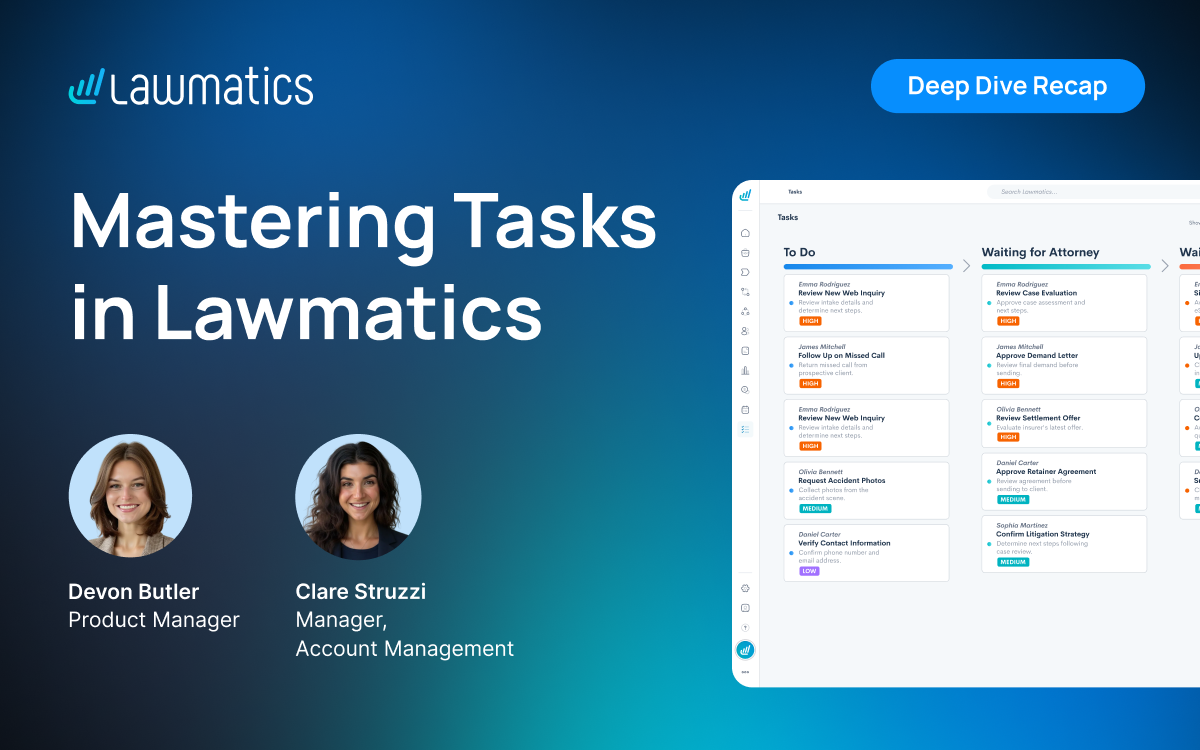
To-dos scattered across platforms and tasks created by hand make it easy for work to slip through the cracks, and hard to see who's keeping up. This month's Deep Dive covered tasks in Lawmatics, from creating them automatically in automations through managing them from the Tasks page and measuring performance with the new task reporting feature.
In this Deep Dive webinar, Devon Butler, product manager at Lawmatics, and Clare Struzzi, who manages the Account Management team, walked through the full task workflow: creating tasks in automations and by hand, chaining tasks into workflows, managing workload from the Tasks page, and tracking performance with new custom task reports and dashboard panels.
Time Stamps of Key Takeaways
4:38 – Why use tasks in Lawmatics
Devon and Clare kicked things off with the core benefits: every to-do lives in one place so nothing slips through the cracks, built-in accountability shows who owns what and what's overdue, automations cut down on manual assignments, and the new task reporting feature turns your team's workload into data you can act on.
6:52 – Creating tasks in an automation
Devon recommended automations as the go-to way to create tasks, since they can trigger off any field, stage, or status. Clare shared use cases like checking on a new lead or reviewing a signed engagement agreement. Devon covered best practices for naming tasks, setting due dates, and assignments. Clare added that subtasks keep multi-step work in one task and declutter the Kanban view.
18:20 – Chaining tasks with delays and entry conditions
The ‘delay until action occurs’ option pauses an automation until a task created in that automation moves to a given status, then fires the next step. Devon called it a drip campaign for tasks, and Clare recommended it when firms want separate tasks rather than subtasks. They also cover how to use tags to start an automation, based on activity entry conditions, like when a task is completed.
23:17 – Creating tasks manually
Devon showed how to create one-off tasks from the Create New menu, a matter page, or the Tasks page. Devon and Clare noted that associating a manual task with a matter, contact, company, or user is optional, and that manual tasks support file uploads, like a document someone needs to review.
27:21 – Managing tasks from the Tasks page
The Tasks page offers preset filters (incomplete, past due, completed, no due date) plus filters for status, priority, assignee, and tags. Devon showed each task's activity timeline, subtasks, and comments, and Clare noted that many firms use @mentions in comments to loop in teammates. Firms can toggle between the kanban view, Clare's pick for seeing statuses at a glance, and a sortable table view.
33:19 – Customizing task statuses
Clare compared task statuses to pipeline stages, and Devon showed how to create custom statuses in task settings and reorder them to set the column order on the kanban view. The Complete status is always present and can't be edited. A separate toggle automatically marks a task complete once its final subtask is checked off.
35:32 – Building custom task reports
Task reporting, a highly requested new feature, works like any other custom report. Devon showed adding fields like completed date, tags, practice area, and date ranges. Clare suggested pairing task reports with report subscriptions so team members get their open tasks emailed daily or weekly, with a monthly summary for managers.
44:49 – Adding task reports to custom dashboards
Any custom task report can now power a dashboard panel as a value card, bar chart, or pie chart. Clare offers some tips about set up, including setting the panel's own date range, since it can differ from the report's.
Webinar Slide Deck
Want to keep learning? Lawmatics is hosting a follow-up Tasks workshop the week after this webinar.
You can also find step-by-step help articles on Tasks in the Lawmatics Help Center.

Key Takeaways:
- 66% of surveyed customers reported adding clients each month: 119 of 180 respondents reported gaining additional clients after using Lawmatics.
- Those firms reported at least 2,392 additional clients per month combined: This is a conservative figure calculated using the bottom of each reported range.
- 65% of firms with a measurable time-savings response save at least four hours per week: Nearly 3 in 10 save eight hours or more.
- 90% of firms reporting a measurable conversion outcome saw improvement: Of those firms, 82% reported an improvement of at least 11%.
- Automation was the most common theme in open-ended feedback: 26% of 62 unique comments mentioned automation or workflows without being prompted.
Client intake can consume hours without anyone noticing where the time went. A missed follow-up here, a manual form request there, and another consultation to schedule can add up quickly as inquiry volume grows.
Automation can change that workload in measurable ways. In June 2026, Lawmatics surveyed 180 customers about the impact of the platform on their firms. Their responses point to three outcomes in particular: more time back, more clients signed, and higher lead-to-client conversion rates.
This article breaks down those findings, compares results across customer groups, and explores the intake improvements customers most often connect to time savings, stronger follow-up, and conversion.
What 180 Lawmatics Customers Told Us About Automated Intake
The survey included 86 family law respondents and 94 customers from the broader Lawmatics customer base. Customers were asked about additional clients, time saved, changes to lead-to-client conversion, and the measurable impact Lawmatics has had on their firms.
Here is the high-level picture:
| Intake Outcome | What Customers Reported | Who the Statistic Includes |
|---|---|---|
| Additional clients | 119 firms reported adding clients each month | All 180 respondents |
| Time saved | 65% save 4+ hours per week | 147 respondents who reported a measurable outcome |
| Significant time saved | 29% save 8+ hours per week | 147 respondents who reported a measurable outcome |
| Conversion improvement | 90% reported improvement | 93 respondents who reported a conversion outcome |
| Double-digit conversion improvement | 82% of improving firms reported gains of 11%+ | 84 respondents who reported improved conversion |
| Automation/workflows | Most frequently mentioned theme at 26% | 62 unique open-ended comments |
Survey results are self-reported by Lawmatics customers. Individual results vary.
These numbers tell only part of the story. The open-ended responses help explain how firms are getting there.
Customers repeatedly pointed to automated follow-up, intake workflows, scheduling, forms, reminders, e-signatures, and better pipeline visibility as ways they reduced manual work and kept prospective clients moving.
How Client Intake Automation Saves Law Firms Time
Intake work rarely comes from one large administrative task. It accumulates through dozens of smaller ones: sending forms, confirming appointments, following up after consultations, requesting missing information, checking pipeline stages, and reminding prospects about next steps.
65% of firms that measured time savings save at least four hours per week.
Among the 147 respondents who provided a measurable time-savings answer, 96 reported saving four or more hours each week.
The reported savings break down further:
- 54 firms: 4–7 hours per week
- 20 firms: 8–15 hours per week
- 22 firms: 15+ hours per week
That means 29% of respondents with a measurable outcome save eight hours or more each week.
Four hours per week adds up to at least 208 hours over a year. For firms at the higher end of the range, that can free up substantially more staff time.
“The workflows take much of the manual work off our intake team. This makes us more efficient and profitable.”
— Kaydee Gomez, Griswold LaSalle
The open-ended responses offer more context on where customers notice those time savings. Respondents frequently mentioned automating follow-up emails and texts, scheduling, intake questionnaires, document requests, reminders, task creation, and other repetitive steps.
Instead of asking staff to remember and execute every action manually, firms can use client intake automation to build those actions into the intake process.
Automation can also change what staff have time to work on
Saving time does not necessarily mean doing less. For many respondents, it meant having more capacity for work that required a person. Customers described intake staff spending less time on manual follow-up, data entry, scheduling, and reminders so they could focus on prospective clients, legal support, and other higher-value responsibilities.
That becomes especially important as inquiry volume grows. More inquiries do not have to translate directly into the same increase in repetitive administrative work.
How Automated Intake Can Help Law Firms Sign More Clients
Time savings are valuable on their own, but firms ultimately need intake improvements that help more qualified prospects move forward.
66% of surveyed customers reported adding clients each month.
Of the 180 customers surveyed, 119 reported gaining additional clients after using Lawmatics.
Among those 119 firms:
- 27 reported: 1–5 additional clients per month
- 23 reported: 6–10
- 33 reported: 11–25
- 14 reported: 26–50
- 14 reported: 50–100
- 8 reported: 100+
Taken together, those firms accounted for a conservative minimum of 2,392 additional clients per month. Because the survey used ranges, that figure uses the lowest value in each range rather than estimating a midpoint.
This approach shows the scale of the gains while avoiding assumptions beyond the survey responses.
Most firms reporting growth added more than a few clients
Of the 119 customers reporting additional clients, 92, or 77%, added at least six per month. And 69, or 58%, reported adding at least 11 per month.
Open-ended responses frequently connected those gains to more consistent follow-up. Customers described being able to stay in touch with leads for longer, send reminders automatically, keep track of outstanding steps, and reconnect with prospects who were not ready to hire immediately.
That consistency can be difficult to maintain when every follow-up depends on someone remembering to send it.
How Client Intake Automation Affects Lead-to-Client Conversion
Signing more clients depends on more than generating inquiries. Firms also need to understand what happens after those inquiries enter the intake process.
90% of firms reporting a conversion outcome saw improvement.
Of the 93 respondents who provided a measurable lead-to-client conversion result, 84 said their conversion rate improved.
Many respondents also reported double-digit gains:
- 15 firms reported: 1–10% improvement
- 26 reported: 11–15%
- 29 reported: 26–50%
- 10 reported: 50–100%
- 4 reported: 100%+
Among the 84 firms reporting improvement, 69, or 82%, reported a gain of at least 11%.
These are self-reported survey results, so they do not prove that intake software alone caused a specific conversion increase. What they do show is that firms reporting stronger conversion often described improvements in follow-up, automation, and intake management.
What the responses do show is a strong relationship between the intake changes customers described and the conversion improvements they reported.
Similar Intake Trends Appeared Across Customer Groups
The survey included 86 family law respondents and 94 customers from the broader Lawmatics customer base. The size of the gains varied, but both groups showed similar overall patterns.
Conversion was especially consistent. Among respondents who reported a measurable conversion outcome:
- 89% of family law respondents reported improved conversion.
- 91% of general respondents reported improved conversion.
Among those reporting an improvement, more than 8 in 10 respondents in both groups said their conversion rate increased by at least 11%.
The two groups also reported meaningful time savings and additional clients. The size of those gains varied by practice area, volume, and workflow, but both groups showed the same broader trends: less manual work, more consistent follow-up, and stronger conversion.
How Law Firms Are Improving the Client Intake Process
The quantitative responses show what changed. The open-ended feedback helps explain how firms believe those results are happening. Across the responses, several recurring parts of the intake process stood out.
More consistent follow-up
Customers repeatedly described using automated communications and reminders to stay in contact with prospective clients. That can be especially useful when someone does not hire after the first conversation. Rather than relying on an intake team member to remember when to follow up again, firms can create a defined cadence that keeps the relationship active.
“I can automate some of the follow-up, so my potential clients are not feeling like I'm behind.”
— Firm Performance
Fewer manual intake steps
Forms, appointment scheduling, document requests, task creation, and other routine steps were common sources of reported time savings. When information can move through a predefined workflow, staff spend less time transferring data or triggering the next action themselves.
Clearer pipeline visibility
Several respondents connected better conversion with being able to see where prospects were in the intake process. A centralized legal CRM can make it easier to identify stalled leads, see what follow-up has already happened, and determine what needs attention next.
Faster movement toward engagement
Respondents also mentioned electronic signatures, engagement agreements, payment links, and appointment booking. Reducing unnecessary steps between a prospect deciding to move forward and completing the next required action can help maintain momentum through the later stages of intake.
Better reporting on what is working
Intake improvement is easier when firms know where problems exist. Customers mentioned using law firm performance reporting to track lead sources, conversion, pipeline stages, no-shows, and marketing performance. That visibility can help firms determine which parts of their intake process need attention rather than relying only on an overall conversion number.
What Law Firm Customers Say About Automated Intake
Beyond the measurable outcomes, customers were also asked to describe Lawmatics’ impact in their own words. Their responses show which benefits stood out most across day-to-day intake work.
94% of open-ended comments were positive.
Of 62 unique open-ended comments, 58 were positive, and four were mixed or critical.
The most common themes were:
- Automation and workflows: 26%
- Conversion, leads, and clients: 24%
- Intake and onboarding: 23%
- Efficiency and profitability: 23%
- Time savings: 19%
- Reporting, tracking, and ROI: 18%
- Follow-up: 15%
Because respondents could mention more than one theme, these percentages are not intended to total 100%.
The ranking is useful because respondents were not selecting benefits from a predefined list. These were the areas they chose to talk about when describing Lawmatics' measurable impact.
What These Client Intake Statistics Mean for Law Firms
The survey does not establish a single intake benchmark for every firm, but it does highlight several metrics worth tracking in your own process. Intake volume, practice area, staffing, lead quality, workflows, and marketing sources can all affect the results.
- Start with time. Track how many staff hours go toward repetitive intake and follow-up work each week. That gives you a baseline for evaluating whether automation actually creates capacity.
- Measure conversion by stage. An overall lead-to-client rate is useful, but pipeline-stage data can reveal whether prospects are getting stuck before consultations, after consultations, during follow-up, or while completing engagement steps.
- Track follow-up consistency. Look at whether prospects receive the right communication when expected, including those who do not hire immediately.
- Connect marketing to signed clients. Lead volume alone cannot show which sources create valuable opportunities. Reporting from inquiry through engagement provides a clearer picture of marketing performance.
- Watch capacity as volume grows. A stronger intake process should help your team manage more opportunities without allowing administrative work to increase at the same rate.
Those measurements give firms a clearer way to see whether intake changes are saving time, improving follow-up, and converting more prospects.
Building a More Measurable Client Intake Process
Across the survey, time savings, stronger conversion, and client growth repeatedly connect to more consistent follow-up, automation, and intake visibility. Together, those improvements can help firms keep prospects moving while reducing the manual work required from staff.
Lawmatics helps law firms bring those pieces into one connected process. Teams can:
- Automate follow-up and reminders so prospects continue receiving timely communication without every touchpoint depending on a manual task.
- Collect intake information and schedule consultations within a more consistent workflow.
- Track prospects through each pipeline stage so teams can see where leads are moving, slowing down, or need attention.
- Keep communication history organized so intake staff have clearer context when following up.
- Measure intake performance by connecting lead sources, pipeline activity, conversion, and signed clients through reporting.
That combination can make it easier to manage intake consistently, identify where the process can improve, and measure whether those changes are actually saving time or supporting stronger conversion.
Get a demo of Lawmatics to see how your firm can build a more consistent and measurable intake process that helps your firm grow.
FAQs: Automated Client Intake Statistics
What parts of client intake can law firms automate?
Law firms can automate repetitive intake steps such as inquiry responses, intake form requests, appointment confirmations, reminders, follow-up emails and texts, task creation, document requests, and portions of the engagement process.
The right workflow depends on the firm's practice area and intake process. Automation works best when the firm first defines the stages, responsibilities, and next steps it wants prospects to move through.
How should a law firm measure intake automation?
Start with metrics tied to both efficiency and business outcomes. Useful measures include time spent on intake, inquiry-to-consultation rate, consultation-to-client conversion, overall lead-to-client conversion, response and follow-up activity, no-show rates, pipeline stage duration, and signed clients by lead source.
Tracking these metrics over time can help a firm determine where automation is reducing work and where prospects may still be getting stuck.
Does automating client intake increase conversion rates?
It can support stronger conversion by making follow-up more consistent and reducing manual gaps in the intake process, but results vary by firm. In Lawmatics' June 2026 customer survey, 90% of the 93 respondents who provided a measurable conversion outcome reported an improvement. Of those respondents, 82% reported an improvement of at least 11%.
How much time can automated client intake save?
The amount depends on the firm's inquiry volume and current processes. In the June 2026 Lawmatics survey, 65% of the 147 respondents who reported a measurable time-savings outcome said they save at least four hours per week, while 29% reported saving eight hours or more.
Findings are based on a June 2026 survey of 180 Lawmatics customers, including 86 family law respondents and 94 respondents from the broader customer base. Results are self-reported. “2,392 additional clients” is a conservative floor calculated using the lowest value in each reported client range. Percentages involving time savings or conversion use only respondents who provided a measurable outcome, as specified above. Individual results vary.
Lead intake is the first stage of a law firm’s broader client intake process. It focuses on capturing new inquiries, collecting initial information, evaluating fit, and determining the appropriate next step. Client intake continues that journey through consultation, conflict checks, follow-up, engagement agreements, and conversion into a signed client.
Understanding lead intake vs. client intake can help law firms spot where prospective clients are getting lost between first contact and signed engagement. That window can be narrow: Thomson Reuters found that 81% of legal consumers contacted or seriously considered just two attorneys or law firms.
An inquiry may be captured successfully but still stall during qualification, follow-up, consultation scheduling, or another handoff. Defined ownership at each stage reduces missed follow-up and keeps prospects from getting stuck between teams.
This article explains where lead intake fits within the broader client intake process, how the two stages work together, and how firms can create a smoother path from first inquiry to signed engagement.
What is Lead Intake?
Lead intake is the initial process of capturing a prospective client's inquiry, collecting essential information, evaluating fit, and routing the lead appropriately. It begins as soon as an inquiry reaches your firm. That could happen through a website form, phone call, live chat, referral partner, digital ad, email, or another source.
At this stage, collect enough information to decide what should happen next without overwhelming the prospective client with unnecessary questions. Lead intake commonly includes:
- Capturing the inquiry: Record the lead and source in a software platform so the opportunity does not remain buried in an inbox, voicemail, or individual staff member's notes.
- Collecting basic information: Gather contact details, practice area, a brief matter summary, relevant dates, location or jurisdiction, and other information needed for preliminary review.
- Evaluating fit: Determine whether the matter appears to match the firm's practice areas, geography, case criteria, capacity, or other requirements.
- Routing the inquiry: Assign the lead to the appropriate person, attorney, office, or workflow based on the information collected.
- Beginning follow-up: Acknowledge the inquiry, request missing details, or explain the next step.
- Scheduling a consultation: When the lead appears to be a fit, make it easy for the lead to book the appropriate consultation.
Consistency becomes especially important when several people participate in intake. If one staff member asks five follow-up questions and another asks fifteen, or each person applies different standards for determining fit, promising inquiries can receive very different experiences.
Establish consistency in this process with a tool like Merlin Qualify, which can evaluate inquiries against firm-defined criteria and recommend the appropriate next action. Firm-defined criteria and human judgment still guide the final decision.
What is Client Intake?
Client intake covers the full path from initial inquiry through signed engagement, with lead intake serving as its first stage. Once the firm has captured and initially evaluated an inquiry, more information and decisions are usually needed before an attorney-client relationship begins.
Depending on the practice area and firm's process, client intake may involve:
- Further qualification and matter review
- Conflict checks
- Consultation scheduling and preparation
- Follow-up before and after the consultation
- More detailed intake forms
- Supporting document collection
- Fee or payment discussions
- Engagement agreements and e-signatures
- Transition into the firm's process for retained clients
A well-structured client intake process keeps staff aligned on the next action while giving prospects consistent communication throughout the pre-engagement period. Someone who has already explained the basic details of a matter should not have to start over every time responsibility changes hands.
Client intake also differs from client onboarding. Intake happens primarily before engagement and helps the firm evaluate, communicate with, and convert a prospective client. Onboarding follows engagement and prepares the new client and matter for the work ahead. Firms may organize those stages differently, but a clear transition between intake and onboarding helps prevent duplicated work.
Lead Intake vs. Client Intake
Lead intake and client intake overlap, but they occur at different points and require different actions. The comparison below shows where each fits.
| Lead Intake | Client Intake | |
|---|---|---|
| Primary purpose | Capture and evaluate a new inquiry | Move the prospect toward engagement |
| When it occurs | At the beginning of the intake journey | Across the broader pre-engagement journey |
| Who is involved | Intake staff, reception, marketing or business development, and attorneys as needed | Intake staff, attorneys, administrators, and operations or finance staff as needed |
| Typical information | Contact details, matter type, urgency, and preliminary fit | Detailed matter information, conflicts, documents, and fee or engagement details |
| Typical actions | Capture, respond, qualify, and route | Consult, follow up, collect information, sign, and transition |
| Key measures | New inquiries, response time, and qualification rate | Consultation rate, show rate, signed-client conversion, and intake cycle time |
| Primary risk | Missing or misqualifying promising inquiries | Losing qualified prospects before engagement |
Put simply, lead intake helps your firm determine which inquiries should move forward. The client intake process guides qualified prospects through consultation, follow-up, and engagement.
Separating the two stages also helps firms pinpoint where opportunities are being lost. If inquiries are never being contacted or evaluated, the problem may be concentrated at the lead intake stage. If qualified prospects regularly attend consultations but rarely sign, the firm needs to look further down the client intake process.
How Lead Intake and Client Intake Work Together
A prospective client does not see an internal workflow diagram. They experience one continuous interaction with your firm.
A typical journey might look like:
Inquiry → capture → evaluate → follow up → consultation → conflict and fit review → engagement → signed client
Each transition may shift responsibility between staff members or require information to move between systems. Those transitions need clear ownership.
Create a clear handoff between intake stages
Start by defining what each status means and who owns the next action. Your team should be able to answer questions such as:
- Who owns a new inquiry when it arrives?
- What criteria need to be met before a consultation is scheduled?
- When should an attorney review the matter?
- Who follows up after a consultation?
- What happens if the prospect stops responding?
- When is the intake process considered complete?
Clear ownership prevents the common situation where everyone assumes someone else followed up and a promising lead sits untouched.
Keep information connected throughout the journey
The information collected during lead intake should stay with the prospect as they move through the process. Contact details collected from the first form, notes from a phone call, appointment history, emails, documents, and engagement status should build on the same record.
A legal CRM gives firms a central place to maintain that history instead of piecing together the client journey across personal inboxes, spreadsheets, forms, and calendars. Staff can pick up the conversation with context instead of asking prospects to repeat information they have already provided.
Use consistent intake statuses
Everyone involved in intake should use the same statuses to describe where a prospect stands. A new inquiry, a lead awaiting review, a scheduled consultation, a prospect in follow-up, and someone ready for engagement should each have a defined place in the workflow.
Consistent statuses make it easier for staff to understand what has already happened, who owns the next action, and which prospects need attention without relying on individual inboxes or notes.
Challenges of Law Firm Intake Processes
Intake problems often surface when inquiry volume grows faster than the firm's workflows can keep up. Inconsistent methods and scattered information make those gaps harder to manage.
Some of the most common problems include:
- Leads sit too long before someone responds: A new inquiry may arrive while staff are on calls, in meetings, or focused on active matters. A lead that sits unnoticed can become a missed opportunity before the firm has even evaluated it.
- Qualification standards vary by staff member: Without documented criteria, two people may reach different conclusions based on the same information. A consistent framework helps teams evaluate inquiries more predictably.
- Information gets lost during the handoff: Details collected through an initial form may never reach the attorney conducting the consultation. Staff then spend time copying information between systems, and prospects are asked to repeat themselves.
- Follow-up stops after the first conversation: Some prospects need additional information, time, or reminders before they are ready to schedule or sign. One unanswered email does not necessarily mean a qualified prospect has lost interest.
- Firms cannot see where prospects drop off: Without a defined intake pipeline, it is difficult to tell whether the biggest gap occurs during initial response, qualification, consultation scheduling, or engagement.
These problems often compound. Inconsistent qualification can fill calendars with poor-fit consultations, while fragmented records and limited reporting make it harder to see where stronger opportunities are getting stuck.
How to Improve Your Lead and Client Intake Process
Before changing your intake workflow, identify where leads stall, where ownership becomes unclear, and where staff repeat manual work.
1. Map the intake journey from inquiry to engagement
Document what happens from the moment an inquiry enters the firm until the prospect signs or exits the intake process. For each stage, identify the owner, required information, decision being made, expected next action, and what triggers movement into another stage. Pay particular attention to points where ownership shifts from one person or team to another.
2. Define qualification criteria
Teams need shared criteria for determining whether an inquiry is a potential fit for the firm. Relevant criteria may include:
- Practice area
- Location or jurisdiction
- Matter characteristics
- Important dates or urgency
- Firm capacity
- Other firm-specific acceptance requirements
Documenting those criteria gives intake staff a clearer framework and makes it easier to identify where attorney review is required. Firms interested in adding AI-assisted evaluation can also review this guide to AI lead scoring for approaches to applying qualification criteria more consistently.
3. Standardize what information you collect
More questions do not automatically create better intake. Decide what the firm needs to know at each stage. An initial inquiry may only require enough information to determine basic fit and the appropriate next step. More detailed forms can follow once a prospect advances.
Collecting information progressively can make the process easier for prospects while still giving attorneys and staff what they need.
4. Set expectations for follow-up
Define who owns prospect communication, when outreach should happen, and what the team should do when someone stops responding. That cadence might include an immediate acknowledgment, appointment reminders, post-consultation outreach, and longer-term nurturing when appropriate.
5. Automate repetitive intake work
Look for intake activities that happen repeatedly and follow predictable rules. Legal workflow automation can help connect forms, scheduling, reminders, communications, document collection, and internal tasks without requiring staff to initiate every step manually.
For example, a new inquiry can trigger an acknowledgment, assign the lead to the appropriate team member, send an intake form, create a follow-up task, and start the next workflow based on the prospect's status.
Automation is most useful for predictable administrative steps. Keep attorney or staff review in place wherever a legal, ethical, or client-specific decision requires human judgment.
6. Measure both stages of intake
Different stages of intake reveal different performance gaps, so firms should track more than one conversion metric.
For lead intake, firms can track:
- Inquiry volume
- Initial response time
- Qualification rate
- Qualified leads by marketing source
For the broader client intake process, firms can review:
- Consultation booking rate
- Consultation show rate
- Consultation-to-signed rate
- Inquiry-to-client conversion
- Intake cycle time
- Conversion by source or practice area
Law firm reporting software can connect those measures and show where prospects advance or drop off. For example, a strong qualification rate paired with a low consultation booking rate points to a different problem than a high booking rate followed by poor attendance.
How Lead Intake Software Connects the Entire Process
Effective lead intake software should carry information from the initial inquiry into the CRM and the rest of the client intake workflow.
A lead intake CRM can centralize:
- Prospect records: Keep contact information, matter details, status, and communication history connected.
- Intake forms: Collect the information needed at different points in the process.
- Pipeline stages: See where each prospect sits and what needs to happen next.
- Follow-up workflows: Trigger messages, reminders, tasks, or internal notifications based on activity and status.
- Appointment scheduling: Give qualified prospects a clear route to the appropriate consultation.
- Qualification: Apply documented criteria and route inquiries for further review.
- Documents and e-signatures: Keep engagement paperwork within the same intake workflow.
- Reporting: Measure performance from inquiry source through signed engagement.
With the same information available throughout intake, staff can prepare for consultations, follow up, send engagement documents, and report on performance without rebuilding the prospect record at each stage.
Connect Lead Intake and Client Intake With Lawmatics
Intake gets harder to manage when forms, follow-up, scheduling, and prospect status live in different places.
Lawmatics brings those intake stages into one legal CRM, giving your team a shared view of every prospect from first inquiry through signed engagement. Instead of piecing together forms, follow-up, scheduling, and pipeline updates across separate tools, staff can manage the journey from one system.
The Merlin suite can extend those workflows where AI assistance makes sense. Merlin Qualify evaluates new leads using your firm's intake criteria and recommends next steps, while Merlin Engage can gather missing information and help move qualified leads toward consultation scheduling. The tools work within the broader intake process rather than creating a separate workflow.
Attorneys and staff can see which prospects need attention, which actions are overdue, and where leads are leaving the intake pipeline.
Request a demo to see how Lawmatics can connect your firm's lead and client intake workflows.
FAQs: Lead Intake vs. Client Intake
Who should handle lead intake at a law firm?
The right owner depends on the firm's size and structure. Dedicated intake specialists, receptionists, administrators, or attorneys may all participate. Regardless of who handles the work, each inquiry should have a clear owner. Firms should also document when an inquiry needs attorney review, when it can move directly to scheduling, and who takes responsibility if additional information is required.
How quickly should a law firm respond to a new lead?
There is no single response-time standard for every law firm, but new inquiries should be acknowledged as promptly as staffing and practice-area needs allow. Automated confirmations can let prospects know their inquiry was received, while tasks, notifications, and follow-up workflows help staff respond consistently. Automation should support a substantive response rather than create the impression that an automated acknowledgment alone completes intake.
What information should a law firm collect before scheduling a consultation?
Collect enough information to establish preliminary fit and prepare the appropriate person for the conversation. That usually includes the prospect's contact information, practice area or legal need, a brief matter summary, relevant dates, location or jurisdiction, and referral or marketing source.
Firms may also need additional information based on their practice area or conflict-check process. Avoid asking every possible question up front. Additional details can be collected as the prospect progresses through intake.
What is the difference between a lead and a prospective client?
A lead is generally anyone who has expressed interest in the firm's services or submitted an inquiry. A prospective client is generally a lead who has advanced further into intake, such as someone being evaluated for fit, preparing for a consultation, or considering engagement. Firms may use these terms differently internally, so the most important step is defining each status clearly within the intake workflow.

Every time a lead comes into a law firm, that moment is shared between marketing and sales. Marketing did the work of getting that potential new client to raise their hand, but what happens next decides whether that person becomes a client or hires someone else.
In this session, Sarah Bottorff, SVP of Growth at Lawmatics, and Jess Stricklin, SVP of Sales, walked through how they handle that handoff between marketing and sales, and what law firms can learn from it. Some of the vocabulary may be different when marketing a law firm and software, but the work is the same: qualifying leads, responding fast, and training a team on how to close. Treating law firm intake as a sales function, converting more of the leads you already have, is essential to driving revenue and growth — and it doesn’t require breaking the marketing budget to do it.
Time stamps of key takeaways
10:41 – What a “good” lead actually looks like
Sarh and Jess talked through why a codified, shared definition of a “good” lead is the foundation for everything. Without one, prioritization becomes guesswork and the team wastes time on inquiries that were never going to convert. Jess also notes that the definition should evolve: a lead that was a good fit for the law firm a year ago might not be the same today.
16:14 – The revenue gap and speed to lead
Jess points out that any prospect reaching out to your law firm is almost certainly reaching out to others at the same time, which is one reason why speed to lead is so important. An immediate, personal, human response sets the tone for the rest of the relationship.
29:01 – Why intake stays inconsistent at law firms
One overarching problem that affects almost all law firms: no matter what the definition of a good lead is, no matter what the process is for handling one — that procedure tends to live in the heads of one or two tenured staff. When they’re on call, things go well. But when their bandwidth is limited, quality drops. Building a repeatable process, documenting it, and making it something a new hire can pick up quickly — that’s what turns a strong intake process into a durable one.
33:18 – Where to put the next dollar
If your firm had an extra dollar to spend, would you put it toward more marketing, or toward increasing conversion rates? Sarah’s take is to put it toward conversion rates. Virtually every law firm gets more inquiries than they’re converting, so the highest-leverage growth opportunity is often improving the process, not adding more volume to the funnel.
41:48 – Intake as a sales function
The firms that Jess and Sarah see grow the fastest treat intake as a sales function. It’s proactive, has clear definitions, routine coaching, structured processes, and incentives for staff. Jess makes a case that selling legal services well is a matter of being organized, confident, and consistent about the value that the firm brings to a client’s situation.
Webinar slide deck
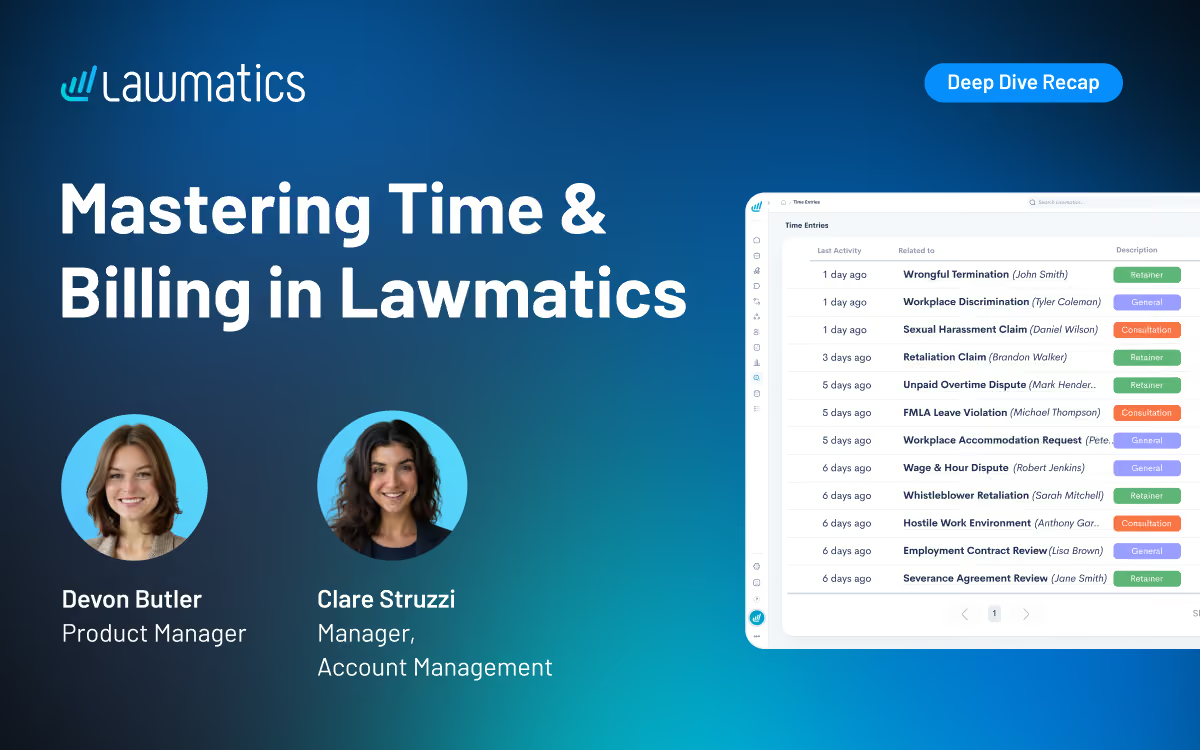
Chasing down payments and bouncing between separate billing tools slows down intake and adds friction to the client experience. This month's Deep Dive covered the Time & Billing add-on in Lawmatics, from setting up invoice and activity types through invoicing, installment plans, automated reminders, and reporting.
In this Deep Dive webinar, Devon Butler, product manager at Lawmatics, and Clare Struzzi, who manages the Account Management team, walked through the full Time & Billing workflow: getting set up with LMPay and invoice types, creating time entries and invoices, offering installment plans and subscription billing, sending automatic payment reminders, and tracking revenue with built-in and custom reports.
Time Stamps of Key Takeaways
3:46 – Why use Lawmatics for time and billing
Devon opened with the core benefits of billing directly from Lawmatics: invoicing clients without bouncing between separate tools, keeping billing tied to the same matters, contacts, and automations already set up, reducing the need to chase down payments thanks to automatic reminders, and getting a clear view of revenue and firm performance through billing reports.
5:42 – Setting up LMPay, invoice types, and activity types
Before creating time entries or invoices, firms need to apply for LMPay to take online payments, and set up invoice types and activity types. Devon explained that invoice types matter most for flat fee billing: naming one "Retainer," for example, creates a matching custom field that can be filled in on a form (like a consultation notes form) and automatically pulled into an invoice sent through an automation.
13:34 – Creating time entries
Devon showed how to log a time entry against a matter, choosing the staff member, activity type, and whether to bill hourly or at a flat rate. She also demonstrated the built-in timer, which can be started for an activity and completed later to auto-fill a time entry, and mentioned the bulk time entry option for adding several entries at once.
17:45 – Creating and sending an invoice manually
Devon built an invoice from existing time entries, covering the settings available: target bank account, who to bill (including a designated billing point of contact, like a spouse or guardian), invoice status, invoice type, due date, and optional adjustments like discounts or added fees. Clare noted that marking an invoice "sent" in Lawmatics is for manual recordkeeping only, since it doesn't trigger an actual send.
27:31 – Installment plans and subscription payments
Devon set up a payment plan on an invoice, choosing a start date, payment frequency, first payment amount, and number of installments. Once the invoice is sent, clients can opt in to auto-pay by checking a box themselves, since firms cannot enable it on their behalf. If an automatic charge fails, the payment schedule pauses until the client catches up rather than continuing to attempt new charges.
38:23 – Creating and sending an invoice from an automation
Devon showed the Create Invoice action item, commonly used at a send engagement agreement or retainer stage. She recommended setting the invoice type field to a fallback amount, in case a custom field is left blank, and adding an entry condition that checks for a minimum invoice amount before the automation fires, as a safeguard against sending an invoice with no value attached.
45:54 – Setting up automatic payment reminders
Reminders live separately from workflow automations and can be scheduled before or after an invoice's due date. Devon highlighted the checkbox for payment plan installment wording, which lets the reminder reference the current installment amount rather than the invoice total, and reiterated that invoice types determine which invoices a given reminder applies to. Lawmatics automatically stops sending reminders once an invoice is paid.
49:15 – Tracking revenue with billing reports
Devon closed with a look at Lawmatics' pre-built time & billing pages (time entries, expenses, invoices, trust accounting, and accounts receivable) and its custom reports for invoices, time entries, expenses, and transactions. Custom reports allow grouping and subgrouping by fields like practice area or lead attorney, along with sum and average totals, and can be set up as recurring report subscriptions so firms get an unpaid invoice summary sent automatically each month.
Webinar Slide Deck

An AI receptionist for law firms uses conversational AI to answer calls and, depending on the provider, collect intake information, route callers, schedule consultations, answer approved questions, or escalate conversations. Alternatives include human virtual receptionists and hybrid services that combine AI with live support. The right choice depends on your call volume, intake complexity, practice areas, hours, integrations, escalation needs, and the experience you want prospective clients to have.
When attorneys and staff are unavailable, an unanswered call can quickly become a lost opportunity. An AI receptionist for law firms can help keep prospective clients engaged by answering inquiries, collecting information, and directing callers toward the next step.
Your options now extend well beyond traditional answering services. Firms can choose AI receptionists, live virtual receptionists, or hybrid models that combine automation with human support. The bigger consideration is what happens after the call is answered: how well the service captures intake information, schedules consultations, transfers data into your systems, and escalates more complex conversations.
This guide compares leading receptionist options and explains how to choose a model that supports the complete intake journey.
What Is an AI Receptionist for Law Firms?
An AI receptionist handles inbound conversations that might otherwise reach your front desk, intake team, or voicemail. Depending on its setup, it may identify why someone is calling, collect contact and matter details, route the call, answer approved questions, or schedule a consultation.
Unlike a human virtual receptionist or traditional answering service, the interaction is handled primarily through AI. Some providers combine both approaches.
Reception is still only one part of the client intake process. Your firm may still need to evaluate the inquiry, collect additional information, follow up, prepare engagement documents, and track whether the prospect becomes a client.
AI Receptionists for Law Firms Compared
The services below take different approaches to reception and intake. Some are built around live receptionists, some use AI, and others combine the two. Lawmatics is included because Merlin Engage supports AI-assisted prospect engagement as part of the broader legal CRM software and intake process.
| Provider | Best for | Model | Legal intake | Lawmatics connection |
|---|---|---|---|---|
| Lawmatics | Managing AI-assisted intake beyond first contact | AI-assisted legal CRM | Intake, qualification, scheduling, follow-up, pipeline management | Native platform |
| Smith.ai | AI coverage with human escalation | Hybrid | Structured intake, screening, scheduling, routing | Yes |
| Answering Legal | Legal-only live reception | Human | Custom legal intake and message capture | Yes |
| LEX Reception | Established legal call answering | Human | Legal intake, scheduling, transfers | Yes |
| Ruby | Personalized human caller experience | Human | Intake, routing, scheduling, messages | Yes |
| Abby Connect | Choice of human or AI reception | Human and AI | Screening, intake, scheduling, routing | Yes |
| Back Office Betties | Legal-focused human support | Human | Legal intake, scheduling, payment collection | Yes |
| PATLive | Flexible overflow and after-hours coverage | Human | Intake, lead capture, scheduling, escalation | Yes |
| Lexidesk | AI-native legal intake | AI | Phone/chat intake, qualification, scheduling, follow-up | Yes |
| LegalClerk.ai | Practice-area-specific AI workflows | AI with optional human escalation | Qualification, intake, scheduling, reporting | Yes |
Features, service models, and integrations were reviewed in August 2026 and may change. Confirm the current capabilities and exact data transferred directly with each provider.
10 Best AI and Virtual Receptionist Solutions for Law Firms in 2026
Choosing a receptionist service starts with deciding what you actually need handled. A firm looking only for after-hours coverage has very different requirements from one that wants detailed intake, scheduling, CRM updates, and escalation.
The options below include AI, human, and hybrid services. Lawmatics differs from outsourced receptionist providers by managing the broader journey and incorporating AI-assisted engagement within the same legal CRM.
1. Lawmatics: Best for managing the full AI-assisted intake journey
Lawmatics is designed for firms that want reception and prospect engagement to flow directly into the rest of the intake process. Merlin Engage in Lawmatics can engage prospects and gather missing information, while the broader platform connects intake, scheduling, communication, pipeline activity, and reporting.
Merlin Qualify in Lawmatics evaluates inquiries against criteria your firm defines and recommends next steps. Merlin Copilot in Lawmatics can help build workflows, generate reports, and surface information from firm data.
Best for: AI-assisted engagement connected with the complete intake workflow.
Key strengths:
- Keeps prospect information and downstream screening activity connected.
- Supports custom forms, appointment scheduling, automated communication, pipeline management, and reporting.
- Helps teams evaluate and prioritize inquiries while leaving final decisions with your staff.
- Pro: Reviewers frequently highlight automation, customization, and centralized intake workflows.
- Consideration: Some reviewers describe a learning curve when configuring more complex workflows.
2. Smith.ai: Best for hybrid AI and human receptionist coverage
Smith.ai offers both an AI receptionist and live virtual receptionists, making it useful when your firm wants automation backed by access to a person. Its AI service supports 24/7 answering, lead qualification, appointment booking, call routing, and escalation to live receptionists.
Best for: AI efficiency with human receptionists available for escalation.
Key strengths:
- AI and live receptionist options
- Intake, screening, appointment booking, and routing
- Human escalation for conversations that need it
- Pro: Reviewers frequently mention efficient screening, ease of use, responsive support, and smooth escalation.
- Consideration: Some reviewers say callers can react negatively when they realize they are speaking with AI.
3. Answering Legal: Best for legal-only live reception
Answering Legal is a human legal answering service built for law firms. Its receptionists provide 24/7 answering, customized call handling, bilingual support, message taking, call forwarding, and legal intake.
Best for: Legal-focused human receptionists instead of an AI-first service.
Key strengths:
- Focused specifically on law firms
- 24/7 live answering
- Custom legal intake
- Pro: Reviewers frequently praise professional call handling, dependable service, and responsive customer support.
- Consideration: Some reviewers report problems with setup or scripts that did not initially match their preferred call-handling process.
4. LEX Reception: Best for established legal call answering
LEX Reception focuses on traditional live legal reception, with 24/7 answering, firm-specific scripts, scheduling, and call transfers.
Best for: Established, human-led legal reception.
Key strengths:
- Legal-focused live receptionists
- Around-the-clock coverage
- Screening, scheduling, messages, and transfers
- Pro: Reviewers have cited straightforward setup and useful integrations.
- Consideration: G2 currently has only two reviews, so the feedback base is too small to treat any individual criticism as broadly representative.
5. Ruby: Best for personalized human call handling
Ruby is a human-first virtual receptionist service that emphasizes live, personalized call handling. Its legal services include 24/7 answering, screening, routing, messages, intake, and appointment scheduling.
Best for: A polished, human caller experience.
Key strengths:
- Live human receptionists
- Offers an app for managing communications when away from the office
- Personalized greetings, screening, and routing
- Pro: Reviewers often praise friendly receptionists, easy setup, and reduced interruptions.
- Consideration: Some reviewers mention pricing, billing, or inconsistent experiences with more complex instructions.
6. Abby Connect: Best for combining dedicated human teams with AI coverage
Abby Connect gives firms a choice between live virtual receptionists and an AI receptionist. Human receptionist services can use dedicated teams, while Abby AI supports 24/7 answering with customizable call flows, routing, and scheduling rules.
Best for: Flexibility between human and AI receptionist models.
Key strengths:
- Both human and AI options
- After-hours and overflow coverage
- Custom routing and scheduling
- Pro: Reviewers frequently praise account support, responsiveness, and the ability to adapt workflows.
- Consideration: Some reviewers mention pricing or call-handling details such as time spent on unwanted calls.
7. Back Office Betties: Best for dedicated human support for small law firms
Back Office Betties specializes in legal answering and administrative support. Its virtual legal receptionists can follow firm-specific screening workflows, qualify leads, schedule consultations, collect payments, take messages, and assist with other caller needs.
Best for: Human receptionists familiar with legal intake.
Key strengths:
- Human call answering and intake
- Consultation scheduling
- Custom scripts and administrative support
- Pro: Verified clients praise the team's professionalism, reliability, personalized service, and ability to streamline scheduling and receptionist work.
- Consideration: Clutch currently has only three reviews, so the feedback is positive but based on a limited sample.
8. PATLive: Best for flexible overflow and after-hours answering
PATLive provides U.S.-based human receptionists around the clock. Law firms can use the service full time or for specific gaps such as after-hours and overflow coverage.
Best for: Flexible human coverage outside normal front-desk capacity.
Key strengths:
- 24/7/365 human answering
- Firm-specific call handling
- Inquiry handling, scheduling, routing, and escalation
- Pro: Reviewers frequently highlight reliability, responsive support, professional service, and helpful onboarding.
- Consideration: Some feedback suggests there can be an initial learning curve when setting up or configuring the service for a firm's needs.
9. Lexidesk: Best for AI-native legal intake
Lexidesk is an AI receptionist built specifically for consumer-facing law firms. It handles phone calls and website chat, gathers new client information, evaluates callers using qualification criteria set by your firm, schedules consultations, and can transfer appropriate callers to staff.
Best for: Legal-specific AI intake across phone and online conversations.
Key strengths:
- 24/7 AI phone and website intake
- Consultation booking and transfers
- Follow-up for prospects who do not book
- Pro: Reviewers highlight detailed intake conversations, qualification capabilities, integrations, and reduced manual work.
- Consideration: Some reviewers mention that certain callers may be uncomfortable interacting with AI and note limitations around specific scheduling or user-management preferences.
10. LegalClerk.ai: Best for practice-area-specific AI intake workflows
LegalClerk.ai provides a 24/7 AI receptionist built for legal intake. It supports qualification, caller-detail collection, appointment scheduling, call summaries, transcripts, reporting, and integrations with legal software.
Best for: Configurable AI intake connected with existing legal systems.
Key strengths:
- Legal-focused AI answering and screening
- Qualification and consultation scheduling
- Reporting and call summaries
Reviews: There is not enough visible verified review content to support a reliable user-review pro-and-con summary.
AI vs. Human vs. Hybrid Receptionists: Which Model Fits Your Firm?
The right model depends on the kinds of calls your firm actually receives. What works for a high-volume personal injury practice may feel completely wrong for an estate planning firm where callers expect longer, more personal conversations.
- AI receptionists fit firms that need scalable, consistent coverage for common intake paths. They can work well when your questions, routing logic, and escalation rules are clearly defined.
- Human receptionists can be a stronger fit when callers regularly need reassurance, flexible conversations, or nuanced handling. Pricing may rise as call volume or talk time increases.
- Hybrid models give you a middle path. AI can handle predictable conversations while a human steps in for situations that are sensitive, unusual, or difficult to resolve.
Your firm can also mix models by time of day. You might use staff during business hours, a live virtual receptionist for lawyers for overflow, and AI for predictable after-hours inquiries.
What Should a Virtual Receptionist for Lawyers Handle?
A receptionist should do more than ensure someone picks up the phone. The real test is whether each useful conversation creates a clear next step for the caller and your team.
Look for these baseline capabilities:
- Reliable answering and routing: Your provider should know who receives which calls, what happens after hours, and when a message is enough.
- Structured legal intake: An answering service with legal intake should collect the information your firm needs, not simply a name, number, and vague description.
- Consultation scheduling: When appropriate, a caller should be able to schedule a consultation without unnecessary phone tag.
- Escalation rules: Urgent, sensitive, or unusual calls need a defined path to a person.
- Clean data transfer: Information should reach your client intake software in a usable form rather than creating another manual transcription task.
- Quality and outcome visibility: Your team should be able to review activity and understand what happened after calls were answered.
Ask providers what they mean by “legal intake.” Basic message taking, a fixed questionnaire, and conditional screening that changes based on the caller's responses are different services.
Ask the same question about integrations. A connection may transfer only contact information, or it may populate forms, add notes, schedule appointments, and trigger legal workflow automation.
How to Choose an AI Receptionist for Your Law Firm
A demo can make almost any service sound convincing. The better test is whether it holds up under the calls your firm handles every week. Start with your existing inquiry process and identify where coverage breaks down.
- Review your call patterns: Look at volume, peak hours, missed calls, after-hours traffic, existing clients, new inquiries, vendors, and spam. You may need overflow coverage rather than a complete replacement for your front desk.
- Match intake depth to your practice areas: A simple consultation request may require only basic contact information. An inquiry into new family law, immigration, criminal defense, or personal injury may require a more structured conversation before your team can decide what happens next.
- Test realistic calls: Do not limit a demo to the easiest scenario. Try an incomplete answer, an emotional caller, someone who changes topics, an existing client, and an inquiry that should be escalated.
- Define escalation before launch: Decide which conversations require a live person, who receives them, and what happens when that person is unavailable.
- Test the handoff: Confirm what information reaches your existing systems and what your staff still need to enter manually.
- Review privacy and professional responsibility issues: Ask how calls are recorded, where information is stored, how long it is retained, when callers are told they are interacting with AI, and how prospective-client information is protected.
- Compare the full cost: Account for overages, transfers, setup, intake fees, integrations, and premium features rather than relying on the advertised starting price.
- Measure outcomes beyond answered calls: Track which inquiries reach consultations, fit your firm's criteria, and become clients.
The American Bar Association's guidance on lawyers' use of AI highlights duties around competence, confidentiality, communication, and supervision. Firms should also review applicable state rules, privacy requirements, consent laws, and advertising requirements. This is general information, not legal advice.
Keep the Intake Process Connected After the Call
Answering the phone is only one step in the client journey. Lawmatics helps your firm manage what happens next by keeping intake information, appointments, follow-up, pipeline activity, and reporting in one legal CRM.
Documented receptionist integrations can send inquiry data into Lawmatics, where your team can continue automated legal intake with custom forms, scheduling, email and SMS communication, tasks, and notifications. Merlin Qualify can help evaluate and prioritize inquiries, while Merlin Engage and Merlin Copilot support prospect communication and workflow management.
No matter which receptionist model you choose, the handoff after the call still matters. Lawmatics helps keep inquiry data and follow-up activity connected so your team can follow each prospect from first contact through consultation and signed engagement.
See how Lawmatics connects legal client intake, follow-up, scheduling, and reporting around every new inquiry. Request a demo.
FAQ: Virtual Receptionists
What is the best AI receptionist for a law firm?
The best AI receptionist depends on your firm's intake complexity, practice areas, hours, budget, integrations, and need for human support. A firm with predictable, high-volume intake may value AI coverage, while a practice with longer or more sensitive calls may prefer a human or hybrid model. Test providers with real scenarios before deciding.
Can an AI receptionist complete legal intake?
Some AI receptionists can complete structured or conditional intake by asking questions, collecting responses, scheduling consultations, and transferring information into legal software. Capabilities vary considerably. Your firm should define where automated intake ends and when staff or attorneys need to intervene.
An AI receptionist should not provide legal advice, promise representation, or make your firm's final case-acceptance decisions.
What is the difference between an answering service and a virtual receptionist?
Historically, an answering service focused on taking messages while a virtual receptionist handled a broader range of tasks, such as routing calls and scheduling appointments. Today, the categories overlap.
Instead of relying on the label, ask what the provider actually does during and after a call: what information it collects, whether it schedules, how it escalates calls, and where the data goes.
Can a virtual receptionist integrate with legal CRM software?
Yes, many providers connect with legal CRMs, but integrations are not identical. A direct integration may create contacts or matters, populate intake fields, add notes, or schedule appointments. Other providers may rely on Zapier, APIs, web forms, or simple email handoffs.
Ask the provider to demonstrate which information moves between systems and which actions the integration can trigger.
Should a law firm use an AI or human receptionist after hours?
Either can work. AI can provide scalable coverage for predictable intake paths, while human receptionists may be preferable when after-hours callers frequently need a more flexible or sensitive conversation.
Some firms combine the two, using AI for routine inquiries and escalation to a person when defined conditions are met. Choose the model based on your actual callers and workflow rather than assuming one approach is universally better.
Subscribe to get our best content in your inbox
Law firms love Lawmatics
Our customers give their clients the client-focused experience they deserve. Learn how they do it all with Lawmatics.
.avif)

.avif)
.avif)

Ready to grow your law firm with Lawmatics?
Schedule a demo of legal’s most trusted growth platform.