



The Lawmatics Blog
Insights on legal marketing, automating the law practice, and legal tech in general


A legal CRM is software designed to help law firms manage relationships, intake, and follow-up from the first inquiry through to retained clients. It centralizes contacts, communications, and intake workflows, so firms can track prospects, reduce missed leads, and measure what drives new business.
Most law firms don’t lose business because they lack leads. They lose business because the intake process breaks down under real-world volume.
Calls go unanswered, form submissions sit in inboxes, follow-ups happen late (or not at all), and reporting is too unclear to fix what’s broken. That’s where legal CRM software comes in.
Unlike generic CRMs or case management systems, a legal CRM focuses on pre-matter workflows like lead tracking, intake, communication, and reporting.
Firms use legal CRMs to standardize intake, improve response times, reduce missed opportunities, and understand what converts prospects into signed clients.
This guide breaks down what a legal CRM is, how it differs from case management software, and which features matter most to law firms.
You’ll also see common mistakes to avoid, how to evaluate CRM options using real intake metrics, and how platforms like Lawmatics help turn intake into a predictable, measurable growth engine.
What Is a Legal CRM?
A legal CRM, or client relationship management system for law firms, is a platform that centralizes contacts, communications, and intake workflows. It helps you track and nurture prospects from initial contact through to retained clients.
Legal CRMs focus on relationship management and revenue workflows rather than active matter execution. And firms can manage leads, referrals, intake, and follow-up in one place, rather than across inboxes, spreadsheets, and scattered notes.
Because the earliest stages of the client journey often determine whether a firm earns the engagement, legal CRM software is designed around the realities of intake: capturing information quickly, routing leads to the right person, following up consistently, and tracking performance over time.
Legal CRM vs Case Management
| Feature | Legal CRM software | Case management software |
|---|---|---|
| Primary purpose | Manage leads, relationships, and intake from first inquiry through retained client | Manage active matters after a client is signed |
| When it is used | Before and after engagement | During engagement |
| Core focus | Intake, follow-up, communication, and conversion | Matter execution, deadlines, documents, and billing |
| Lead and referral tracking | Yes | Limited or not designed for this |
| Intake pipeline management | Yes | No |
| Automated follow-up and reminders | Yes | Limited |
| Email and SMS communication | Built in for intake and client communication | Often limited or matter-centric |
| Marketing source tracking | Yes | No |
| Conversion and intake reporting | Yes | Minimal |
| Contact and relationship history | Centralized across leads and clients | Matter-based |
| Best used alongside | Practice management and billing tools | Legal CRM for intake and growth |
Legal CRM
A legal CRM manages pre-matter workflows and ongoing relationships, including former clients and referral partners. It supports client intake, consistent follow-up, and reporting that connects lead sources and process steps to retained outcomes.
Practice management and case management software
Practice and case management tools are designed for active matters. They run signed client work, like tasks, calendaring, documents, time tracking, billing, and matter execution. This software is essential after engagement, but it’s not built to manage inbound leads or intake pipelines.
Why the distinction matters
When firms allow case management software to function like a legal CRM, leads fall through cracks, follow-up becomes inconsistent, and reporting can’t explain why. Most firms get better results by pairing a legal CRM with practice management so each system does its job.
What a Legal CRM Does
A good legal CRM doesn’t just store contact info. It creates consistent client intake automation, ensuring measurable and scalable performance for firms.
Centralizes contacts and communication history
A legal CRM creates a single record for each lead and client. The record may include messages, notes, and touchpoints. That shared history reduces handoff issues and makes it easier for teams to pick up conversations within a workflow.
Manages the intake pipeline
A legal CRM organizes intake into stages, like new lead, contacted, qualified, consult scheduled, consult held, and retained. When every lead has a stage and an owner, fewer inquiries get overlooked, and bottlenecks become visible.
Automates follow-up and task routing
A legal CRM can assign ownership, trigger reminders, and send messages based on lead status or behavior. This reduces reliance on memory and keeps intake moving during busy periods.
Provides reporting tied to outcomes
A legal CRM can provide reporting on lead volume, consult rate, show rate, retained rate, and performance by source or team member. That visibility helps firms improve conversion and invest in what works.
Examples of CRM Tools Used by Law Firms
Most CRM software for legal services offers communication, tracking, and workflow tools that support intake and business development. Here are some examples of how firms use legal CRM tools.
Email marketing and automated follow-up
Law firms often use email automation to respond immediately to form submissions, follow up after missed calls, and nurture leads. The goal is consistent contact without relying on someone to execute each next step.
For firms that want to go beyond simple reminders, a legal marketing automation platform can run multi-step nurture campaigns, re-engagement sequences, and referral follow-ups tied to intake outcomes.
Marketing source tracking
Marketing source tracking helps firms understand where leads came from, such as website forms, phone calls, referrals, or ads, and how those leads perform over time. Knowing what generates leads and retained clients allows firms to make smarter marketing decisions and reduce spend on channels that aren’t working.
Contact and relationship management
Legal contact management software centralizes information for leads, clients, and referral partners in one place. This ensures relationship history doesn’t disappear when an attorney changes firms, a staff member leaves, or a matter closes.
Custom reporting and dashboards
Reporting dashboards give firms visibility into the intake pipeline, including stage volume, response time, and conversion metrics. Many firms also want reporting by practice area, attorney, or lead source. Legal CRM reporting helps firms identify intake delays and performance gaps more quickly.
Text messaging and SMS communication
A legal CRM can support two-way texting, send automated reminders for consultations, and log message history for context and compliance. SMS communication can help firms reduce no-shows and better reach prospects who prefer a text.
Calendar syncing and appointment setting
Online scheduling within legal CRMs makes consult booking easier, with automated reminders that improve show rates. And calendar syncing reduces back-and-forth for intake staff and helps ensure the right attorney is booked based on availability and case type.
File and document collection
Secure upload links and centralized document collection cut down on multiple email threads and keep intake materials connected to the contact record. That speeds up lead qualification and helps attorneys walk into consultations better prepared.
Key Features to Look for in Legal CRM Software
A legal CRM should do more than store contacts. It should support intake execution, reduce manual work, and enable measurable performance. When you evaluate platforms, look for these core capabilities.
Intake forms and data capture
Look for customizable intake forms with legal-friendly fields and conditional logic. Strong data capture improves routing, qualification, and reporting accuracy.
Automation and workflow rules
Prioritize workflow controls that automate ownership assignment, follow-up timing, and internal routing to keep intake consistent across the team. For busy firms, this is what turns follow-up from best effort into built-in, consistent follow-up.
Communication tools
Email and SMS should be built in (or tightly integrated) with logged history and templates to standardize messaging and reduce manual work. When messaging is standardized, the client experience improves and staff waste less time rewriting the same responses.
Reporting and analytics
Reporting should make it easy to evaluate lead-source performance, conversion performance by stage, and intake-team productivity. The most useful reporting connects activity to outcomes, so firms can see what actually drives consults and retained clients.
Integrations
Integrations matter because most firms already have a practice management platform and don’t want to duplicate data entry. A legal CRM should integrate with practice management and billing tools to avoid duplicate entry and support clean handoffs after retention.
Security and permissions
Because intake information can be sensitive, role-based access and permission controls are important. A CRM should make it easy to control who can see what and to understand what changes were made over time.
AI and lead intelligence
AI features are most valuable when they help intake teams prioritize and act faster without removing human judgment. Explainable lead scoring can help route inbound inquiries. It allows staff to focus on leads likely to fit a firm’s ideal client profile, based on intake data.
This is where AI-powered lead scoring, like QualifyAI, can support intake teams by helping them prioritize leads while keeping final decisions in human hands.
Benefits of a Legal CRM for Law Firms
A legal CRM should be your firm’s intake operating system. When you can consistently capture, track, and follow up with every inquiry, you reduce lead leakage and make growth measurable. Here are the core benefits most firms see:
- Fewer missed leads and more consistent intake: Every inquiry is tracked through defined stages with clear ownership, so fewer leads fall through the cracks. Standardized workflows reduce variability across staff and make intake more reliable.
- Faster response times and higher conversion rates: Automation supports immediate acknowledgement, timely follow-up, and consistent reminders, helping prospects stay engaged.
- Better visibility into firm performance: Intake becomes measurable, with reporting on pipeline health, conversion rates, and marketing return on investment (ROI). Leaders can identify bottlenecks and top-performing sources, and attorneys receive more complete handoffs.
- Reduced administrative workload: Centralized records, templates, and automated tasks reduce manual entry. Teams spend less time tracking down information and more time efficiently executing intake.
- Systems that scale as the firm grows: When workflows live in the CRM, new hires onboard faster, and processes stay consistent as volume increases. Growth becomes less dependent on adding headcount at the same rate as leads.
Common Mistakes When Choosing a Legal CRM
A legal CRM can dramatically improve intake, but only if it’s the right fit and implemented with clear ownership. These are the most common mistakes firms make when evaluating CRMs.
- Choosing a generic CRM not built for legal workflows: Generic platforms often require heavy customization to handle intake, consult scheduling, and legal-specific reporting. The complexity slows adoption and can leave intake needs unsupported.
- Treating the CRM as “just a contact database”: If the system is only used to store names and numbers, you miss the real value: pipeline tracking, automation, and reporting.
- Ignoring integrations: Without clean integrations to practice management, calendaring, and communication tools, teams duplicate data entry and lose context during handoffs, which hurts adoption and reporting accuracy.
- Not defining ownership or an intake SOP: Technology doesn’t fix a messy process. Without defined stages, responsibilities, and response-time expectations, follow-up stays inconsistent even with a CRM in place.
How to Choose the Right Legal CRM
Choosing the right legal CRM comes down to finding a platform that matches your intake workflow, integrates with your existing tools, and gives your firm clear visibility into what drives consults and retained clients.
Start with your intake workflow
Before evaluating tools, map your client intake process from the first inquiry to a retained client. Define the stages to track and the criteria that qualify a lead to move forward. Assign ownership, so every inquiry has a responsible person, even when handoffs happen between intake staff and attorneys.
Define required reporting upfront
Identify the metrics you need to run, such as response time, conversion by stage, show rate, and retention outcomes by source. Then, confirm that the legal CRM can produce those reports without excessive manual work.
Ensure it fits alongside existing tools
Most firms already rely on practice management and billing platforms to run active matters, so the right CRM for legal firms should complement, not replace, those systems. Prioritize tools that integrate with your existing stack to avoid duplicate entry and maintain a clean handoff.
Test with real leads
During a trial or pilot, measure response time, consult scheduling rate, consult show rate, and time-to-retain. This makes it easier to compare tools objectively and build internal buy-in based on outcomes rather than preferences.
Turn your CRM into a predictable growth engine
A legal CRM should reduce lead leakage, standardize intake, and make performance measurable. When intake is treated as a system, with defined stages, ownership, and reporting, firms can improve conversion without relying on constant manual effort.
Lawmatics is a legal CRM built specifically for law firms, combining client intake, automation, reporting, and integration-friendly workflows into one centralized system.
With the right workflows in place, your firm can respond faster, follow up more consistently, and understand which sources and processes actually drive retained revenue.
Ready to turn your intake into a more consistent, measurable process? Request a demo to see how Lawmatics can help your firm capture more leads, follow up faster, and convert more inquiries into retained clients.
CRM for lawyers FAQs
What is a legal CRM?
A legal CRM is software that helps law firms manage leads, contacts, communications, and intake workflows from the first inquiry through to client retention.
Is a legal CRM the same as case management software?
No. A legal CRM focuses on intake and relationships, while case management focuses on active matters, including deadlines, documents, and billing.
Do small law firms need a legal CRM?
Yes, especially if leads are being missed or follow-up is inconsistent. A legal CRM helps smaller firms stay responsive and organized without adding headcount immediately.
What features matter most in a legal CRM?
The most important features are intake workflows, automation, communication tools (email and SMS), outcome-driven reporting, and integrations with existing systems.
Can a legal CRM integrate with tools like Clio or MyCase?
Yes. Many legal CRMs integrate with practice management platforms such as Clio or MyCase to reduce duplicate data entry and improve handoffs.
A legal CRM is software designed to help law firms manage relationships, intake, and follow-up from the first inquiry through to retained clients. It centralizes contacts, communications, and intake workflows, so firms can track prospects, reduce missed leads, and measure what drives new business.
Most law firms don’t lose business because they lack leads. They lose business because the intake process breaks down under real-world volume.
Calls go unanswered, form submissions sit in inboxes, follow-ups happen late (or not at all), and reporting is too unclear to fix what’s broken. That’s where legal CRM software comes in.
Unlike generic CRMs or case management systems, a legal CRM focuses on pre-matter workflows like lead tracking, intake, communication, and reporting.
Firms use legal CRMs to standardize intake, improve response times, reduce missed opportunities, and understand what converts prospects into signed clients.
This guide breaks down what a legal CRM is, how it differs from case management software, and which features matter most to law firms.
You’ll also see common mistakes to avoid, how to evaluate CRM options using real intake metrics, and how platforms like Lawmatics help turn intake into a predictable, measurable growth engine.
What Is a Legal CRM?
A legal CRM, or client relationship management system for law firms, is a platform that centralizes contacts, communications, and intake workflows. It helps you track and nurture prospects from initial contact through to retained clients.
Legal CRMs focus on relationship management and revenue workflows rather than active matter execution. And firms can manage leads, referrals, intake, and follow-up in one place, rather than across inboxes, spreadsheets, and scattered notes.
Because the earliest stages of the client journey often determine whether a firm earns the engagement, legal CRM software is designed around the realities of intake: capturing information quickly, routing leads to the right person, following up consistently, and tracking performance over time.
Legal CRM vs Case Management
| Feature | Legal CRM software | Case management software |
|---|---|---|
| Primary purpose | Manage leads, relationships, and intake from first inquiry through retained client | Manage active matters after a client is signed |
| When it is used | Before and after engagement | During engagement |
| Core focus | Intake, follow-up, communication, and conversion | Matter execution, deadlines, documents, and billing |
| Lead and referral tracking | Yes | Limited or not designed for this |
| Intake pipeline management | Yes | No |
| Automated follow-up and reminders | Yes | Limited |
| Email and SMS communication | Built in for intake and client communication | Often limited or matter-centric |
| Marketing source tracking | Yes | No |
| Conversion and intake reporting | Yes | Minimal |
| Contact and relationship history | Centralized across leads and clients | Matter-based |
| Best used alongside | Practice management and billing tools | Legal CRM for intake and growth |
Legal CRM
A legal CRM manages pre-matter workflows and ongoing relationships, including former clients and referral partners. It supports client intake, consistent follow-up, and reporting that connects lead sources and process steps to retained outcomes.
Practice management and case management software
Practice and case management tools are designed for active matters. They run signed client work, like tasks, calendaring, documents, time tracking, billing, and matter execution. This software is essential after engagement, but it’s not built to manage inbound leads or intake pipelines.
Why the distinction matters
When firms allow case management software to function like a legal CRM, leads fall through cracks, follow-up becomes inconsistent, and reporting can’t explain why. Most firms get better results by pairing a legal CRM with practice management so each system does its job.
What a Legal CRM Does
A good legal CRM doesn’t just store contact info. It creates consistent client intake automation, ensuring measurable and scalable performance for firms.
Centralizes contacts and communication history
A legal CRM creates a single record for each lead and client. The record may include messages, notes, and touchpoints. That shared history reduces handoff issues and makes it easier for teams to pick up conversations within a workflow.
Manages the intake pipeline
A legal CRM organizes intake into stages, like new lead, contacted, qualified, consult scheduled, consult held, and retained. When every lead has a stage and an owner, fewer inquiries get overlooked, and bottlenecks become visible.
Automates follow-up and task routing
A legal CRM can assign ownership, trigger reminders, and send messages based on lead status or behavior. This reduces reliance on memory and keeps intake moving during busy periods.
Provides reporting tied to outcomes
A legal CRM can provide reporting on lead volume, consult rate, show rate, retained rate, and performance by source or team member. That visibility helps firms improve conversion and invest in what works.
Examples of CRM Tools Used by Law Firms
Most CRM software for legal services offers communication, tracking, and workflow tools that support intake and business development. Here are some examples of how firms use legal CRM tools.
Email marketing and automated follow-up
Law firms often use email automation to respond immediately to form submissions, follow up after missed calls, and nurture leads. The goal is consistent contact without relying on someone to execute each next step.
For firms that want to go beyond simple reminders, a legal marketing automation platform can run multi-step nurture campaigns, re-engagement sequences, and referral follow-ups tied to intake outcomes.
Marketing source tracking
Marketing source tracking helps firms understand where leads came from, such as website forms, phone calls, referrals, or ads, and how those leads perform over time. Knowing what generates leads and retained clients allows firms to make smarter marketing decisions and reduce spend on channels that aren’t working.
Contact and relationship management
Legal contact management software centralizes information for leads, clients, and referral partners in one place. This ensures relationship history doesn’t disappear when an attorney changes firms, a staff member leaves, or a matter closes.
Custom reporting and dashboards
Reporting dashboards give firms visibility into the intake pipeline, including stage volume, response time, and conversion metrics. Many firms also want reporting by practice area, attorney, or lead source. Legal CRM reporting helps firms identify intake delays and performance gaps more quickly.
Text messaging and SMS communication
A legal CRM can support two-way texting, send automated reminders for consultations, and log message history for context and compliance. SMS communication can help firms reduce no-shows and better reach prospects who prefer a text.
Calendar syncing and appointment setting
Online scheduling within legal CRMs makes consult booking easier, with automated reminders that improve show rates. And calendar syncing reduces back-and-forth for intake staff and helps ensure the right attorney is booked based on availability and case type.
File and document collection
Secure upload links and centralized document collection cut down on multiple email threads and keep intake materials connected to the contact record. That speeds up lead qualification and helps attorneys walk into consultations better prepared.
Key Features to Look for in Legal CRM Software
A legal CRM should do more than store contacts. It should support intake execution, reduce manual work, and enable measurable performance. When you evaluate platforms, look for these core capabilities.
Intake forms and data capture
Look for customizable intake forms with legal-friendly fields and conditional logic. Strong data capture improves routing, qualification, and reporting accuracy.
Automation and workflow rules
Prioritize workflow controls that automate ownership assignment, follow-up timing, and internal routing to keep intake consistent across the team. For busy firms, this is what turns follow-up from best effort into built-in, consistent follow-up.
Communication tools
Email and SMS should be built in (or tightly integrated) with logged history and templates to standardize messaging and reduce manual work. When messaging is standardized, the client experience improves and staff waste less time rewriting the same responses.
Reporting and analytics
Reporting should make it easy to evaluate lead-source performance, conversion performance by stage, and intake-team productivity. The most useful reporting connects activity to outcomes, so firms can see what actually drives consults and retained clients.
Integrations
Integrations matter because most firms already have a practice management platform and don’t want to duplicate data entry. A legal CRM should integrate with practice management and billing tools to avoid duplicate entry and support clean handoffs after retention.
Security and permissions
Because intake information can be sensitive, role-based access and permission controls are important. A CRM should make it easy to control who can see what and to understand what changes were made over time.
AI and lead intelligence
AI features are most valuable when they help intake teams prioritize and act faster without removing human judgment. Explainable lead scoring can help route inbound inquiries. It allows staff to focus on leads likely to fit a firm’s ideal client profile, based on intake data.
This is where AI-powered lead scoring, like QualifyAI, can support intake teams by helping them prioritize leads while keeping final decisions in human hands.
Benefits of a Legal CRM for Law Firms
A legal CRM should be your firm’s intake operating system. When you can consistently capture, track, and follow up with every inquiry, you reduce lead leakage and make growth measurable. Here are the core benefits most firms see:
- Fewer missed leads and more consistent intake: Every inquiry is tracked through defined stages with clear ownership, so fewer leads fall through the cracks. Standardized workflows reduce variability across staff and make intake more reliable.
- Faster response times and higher conversion rates: Automation supports immediate acknowledgement, timely follow-up, and consistent reminders, helping prospects stay engaged.
- Better visibility into firm performance: Intake becomes measurable, with reporting on pipeline health, conversion rates, and marketing return on investment (ROI). Leaders can identify bottlenecks and top-performing sources, and attorneys receive more complete handoffs.
- Reduced administrative workload: Centralized records, templates, and automated tasks reduce manual entry. Teams spend less time tracking down information and more time efficiently executing intake.
- Systems that scale as the firm grows: When workflows live in the CRM, new hires onboard faster, and processes stay consistent as volume increases. Growth becomes less dependent on adding headcount at the same rate as leads.
Common Mistakes When Choosing a Legal CRM
A legal CRM can dramatically improve intake, but only if it’s the right fit and implemented with clear ownership. These are the most common mistakes firms make when evaluating CRMs.
- Choosing a generic CRM not built for legal workflows: Generic platforms often require heavy customization to handle intake, consult scheduling, and legal-specific reporting. The complexity slows adoption and can leave intake needs unsupported.
- Treating the CRM as “just a contact database”: If the system is only used to store names and numbers, you miss the real value: pipeline tracking, automation, and reporting.
- Ignoring integrations: Without clean integrations to practice management, calendaring, and communication tools, teams duplicate data entry and lose context during handoffs, which hurts adoption and reporting accuracy.
- Not defining ownership or an intake SOP: Technology doesn’t fix a messy process. Without defined stages, responsibilities, and response-time expectations, follow-up stays inconsistent even with a CRM in place.
How to Choose the Right Legal CRM
Choosing the right legal CRM comes down to finding a platform that matches your intake workflow, integrates with your existing tools, and gives your firm clear visibility into what drives consults and retained clients.
Start with your intake workflow
Before evaluating tools, map your client intake process from the first inquiry to a retained client. Define the stages to track and the criteria that qualify a lead to move forward. Assign ownership, so every inquiry has a responsible person, even when handoffs happen between intake staff and attorneys.
Define required reporting upfront
Identify the metrics you need to run, such as response time, conversion by stage, show rate, and retention outcomes by source. Then, confirm that the legal CRM can produce those reports without excessive manual work.
Ensure it fits alongside existing tools
Most firms already rely on practice management and billing platforms to run active matters, so the right CRM for legal firms should complement, not replace, those systems. Prioritize tools that integrate with your existing stack to avoid duplicate entry and maintain a clean handoff.
Test with real leads
During a trial or pilot, measure response time, consult scheduling rate, consult show rate, and time-to-retain. This makes it easier to compare tools objectively and build internal buy-in based on outcomes rather than preferences.
Turn your CRM into a predictable growth engine
A legal CRM should reduce lead leakage, standardize intake, and make performance measurable. When intake is treated as a system, with defined stages, ownership, and reporting, firms can improve conversion without relying on constant manual effort.
Lawmatics is a legal CRM built specifically for law firms, combining client intake, automation, reporting, and integration-friendly workflows into one centralized system.
With the right workflows in place, your firm can respond faster, follow up more consistently, and understand which sources and processes actually drive retained revenue.
Ready to turn your intake into a more consistent, measurable process? Request a demo to see how Lawmatics can help your firm capture more leads, follow up faster, and convert more inquiries into retained clients.
CRM for lawyers FAQs
What is a legal CRM?
A legal CRM is software that helps law firms manage leads, contacts, communications, and intake workflows from the first inquiry through to client retention.
Is a legal CRM the same as case management software?
No. A legal CRM focuses on intake and relationships, while case management focuses on active matters, including deadlines, documents, and billing.
Do small law firms need a legal CRM?
Yes, especially if leads are being missed or follow-up is inconsistent. A legal CRM helps smaller firms stay responsive and organized without adding headcount immediately.
What features matter most in a legal CRM?
The most important features are intake workflows, automation, communication tools (email and SMS), outcome-driven reporting, and integrations with existing systems.
Can a legal CRM integrate with tools like Clio or MyCase?
Yes. Many legal CRMs integrate with practice management platforms such as Clio or MyCase to reduce duplicate data entry and improve handoffs.
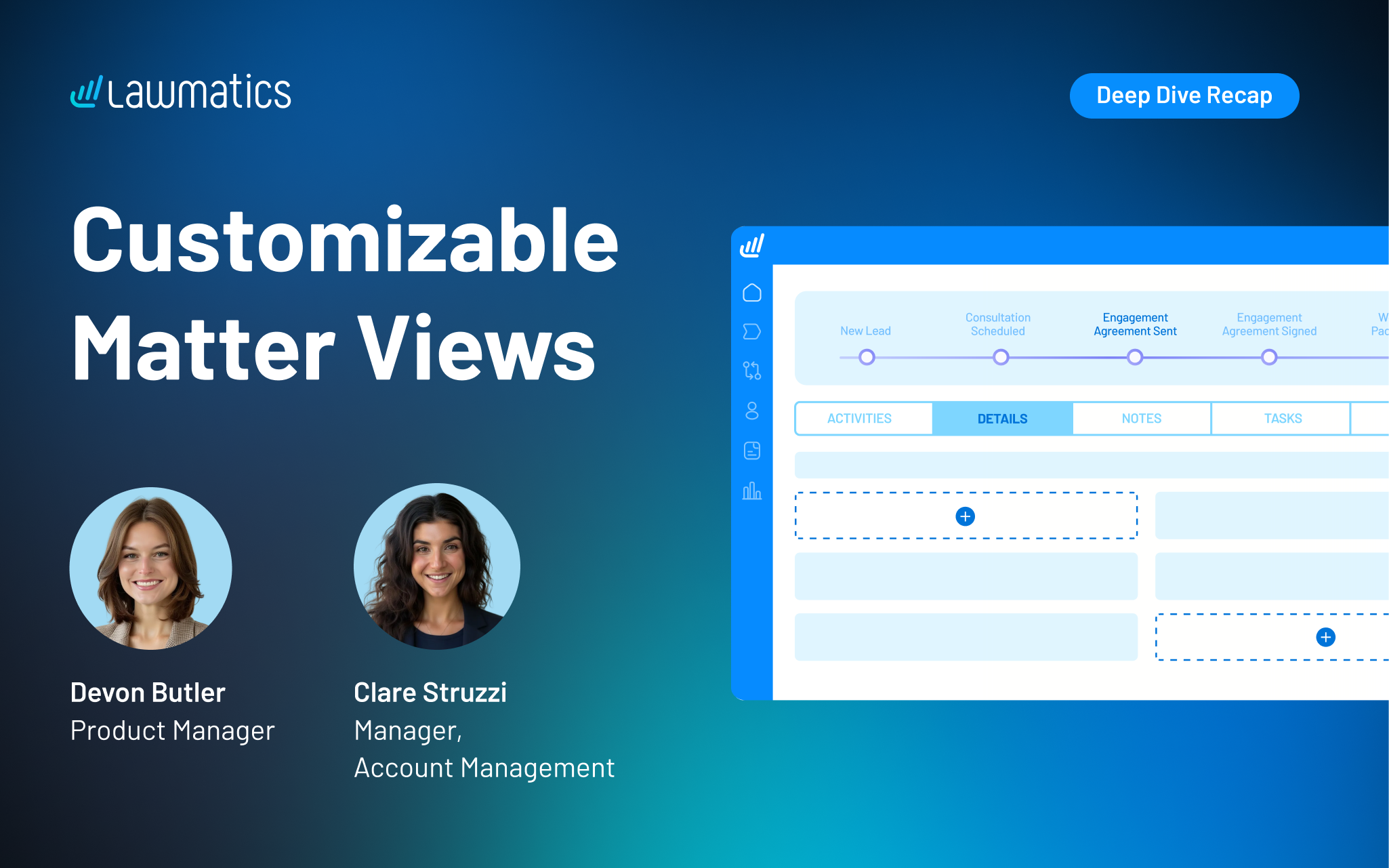
Matter profile pages can quickly fill with details, especially for firms managing multiple practice areas or using a lot of custom fields. Our recent platform update gave users the power to customize the layout of their Matter pages, making it easier to surface the right information, reuse fields without duplication, and create a more organized experience for every user at their firm.
In this Deep Dive webinar, Devon Butler, product manager at Lawmatics, and Clare Struzzi, who leads the account management team, walk through how these new customizable matter views work and how firms can tailor them to better match their workflows.
Time stamps of key takeaways
8:00 – A tour of the updated Matter page design
Devon kicked off the session with a walkthrough of the redesigned Matter page. Some of the key updates she highlights include a customizable side bar, reorganized sections within Matter details, and the ability to control the placement of fields on the page.
18:42 – How to tailor your Matter Details tab
The new Matter Details page gives you the flexibility to choose which fields appear on this page and how they’re organized. In this section, Clare and Devon showed how this flexibility allows teams to structure information in a way that aligns with their workflows, making day-to-day tasks easier to navigate.
27:15 – Setting up role- or practice-specific configurations
Devon demonstrated how firms can configure different matter views based on user role or practice area, ensuring each team member sees only what’s relevant to their work. This helps reduce noise, improve usability, and keeps confidential information on a need-to-know basis.
35:50 – Managing and maintaining your configurations
The team covered how to update, refine, and manage these configurations over time, including how changes apply across matters. This ensures firms can continuously optimize their setup as workflows evolve without needing to rebuild from scratch.
42:10 – Creating a more streamlined matter management experience
The webinar wrapped with a look at how these updates work together to create a more focused and efficient matter management experience. By organizing information more intentionally, firms can reduce friction, save time, and keep teams aligned around the details that matter most.
Webinar slide deck
Client intake is the end-to-end process of converting an inquiry into a signed client. It starts from first contact and qualification and moves through conflict checks, consult scheduling, engagement agreement, and onboarding.
Revenue is won or lost during client intake, often long before an attorney ever opens a matter file. The best-performing law firms reduce lead leakage by using software to respond quickly, standardize screening and intake forms, and create clean handoffs.
Online intake and automation improve speed and consistency by routing, sending reminders, collecting documents, and tracking the pipeline. At the same time, it still preserves human judgment for sensitive conversations and for setting expectations.
In this guide, we’ll break down the client intake process step by step, share best practices to improve conversion, and highlight common mistakes to avoid.
We’ll also highlight how Lawmatics supports this workflow within a legal CRM software. We’ll show how it helps firms automate follow-up, prioritize leads with AI scoring, and report conversion from lead to retained client.
What Is Client Intake? Overview of the Client Intake Process
Client intake (often called law firm client intake or lawyer intake) is the operational system that turns an inquiry into a signed engagement. A smooth intake process ensures the firm has what it needs to start, and the client experiences timely communication and follow-up.
In a law firm context, intake isn’t just a form. It’s a sequence of decisions, checkpoints, and handoffs that should be measurable and repeatable.
Core stages of the client intake process include:
- Lead capture via phone, web form, chat, or referral.
- Immediate response and routing to the right person and practice area with the right urgency.
- Prescreen and qualification for fit, basics, and expectations.
- Conflict check and fit decision, including exception approvals.
- Consultation scheduling and prep, such as confirmation and pre-work.
- Fee discussion and engagement agreement followed by e-sign and payment.
- Document collection, ID checks as needed, and matter kickoff.
In terms of success, a managing partner will want to see a higher conversion rate from inquiry to retained client, a more predictable consult pipeline, and clean reporting dashboards that illustrate what converts and why.
For an associate attorney, success looks like fewer intake interruptions, all pre-matter complete before consultations, and smoother handoffs.
Client Intake Best Practices for Law Firms
Below is a practical playbook you can apply immediately to your client intake process. Each best practice includes what to do, why it matters, where it can go wrong, and a simple metric you can track.
1. Document your intake policies and processes
First, determine who owns each intake channel and define a response-time service-level agreement (SLA) for each one. Document how your team will triage leads by practice area, urgency, geography, and case type.
Define when conflict checks should occur and who can approve exceptions, and standardize definitions for outcomes such as qualified, not a fit, refer out, and follow up.
- Why it matters: Documented policies and processes prevent ad hoc decisions and reduce lead leakage as volume grows.
- Where it can break down: Staff apply different criteria, so similar leads receive different outcomes.
- What to track: Track first-response time by channel.
2. Create a fast, consistent first-response system
Commit to a same-day response for every inquiry, with tighter targets for phone calls and web forms. Use a phone script with one clear goal: book the consult or collect the missing info needed to qualify. Send an instant form confirmation with a next-step scheduling link. Then, tag and route all emails so they reach the right owner immediately.
- Why it matters: A fast, consistent first-response system increases conversion by meeting prospects while intent is high.
- Where it can break down: Leads wait too long for a reply and hire a faster firm.
- What to track: Track the percentage of leads contacted within X minutes or hours.
3. Conduct a thoughtful prescreen before you book time
Collect prescreening details, such as matter type, timing, jurisdiction, stakes, opposing parties, and conflict flags, before reserving attorney time. Then screen out obvious non-fits early. Using a consistent prescreen form ensures nothing gets skipped when intake is busy.
- Why it matters: Prescreening protects attorney calendars and improves the quality of consultations.
- Where it can break down: Consults get booked without fit basics, leading to wasted time and cancellations.
- What to track: Track consult-to-retained rate by matter type.
4. Standardize intake forms to reduce back-and-forth
Capture the details that typically trigger follow-up, including contact info, opposing parties, timeline, prior counsel, and key documents. Use conditional logic to keep client intake forms short and relevant. Then, collect more detailed information after qualification.
This information is especially important for attorneys' new client intake. It supports smoother law firm client onboarding by preventing recollection after the engagement is signed.
- Why it matters: Standardized intake forms reduce delays and create cleaner handoffs for onboarding.
- Where it can break down: Intake forms are too long or lack essential information.
- What to track: Track form completion rate and the percentage of leads missing required fields.
5. Build a clean intake-to-case handoff
Define a “case-ready” packet that includes the intake summary, conflict check results, documents received, and next steps. Ensure the packet is complete before the attorney review or consultation. Standardize the handoff format so every attorney receives information consistently.
- Why it matters: A clean intake-to-case handoff reduces attorney admin work and prevents consults from starting cold.
- Where it can break down: Information is scattered across emails and notes, and key details get missed.
- What to track: Track the percentage of consults with a complete intake packet.
6. Improve show rates with reminders and pre-work
Confirm the consultation immediately with clear time, location, and expectations. Send automated SMS/email reminders at set intervals, and include simple pre-work and an easy reschedule option to prevent ghosting.
- Why it matters: Reminders and pre-work can increase held consults without increasing lead volume.
- Where it can break down: Clients forget or feel unprepared, so they no-show.
- What to track: Track consultation show rate.
7. Make retainer and payment steps frictionless
Send engagement agreements via e-signature immediately after the consult decision. Offer payment options when the client is ready to proceed, and standardize follow-up when the agreement isn’t signed quickly.
- Why it matters: Frictionless payment steps reduce drop-off between the initial consultation and a signed client.
- Where it can break down: Manual steps and inconsistent follow-up stall momentum.
- What to track: Track time from consult to signed agreement.
8. Track the intake funnel like a revenue pipeline
Define intake stages clearly from lead received through retained, and report conversion by stage and by lead source. Use the data from law firm intake solutions to identify and address bottlenecks in response, screening, scheduling, and signing.
- Why it matters: Treating intake as a revenue pipeline can optimize intake for law firms, making it measurable and increasing the predictability of retained revenue.
- Where it can break down: Firms generate leads but can’t see where they’re losing them.
- What to track: Track stage conversion rates and conversion by source.
Common Client Intake Mistakes Law Firms Make
Small process gaps can lead to delays, inconsistencies, or dropped follow-ups during the intake process. Below are a few of the most common law firm intake problems, so you can spot issues early and fix them fast.
Slow response times
Leads contact multiple firms, and the first credible response often wins. If your firm is responding more slowly, you are missing out on clients. Slow response times are especially costly when web forms and voicemail inquiries sit unassigned or are pushed aside.
Over-qualifying too early
Rigid screening can turn away viable matters before you’ve collected enough information to evaluate fit. And when intake feels like an interrogation upfront, prospects drop off.
Inconsistent intake criteria
Inconsistent responses undermine trust and make outcomes unpredictable. Conflicting intake processes also make coaching and performance improvement difficult when they are defined and handled differently across the team.
Manual handoffs between intake and attorneys
Leads stall when conflict checks, consult booking, and document requests rely on manual steps. Even small handoff delays can break the momentum of law firm client intake, especially for time-sensitive matters.
No visibility into intake performance
Without clear reporting, intake problems repeat. If you can’t see intake conversion by stage and source, you can’t tell whether the issue is lead quality, response speed, screening, or follow-up.
Why Law Firms Are Moving to Online Intake
Online intake isn’t just a convenience. It’s a necessary upgrade for lean teams. Core benefits include eliminating paper handling and duplicate data entry, reducing errors and lost information, and making the overall intake experience easier for clients and faster for staff.
Online intake often works best as a two-step process:
- Firms start with a short initial form to capture essentials and enable quick follow-up.
- Firms then send a deeper form after qualification to collect detailed case information and supporting documents.
This approach keeps early-stage friction low while still ensuring the firm gathers everything needed for a strong consult and clean handoff.
The real driver is capacity. For busy firms, manual intake is hard to scale, and every extra step adds delay. A standardized online intake process helps firms handle more inquiries without sacrificing response time, consistency, or client experience.
Automating Your Client Intake Process With Lawmatics
Client intake automation is making the intake process easier and more scalable for firms. It handles the repeatable, time-sensitive steps that tend to slip when teams get busy.
Lawmatics is a legal CRM designed to centralize your intake pipeline, automate follow-up, and provide reporting that connects intake activity to retained revenue.
Lawmatics integrations with tools like Clio, MyCase, PracticePanther, Smokeball, and others help firms improve intake without replacing their full tech stack.
Here’s how firms use Lawmatics automation to simplify intake, improve follow-up, and stay organized.
Where automation actually belongs in intake
The best place to use automation is within the first intake layer. A legal marketing automation platform can turn lead capture into a CRM record, route the lead to the right owner, trigger notifications, and ensure follow-ups happen on schedule.
It also works well for sending form links and document requests. It collects what’s needed without manual chasing and updates pipeline stages, so reporting stays accurate without extra data entry.
Still, intake requires a human touch where trust and judgment matter most. Sensitive conversations, expectation setting, and the consult experience shouldn’t feel automated, because that’s where a prospective client decides whether they feel understood and confident in the firm.
And while software can support consistency, the final fit decision should remain with the firm, so you can weigh nuance, risk, and relationship factors that don’t belong in a fully automated workflow.
QualifyAI for lead scoring and prioritization
AI-powered lead scoring for law firms can help qualify leads more effectively before the first touch. QualifyAI helps intake teams evaluate, qualify, and prioritize leads using explainable reasoning, so staff can act quickly and consistently without relying on a black box.
For consistency, it applies the same evaluation logic across the team, reducing the swing that happens when screening decisions depend on who happens to respond first. And for reporting, it turns lead attributes into usable insights.
Turn Client Intake Into a Predictable Growth Engine
Client intake is where revenue is won or lost. Tight standard operating procedures (SOPs), fast response, consistent screening, and a low-friction path to consult and signature reduce lead leakage and increase retained matters.
If you want to turn intake into a measurable growth engine, Lawmatics can help you centralize your pipeline, automate follow-ups, qualify leads, and report on performance end-to-end.
Request a demo to see how Lawmatics can help your firm build a faster, more consistent intake process from first inquiry through signed engagement.
Client Intake FAQs
What is client intake for a law firm?
Client intake is the process of capturing a new lead, collecting key information, screening fit and conflicts, scheduling consultations, and completing engagement steps through to onboarding.
What should a law firm intake form include?
Contact info, matter type, incident timeline, opposing parties, jurisdiction, key documents, and consent for communications, with conditional questions by practice area.
How do you improve law firm intake conversion?
Improve first-response speed, standardize prescreening, reduce form friction, implement reminders, and make signing and payment steps easy to complete.
What is the difference between client intake and client onboarding?
Intake covers lead-to-engagement (qualification through signed agreement). Onboarding covers post-signature steps to launch the matter smoothly.
Should law firms automate intake?
Yes. Firms can automate repetitive steps, such as routing, follow-up, reminders, and document requests, while keeping human touchpoints where trust and judgment matter.
How does QualifyAI help with intake?
QualifyAI helps teams prioritize leads with explainable AI lead scoring, so staff can focus on follow-up where it is most likely to align with the firm’s ideal client profile.
Agentic AI is a shift from prompt-based GenAI to goal-driven systems that can plan steps, use tools, and execute workflows with limited supervision.
For legal professionals, the near-term value of artificial intelligence is not "AI replaces lawyers." The real opportunity is more practical — and more controllable.
Agentic AI introduces systems that can reduce cycle time across intake, matter updates, research, drafting, and operational follow-up, while keeping attorneys firmly in control through clear review gates.
At the same time, the risk profile changes. Generative AI tools respond to prompts. Agentic systems can take actions. Once an AI system can update records, trigger workflows, or draft client-facing communications, law firms must rethink their approach to permissions, auditability, confidentiality, and accountability.
This guide can help managing partners and associate attorneys understand what agentic AI is and how it differs from generative AI in a law practice. It also offers guidance on adopting agentic AI safely, without disrupting existing case management systems or compromising professional responsibility.
What Is Agentic AI for Legal Professionals?
Agentic AI refers to AI systems that can pursue a goal with limited supervision by planning steps and automatically taking actions, often using tools, coordinating subtasks, and checking progress along the way.
To put it simply, instead of prompting a system with "draft this clause," you define an objective, and the system gathers information, identifies gaps, structures the output, and presents a draft for review at defined checkpoints.
In the legal industry, this distinction matters for artificial intelligence. A legal AI agent is not just generating content. It is executing workflows. That makes agentic AI in legal settings powerful but requires more oversight than other AI tools attorneys may already use.
Agentic AI vs. GenAI for Law Practice
Generative AI (GenAI)
Generative AI tools generate text, summaries, or drafts from a single prompt. These tools are well-suited for first-pass drafting, summarization, brainstorming, and language cleanup.
However, they are not meant to manage multi-step execution. Each prompt is largely isolated, and the system does not reliably track dependencies, permissions, or downstream effects.
Agentic AI
Agentic AI decomposes tasks, selects tools, executes steps, and can trigger workflows. It can help identify missing information, retrieve data from structured systems, propose record updates, and initiate follow-ups pending approval.
That ability to act is what changes the risk profile. While there are inherent benefits, there are also implications for both managing partners and associate attorneys regarding the use of Agentic AI.
For managing partners, this means gaining greater leverage per staff hour, enabling the firm to increase operational output without increasing headcount. But with that comes the need for strict governance, approvals, and auditability.
Associate attorneys can obtain faster research paths and stronger first drafts, but consistent verification and quality control remain non-negotiable.
High-Leverage Use Cases for Legal AI Agents
Intake and lead qualification
One of the highest-ROI areas for agentic AI in legal is improving and streamlining the intake process. With human approval guardrails, using agentic AI for client intake automation can reduce intake lag. Legal AI agents can:
- Capture inquiry details across channels
- Normalize facts into structured fields
- Identify missing or inconsistent information
- The route leads to the correct practice area
- Propose follow-up sequences and scheduling prompts
This process is also where intake and automation capabilities function as the control plane for agent-like follow-up. Tools like QualifyAI further support AI-powered lead scoring for law firms, enabling them to prioritize high-value inquiries without manual triage.
Matter status and client communication
Agentic systems can draft client updates based on matter notes, flag open items, and propose next steps. Attorneys still review and approve, but without repetitive status update emails. The key is that no communication is sent without review. Agentic AI assists preparation, not client representation.
Research and drafting workflows
Legal agentic AI can also assist in creating research plans, retrieving and organizing sources, drafting internal memos, and proposing argument structures. These workflows must require citation checking and internal review, but they can significantly reduce prep time for associates while improving consistency.
Contract review and playbook application
In transactional practices, agentic AI can extract key terms, compare them against playbooks, propose edits, and escalate exceptions. This use case augments, not replaces, attorney work. The system flags risk, but attorneys must still decide how to respond.
Legal operations and reporting
Agentic systems can surface issues such as intake bottlenecks, conversion-rate drop-offs, and follow-up delays. When tied to legal CRM software reporting and dashboards, firms gain additional visibility into operational friction that was previously a blind spot.
The Risk Profile: What Can Go Wrong When Legal Agents Take Actions
As soon as AI systems connect to tools and systems, risk increases. Agentic AI further increases risk by its ability to act. Here are some common risks associated with legal AI agents:
- Confidentiality risks rise when agents access client data across platforms.
- Explainability challenges grow as workflows span multiple steps and tools.
- Accountability questions arise regarding who is responsible when an agent's actions cause harm.
Common failures of AI in the legal industry include incorrect facts or citations, miscommunication, or actions taken based on incomplete or inaccurate intake data.
Still, these risks do not mean firms should avoid agentic AI. Rather, they must govern it with a structured framework of policies and human oversight.
A Safe Adoption Framework for Law Firms
Adopting agentic AI in a law firm requires more than enabling new technology. It requires structure, boundaries, and accountability. A clear framework ensures that innovation strengthens operations without increasing ethical, compliance, or confidentiality risks.
Set boundaries by workflow tier
Creating tiers with defined boundaries provides guardrails for Agentic AI and defines clear tasks for each tier.
- Tier 1: Internal drafting and summarization: Must include citation and research review.
- Tier 2: Internal actions: Record updates or task creation that require approvals.
- Tier 3: Client-facing actions: Require strict review, logging, and ownership.
Governance essentials
Any agentic AI deployment should include clearly defined role-based permissions to ensure access aligns with responsibility. These permissions should also enforce explicit approval checkpoints before the agent takes any action, particularly when updating records or generating client-facing communications.
Comprehensive audit logs and version history must be maintained, so every action can be reviewed, traced, and explained. Firms should establish clear ownership and escalation paths to ensure accountability if issues arise.
Vendor and system due diligence
Evaluate a vendor's data retention and training policies to understand how it stores client information and whether it uses this data to train models. Assess the vendor's security controls, including encryption, access management, and incident response procedures.
Finally, examine the integration architecture to ensure the system connects safely and reliably with existing client relationship management (CRM) and case management platforms.
It is critical to understand how the system handles failures, including whether rollback options exist to reverse unintended or incorrect actions.
How to Implement Agentic AI in a Law Firm Without Losing Control
Phase 1: Use Agentic AI to augment legal work, not replace it
Begin with low-risk internal workflows, such as summarization, research planning, and first drafts. Require attorney review on every output, and track time saved to establish a baseline. This phase is where agentic AI in legal and AI law practice tools can prove value safely.
Phase 2: Introduce agent actions inside controlled systems
Allow agents to suggest CRM updates, intake completions, or task creations. But never let them execute these tasks autonomously. Enforce role-based permissions and audit logs. In this phase, the legal AI agent concept becomes more operational.
Phase 3: Expand to client-facing workflows with approval gates
Draft intake follow-ups and confirmations, but prohibit responses without review. Maintain communication logs and tie performance to intake response time and conversion metrics.
Phase 4: Optimize and hold Agentic AI accountable to outcomes
Measure data points like consult booking rate, lead-to-client conversion, and attorney hours reclaimed to hold agentic AI accountable to outcomes. Decommission workflows that do not deliver measurable gains. Treat agentic AI as an operational system, not an experiment.
How to Evaluate Agentic AI Tools for a Law Practice
Start with a clear job to be done and develop a forward-thinking strategy for agentic AI. Select and test one workflow to improve outcomes with agentic AI. Simply adding an agentic AI tool without processes and goals in place will only create confusion.
Next, consider your firm's must-haves. Examples include human review gates, audit trails, configurable permissions, and clear CRM and case-management integrations.
Finally, consider red flags when evaluating Agentic AI tools. Watch out for opaque data handling, lack of exportability, AI agents acting without approval, or weak support for legal-specific context.
Where Lawmatics Fits: Enabling Agent-Like Workflows Inside a Legal CRM
Lawmatics is a legal CRM designed to systematize intake, follow-up, and client communication while integrating seamlessly with case management platforms.
For agentic AI, infrastructure matters. Lawmatics provides the structured data, workflow controls, and reporting visibility that make agent-like systems safer and more effective.
- Client intake: Structured, consistent data reduces downstream agent errors, while QualifyAI supports automated lead scoring and prioritization.
- Custom automations: Workflow triggers, approvals, and task creation act as safe action rails for agent-driven suggestions.
- Reporting: Marketing and intake activities directly drive demos and pipeline outcomes, aligning AI adoption with leadership key performance indicators (KPIs). Strong integration with a legal marketing automation platform may deliver additional insights.
- Integrations: Lawmatics integrations include platforms like Clio, MyCase, and PracticePanther, connecting marketing automation, lead intake, and CRM with case management systems.
Time tracking and billing can support broader operational maturity, but the core value remains CRM-driven intake and workflow control.
Turning Agentic AI Into a Real Competitive Advantage for Law Firms
Agentic AI in legal is not about chasing novelty or experimenting with the latest technology trend. Its real value lies in measurable workflow execution: reducing cycle time, increasing conversion rates, and improving operational consistency across the firm.
Start with a single high-impact workflow, define clear approval checkpoints, and measure results against concrete metrics such as intake response time, consult booking rate, and lead-to-client conversion.
Treat agentic AI as an operational investment that must prove its ROI. These tools can significantly reduce administrative drag, but professional judgment, verification, and quality control must remain non-negotiable.
When implemented within a governed, workflow-driven system, agentic AI becomes a durable competitive advantage.
To see how Lawmatics can help your firm improve client intake and follow-up workflows while seamlessly integrating with your case management stack, request a demo.
Agentic AI in legal FAQ
What does 'agentic AI' mean in the legal industry?
Goal-driven AI that can plan and execute multi-step workflows using tools, with limited supervision.
Is a legal AI agent safe to use with confidential client data?
Yes, if strict access controls, audit trails, and human review are enforced for client-facing actions.
How is agentic AI different from legal generative AI tools?
GenAI generates responses. Agentic AI decides steps and takes actions across systems, increasing both leverage and risk.
What are the best first use cases for agentic AI in a law practice?
Intake triage, internal summaries, follow-up task creation, and first-pass drafting with review.
What guardrails should managing partners require?
Approval checkpoints, role-based permissions, logging, incident response plans, and clear accountability.
How does a legal CRM help agentic AI work better?
Clean intake data, consistent workflow states, and automation create predictable rails for agents, reducing errors and making outcomes measurable.

Lawmatics, the leading CRM and client acquisition platform for law firms, today announced a new integration with SmartAdvocate, a leading case management provider trusted by litigation firms. The integration gives law firms a direct connection between lead intake and case management, removing the manual work that typically slows down the transition from signing a new client to beginning active case work.
Through this integration, firms using both platforms can sync matter details from Lawmatics to SmartAdvocate automatically or with a few clicks. Contacts, notes, documents, and custom fields transfer together, so teams can pick up new cases in SmartAdvocate with the full picture already in place.
For many firms, the gap between lead intake and case management is where small but costly problems take root. Details have to be re-entered manually, documents get uploaded twice, and information that was carefully collected during intake has to be tracked down again.
“When firms are growing and handling more leads, the last thing they need is a bottleneck between signing a client and starting the work. This integration with SmartAdvocate means that as volume increases, the process of getting a new case up and running stays fast and reliable, not slower and more error-prone,” said Matt Spiegel, founder and CEO of Lawmatics.
“This partnership reflects SmartAdvocate’s ongoing commitment to integrating with leading legal technology providers. By connecting Lawmatics’ feature set with SmartAdvocate’s comprehensive case management platform, we’re helping deliver a more complete solution that supports firms at every stage of the client journey,” said Allison Rampolla, senior vice president of sales & marketing at SmartAdvocate.
The integration is available now for customers of both Lawmatics and SmartAdvocate.
This launch continues Lawmatics' investment in building native integrations with the platforms law firms already depend on, so teams can connect their core tools without adding operational complexity. Lawmatics also continues to expand its platform capabilities, including breaking new ground in legal tech with QualifyAI, an AI agent that evaluates the quality of a firm’s lead as soon as it enters the system. From first touch to active case work, Lawmatics is building toward a future where every stage of the client acquisition process is built for efficiency and scale, without adding administrative burden.
A legal AI agent is an artificial intelligence system that can complete multi-step legal workflows (plan steps, use tools, produce deliverables), not just answer prompts.
Most conversations about choosing the best legal AI agent miss a key detail: it depends on the job you’re hiring it for.
- For associate attorneys, the priority is faster first-pass research, drafting, redlining, deposition prep, and record-grounded briefing they can verify with confidence.
- For managing partners, the focus shifts to intake conversion, standardization, reporting, and integrations that reduce tool sprawl and protect margins.
For many firms, the fastest return on investment (ROI) comes from intake and lead qualification. This is where legal CRM software solutions like Lawmatics improve speed-to-lead and stop valuable opportunities from slipping through the cracks.
What Is a Legal AI Agent?
A legal AI agent is more than a smarter chatbot. It’s a system that can plan steps and take actions across a workflow, often using your existing tools and data along the way.
Instead of just answering a prompt, a legal AI agent can:
- Gather inputs: Client details, case files, and prior communications.
- Run checks or lookups: Search the record, review documents, and check deadlines.
- Generate structured outputs: Summaries, drafts, checklists, and lead scores.
- Trigger next steps: Create tasks, update statuses, and send follow-ups.
In practice, that might mean reviewing a set of contracts and producing an issues list, or scoring new leads and routing them into the right intake pipeline.
The best legal AI agent is one that does this in a way you can understand, verify, and control.
It’s also important to be clear-eyed about the market. A lot of tools use “agent” language in their marketing, but they still behave like assistants. They respond to prompts and produce text, but don’t reliably orchestrate multi-step work or interact with your systems.
When you evaluate any AI legal agent, look for real workflow execution, not just a rebranded chatbot.
Legal AI Agents vs LLM Chatbots
Most attorneys have already tried a large language model (LLM) chatbot. It’s helpful, but it has limits. An LLM chatbot's capabilities at a glance:
- Answers questions and drafts text in a single interaction.
- Doesn’t remember your firm’s workflows or playbooks unless you restate them.
- Usually can’t take actions in your systems (CRM, DMS, calendar) on their own.
A legal AI agent, by contrast, is designed to complete multi-step work. It can gather information, run checks, generate structured outputs, and sometimes trigger actions via integrations with tools such as your legal client relationship management (CRM), document, or intake platforms.
A simple example:
- Chatbot: “Draft a client update email.”
- Agent: “Draft a client update email, summarize recent matter activity, propose next steps, and log a follow-up task in our system.”
For a law AI agent to be genuinely useful, it needs two things: access to the right data (matters, communications, intake records) and clear boundaries for what it can and cannot do.
That’s why many firms pair agents with systems like legal CRM software and intake platforms, so automation is anchored to real workflows, not just one-off prompts.
Top 9 Legal AI Agents for Lawyers and Law Firms
| AI agent | Primary workflows | Strengths | Trade-offs and considerations | Integration footprint |
|---|---|---|---|---|
| Lawmatics QualifyAI | Lead qualification, intake routing, prioritization | Built for intake outcomes inside a legal CRM, standardizes qualification, improves speed-to-lead, and ensures consistency | Not for substantive legal research or drafting; requires clear qualification criteria and structured intake fields | Native to Lawmatics intake; integrates with case management, marketing, and reporting systems |
| Harvey | Drafting, analysis, knowledge work, document workflows | Multi-step legal workflows for complex drafting and analysis | Cost and governance overhead; not intake or CRM native | Typically enterprise-oriented; footprint varies by deployment |
| Thomson Reuters CoCounsel | Research, analysis, drafting, document review | Task-based legal “skills”; strong alignment with legal research workflows | Best value within the Thomson Reuters ecosystem; limited cross-system execution | Strongest inside the TR stack; other integrations vary |
| Lexis+ AI | Research, drafting, analysis | Authority-grounded outputs; effective for memos and surveys | Best in Lexis ecosystem; citation verification still required | Strongest inside Lexis stack; other integrations vary |
| Vincent by Clio | Research and citation-backed analysis | High transparency and traceability; validation-friendly | Research-first focus; coverage varies by jurisdiction | Research-centric; limited operational integrations |
| Clearbrief | Litigation drafting anchored to the record | Evidence-linked drafting reduces unsupported assertions | Litigation-only focus; not a research replacement | Document and litigation workflow-centric |
| Spellbook | Contract drafting and redlining in Microsoft Word | Word-native drafting; fast transactional wins | Transactional-only; requires disciplined playbooks | Word-centric; limited operational or CRM integration |
| Clio Duo (Manage AI) | Matter context, summaries, drafting inside practice management | Embedded where attorneys already work; low adoption friction | Depends on Clio data hygiene; limited cross-system automation | Strong inside Clio; broader reach depends on firm stack |
| Dialzara | Phone intake, call handling, lead qualification, consult scheduling | 24/7 AI virtual receptionist for law firms; prevents missed-call lead loss | Voice-channel only; not a CRM or full intake system | Integrates with scheduling and intake tools; strongest when paired with a legal CRM |
1. Lawmatics QualifyAI
QualifyAI is Lawmatics’ lead qualification feature. It helps firms score and prioritize leads, so teams can sign the right clients faster within a unified legal CRM intake workflow.
Instead of treating every inquiry the same, QualifyAI evaluates each lead against your firm’s criteria, so your team can focus on the right matters first.
Because it lives inside Lawmatics, QualifyAI works hand in hand with client intake automation. Online forms, scheduled consults, automated emails and texts, and task workflows all stay connected to a single contact record.
When you layer in AI-powered lead scoring for law firms, your intake process becomes both faster and more consistent, from first touch through signed agreement.
Pros and considerations of Lawmatics QualifyAI
- Built for intake outcomes, not generic drafting. QualifyAI is designed specifically for qualification, prioritization, and speed-to-lead.
- Tightly integrated with Lawmatics intake workflows. QualifyAI can automatically update pipelines, trigger follow-ups, and assign tasks. This helps standardize intake, reduce lead leakage, and ensure every inquiry gets a timely, appropriate response.
- Aligned with partner priorities and reporting. QualifyAI naturally supports managing partners who care about consistency, visibility, and pipeline-aligned reporting. Lead evaluations, outcomes, and response times all feed into Lawmatics dashboards.
- Designed to complement, not replace, other AI tools. QualifyAI pairs well with tools focused on research, drafting, and review, while Lawmatics remains the system of record for intake, CRM, and marketing.
- Works best with clear criteria and structured intake. Like any lead evaluation model, QualifyAI performs best when a firm has defined what “qualified” means and captures that information in structured fields.
- Ideal for firms with a steady flow of new inquiries. QualifyAI delivers the most value for firms that receive regular inbound leads and want to ensure no opportunity slips through the cracks.
Lawmatics QualifyAI use case example
Lead evaluation and prioritized follow-up. A personal injury firm receives dozens of new inquiries each week through web forms, referrals, and phone calls. With QualifyAI, every inbound lead is scored against the firm’s criteria — case type, jurisdiction, severity, and engagement signals.
High-fit prospects are flagged at the top of the intake queue. Lawmatics automatically routes them to the right team member, triggers tailored follow-up sequences, and logs every touchpoint.
Partners can then review intake reports that connect lead scores to booked consults and opened matters. These reports give them a clear view of which campaigns, channels, and workflows are driving the most valuable clients.
2. Harvey
Harvey is best suited for midsize to Am Law firms that want configurable, repeatable AI-driven workflows for legal research, drafting, contract analysis, and internal knowledge across practice groups.
Pros and cons of Harvey
Harvey use case example
Mergers and acquisitions (M&A) diligence first pass. Harvey reviews a data room of contracts and flags change-of-control and assignment clauses. It then drafts a diligence summary and produces an issues list for attorney validation.
3. Thomson Reuters CoCounsel
CoCounsel is designed for law firms that want task-based legal AI embedded in research, analysis, drafting, and document review. It is especially suited for firms already using Westlaw or Practical Law.
Pros and cons of CoCounsel
CoCounsel use case example
Deposition preparation assistant. CoCounsel analyzes pleadings, transcripts, and exhibits. It then generates a witness outline, flags inconsistencies, and drafts cross-examination questions for attorney refinement.
4. Lexis+ AI
Lexis+ AI supports firms already invested in Lexis+ that want AI-assisted legal research, drafting, and analysis grounded in LexisNexis sources.
Pros and cons of Lexis+ AI
Lexis+ AI use case example
Multi-jurisdiction survey foundation. Lexis+ AI generates a structured survey outline, highlights key differences, and exports a draft table for attorney validation.
5. Vincent AI by Clio
Vincent AI, part of the vLex platform acquired by Clio in 2025, is positioned for practices that prioritize citation-backed legal research and want AI assistance with clear traceability to sources.
Pros and cons of Vincent AI
Vincent AI use case example
Early matter research triage. Vincent AI identifies controlling and persuasive authorities, summarizes holdings, and produces an issue outline for associate review and memo drafting.
6. Clearbrief
Clearbrief is built for litigators who want drafting support anchored to the evidentiary record, with verification that reduces unsupported factual assertions.
Pros and cons of Clearbrief
Clearbrief use case example
Summary judgment support. Clearbrief reviews declarations and exhibits. It then flags unsupported statements, generates a chronology, and links assertions directly to the record.
7. Spellbook
Spellbook focuses on transactional attorneys who draft and review contracts in Microsoft Word and want AI embedded directly in the drafting environment.
Pros and cons of Spellbook
Spellbook use case example
Vendor agreement review. Spellbook reviews a master service agreement (MSA). It then flags indemnity and liability risks, suggests fallback language, and drafts a negotiation priorities summary.
8. Manage AI (Formerly Clio Duo)
Manage AI is embedded AI for firms standardized on Clio Manage that want faster access to matter context, summaries, and drafting support inside practice management.
Pros and cons of Manage AI
Manage AI use case example
Matter status briefing. Manage AI summarizes recent communications, identifies upcoming deadlines, and drafts a client update email for associate review.
9. Dialzara
Dialzara is an AI-powered virtual receptionist built specifically for law firms to handle inbound phone calls, qualify leads, and schedule consultations 24/7 without the risk of missed calls.
Pros and cons of Dialzara
Dialzara use case example
24/7 phone intake and lead qualification. Dialzara answers inbound calls when a firm’s staff is unavailable. It asks qualifying questions, captures caller details, and schedules consultations. Qualified leads are then passed into the firm’s intake workflow for follow-up and conversion.
How to Evaluate a Legal AI Agent
Choosing the best legal AI agent isn’t just about features. It’s about whether the tool can safely fit into your firm’s workflows, protect client data, and actually move the needle on performance. Use these lenses as you compare options.
Automation, security, and confidentiality
Any AI legal agent that touches client information must meet your security bar before it ever meets your team. Consider:
- Role-based permissions: Can you control who can run which automations and see which data?
- Audit logs and activity history: Can you see who did what, when, and with which inputs?
- Data retention and training: Are prompts and outputs stored? Are they used to train the vendor’s models?
- Vendor security posture: Is there accessible documentation on encryption, SOC 2, Health Insurance Portability and Accountability Act (HIPAA), and incident response (if applicable to your firm)?
For example, if you’re evaluating a legal marketing automation platform, you should be able to confirm how automation rules are secured, who can edit them, and how client communications are logged.
Grounding and verification
A law AI agent is only as useful as your ability to trust and verify what it produces. Ask:
- Does it cite sources? For research or record-based work, you should see links to cases, documents, or transcripts, not just confident prose.
- Can attorneys review the underlying authority or record? One click from answer to source should be the norm.
- How does the tool handle uncertainty? Look for tools that flag low-confidence answers or gaps, rather than guessing.
The goal isn’t blind trust. It’s faster validation, so attorneys can spend more time on judgment and less on hunting down where a statement came from.
Workflow and integrations
Even the smartest legal agent fails if it lives off to the side of your actual work. Evaluate:
- Fit with existing workflows: Does it align with how your team already does research, drafting, or intake, or will it force a complete reset?
- Connections to matter and intake systems: Can it read and write to your CRM, document management system (DMS), and practice management tools?
- Impact on tool sprawl: Will this consolidate systems or add “one more tab” to monitor?
Solutions like Lawmatics integrations show how this can work in practice. AI-driven intake and lead analysis stay connected to case management, email, and calendar tools, so automation is anchored to real matters and contacts.
Governance readiness
Finally, even the best legal AI agent needs a clear playbook. You’ll want:
- Written policy and approved use cases: Which workflows are in scope? Which are not?
- Training plan by role: Partners, associates, intake staff, and marketing should each know how (and when) to use the tool.
- Escalation paths and quality assurance (QA) checks: Who reviews outputs? How are issues reported, corrected, and shared?
With these foundations in place, AI agents become part of a disciplined system rather than a collection of experiments running in parallel.
Turning Legal AI Agents Into Measurable Firm Growth
At the end of the day, the best legal AI agent is the one that matches your role and workflow.
If you want a clear ROI, start where revenue leaks occur: slow or inconsistent follow-up, unclear qualification criteria, and limited reporting on which leads convert.
Fixing those gaps with AI-driven lead scoring, routing, and standardized workflows compounds quickly. Every faster response and better-fit client shows up in the bottom line.
Lawmatics and QualifyAI are built to operationalize those gains inside a legal CRM. They connect intake, automation, and reporting with your existing tools. This way, performance is visible in the metrics leadership cares about: speed-to-lead, consult conversion, and matters opened.
Ready to see how this looks in your firm? Request a demo.
AI Legal Agents FAQ
What is the best legal AI agent for a law firm?
The best legal AI agent depends on whether you need:
- Associate productivity (research, drafting, review)
- Firm growth (intake qualification, follow-up, reporting)
Many firms find intake easier to measure for ROI.
What is the difference between a legal AI agent and a legal AI assistant?
An assistant responds to prompts. An agent executes multi-step workflows and may use tools or integrations to produce structured outputs.
Are legal AI agents safe for confidential client information?
They can be, but only with governance: role-based access controls, audit logs, a clear retention policy, and a firm usage policy.
Do legal AI agents replace associate attorneys?
In practice, they reduce repetitive work and speed first-pass drafts. Attorneys still own judgment, verification, and final outputs.
What legal workflows should firms automate first?
High-volume and controlled workflows first: lead qualification, intake follow-up, document summarization, first-pass memo scaffolds, and record organization.
How do managing partners measure ROI from legal AI agents?
Track time saved, speed-to-lead, lead-to-consult conversion, reduced lead leakage, and improved reporting visibility into what drives booked work.
Subscribe to get our best content in your inbox
Law firms love Lawmatics
Our customers give their clients the client-focused experience they deserve. Learn how they do it all with Lawmatics.
.avif)
.avif)

.avif)

Ready to grow your law firm with Lawmatics?
Schedule a demo of legal’s most trusted growth platform.
