AI Intake Assistant for Law Firms: Key Features That Actually Move the Needle
Evaluating an AI intake assistant for your law firm? Learn which features drive faster response times, better lead qualification, and higher consult conversion rates.


Table of contents
Most law firms lose revenue not at marketing, but at intake. Slow response times, inconsistent qualification, and manual routing all create unnecessary friction. The result is that leads drop out of your intake funnel and turn to your competitors instead.
An AI intake assistant for law firms helps stop these revenue leaks. AI intake is more than a chatbot or a smarter web form. It’s a conversion system that optimizes intake so that leads more easily move from source to signed clients.
For managing partners evaluating AI tools, the challenge isn’t compiling a list of features, but understanding how they deliver measurable outcomes. In this guide, we’ll focus on five AI intake features (qualification, routing, scheduling, workflow automation, and reporting) and how they generate consultations and revenue for law firms.
What an AI Intake Assistant Actually Does in a Law Firm
Beyond the chatbot: where AI intake fits in the lead lifecycle
An AI legal intake assistant is a conversion layer between marketing and your case management system. It covers everything from the moment a lead first makes contact with your firm to when they’re either booked for a consultation or handed off to an attorney.
AI intake assistants cover many steps in the intake process, such as lead capture, lead scoring, routing to the right person or workflow, and scheduling triggers. They don’t replace your intake system but act as connective tissue to help it run more efficiently.
What AI intake handles versus what still requires attorney judgment
AI doesn’t replace staff or attorneys. Instead, it handles repetitive and time-consuming steps, such as data synthesis, scoring, routing, and scheduling. When a staff member or attorney steps in, they have more complete information and can focus on higher-value work that requires judgment, such as case fit, strategy, and client conversations.
Intake staff spend less time sorting and chasing leads and more time building relationships with potential clients. For example, without AI lead scoring, staff have to manually collect basic case details, re-ask questions that have already been submitted, and decide whether the case qualifies.
With AI qualification, these steps are done automatically according to your firm’s predefined criteria. Even when there’s a spike in inquiries, you don’t need to hire additional staff or worry about leads going unacknowledged. Your AI legal intake system works in the background to move leads through the pipeline so staff can focus on relationship-building.
Why intake is the highest-leverage place to apply AI in a law firm
Slow response times, inconsistent qualification criteria, and manual handoffs cause leads to get ignored and dropped. Just a one-hour delay responding to a first contact can cut conversion rates significantly.
Reversing this revenue loss is not difficult with AI intake software for law firms. For example, with AI qualifying and acknowledging leads even when staff are unavailable, you keep those leads engaged until a staff member can reach out to them personally.
That’s why effective intake will help you get the most out of your marketing spend. No matter how much you budget for SEO, paid ads, or referrals, their success depends on an intake system that actually converts.
Feature 1: Structured AI-Led Qualification That Mirrors Your Criteria
Why consistent qualification questions change conversion outcomes
If you’re using a generic intake script, you’re missing case-specific details that determine whether a lead is likely to convert. When firm-approved questions align with practice areas, you get comparable lead data that allows you to better refine your intake process.
Likewise, if you’re using inconsistent qualification criteria, whether a lead moves through the pipeline depends on which staff member handles it. With AI lead scoring, you have consistent qualification criteria that don't depend on individual staff members’ intuition.
What the intake coordinator's role looks like after AI qualification is in place
AI qualification doesn’t replace the intake coordinator. Instead, it frees up their time to focus on more high-value work. Without AI qualification, your intake coordinator may spend 20 to 30 minutes of an inquiry call collecting basic case details and manually deciding if the lead is a firm fit.
With AI qualification, these routine tasks are automated. The intake coordinator can focus on building rapport with the lead, confirming next steps, and moving them toward scheduling. The intake process becomes more efficient and focused on building relationships.
What good qualification output looks like: scored leads, not just collected data
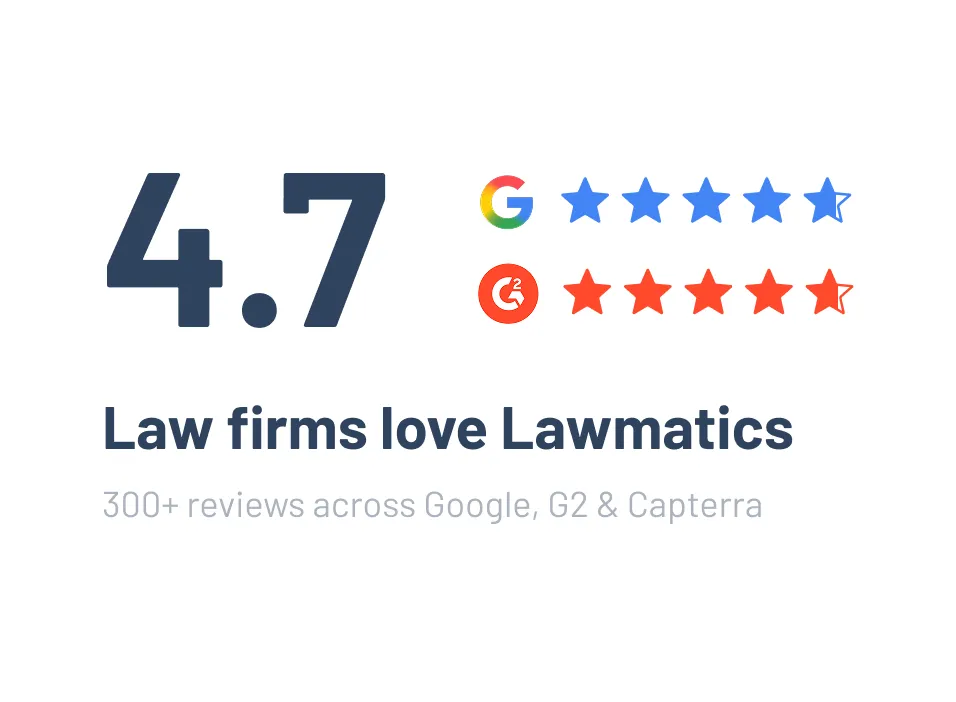
Good qualification output provides a clear lead status, such as qualified, borderline, or refer out, and includes case details that support that recommendation. Merlin Qualify in Lawmatics does just this by conducting a structured conversational intake, flagging leads by fit, and feeding the results into automated workflows based on likelihood to convert.
For example, at a personal injury firm, the AI intake assistant can send leads it classifies as “Chase Hard” (i.e., high-fit leads most likely to convert) directly to intake staff, while lower-fit leads are either disqualified or routed to an automated email and SMS workflow.
For managing partners, enabling intake staff to focus only on the highest-quality leads means fewer wasted consultations and a higher consult-to-signed rate.
Feature 2: Automated Routing and Speed-to-Lead Response
Why routing rules matter more than response templates
Effective routing ensures the right person immediately owns the lead, so follow-up happens in minutes rather than hours. Client intake automation with configurable logic automatically routes leads based on practice area, matter type, urgency, and geography.
Without AI routing, leads are often sent to a shared inbox and wait for someone to manually decide where they go, creating sorting delays that kill conversion rates. Attorneys receive more complete intake context with AI routing, eliminating these delays.
For time-sensitive firms, even a small delay has a major impact on conversions. For example, a criminal defense firm needs to respond to inquiries immediately. With an automated intake system that routes, say, DUI inquiries to the on-call DUI associate, response times drop from hours to minutes.
After-hours and missed-call coverage: the gap most firms ignore
For firms that don’t have an automated legal intake system, after-hours and weekend inquiries are at especially high risk of getting lost. Without an automated response, a prospect who reaches out on Friday evening will receive no acknowledgment until Monday morning. At that point, they'll have most likely contacted other firms.
AI closes this gap. When a lead comes in outside of business hours, they automatically receive an immediate acknowledgment and a self-scheduling link. If a call is missed, an outreach sequence is triggered so that the lead isn’t left wondering when they’ll hear back.
SLA enforcement: what happens when a lead sits too long
It’s one thing to have speed-to-lead standards, but if no one is enforcing them, those leads will stall and drop off. An AI intake assistant automatically enforces SLA escalation rules. It alerts a manager if a lead has not been contacted within a defined window.
For example, if a qualified inquiry doesn’t get a response within two hours, the person responsible for that lead is automatically notified. Leads are less likely to drop off, and managing partners gain accountability and visibility without having to manually audit the pipeline.
Feature 3: Scheduling Integration That Removes Friction From Consultation Booking
Self-serve scheduling tied to the right calendar and matter type
Relying on generic calendar links is a recipe for mismatched bookings and low show rates. Instead, your legal calendaring software should automatically route to the correct attorney or intake owner based on matter type, practice area, and availability.
For example, imagine an immigration firm that previously allowed leads to book consultations without first assessing which attorney would be the best fit. Because of mismatched bookings, staff wasted time on manual rescheduling. By switching over to an AI system that automatically matched inquiries with the right attorney (and took into account that attorney’s availability), the need for rescheduling dropped dramatically.
Automated confirmations and reminders that reduce no-shows
Consultation reminders are one of your best ways to reduce no-shows. However, manual reminder processes are too inconsistent to be effective. An automated reminder cadence that triggers at booking, 24 hours before consultation, and the day of can improve show rates while reducing the need for staff oversight. Similarly, if a prospective client is a no-show, a re-engagement workflow is triggered to get them to reschedule.
Pre-consultation intake delivered automatically after booking
Attorneys are better able to convert inquiries into retained clients when they go into consultations having already reviewed intake data. With pre-consultation intake forms delivered automatically after booking but before the consult, attorneys get valuable context without any additional manual steps.
As a managing partner, you should track your consult show rate and average days from inquiry to booked consultation. Both metrics are heavily influenced by scheduling automation and can directly connect to revenue.
Feature 4: Workflow Automation Triggered by Intake Outcomes
How intake results should trigger downstream actions automatically
AI intake doesn’t stop at qualifying leads. The result of qualification automatically triggers different workflows that optimize your firm’s time, reduce manual handoffs, and improve conversion rates.
For example, a family law firm could implement AI qualification so that when a lead is qualified, a document checklist and conflict check workflow are triggered. The lead is then routed to the appropriate associate, who can verify the conflict check results. Even if staff are busy or unavailable, the lead continues to move through the pipeline.
Nurture sequences for leads that are not ready to retain
For leads that are borderline or not yet qualified, a separate structured nurture sequence is more appropriate. While these leads may not convert at first contact, many do with consistent, relevant follow-up over time.
For example, dynamic email workflows that are segmented by matter type, qualification status, and lead source ensure your content remains relevant. This sort of automated workflow stops revenue leaks while also ensuring staff don’t waste time on low-fit prospects.
Document requests, conflict check tasks, and onboarding triggers
Custom automations, like document requests, conflict checks, and onboarding workflows, eliminate time-consuming manual steps and improve pipeline performance. For example, conflict check software generates conflict check tasks as soon as party names and case details are gathered, preventing wasted consultations and reducing compliance risk.
Similarly, e-signature workflows trigger automatically when a lead reaches “ready to retain” status. This helps maintain momentum and reduces the time from consult to signed agreement.
Feature 5: Reporting That Connects Intake Activity to Revenue Outcomes
The metrics a managing partner actually needs from an AI intake tool
An AI intake assistant without reporting is a black box: you cannot improve what you cannot measure. Your AI intake assistant should provide visibility into time-to-first-response, lead-to-consult conversion rate, consult show rate, consult-to-signed rate, and lead source performance.
Each metric matters because it’s not focused merely on activity, but on getting leads to the next step in the funnel. When taken together, they allow you to see where your intake process is and isn’t working and to make more informed decisions about process changes.
Lead source attribution: knowing which channels produce retained clients
Lead source attribution is an area where activity data alone can lead to misleading conclusions. For example, if a channel generates 50 inquiries but only two retained clients, it’s performing worse than one that generates 20 inquiries but eight retained clients.
That’s why your legal analytics software should show which channels (paid search, organic, and referral) actually drive qualified leads and retained clients. Software that focuses only on inquiry volume tells you only half the story.
Identifying intake bottlenecks before they become revenue problems
Your KPI dashboard should show where leads are stalling, such as at qualification, scheduling, or between consult and signed agreement. Identifying these bottlenecks early ensures they don’t turn into lost revenue.
As a managing partner, you need pipeline reporting that gives you full-funnel visibility, from lead source to signed client. That view allows you to make more informed budget and staffing decisions. This reporting needs to be tied to intake volume and conversion rates, not just new inquiries, so that you can see where you’re losing revenue.
What to Watch Out For: Features That Look Good but Underdeliver
Generic chatbots dressed up as AI intake tools
A generic chatbot that only collects information is not an AI intake assistant. While both are sometimes marketed as AI, they produce different outcomes. As a baseline, a real AI intake assistant includes structured qualification logic, lead scoring, and downstream workflow triggers.
A chatbot that can’t produce a lead status with supporting case details is little more than a digital intake form with a conversational interface. A real AI intake assistant doesn’t just capture data; it qualifies, scores, and uses that data to save your team time.
Intake tools that don’t connect to your existing case management stack
Watch out for intake tools that don’t integrate with your existing case management stack or that require you to replace your current case management platform entirely. The best AI intake solutions work alongside your existing stack, not instead of it.
Standalone intake tools that don’t integrate with platforms like Clio, MyCase, or PracticePanther cause more problems than they solve. They require duplicate data entry, and they break the handoff from intake to matter management.
Qualification without routing: why half a workflow creates new problems
Qualification without automated routing doesn’t fix bottlenecks. Staff still have to manually sort and assign leads, wasting time on tasks that an effective AI intake tool could automate.
When comparing tools, you want one that doesn’t just report on activity (such as forms submitted and chats completed). It should also report on outcomes (consults booked, leads converted, and matters signed).
Evaluate any AI intake tool’s capabilities with the following questions:
How Lawmatics Delivers AI Intake Inside a Legal CRM
Merlin Qualify: Structured lead qualification built for law firm workflows
Merlin Qualify is a structured AI lead qualification for law firms. It scores leads against your own qualification thresholds. Leads are then flagged as qualified, borderline, or referred out. These results feed directly into routing, scheduling, and follow-up workflows inside the same platform, eliminating handoff gaps between qualification and next steps.
One system from first contact to retained client
Lawmatics doesn’t function as a bolt-on intake tool, but rather as the system of record for the entire client relationship lifecycle. It enables your entire intake workflows to live inside the same legal CRM. As a managing partner, you can track leads, consultations, and retained clients in a single dashboard, making budget and marketing decisions easier. You’ll get visibility into how leads move through your pipeline, without having to track down data across different platforms.
Built to work alongside Clio, MyCase, and PracticePanther
Lawmatics integrates with the leading case management platforms, such as Clio, MyCase, and PracticePanther. You can automate your intake system without overhauling your entire tech stack. Because Lawmatics communicates data into your case management system at conversion, it eliminates duplicate entries and broken handoffs.
For attorneys and staff already comfortable with their software, this integration makes adopting AI intake a seamless process. Your firm can quickly enjoy the time-saving benefits of AI intake while avoiding the need to relearn workflows.
Request a demo to see how Lawmatics handles AI intake, qualification, routing, and reporting as a single connected system.
FAQ
What is an AI intake assistant for law firms?
An AI intake assistant for law firms is a type of software that conducts structured qualification conversations, routes leads, and triggers follow-up workflows. AI intake assistants don’t replace staff or attorney judgment. Instead, they reduce manual intake work for staff and improve speed-to-lead.
How does AI intake qualification work?
AI qualifies leads by scoring leads against your firm’s criteria and routing qualified prospects to scheduling or staff review. If a lead is borderline or unqualified, it enters an automated nurture sequence designed to get them to book a consultation in the future.
Can an AI intake assistant replace my intake staff?
No. An AI intake assistant can handle repetitive qualification and routing tasks, but staff are still required for high-value client interactions. Attorney judgment remains essential for determining case fit and strategy, although that judgment is faster thanks to the preparatory work done by AI.
What is the most important feature to look for in an AI intake tool?
Your AI intake tool should feature structured qualification logic tied to your firm’s criteria. Automated routing and downstream workflow triggers are also essential. With them, intake bottlenecks are resolved rather than simply being moved elsewhere.
Does an AI intake assistant work with case management software like Clio or MyCase?
Yes, a good legal CRM with AI should integrate with case management platforms like Clio and MyCase. Intake data flows directly into your existing platform, so you don’t have to contend with duplicate entries or replacing your existing tech stack.
.avif)
Ready to grow your law firm with Lawmatics?
Schedule a demo of legal’s most trusted growth platform.